


The Premium Dorm Tech Stack: Allocating $1500 Before Move-In
Your parents handed you $1,500 for tech, and the trap is buying six things at once. The right move is a priority order: the laptop anchors $1,099, and the remaining $400 buys the layers that earn the most use per dollar. Our DGH Cost-per-Year-of-Use score sets the sequence.
This article contains affiliate links. We may earn a commission at no extra cost to you. Learn more
Featured in this Guide
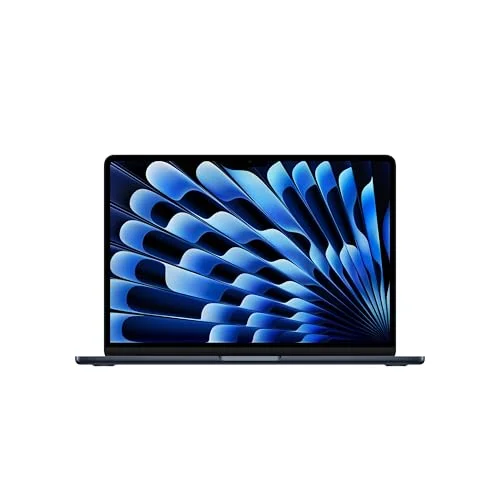
MacBook
Air M5 13-inch
- •Tom's Guide and Wirecutter's 2026 college pick — 18-hour battery, fanless silence, and ~50% resale at year four cut the true cost-per-year in half, ,
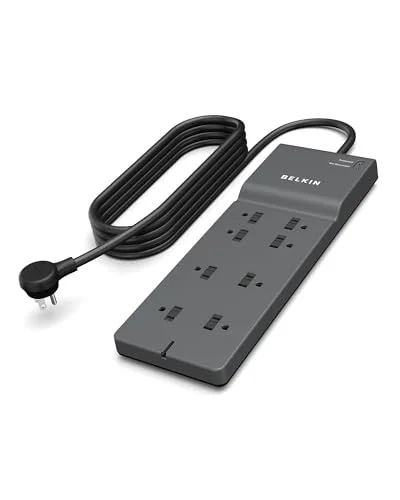
Belkin
BSV804 Surge Protector
- •Reviewed's best USB-C surge protector — 4000J clears the strict 1500J dorm floor, and at $59 over a daily 5-year life it is the cheapest cost-per-year layer, ,
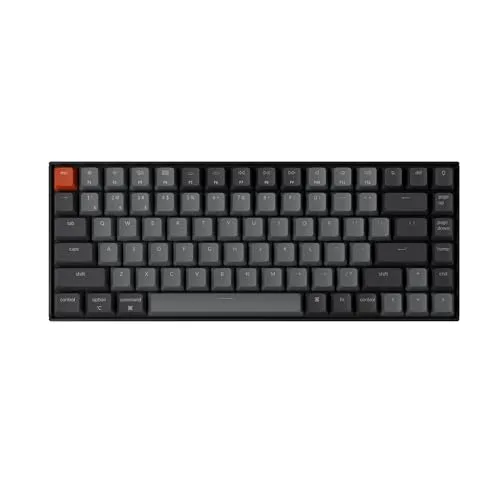
Keychron
K2 Pro
- •RTINGS-tested K Pro family board — hot-swap sockets and a 75% layout make a $119.99 board the only one you ever buy across four years, ,
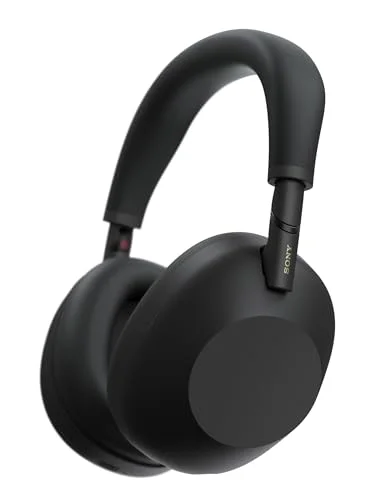
Sony
WH-1000XM6
- •RTINGS's best-tested ANC headphones — adaptive ANC and 30-hour battery, with multi-point pairing across iPhone and MacBook for instant Zoom handoff, ,
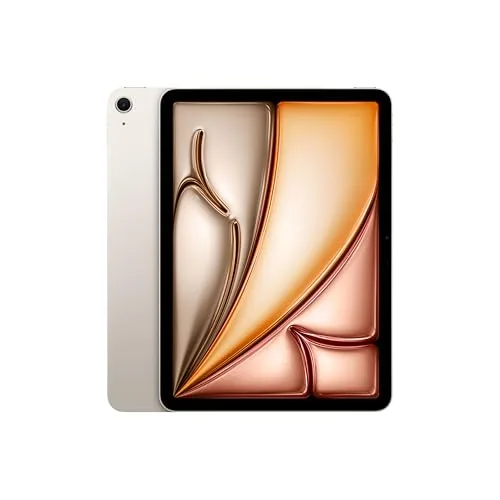
iPad
Air 11-inch (M4)
- •AppleInsider's 4-out-of-5 M4 Air — Apple Pencil Pro plus Notability handwriting, a Geekbench 6 multi-core of 12,978, strong Apple resale, ,
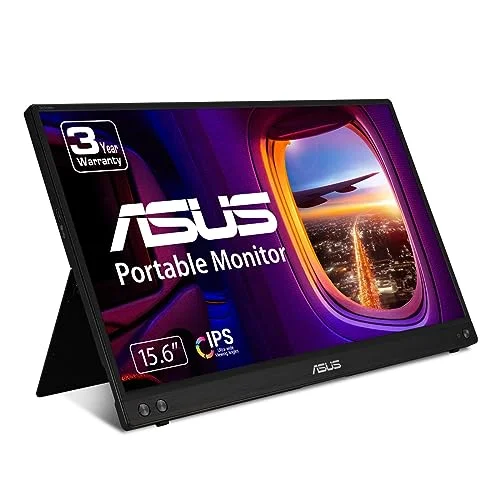
ASUS
ZenScreen MB16NCG
- •Reviewed's best student portable monitor — 16-inch QHD over a single USB-C cable adds 88% more pixel area to a 13-inch Air, ,
Back-to-school boosts: budget alternates for this stack — timer-gated Best Buy links that flip to Amazon at expiry
ASUS · Laptops & Chromebooks
Chromebook Plus CX34 (Core i3, 8GB, 256GB)
List price around $399. Best Buy is running a limited-time deal window on this pick; pricing and stock there are time-limited. When the window closes on 2026-09-13, the button below automatically switches to the current Amazon offer.
Samsung · Tablets
Galaxy Tab A11+ (11-inch, 128GB, Wi-Fi)
List price around $250. Best Buy is running a limited-time deal window on this pick; pricing and stock there are time-limited. When the window closes on 2026-09-07, the button below automatically switches to the current Amazon offer.
Sony · Audio & Home Theater
HT-S400 2.1ch Soundbar with Wireless Subwoofer
List price around $300. Best Buy is running a limited-time deal window on this pick; pricing and stock there are time-limited. When the window closes on 2027-02-27, the button below automatically switches to the current Amazon offer.
Bose · Audio
QuietComfort Headphones (Noise Cancelling)
List price around $349. Best Buy is running a limited-time deal window on this pick; pricing and stock there are time-limited. When the window closes on 2027-02-27, the button below automatically switches to the current Amazon offer.
Prices and availability are examples, not endorsements of a specific sale price. Best Buy promotional pricing is time-limited; each card auto-updates to the Amazon offer when its deal window ends.
The Short Answer
Spend the laptop first: the MacBook Air M5 ($1,099) anchors the $1,500, and Tom's Guide names it the 2026 college pick. The remaining $400 follows a priority order set by our DGH Cost-per-Year-of-Use Score, which ranks the Belkin BSV804 strip ($59) cheapest per year, ahead of the Keychron K2 Pro and Sony XM6.
The anchor question surfaces in nearly every family group chat each August: "My parents gave me $1,500 for tech before move-in — what is the priority order?" The wrong answer is splitting it evenly six ways. The right answer is a deliberate sequence, because the laptop is the foundation that everything else attaches to, and it claims most of the budget by design.
This hub identifies the highest-consensus winner in six categories — laptop, power strip, keyboard, headphones, tablet, and monitor — then ranks all six on one proprietary number, the DGH Cost-per-Year-of-Use Score. It divides a device's true cost (price minus resale) by its years of daily use, so the ranking captures real value, not sticker price. A $59 strip run daily for a 5-year span costs almost nothing per year. The $1,099 laptop costs more, even though it is the first buy.
Head-to-Head: Cost-Per-Year, Longevity, Payoff, Fit, and Setup
Tech Charging
Chart
 DormGearHQ.com
ASUS ZenScreen MB16NCG
$266.99Must BuyCheck price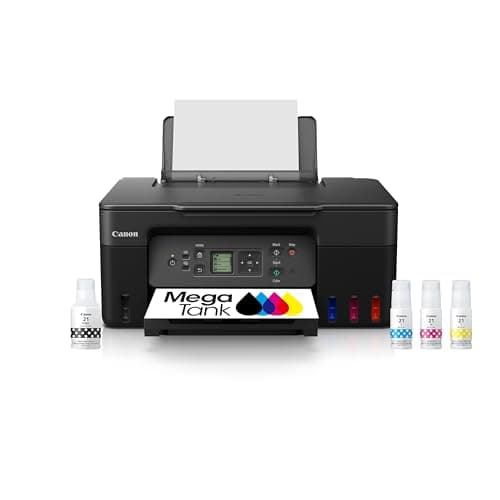
Canon MegaTank G3270 All-in-One Wireless Inkjet Printer, Home Use, Print, Scan and Copy
$159.99Must BuyCheck price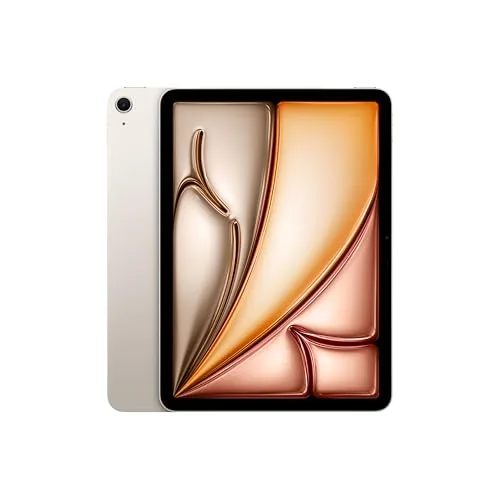
iPad Air 11-inch (M4)
$689.99Must BuyCheck price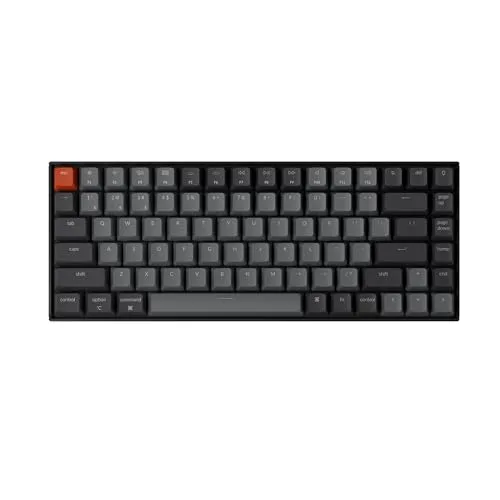
Keychron K2 Pro
$119.99Must BuyCheck price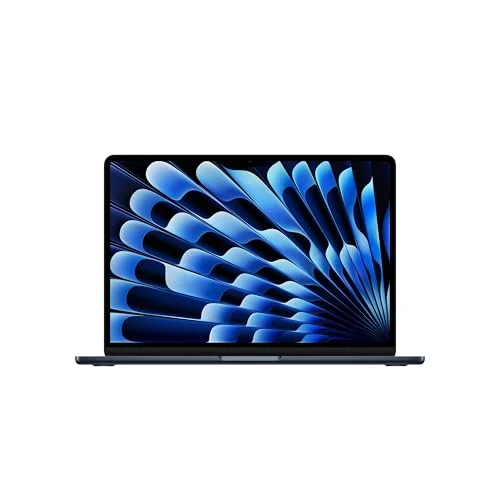
MacBook Air M5 13-inch
$1259.99Must BuyCheck price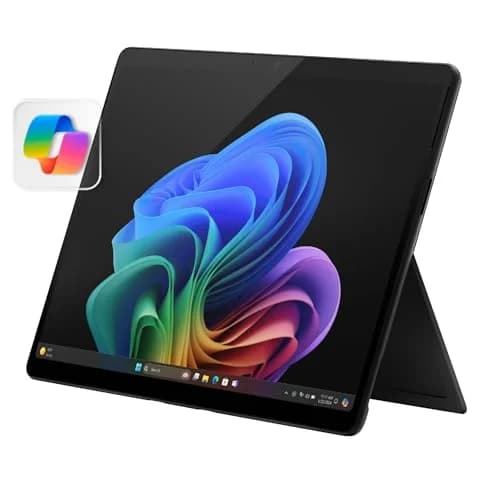
Microsoft Surface Pro 11
$1249.99Must BuyCheck price
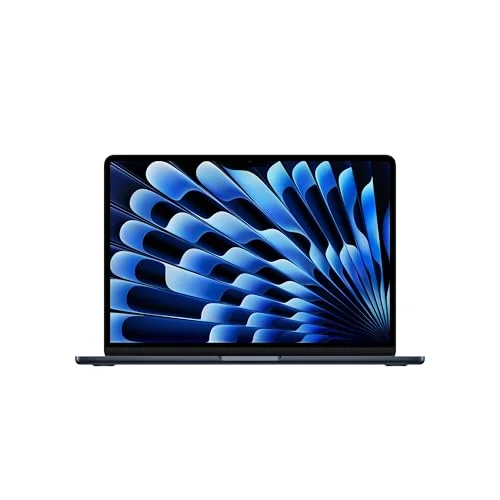
The Anchor Buy (Laptop): MacBook Air M5 13-inch
MacBook Air M5 13-inch
(Current price, subject to change)
- Apple M5 chip with 10-core CPU
- 13.6-inch Liquid Retina display
- 16GB unified memory standard
- 256GB SSD, 18-hour rated battery
- MagSafe 3 plus two Thunderbolt USB-C ports
- Fanless silent chassis
The MacBook Air M5 is the anchor buy because it is the device the entire stack is organized around: the keyboard plugs into it, the monitor extends it, the headphones pair to it, the iPad syncs with it. Tom's Guide names the 13-inch Air the best laptop for college students 2026, and Wirecutter names it the dorm pick for handling a 4-year degree without a midpoint upgrade. CNET measured 18 hours of real-world battery, the spec that matters in a building where you cannot count on an open outlet between classes.
On the DGH Cost-per-Year-of-Use Score it lands at 8.5 — below the accessories, and that ranking is honest rather than damning. The formula divides true cost (price minus resale) by years of daily use, so a $1,099 laptop always costs more per year versus a $59 strip. What keeps the Air's number high is resale: it recovers roughly 50% of MSRP at year four, half the Windows curve, so the laptop you sell at graduation costs far less than its sticker. That is why it is the first buy in dollars even though it is not cheapest per year. The Best Laptops for College Students 2026 spoke covers the MacBook Neo and Windows alternatives.
What We Love
- Tom's Guide names the 13-inch Air the best laptop for college students 2026, citing battery and chip headroom Apple's rivals still chase
- Wirecutter names it the dorm pick because it handles a four-year degree workload without forcing a midpoint upgrade
- CNET measured eighteen real-world hours of battery — a full class day with margin and a chassis that survives backpack abuse
- Fanless silent operation never spins up during a Zoom lecture or a thirty-tab Chrome session
- Resale recovers about 50% of MSRP at year four — roughly half the Windows depreciation curve, which is the spec that drives its cost-per-year
What Could Be Better
- RAM is soldered — there is no upgrade path if 16GB feels tight in year three
- 256GB base storage fills fast for film, photo, or design students who should budget for a step-up config
- No HDMI or SD slot — projector-teaching and camera workflows mean dongle life
The Verdict
If you have one $1,500 envelope and are deciding where the bulk goes, start here and shortlist the MacBook Air M5 13-inch. Tom's Guide and Wirecutter both call it the 2026 college pick, and at $1,099 it claims most of the budget on purpose — every other layer attaches to it. Its 8.5 DGH Cost-per-Year-of-Use score trails the accessories only because it is the largest outlay.
Buy First by Cost-Per-Year (Power): Belkin BSV804 Surge Protector
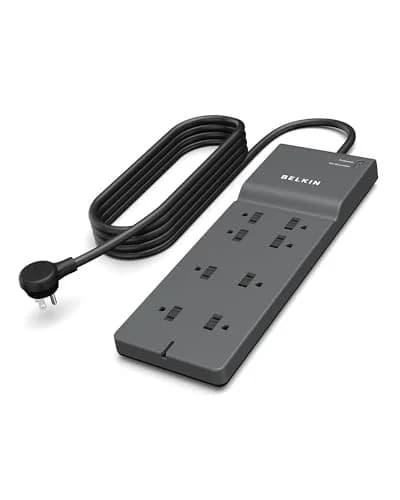
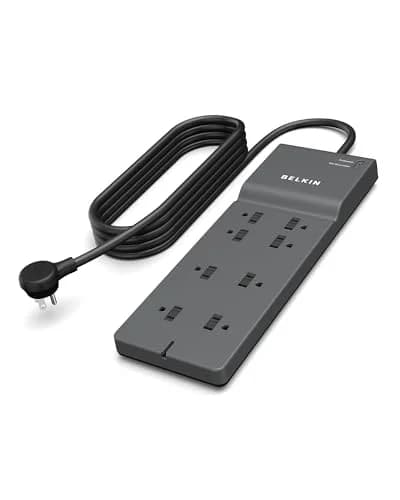
Belkin BSV804 Surge Protector
(Current price, subject to change)
- UL 1449 listed, 4000-joule surge rating
- 8 outlets with low-profile flat plug
- 1 USB-C 15W plus 2 USB-A ports
- 6-ft cord with flat plug head
- Lifetime product warranty
- $300,000 connected-equipment guarantee
The Belkin BSV804 earns its place as the first buy by cost-per-year because it is the foundation the rest of the stack physically depends on, and the cheapest layer to own over four years. Reviewed awards it best surge protector with USB-C for 2026, and Wirecutter names it the dorm pick where USB-C charging matters. The spec that makes it a make-or-break buy rather than an upgrade is the 4000-joule rating: it clears the strict 1500J floor the most cautious housing offices enforce, the bar weaker strips fail inspection.
On the DGH Cost-per-Year-of-Use Score it tops the guide at 9.4 — the inverse of the laptop's position, for the same reason. The formula rewards a low true cost spread across heavy daily use, and a $59 strip that runs every device every hour of every day for a 5-year life costs almost nothing per year. It has effectively no resale value, which the formula accounts for, but the outlay is so low and the payoff so high that the per-year math outperforms every other layer. The lifetime warranty and $300,000 connected-equipment guarantee make it cheap insurance on the $1,099 Air. The Best Dorm-Safe Power Strips 2026 spoke covers the budget Belkin and strict-policy alternatives.
What We Love
- Reviewed awards the BSV804 best surge protector with USB-C for 2026 — the flat plug and 4000J rating outperform every entry-tier rival
- Wirecutter names it the dorm pick where USB-C charging matters, since a single port spares an AC outlet slot per laptop owner
- The 4000-joule rating clears the strict 1500J dorm-policy floor with margin — it passes inspection at the schools that confiscate weaker strips
- The flat plug fits behind beds, desks, and dressers without wasting the wall space a bulky plug eats
- A lifetime warranty plus a $300,000 connected-equipment guarantee means it protects the $1,099 laptop plugged into it, not just itself
What Could Be Better
- At $59 it sits above the entry tier — a first-week budget may flinch at a power strip that costs more than a cheap one
- The USB-C port delivers 15W, which is fine for phones but slow for a 65W USB-C laptop
- Outlet spacing is tight for wall warts wider than 1.5 inches, so plan the heaviest adapters for the end slots
The Verdict
If you want the accessory that earns your money fastest after the laptop, it is the Belkin BSV804 Surge Protector. Reviewed names it the best USB-C surge protector of 2026, and at $59 spread across daily use over a five-year-plus life it posts the top 9.4 DGH Cost-per-Year-of-Use score here — the cheapest layer per year you own. It also protects everything else you bought.
The Type-All-Day Layer: Keychron K2 Pro
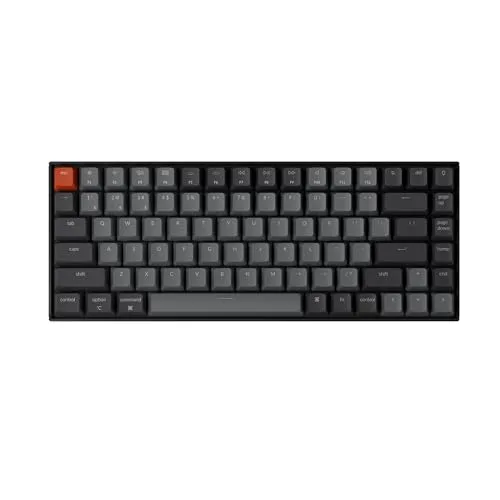
Keychron K2 Pro
(Current price, subject to change)
- 75% compact layout with Mac and Windows keys
- Hot-swappable south-facing sockets
- Bluetooth 5.1 plus USB-C wired modes
- Hot-swappable K Pro red switches as shipped, plus Banana or Silent K Pro switch sets sold separately
- RGB backlight
- Aluminum frame, detachable braided cable
The Keychron K2 Pro earns the type-all-day layer because, for a student who writes papers, code, and lab reports for hours, the keyboard is the device hands touch most after the laptop's own — and its cost-per-year rewards that longevity. RTINGS tests the K2 Pro within its K Pro Series family review and calls the K Pro boards an upgrade over the standard Keychron K Series — the hot-swap design makes it the only keyboard most students ever buy. The 75% layout fits beside a portable monitor without crowding the mousepad on a cramped dorm desk.
On the DGH Cost-per-Year-of-Use Score it lands at 9.2, second only to the Belkin strip. The driver is years-of-use: hot-swap sockets let you change switches without soldering, so the board adapts to your taste over four years rather than getting replaced when the stock switches wear out. No standalone K2 Pro review exists at a major outlet — the RTINGS family test is the published coverage. Resale is modest, but the formula favors a $119.99 board you keep for a 4-year run compared to two cheaper boards you discard. The Best Mechanical Keyboards for College 2026 spoke covers the Logitech MX Keys S and other layouts.
What We Love
- RTINGS tests the K2 Pro within its K Pro Series family review — an upgrade over the standard Keychron K Series
- Hot-swap sockets make the $119.99 board the one keyboard most students ever need to buy — it evolves instead of getting replaced
- 75% layout is the right call for cramped dorm desks — you keep the arrow keys and lose only the numpad
- Hot-swap sockets take Keychron's dedicated Silent K Pro switches any time clicky noise becomes a shared-room problem, and Mac plus Windows layouts both ship in the box
What Could Be Better
- Stock keycaps feel cheaper than the chassis price implies — a keycap upgrade adds about $40 at year two if you want them nicer
- RGB bleed on the white-backlight version can distract during late-night library sessions
- At 1.9 lb it is mid-weight — not the keyboard you carry between dorm and library every single day
The Verdict
If you type for hours daily and want a keyboard that lasts the whole degree, shortlist the Keychron K2 Pro. RTINGS tests it in its K Pro Series family review, and its 9.2 DGH Cost-per-Year-of-Use score is second only to the power strip — because hot-swap sockets stretch its useful life across all four years, so a $119.99 board genuinely becomes the only one you ever buy.
The Focus Layer: Sony WH-1000XM6
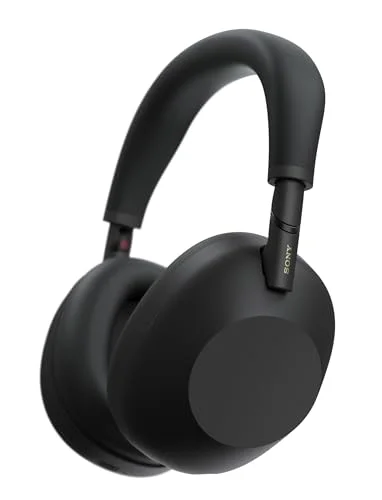
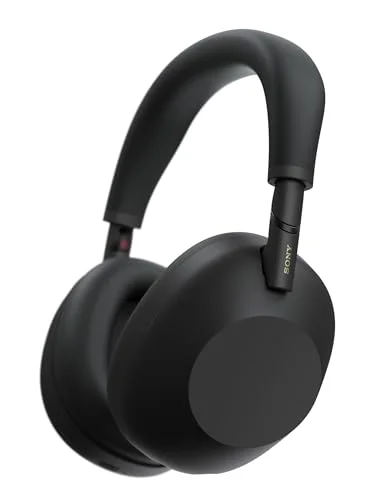
Sony WH-1000XM6
(Current price, subject to change)
- Adaptive Sound Control ANC system
- 30-hour rated battery with ANC on
- USB-C fast charge — 3 mins for 3 hours
- Multi-point pairing across two devices
- LDAC and Hi-Res Wireless Audio support
- Foldable chassis with carrying case
The Sony WH-1000XM6 earns the focus layer because the dorm's defining problem is noise — a roommate on a call, a hallway at 2 a.m., a cafeteria study session — and a strong ANC headphone is the only device in this stack that fixes it. RTINGS ranks the XM6 among the best noise-cancelling headphones it has tested, citing world-class isolation that closes most of the historical Bose gap. Tom's Guide reports its 30 hours of battery clear a full study week, which matters because the headphone you forget to charge is the one you stop wearing.
On the DGH Cost-per-Year-of-Use Score it lands at 9.1, just behind the keyboard. The driver here is daily-use payoff rather than resale: headphones recover little used value, but the XM6 gets worn for hours every day across lectures, study, and sleep, so its $449.99 spreads thin across a 5-year horizon of heavy use. The multi-point pairing that holds an iPhone and MacBook at once is the cross-device-fit win Tom's Guide highlights — no re-pairing when a Zoom call jumps from phone to laptop. The Best Noise-Cancelling Headphones for Dorm Life 2026 spoke covers the Bose QC Ultra and the long-battery Sennheiser Momentum 4.
What We Love
- RTINGS ranks the WH-1000XM6 among the best noise-cancelling headphones it has tested — world-class isolation closes most of the historical Bose gap with stronger multi-device pairing
- Tom's Guide reports 30 hours of rated battery clears a full week of study sessions before a charge
- RTINGS rates its noise isolation among the best it has tested — a dorm hallway becomes background
- Tom's Guide flags the 12 beamforming mics as a big call-quality upgrade for Zoom lectures
- Multi-point pairing holds an iPhone and a MacBook at once, so a Zoom-call handoff is instant with no re-pairing dance
What Could Be Better
- At $449.99 it tops the everyday-buy tier — real money once the laptop already claimed most of the budget
- ANC depth sits slightly behind the Bose QC Ultra for students in genuinely loud rooms
- The glossy plastic chassis shows fingerprints faster than a matte finish would
The Verdict
If focus in a loud dorm is the problem you are solving, shortlist the Sony WH-1000XM6. RTINGS ranks it among the best noise-cancelling headphones it has tested, and its isolation turns a hallway into background. Its 9.1 DGH Cost-per-Year-of-Use score reflects years of daily wear: headphones earn their dollars through hours-a-day use, not resale, and these get worn constantly.
The Note-Taking Layer: iPad Air 11-inch (M4)
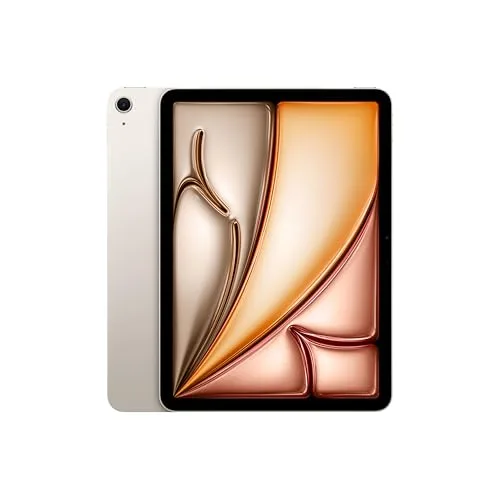
iPad Air 11-inch (M4)
(Current price, subject to change)
- iPad Air 11-inch with Apple M4 chip
- 128GB storage base
- Liquid Retina display
- Wi-Fi 7 with Apple N1
- Apple Pencil Pro compatible (sold separately)
- iCloud handoff to MacBook
The iPad Air M4 earns the note-taking layer because handwriting beats typing for retention in lecture-heavy majors, and it is the only device in the stack built for the pen. AppleInsider scores it 4 out of 5, measuring a Geekbench 6 multi-core of 12,978 — chip headroom that carries four years of coursework — and Notebookcheck scores it 88%. Notability and GoodNotes are iOS-exclusive, the real reason an Apple-ecosystem student reaches for the Air over an Android tablet.
On the DGH Cost-per-Year-of-Use Score it lands at 9.0, mid-pack. The driver is resale: compared to the headphones and keyboard, the iPad recovers a large share of its price at graduation, the Apple advantage that props up the Air's cost-per-year too. What pulls its score below them is daily-use payoff — it is a companion, not a daily driver, so it sees heavy use in lectures and lighter use otherwise. That is why it sits later in the buy order: highest resale, but not the device you touch most. The Best Tablets for College Note-Taking 2026 spoke covers the Galaxy Tab S11 and Surface Pro 11.
What We Love
- AppleInsider rates the iPad Air M4 4 out of 5 — a Geekbench 6 multi-core of 12,978, up from 11,687 on the M3
- Apple lists the 11-inch Air at the $599 entry price, before the $129 Pencil Pro
- Notability and GoodNotes run natively on iPadOS — the note-taking apps most students standardize on are iOS-exclusive
- All-day battery rating clears any class day with margin
- iCloud handoff syncs lecture notes straight to the MacBook for typing-up sessions, so the tablet and laptop split the work cleanly
What Could Be Better
- The $728 bundle with the Pencil Pro tops the dorm tech budget — it is the layer most likely to wait a semester
- 128GB base fills fast for film majors and PDF-heavy programs that should budget the step-up config
- It does not replace a laptop — it is a companion device, so it only earns its place alongside the Air, not instead of it
The Verdict
If you retain more from handwriting than typing, shortlist the iPad Air 11-inch (M4). AppleInsider rates it 4 out of 5 and Notebookcheck scores it 88%, and its Apple Pencil Pro plus Notability combination anchors the note-taking layer. Its 9.0 DGH Cost-per-Year-of-Use score reflects strong Apple resale — best of the accessories here — though it is a companion you use heavily only in lectures.
The Second-Screen Layer: ASUS ZenScreen MB16NCG
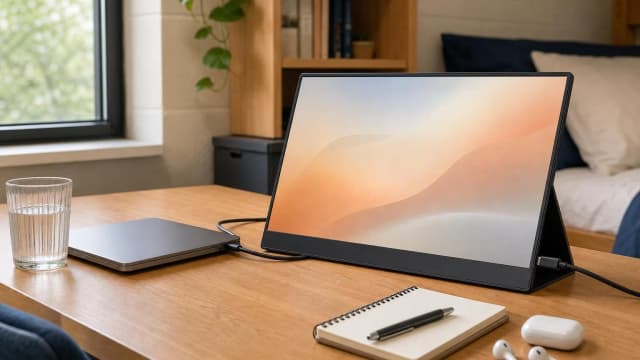
ASUS ZenScreen MB16NCG

(Current price, subject to change)
- 16-inch QHD (2560x1600) IPS panel
- 165Hz refresh rate
- 1.7 lb chassis weight
- USB-C single-cable power and video
- Mini-HDMI input for legacy laptops
- Foldable smart-cover stand
The ASUS ZenScreen MB16QHG earns the second-screen layer because a 13-inch Air runs out of room the first time you put a PDF beside a document, and a portable monitor is the only device here that delivers a wider workspace. Reviewed names it the consensus best student portable monitor of 2026, and CNET measured 88% more usable pixel area for split-view work versus the Air's built-in display. Tom's Guide highlights that the $299 panel stays under the 2lb floor at 1.7lb, which makes it a portable you actually carry rather than a desktop monitor you abandon.
On the DGH Cost-per-Year-of-Use score it lands at 8.7, just above the laptop and at the back of the buy order — and the ranking is deliberate. The single USB-C cable Wirecutter praises gives it strong cross-device fit, and the QHD panel earns real daily use, but its $299 price is high for an accessory and monitors recover only modest resale. The formula puts it last not because it is weak, but because the budget should clear the cheaper, higher-payoff layers first. It is the upgrade you add once everything else is sorted. The Best Portable Monitors for Dorm 2026 spoke covers the OLED MQ16FC and lighter picks.
What We Love
- Reviewed names the ZenScreen MB16QHG the consensus best student portable monitor of 2026 — QHD at 16 inches is a sharpness gain that pays back daily
- CNET measured 88% more usable pixel area for split-view multitasking versus a 13-inch MacBook Air built-in display
- Tom's Guide notes the $299 MSRP at 1.7 lb makes this the only QHD-plus-165Hz portable that stays under the 2 lb floor
- Wirecutter calls the single USB-C cable the standout dorm-desk-geometry win — no power brick crowding the desk
- The smart-cover stand folds into the chassis for storage, so it travels to the library and stows flat in a backpack
What Could Be Better
- At $299 it sits above the budget tier — the layer most students add in a later semester, not at first move-in
- The 165Hz refresh rate is overkill for non-gaming coursework, so part of the spec is wasted on a pure productivity user
- QHD scales small on macOS by default and needs a display-scaling tweak to read comfortably
The Verdict
If your 13-inch Air feels cramped for split-view work, shortlist the ASUS ZenScreen MB16NCG. Reviewed names it the best student portable monitor of 2026, and CNET measured 88% more usable pixel area beside the Air. Its 8.7 DGH Cost-per-Year-of-Use score sits near the laptop's — a real upgrade, but the last layer in the buy order because its price is high and resale modest.
How We Score: DGH Cost-per-Year-of-Use
DGH Cost-per-Year-of-Use
Score Formula
(MSRP − expected_resale_at_end_of_life) ÷ (expected_lifespan_years × utilization_intensity), reported in dollars per year of use where lower is better, then normalized to a 0-10 scale where higher is better. A $59 strip used daily for 5+ years costs near-zero per year and scores high; a $1,099 laptop costs more per year and scores lower even though it is the first buy in dollars — and resale is what keeps Apple gear's per-year number high despite a premium priceScore Factors
- True Cost (MSRP minus resale)The price you pay minus the dollars you recover selling the device at the end of its dorm life. This is the number the formula actually divides, and it is why resale matters so much: Apple gear recovers roughly half its MSRP at year four, so the MacBook Air and iPad Air carry a far lower true cost than their stickers suggest. Most accessories — strips, keyboards, headphones — recover little to nothing, so their true cost is close to the full price, which only works in their favor when the price is low to begin with.
- Expected Lifespan and Utilization IntensityThe realistic dorm-life ownership horizon multiplied by how intensely the device is used. Laptops, power strips, and keyboards are daily drivers run at full intensity (utilization near 1.0); a tablet that is a lecture companion runs at lower intensity. Lifespan ranges from four years for a laptop or monitor to five-plus for a hot-swap keyboard or a lifetime-warranty surge protector. A long-lived device used hard every day spreads its true cost across the most years of use, which is why the cheap-but-constant Belkin strip and the keep-forever Keychron board top the ranking and set the buy order after the laptop anchor.
DGH Cost-per-Year-of-Use — Ranked
Belkin BSV804 Surge Protector
9.4/10Cheapest layer per year — $59 over daily 5-year use, Reviewed's best USB-C strip; the first accessory to buy after the laptop
Keychron K2 Pro
9.2/10RTINGS-tested K Pro family board — hot-swap longevity stretches a $119.99 keyboard across all four years
Sony WH-1000XM6
9.1/10RTINGS's best noise-cancelling headphones it has tested — hours of daily wear, not resale, drive the per-year value; instant multi-device handoff
iPad Air 11-inch (M4)
9.0/10AppleInsider's 4-out-of-5 note-taking pick — strong Apple resale offsets its companion-not-daily-driver use; later in the buy order
ASUS ZenScreen MB16NCG
8.7/10Reviewed's best student portable monitor — real daily payoff but a high price and modest resale make it the last layer
MacBook Air M5 13-inch
8.5/10Tom's Guide's 2026 college pick — the anchor buy in dollars; ~50% resale keeps its per-year cost from being far worse
DGH Cost-per-Year-of-Use
True cost (price minus resale) divided by years of daily use — higher is better, and the order is the buy order after the laptop anchor
DormGearHQ analysis of Tom's Guide, Wirecutter, CNET, Reviewed, and RTINGS data, verified 2026-06-21
How the Six Pieces Work Across Your Devices
The stack is built to share cables, chargers, and pairings rather than compete for them, which is the real test of a tech kit in a room with only two AC outlets. The MacBook Air M5 is the hub. It carries two Thunderbolt USB-C ports, and everything else either plugs into it or pairs to it. The ASUS ZenScreen runs off one of those ports over a single USB-C cable that delivers both power and video, so it adds a second screen without claiming an AC outlet or a power brick. The Belkin BSV804 is the power backbone: its eight outlets feed the laptop charger, the monitor, and the iPad, while its USB-C and USB-A ports top up a phone, and its flat 6 ft cord tucks behind furniture. The Sony WH-1000XM6 keeps a multipoint connection to the iPhone and the MacBook at once, which enables a Zoom call moving from phone to laptop to continue without dropping audio. The iPad Air M4 shares an iCloud account with the Air, so handwritten notes synchronize to the laptop for later typing sessions. The Keychron K2 Pro ships both Mac and Windows layouts and works wired or wireless, so it pairs cleanly with the Air and reverts to a cable for a low-latency lab. Nothing here needs a proprietary dongle the others cannot share, because USB-C is the thread that unifies the kit.
| Product | Uses USB-C (shared cables/chargers) | Pairs or syncs across your devices | Runs without its own AC outlet | Core 6-piece stack |
|---|---|---|---|---|
| macbook-air-m5-13-inch | ✓ | ✓ | – | ✓ |
| asus-zenscreen-mb16qhg | ✓ | ✓ | ✓ | ✓ |
| sony-wh-1000xm6 | ✓ | ✓ | ✓ | ✓ |
| keychron-k2-pro | ✓ | ✓ | ✓ | ✓ |
| belkin-bsv804-surge-protector | ✓ | – | – | ✓ |
| ipad-air-m4 | ✓ | ✓ | ✓ | ✓ |
How to Spend the $1,500: The Priority Order
Here is the $1,500 broken down the way the DGH Cost-per-Year-of-Use score says to spend it. The MacBook Air M5 at $1,099 is the anchor — buy it first and without hesitation, because it claims the majority of the budget by design and every other layer attaches to it. That leaves about $400, and this is where the priority order earns its keep. The Belkin BSV804 surge protector at $59 is the next buy: it tops the cost-per-year ranking at 9.4, it protects the $1,099 machine you just bought, and at strict-tier schools it is the strip that passes inspection where cheaper ones get confiscated. The Keychron K2 Pro keyboard at $119.99 comes third — it scores 9.2 because its hot-swap design makes it the only keyboard you buy across four years, and if you type for hours daily it earns its place fast. That is the laptop plus the two highest-value accessories for about $1,278, leaving roughly $220. The Score itself is a weighted composite, normalized to a 0-10 scale, so every factor is divided by its price tier and the ranking it produces stays comparable across categories.
With the remaining budget, the order runs Sony WH-1000XM6 headphones ($449.99), iPad Air M4 ($728 with Pencil Pro), then ASUS ZenScreen monitor ($299) — but at this point the math forces a choice, because the full six-piece stack runs about $2,734 and $1,500 buys roughly the laptop plus two or three accessories. So sequence by your actual problem. If a loud dorm wrecks your focus, the XM6 headphones jump the line: they post a 9.1 cost-per-year because they get worn hours a day, every day. If you retain notes by hand, the iPad Air moves up — it has the best accessory resale here, recovering real money at graduation, but it is a companion you use heavily only in lectures, which is why it sits mid-pack rather than at the top. The ASUS monitor is the last layer for almost everyone: it earns daily use and scores a respectable 8.7, but its $299 price and modest resale mean the budget should clear the cheaper, higher-payoff pieces first. If the $1,500 is the hard ceiling, the honest answer is the laptop, the strip, the keyboard, and the headphones come in around $1,728 — so trim the headphones to a cheaper pick from the spoke or wait a semester on the iPad and monitor. Resale is the quiet lever throughout: the MacBook Air and iPad both recover roughly half their price at graduation, so the true four-year cost of the Apple half of this stack is far lower than the sticker total suggests.
If $1,500 is out of reach entirely, the boosted-deal cards near the top of this page assemble an honest budget version of the same stack for well under $1,000: the ASUS Chromebook Plus CX34 (around $399) stands in for the laptop anchor, the Samsung Galaxy Tab A11+ (around $250) covers the note-taking layer for an Android household, the Sony HT-S400 (around $300) handles the audio layer, and the Bose QuietComfort headphones (around $229 street) cover focus. Those four cards route through our time-gated deal resolver: while each Best Buy boost window is live — the Google-notebooks boost runs through September 13, 2026 and the Samsung tablet boost through September 7, 2026 — the button points to Best Buy, and the moment a window closes the same button switches to the current Amazon offer automatically. No raw Best Buy link is ever emitted, so a bookmarked or cached page stays correct after the promos end. The priority-order logic above applies unchanged to the budget cart: laptop-stand-in first, then power, then the layer that fixes your actual problem.
Who Should Buy What
Who Should Buy What
| If you are… | Recommended pick |
|---|---|
Budget-ceiling freshman You have a hard $1,500 cap and want the priority order — the laptop anchor plus the accessories that earn the most use per dollar before the money runs out | MacBook Air M5 13-inch |
Strict-school move-in Your housing office enforces a joule floor and inspects power strips at check-in, and you want the one that passes while protecting your four-figure laptop | Belkin BSV804 Surge Protector |
Type-all-day major You are in CS, engineering, or a writing-heavy program and type for hours daily — you want a keyboard that lasts the whole degree instead of two cheap ones | Keychron K2 Pro |
Loud-dorm focus seeker Noise from roommates, hallways, or the cafeteria wrecks your concentration, and you want adaptive ANC with all-week battery and instant device handoff | Sony WH-1000XM6 |
Handwriting note-taker You retain more from handwritten notes than typed ones, you are in the Apple ecosystem, and you want a tablet whose notes sync to your MacBook | iPad Air 11-inch (M4) |
Split-view multitasker A 13-inch screen feels cramped for documents, code, and research side by side, and you want a second screen that runs off one USB-C cable | ASUS ZenScreen MB16NCG |
Frequently Asked Questions
With $1,500, what do I actually buy first?
The MacBook Air M5 at $1,099, no hesitation. It is the anchor the entire stack attaches to, and Tom's Guide and Wirecutter both name it the 2026 college pick. It claims most of the budget on purpose. Then, by the DGH Cost-per-Year-of-Use score, the next buy is the Belkin BSV804 surge protector at $59 — it tops the ranking at 9.4, it protects the laptop you just bought, and at strict schools it passes the inspection cheaper strips fail. Third is the Keychron K2 Pro keyboard at $119.99 if you type for hours daily. That sequence uses about $1,278 and leaves roughly $220 for headphones, a tablet, or a monitor as your specific problem dictates.
Why does the MacBook Air score lowest on cost-per-year if it's the first buy?
Because the score measures dollars per year of use, and a $1,099 laptop will always cost more per year than a $59 power strip — that is the math, not a knock on the laptop. The DGH Cost-per-Year-of-Use formula divides true cost (price minus resale) by years of daily use. The Air's saving grace is resale: it recovers about 50% of MSRP at year four, half the Windows depreciation curve, which keeps its per-year number from being far worse. So the laptop is the first buy in dollars and the foundation of the stack, while the cheaper accessories that run every day for years post the highest cost-per-year scores. Both things are true at once — the score sets the buy order for the accessories, not whether to buy the laptop.
Can $1,500 actually cover all six pieces?
No — the full six-piece stack runs about $2,734, so $1,500 buys the laptop plus two or three accessories. That is exactly why the priority order matters. After the $1,099 MacBook Air, $1,500 comfortably covers the $59 Belkin strip and the $119.99 Keychron keyboard, with roughly $220 left. The Sony XM6 headphones ($449.99), iPad Air M4 ($728), and ASUS monitor ($299) are the layers you sequence by need and add over later semesters. If the $1,500 is a hard ceiling, the laptop, strip, keyboard, and headphones land around $1,728 — so either trim the headphones to a cheaper spoke pick or wait a term on the iPad and monitor. The good news is the Apple gear resells at graduation, so the true four-year cost is lower than the upfront total.
What if I want a Windows laptop instead of the MacBook Air?
The priority order is identical — the laptop is still the anchor and the accessories still rank the same on cost-per-year — but the laptop's own cost-per-year changes. The Air's high resale (about 50% at year four) is what keeps its true cost low; a Windows laptop typically recovers closer to 25%, so it depreciates harder and its per-year cost runs higher even at a lower sticker. The best-laptops spoke covers the ASUS Zenbook 14 OLED and the Lenovo IdeaPad Slim 5i for students who need Windows-only software. The keyboard, headphones, and monitor in this stack are all cross-platform; the iPad Air is the one piece that assumes the Apple ecosystem, so a Windows student should look at the Samsung Galaxy Tab S11 or Surface Pro 11 in the tablets spoke instead.
After the keyboard, should I get the headphones or the tablet?
Sequence by your actual problem, because they solve different ones. The Sony WH-1000XM6 headphones score 9.1 on cost-per-year and jump the line if a loud dorm wrecks your focus — they get worn hours a day, every day, which is what drives the per-year value, and RTINGS ranks them among the best noise-cancelling headphones it has tested. The iPad Air M4 scores 9.0 and moves up if you retain more from handwritten notes; it has the best accessory resale here, recovering real money at graduation, but it is a lecture companion you use heavily only some of the time. If you study in a loud building, headphones first. If you fill notebooks by hand and live in the Apple ecosystem, the iPad first. Most students feel the noise problem more acutely, which is why the headphones rank slightly ahead.
Is a portable monitor worth it, or is it the layer to skip?
It is the last layer in the buy order for almost everyone, but it is not a skip if you multitask. The ASUS ZenScreen MB16QHG scores 8.7 on cost-per-year — respectable, but behind the cheaper pieces because its $299 price is high for an accessory and monitors recover only modest resale. What earns it a place is real daily payoff: CNET measured 88% more usable pixel area beside a 13-inch Air, and it runs off a single USB-C cable with no power brick, so it adds a full second screen without claiming an AC outlet. If you regularly put a PDF beside a document or code beside research, it is a genuine upgrade once the laptop, power, keyboard, headphones, and notes are sorted. If you mostly work full-screen on one app, spend the money elsewhere first.
Will the Belkin strip pass a strict dorm's power-strip inspection?
Yes — that is a large part of why it tops the cost-per-year ranking and is the first accessory to buy. The Belkin BSV804 is UL 1449 listed with a 4000-joule surge rating, which clears the strict 1500-joule floor that the most cautious housing offices enforce. The flat plug and the absence of a daisy-chained extension cord are what inspectors look for; coiled cords and unlisted strips are what get confiscated at check-in. Reviewed awards it the best surge protector with USB-C for 2026, and Wirecutter names it the dorm pick where USB-C charging matters. Beyond inspection, its lifetime warranty and $300,000 connected-equipment guarantee make it cheap insurance on the $1,099 laptop plugged into it. The power-strip spoke covers a budget flat-plug Belkin if your school has no joule rule.
Bottom Line
Get the MacBook Air M5 13-inch if your first buy and the anchor of the $1,500 — Tom's Guide's 2026 college pick, ~50% resale, and the device every other layer attaches to.
Get the Belkin BSV804 Surge Protector if the next buy by cost-per-year (9.4) — passes strict joule inspection, protects the laptop, and costs almost nothing per year of daily use.
Get the Keychron K2 Pro if you type for hours daily — hot-swap longevity makes a $119.99 board the only keyboard you buy across four years, scoring 9.2 on cost-per-year.
Get the Sony WH-1000XM6 if a loud dorm wrecks your focus — RTINGS's best noise-cancelling headphones it has tested, worn daily for the highest-payoff use among the upgrade layers.
Get the iPad Air 11-inch (M4) if you take handwritten notes in the Apple ecosystem — best accessory resale here, with iCloud sync to your MacBook.
Get the ASUS ZenScreen MB16NCG if you multitask across documents and code — 88% more pixel area off one USB-C cable, the last layer once the rest is sorted.
If $1,500 is a hard ceiling, buy the MacBook Air M5 13-inch first, then the Belkin BSV804 Surge Protector and the Keychron K2 Pro — that is the laptop plus the two highest cost-per-year layers for about $1,278. Add the Sony WH-1000XM6 next if your dorm is loud. Wait a semester on the iPad Air and the ASUS monitor rather than spreading the budget too thin across all six at once.
Related deep-dives
tech-charging
Best Dorm TVs for College 2026
tech-charging
Best MacBook Accessories for College 2026
tech-charging
Best Gaming Laptops for College Students 2026
tech-charging
Best Laptops for College Students 2026
tech-charging
Best Portable Monitors for Dorm 2026
tech-charging
Best External Monitors for a College Dorm Desk 2026
tech-charging
Best Noise-Cancelling Headphones for Dorm Life 2026
tech-charging
Best Mechanical Keyboards for College 2026
tech-charging
Best Dorm-Safe Power Strips 2026
tech-charging
Best Tablets for College Note-Taking 2026
tech-charging
Best Turntables and Record Players for a Dorm 2026
tech-charging
Best Mini Projectors for Dorm Rooms in 2026
tech-charging
Best Compact Printers for College Dorms in 2026
tech-charging
Best iPad Accessories for College 2026
tech-charging
Dorm Content-Creator Streaming Setup 2026
tech-charging
Best Electric Scooters for College Campus 2026
tech-charging
Best Soundbars for a Dorm TV 2026
tech-charging
Best Powered Desktop Speakers for a Dorm 2026
tech-charging
Best MacBooks for College 2026
tech-charging
Best iPads for College in 2026: The Full Note-Taking Bundle Math
tech-charging
Best VR Headsets for a College Dorm 2026
tech-charging
Best Gaming Monitors for a Dorm Desk 2026
tech-charging
Best E-Bikes for College Campus 2026
tech-charging
Best E-Readers & Digital Notebooks for Textbooks 2026
tech-charging
Best Portable Chargers & Charging Stations for Campus 2026
tech-charging
Best Gaming Consoles for Small Dorm Rooms 2026 (PS5 vs Xbox Series S)
tech-charging
Best Gaming Handhelds for a Dorm 2026 (Switch 2 vs Steam Deck)
tech-charging
Best Cameras & Vlogging Kits for College Content Creators 2026
tech-charging
Best Mac Mini & Compact Desktops for Dorm Battlestations 2026
tech-charging
Best Smartwatches and Fitness Trackers for College Students in 2026
Sources & Methodology
Methodology: DGH Cost-per-Year-of-Use — Formula: (MSRP − expected_resale_at_end_of_life) ÷ (expected_lifespan_years × utilization_intensity), reported in dollars per year of use where lower is better, then normalized to a 0-10 scale where higher is better. A $59 strip used daily for 5+ years costs near-zero per year and scores high; a $1,099 laptop costs more per year and scores lower even though it is the first buy in dollars — and resale is what keeps Apple gear's per-year number high despite a premium price. Factors: True Cost (MSRP minus resale) · Expected Lifespan and Utilization Intensity. Full factor definitions appear in the How We Score section above.
Expert review sources used in this analysis:
- DormGearHQ aggregates expert review data to produce consensus-based buying guidance across a 4-year ownership window
- We do not perform first-party product testing
- Expert ratings and product assessments for this guide come from Tom's Guide, Wirecutter (NYT), CNET, Reviewed (USA Today), RTINGS, Engadget, AppleInsider, and Notebookcheck, supported by manufacturer specifications and verified retailer listings at Amazon as of 2026-07-12
- The MacBook Air M5 best-college-laptop finding is from Tom's Guide and Wirecutter, with CNET's measured 18 hours of battery and the ~50% year-four resale figure supporting its cost-per-year
- The Belkin BSV804 best-USB-C-surge-protector finding is from Reviewed, with Wirecutter's dorm pick and the 4000-joule / UL 1449 specifications on its 6 ft flat-plug cord
- The Sony WH-1000XM6 noise-cancelling finding is from RTINGS, with Tom's Guide's 30 hours of battery and a 3 mins fast charge that yields 3 hours of playback
- The Keychron K2 Pro coverage is RTINGS's K Pro Series family review; the type-all-day ranking is the DGH Cost-per-Year-of-Use composite
- The iPad Air M4 note-taking finding is from AppleInsider's 4-out-of-5 review, with its Geekbench 6 multi-core of 12,978, Notebookcheck's 88% score, and Apple's all-day rated battery
- The ASUS ZenScreen MB16QHG best-student-portable-monitor finding is from Reviewed, with CNET's 88% pixel-area measurement and Tom's Guide's sub-2lb note at 1.7lb
- The DGH Cost-per-Year-of-Use score is the proprietary metric reused in this guide: true cost (MSRP minus expected resale) divided by expected lifespan times utilization intensity, reported in dollars per year and normalized to a 0-10 scale; its formula, factor weights, and per-product scores are documented in the methodology block above and in src/lib/content/metrics-registry.json
- Prices reflect typical Amazon street price and were verified 2026-06-21
- The boosted-deal cards added 2026-07-21 link through our time-gated /go/deal resolver: each card points to a live Best Buy Product Boost window (Google notebooks 10% through 2026-09-13, Samsung tablets 10% through 2026-09-07, Sony home theater 12%, Bose headphones 8%) and automatically switches to the verified Amazon offer at expiry, so no raw Best Buy link is ever emitted; every Amazon fallback ASIN in those cards was Gate-Zero verified (condition New, sold by Amazon.com) against the Amazon Product Advertising (Creators) API on 2026-07-19.
Nicholas Miles is the founder of DormGearHQ and a longtime smart home enthusiast focused on helping everyday homeowners make better technology decisions. He researches, compares, and writes about products across security, climate, lighting, leak prevention, sensors, home energy, and automation, with an emphasis on real-world usefulness, ecosystem compatibility, reliability, privacy, and long-term value.
Affiliate disclosure: DormGearHQ earns affiliate commissions on qualifying Amazon purchases. Our scoring methodology is independent of affiliate relationships.
More Guides

tech-charging
Best Laptops for College Students 2026
tech-charging
Best Portable Monitors for Dorm 2026

tech-charging
Best Noise-Cancelling Headphones for Dorm Life 2026

tech-charging
Best Mechanical Keyboards for College 2026
tech-charging
Best Dorm-Safe Power Strips 2026

tech-charging