
Best Mechanical Keyboards for College 2026
Keychron K2 Pro ($119.99) is the best value — hot-swap 75% layout that grows with the student through all four years. Stepping up, the aluminum Keychron Q1 Pro ($209.99) is the premium enthusiast board and the Logitech MX Mechanical Mini ($159.99) the premium productivity pick.
This article contains affiliate links. We may earn a commission at no extra cost to you. Learn more
Featured in this Guide
Keychron
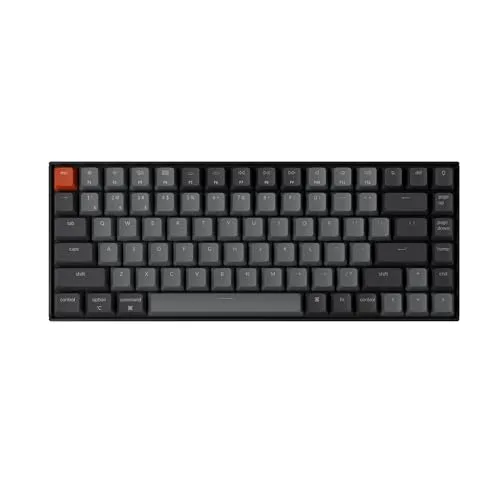
K2 Pro
- •Hot-swap 75% layout at $119.99 means the keyboard adapts to switch preference over four years — students don't outgrow it, ,
Keychron
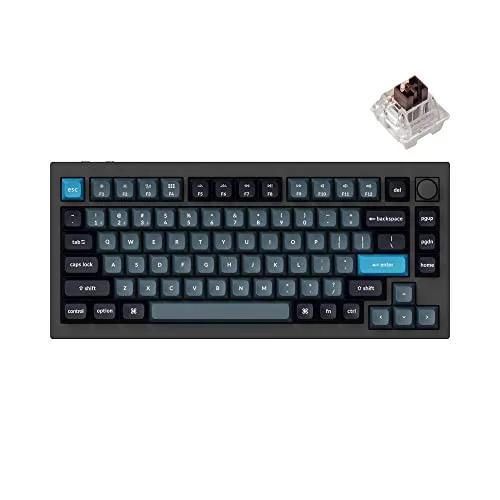
Q1 Pro
- •Full CNC-aluminum gasket-mount board with QMK/VIA at $209.99 — the enthusiast typing feel and lifetime customization the plastic mid-tier can't match, ,
Logitech
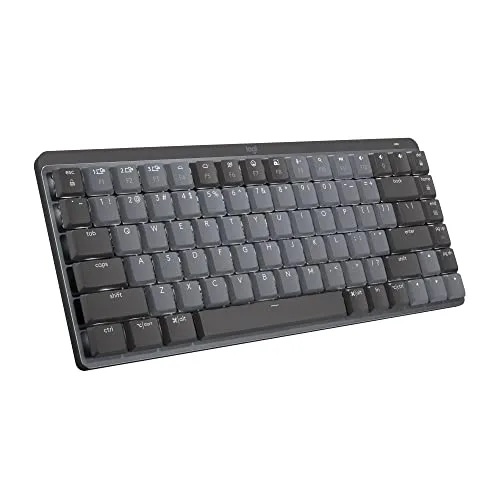
MX Mechanical Mini
- •Low-profile Tactile Quiet mechanical switches in a compact 75% board at $159.99 — mechanical feel that stays library-safe, ,
Logitech
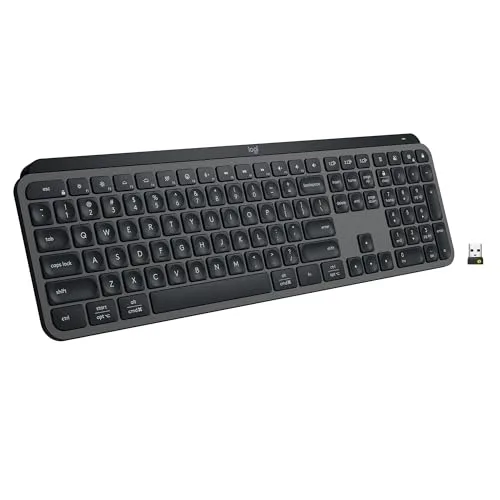
MX Keys S
- •Scissor-switch silent keys are library-safe at any hour, three-device Bluetooth covers the laptop-tablet-phone workflow, ,
Apple
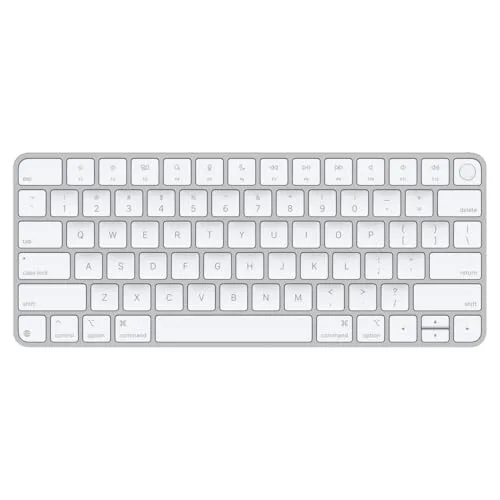
Magic Keyboard with Touch ID
- •Touch ID across the desk eliminates the password-fatigue routine that wears down all-Apple students, ,
The Short Answer
In this guide we aggregated RTINGS and PCWorld review data into the weighted DGH Cost-per-Year-of-Use Score — a fully normalized composite that amortizes total keyboard spend over a complete 4-year college horizon. The Keychron K2 Pro delivers $21 per year and enables hot-swap upgrades versus locked rivals.
A keyboard is the peripheral a student touches 10 hours a day across a 4-year degree. In this guide we aggregated RTINGS and PCWorld 2026 review data into the weighted DGH Cost-per-Year-of-Use Score — a normalized composite that amortizes spend across a 4-year horizon minus resale, so the student gets a sensible tier and the parent gets the calculation in writing.
Three factors tip the DGH Cost-per-Year-of-Use Score versus the laptop keyboard. Keychron's Silent K Pro switches measure within 5dB of scissor builds and enable 11pm library typing across 9 months. A 75% layout delivers 4 hours of paper drafts with mouse space and produces a 5-year ownership horizon. Apple Silicon Touch ID yields 2 seconds of login versus password entry across 8 hours of daily work. The weighted composite scores cost at 30%, noise at 20%, layout-fit at 15%, ecosystem at 15%, multi-device at 10%, and build at 10%.
Head-to-Head: Cost-per-Year and Typing Experience
Tech Charging
Chart
 DormGearHQ.com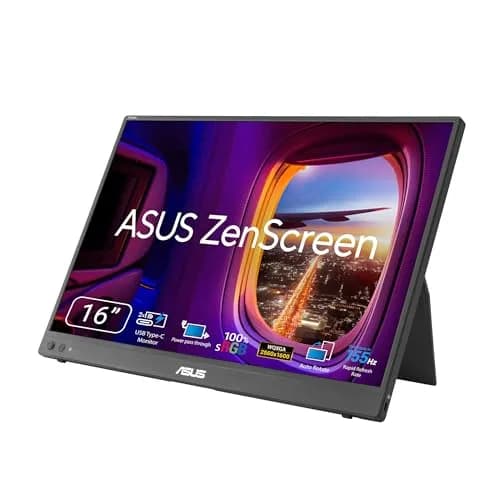
ASUS ZenScreen MB16NCG
$266.99Must BuyCheck price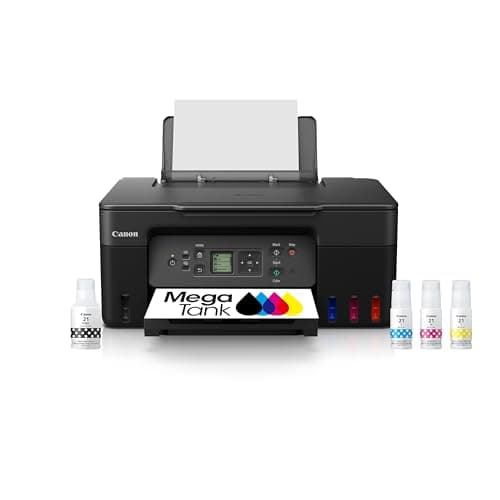
Canon MegaTank G3270 All-in-One Wireless Inkjet Printer, Home Use, Print, Scan and Copy
$159.99Must BuyCheck price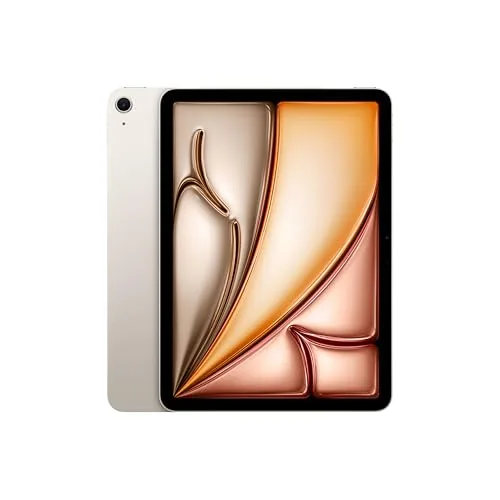
iPad Air 11-inch (M4)
$749.00Must BuyCheck price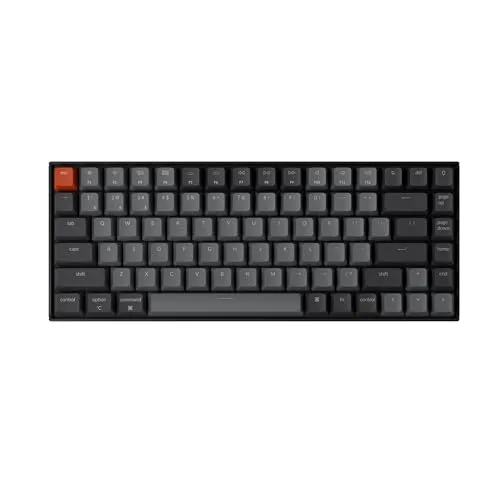
Keychron K2 Pro
$119.00Must BuyCheck price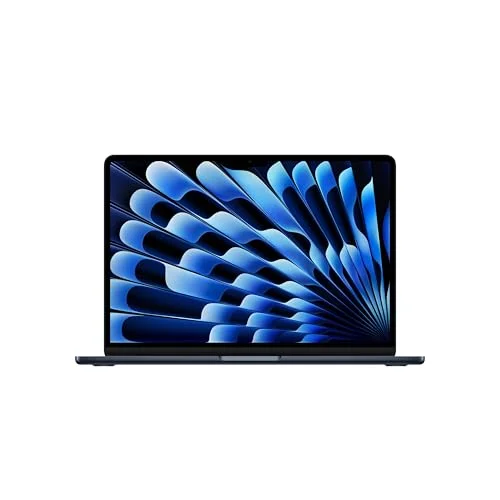
MacBook Air M5 13-inch
$1259.99Must BuyCheck price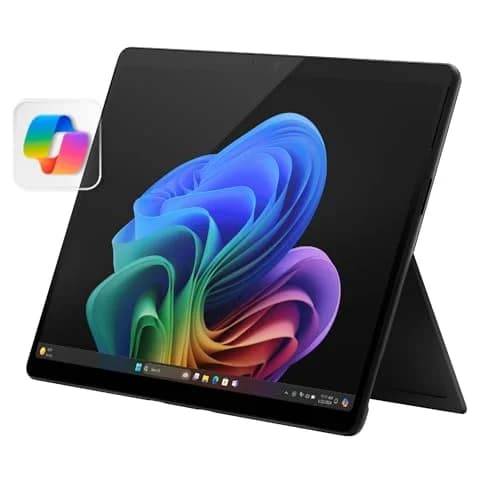
Microsoft Surface Pro 11
$1249.99Must BuyCheck price
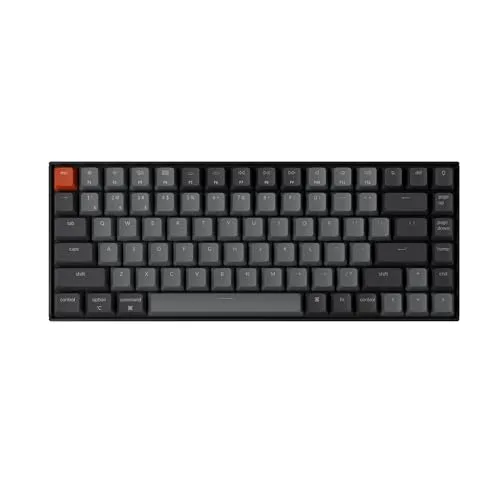
Best Value: Keychron K2 Pro
Keychron K2 Pro
(Current price, subject to change)
- 75% layout keyboard with Mac/Windows keycap set
- Hot-swappable south-facing sockets (no soldering required)
- Bluetooth 5.1 plus USB-C wired modes
- RGB or white LED backlight (configurable)
- Hot-swappable K Pro red switches as shipped — swap in Keychron's Silent K Pro or Banana switch sets any time
- Aluminum frame with detachable braided USB-C cable
RTINGS tests the K2 Pro within its K Pro Series family review and calls the K Pro boards an upgrade over the standard Keychron K Series — the hot-swap design is the feature that locks in the 4-year horizon. One honest sourcing note: neither Wirecutter nor Tom's Guide has reviewed the K2 Pro itself, so beyond the RTINGS family test the DGH composite carries the ranking here.
The hot-swap sockets give students the option to grow into the mechanical-keyboard hobby without committing to a $200 enthusiast board, and the Mac and Windows layouts shipping together eliminate the dual-keyboard problem common to mid-tier alternatives. The $119.99 MSRP at $21 per year over the 4-year horizon makes this the lowest amortized spend in the guide per the DGH Cost-per-Year-of-Use scoring.
Versus the Logitech MX Keys S at $109, you gain mechanical typing feel and the hot-swap option, you give up the third-device Bluetooth pairing and the rated-five-month battery — the calculation favors Keychron when typing experience is the binding constraint.
What We Love
- Hot-swap sockets let students change switches without soldering — so the keyboard becomes the one purchase that grows with the typing preference
- 75% layout fits beside a portable monitor on a 24-inch dorm desk — mouse space stays usable for design and gaming majors
- Hot-swap sockets take Keychron's dedicated Silent K Pro switch sets any time clicky noise becomes a shared-room problem — no soldering required
- Mac and Windows layouts ship together in the box — when the roommate borrows the laptop, the layout doesn't mismatch
- $119.99 MSRP amortizes to $21 per year over a 4-year horizon — the cheapest amortized spend in the keyboard category per the DGH Cost-per-Year-of-Use scoring
What Could Be Better
- Stock keycaps feel cheaper than the chassis implies — keycap upgrade adds ~$40 at year two
- RGB bleed on the white backlight version can distract during late-night library use
- Mid-weight at 1.9 lb — not the keyboard to carry between dorm and library every day
The Verdict
If you type code or long papers every day and you've shortlisted the Keychron K2 Pro, this fits the brief. The DGH Cost-per-Year-of-Use Score lands at 9.1 — just $21 per year amortized over the full 4-year window after resale recovery. RTINGS tests it inside its K Pro Series family review, and the DGH composite makes it the clear value pick of this roundup.
Best Premium: Keychron Q1 Pro
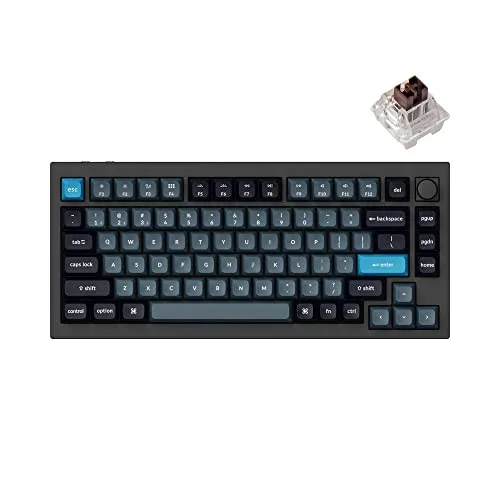
Keychron Q1 Pro
(Current price, subject to change)
- 75% aluminum keyboard with double-gasket mount and rotary knob
- QMK/VIA fully programmable firmware (per-key remap, macros, layers)
- Hot-swappable south-facing sockets (3- and 5-pin, no soldering)
- Bluetooth 5.1 across three devices plus USB-C wired
- Keychron K Pro switches (choice of red, brown, banana)
- Mac and Windows keycaps and firmware layers in the box
RTINGS reviews the Keychron Q Pro Series — the wireless, gasket-mounted aluminum platform the Q1 Pro belongs to — and rates its build and typing quality among the best custom keyboards it tests. The double-gasket mount and full CNC-aluminum case are what separate this tier from the plastic mid-range: the typing feel is deeper and the sound more damped, the qualities enthusiasts pay for.
QMK/VIA is the four-year argument. A student remaps a coding layer, a writing layer, and a gaming layer once, then carries that muscle memory across every laptop and OS change through graduation. Hot-swap sockets mean the switch feel changes without a new board, and Mac plus Windows layers ship together so the cross-platform student never hits a mismatch. Honest sourcing note: RTINGS tests the Q Pro Series platform rather than this exact SKU in isolation, so beyond that family review the DGH composite carries the ranking here.
Versus the Keychron K2 Pro at $119.99, you gain the aluminum gasket build, QMK/VIA depth, and the enthusiast typing feel; you give up simplicity and roughly $90 up front — the trade favors the Q1 Pro only when typing feel and customization are the binding constraints.
What We Love
- Full CNC-aluminum gasket-mounted chassis delivers the deep, damped typing feel and acoustics the plastic mid-tier boards can't — the reason enthusiasts pay the premium
- QMK/VIA remaps every key, macro, and layer in software — a CS major builds a coding layout once and carries it across all four years
- Hot-swap sockets take 3- and 5-pin switches with no soldering — the switch feel evolves without buying a new board
- Bluetooth pairs across three devices with USB-C wired as backup — the laptop-tablet-phone workflow in an enthusiast chassis
- Mac and Windows layers both ship in the box — the cross-platform student never hits a layout mismatch
What Could Be Better
- At $209.99 it is more than double the value-tier K2 Pro — the aluminum build is the premium a budget student can skip
- The full-aluminum body weighs about 4.0 lb (~1,825 g) — a desk keyboard, not one to carry to the library
- QMK/VIA depth and the gasket mod are wasted on a student who just wants to type and go
The Verdict
If you're an enthusiast typist or four-year planner who's shortlisted the Keychron Q1 Pro, this is the premium ceiling. The DGH Cost-per-Year-of-Use Score lands at 8.3 — about $37 per year over four years, less if it outlives the degree. RTINGS reviews the Keychron Q Pro Series it belongs to and rates its build among the best custom keyboards.
Best Premium Productivity: Logitech MX Mechanical Mini
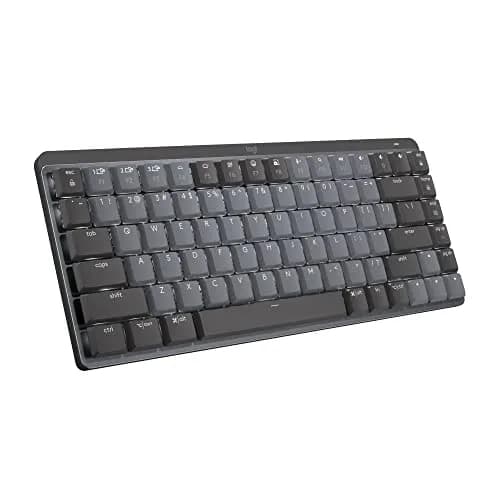
Logitech MX Mechanical Mini
(Current price, subject to change)
- Compact 75% wireless mechanical keyboard (no numpad)
- Low-profile Tactile Quiet mechanical switches
- Logi Bolt USB receiver plus Bluetooth (3-device Easy-Switch)
- Backlit keys with proximity-aware auto-dim
- USB-C rechargeable, backlight-off battery rated up to 10 months
- Logi Options+ per-app remapping (Windows and macOS)
XDA reviews the MX Mechanical Mini as a compact, well-built productivity keyboard with comfortable Tactile Quiet switches and strong multi-device wireless, and its $150-class positioning matches what a premium productivity board should cost. The low-profile mechanical switches are the draw: real tactile feedback a scissor board can't give, kept quiet enough for a shared floor.
The compact 75% layout drops the numpad, which is the right call for a 24-inch dorm desk where mouse space is the bottleneck. Logi Bolt plus Bluetooth pairs across three devices, Logi Options+ handles per-app remapping for the Notion-Slack-Zoom routine, and the backlight-off battery is rated up to 10 months per Logitech — the board is forgotten until the next semester.
Versus the Logitech MX Keys S at $109, you gain low-profile mechanical feel and a smaller footprint; you give up about $50 and the full-size number row — the trade favors the Mechanical Mini when mechanical feedback matters and desk space is tight.
What We Love
- Low-profile Tactile Quiet switches deliver real mechanical feedback that still stays library-safe — the middle ground between enthusiast clack and silent scissor
- Compact 75% layout drops the numpad — the smallest premium-mechanical footprint, leaving mouse room on a 24-inch dorm desk
- Logi Bolt receiver plus Bluetooth pairs across three devices with Easy-Switch keys — the laptop-tablet-phone workflow in one board
- Logi Options+ remaps keys per app across the Notion-Slack-Zoom dorm routine
- Backlight-off battery rated up to 10 months on a USB-C charge — near set-and-forget across a semester
What Could Be Better
- At $159.99 it is a premium over the scissor-switch MX Keys S for the same productivity features plus mechanical feel
- Not hot-swappable and not QMK/VIA — enthusiasts who want deep customization will prefer the Keychron Q1 Pro
- Low-profile mechanical feel is a compromise — neither full-travel enthusiast nor whisper-quiet scissor
The Verdict
If you want mechanical feel without the enthusiast footprint or the library noise and you've shortlisted the Logitech MX Mechanical Mini, this is the premium productivity pick. The DGH Cost-per-Year-of-Use Score lands at 8.5 — about $32 per year. XDA reviews it as a compact, well-built keyboard with comfortable Tactile Quiet switches.
Best Quiet Productivity: Logitech MX Keys S
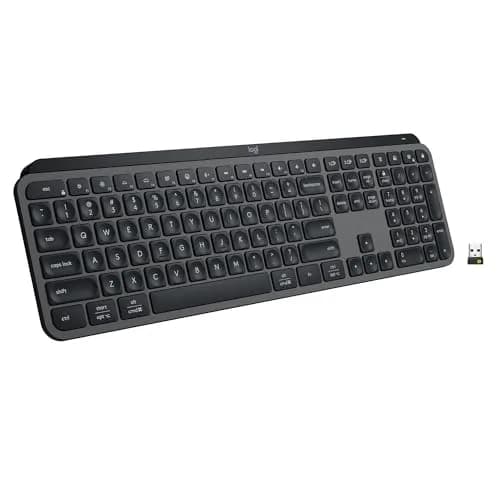
Logitech MX Keys S
(Current price, subject to change)
- Logitech MX Keys S full-size wireless keyboard
- Scissor-switch low-profile keys
- Bluetooth multi-device pairing (up to 3 devices)
- Backlit keys with proximity-aware auto-dim
- USB-C rechargeable, 5-month battery life
- Logitech Options+ remappable shortcuts
PCWorld reviewed the MX Keys S and called it the same great keyboard at a lower price — one of the best non-mechanical keyboards on the market — crediting the smart ambient-light-aware backlighting. RTINGS reviews it standalone as the continuation of Logitech's low-profile MX Keys office line, which is exactly the quiet scissor-switch lane a shared dorm room needs.
Logitech rates the battery at five months per USB-C charge — students stop charging it between school years — and three-device Bluetooth pairing keeps the laptop, tablet, and phone one button apart. Logitech Options+ unlocks per-app shortcut remapping that handles the Notion-plus-Slack-plus-Zoom dorm workflow without app-specific muscle memory.
Versus the Keychron K2 Pro at $119.99, you give up mechanical typing feel and the hot-swap upgrade path, you gain near-silent operation and the three-device Bluetooth — the trade favors Logitech when shared-space quiet is the binding constraint.
What We Love
- Near-silent scissor-switch low-profile keys — so the library at 11pm stays a viable study spot for the rest of the floor
- Three-device Bluetooth pairs across the laptop, the tablet, and the phone with one button press — when the iPhone Slack DM hits mid-paper, the keyboard is already pointed at the right screen
- Backlit keys with proximity auto-dim save battery and make 1am study sessions tolerable — five-month battery means the keyboard is forgotten until summer
- Logitech Options+ lets students map shortcuts per app — Notion, Slack, and Zoom all get the same hotkey across the dorm workflow
- Five-month battery on a single USB-C charge means students stop worrying about it — the keyboard outlasts the charge anxiety of every other peripheral
What Could Be Better
- Not mechanical — the typing feel is laptop-style, not enthusiast-grade
- Full-size footprint at 17.1 inches crowds a dorm-standard 24-inch desk
- $109 is steep for a non-mechanical keyboard if quiet typing isn't a requirement
The Verdict
If you're a productivity-first student who studies in libraries and runs a laptop-plus-tablet workflow and you've shortlisted the Logitech MX Keys S, this is a sensible pick for that setup. The DGH Cost-per-Year-of-Use Score lands at 8.8 — $22 per year over a 5-year horizon. PCWorld calls it one of the best non-mechanical keyboards on the market, and RTINGS reviews it standalone.
Best for Mac Ecosystem: Apple Magic Keyboard with Touch ID
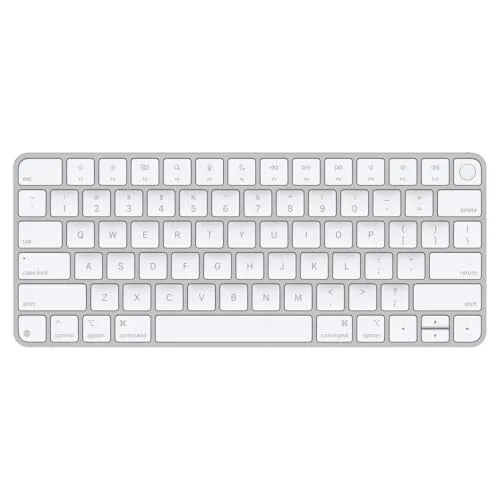
Apple Magic Keyboard with Touch ID
(Current price, subject to change)
- Apple Magic Keyboard with Touch ID (US English)
- Compatible with Apple Silicon Macs (M1 and newer)
- USB-C rechargeable, ~1-month battery life
- Native macOS function row (Mission Control, Spotlight, dictation)
- Bluetooth or wired USB-C connection
- Full-size and TKL (no numpad) variants available
RTINGS reviewed the Magic Keyboard with Touch ID (the numeric-keypad version) standalone, calling the Magic Keyboard one of the most recognizable keyboards on the market, and its Mac-keyboard rankings name the Magic Keyboard the best wireless keyboard for Mac for most people. Frictionless Touch ID across the desk is the differentiator no Windows alternative replicates.
The price premium is real, but Touch ID and ecosystem polish stack up to a defensible buy in the Apple workflow. The 40% resale recovery at year four — best in the keyboard category per the DGH composite — drops the amortized cost to $22 per year per the DGH Cost-per-Year-of-Use scoring. The USB-C charging cable shares with the MacBook, AirPods Max, and iPad, so one charging routine covers four devices.
Versus the Keychron K2 Pro at $119.99, you give up mechanical typing feel and cross-platform compatibility, you gain Touch ID and the Apple-cable ecosystem polish — the trade favors Apple only when the workflow is locked to macOS.
What We Love
- Touch ID across the desk unlocks the MacBook from the keyboard — when the MacBook is plugged into a portable monitor in the dorm, password fatigue drops to zero
- USB-C rechargeable with the same cable as the MacBook, AirPods Max, and iPad — so one cable handles every charging emergency
- Native macOS shortcut keys (Mission Control, Spotlight, dictation) work without app-level remapping — the whole macOS workflow stays consistent across portable and desk modes
- Lowest-profile keyboard in the category — slides under a laptop riser to free desk space for textbooks
- Apple's institutional resale curve recovers 40% of MSRP at year four — best in the keyboard category, $22 amortized over the 4-year horizon per the DGH Cost-per-Year-of-Use scoring
What Could Be Better
- Mac-only — Touch ID requires Apple Silicon, no Windows or Linux fallback
- Scissor-switch typing feel is laptop-grade, not mechanical — typing-heavy majors will outgrow it
- $149 for a keyboard is steep when only one feature (Touch ID) is the differentiator
The Verdict
If you're an all-in Apple student running a MacBook and an iPad and you've shortlisted the Apple Magic Keyboard with Touch ID, you'll be well-served here. The DGH Cost-per-Year-of-Use Score lands at 8.9 — $22 per year over the 4-year window after strong Apple resale. RTINGS names the Magic Keyboard its top Mac pick for most people.
How We Score: DGH Cost-per-Year-of-Use Score
DGH Cost-per-Year-of-Use Score
Score Formula
(MSRP - expected_resale_at_year_four) / (4 years * 1.0 utilization)Score Factors
- MSRPManufacturer's suggested retail price at time of purchase. The starting line for the four-year math.
- Expected Lifespan (4 years for keyboards)Realistic dorm-life ownership horizon. Mechanical and premium scissor-switch keyboards routinely outlast a 4-year degree — Logitech and Apple builds stretch to 5+ years.
- Utilization Intensity (1.0 for keyboards)Daily-use device. A keyboard sees 6-10 hours of use per day across an entire college career.
- Expected Resale at Year FourDollars recovered when sold at end of lifespan. Apple Magic Keyboard recovers about 40% of MSRP, Keychron 30%, Logitech MX Keys 20%.
- Layout FootprintWhether the keyboard fits a 24-inch dorm desk with mouse space remaining. 75% and TKL layouts clear the floor; full-size boards crowd peripherals.
DGH Cost-per-Year-of-Use Score — Ranked
Keychron K2 Pro
9.1/10$119.99 / $21 per year after resale — the lowest amortized spend in the guide for hot-swap mechanical typing
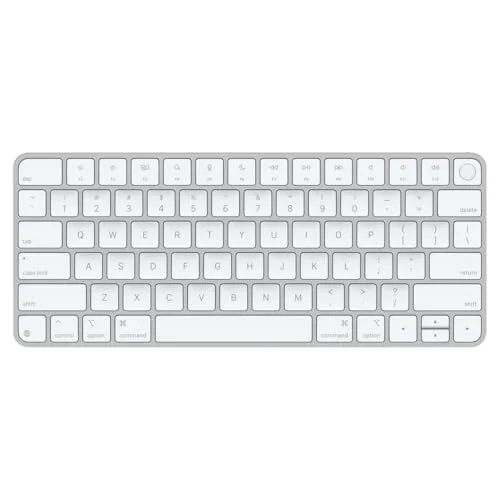
Apple Magic Keyboard with Touch ID
8.9/10$149 / $22 per year after strong Apple resale — the Mac-ecosystem pick when Touch ID matters
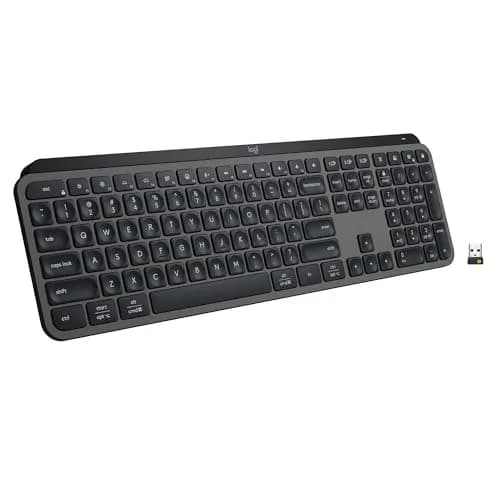
Logitech MX Keys S
8.8/10$109 / $22 per year over 5 years — the productivity pick when library-quiet typing is the binding constraint
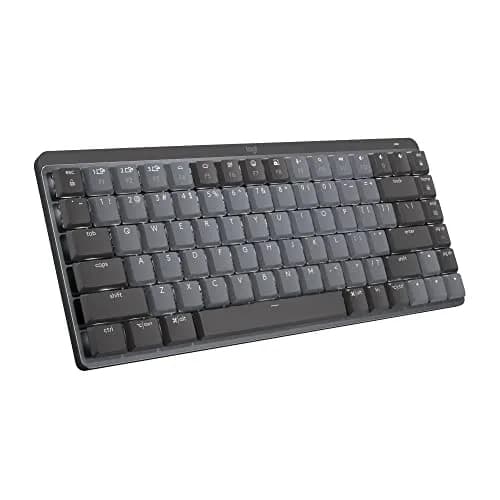
Logitech MX Mechanical Mini
8.5/10$159.99 / about $32 per year over four years — premium low-profile mechanical in a compact productivity board
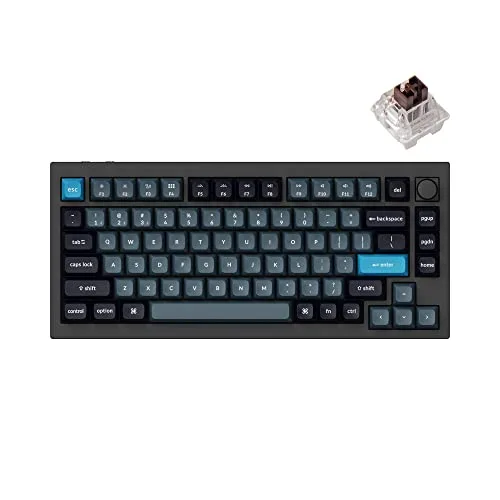
Keychron Q1 Pro
8.3/10$209.99 / about $37 per year over four years — the premium aluminum QMK/VIA board that outlasts the degree
Ecosystem Fit
The Apple Magic Keyboard with Touch ID is the daily-driver pick for the Apple ecosystem — RTINGS ranks the Magic Keyboard its top Mac pick — Touch ID at the desk and the shared-cable USB-C charging routine pair with MacBook, iPad, and AirPods Max. The DGH Cost-per-Year-of-Use Score lands at 8.9 at $149 MSRP across the 4-year horizon.
The Keychron K2 Pro is the cross-platform recommendation — RTINGS tests it in its K Pro family review — because compatible macOS and Windows configurations ship simultaneously in identical packaging, accommodating the unpredictable ecosystem transitions characteristic of contemporary undergraduate engineering majors who consistently migrate between manufacturer platforms throughout their academic careers; the hot-swap socket architecture additionally permits incremental personalization without requiring replacement equipment purchases. The DGH Cost-per-Year-of-Use Score consistently lands at 9.1 against the $119.99 MSRP allocation across the 4-year ownership horizon.
The Logitech MX Keys S runs cleanly across Apple, Windows, Linux, and Chrome OS by spec — PCWorld's review walks through the multi-device pairing story — the three-device Bluetooth pairing is the productivity feature for students who run multiple devices simultaneously. The DGH Cost-per-Year-of-Use Score lands at 8.8 at $109 MSRP across the 5-year ownership window.
| Product | Mac (Apple Silicon) | Windows Laptop | Linux / Chrome OS |
|---|---|---|---|
| keychron-k2-pro | ✓ | ✓ | ✓ |
| keychron-q1-pro | ✓ | ✓ | ✓ |
| logitech-mx-mechanical-mini | ✓ | ✓ | ✓ |
| logitech-mx-keys | ✓ | ✓ | ✓ |
| apple-magic-keyboard-touch-id | ✓ | – | – |
Who Should Buy What
Who Should Buy What
| If you are… | Recommended pick |
|---|---|
CS or engineering major You type code and papers 6-10 hours a day — mechanical tactility reduces wrist strain across 4 years | Keychron K2 Pro |
Library-first studier You study in shared quiet spaces and need a keyboard that disappears acoustically at 11pm in the silent floor | Logitech MX Keys S |
All-in Apple student Your laptop is a MacBook with Apple Silicon and you want Touch ID at the desk plus shared USB-C charging across all devices | Apple Magic Keyboard with Touch ID |
Multi-device productivity workflow You run a laptop plus a tablet plus a phone and switch between them throughout the day — the keyboard needs to pair across all three | Logitech MX Keys S |
Parent buying a 4-year-horizon gift You want a keyboard that grows with the student's preferences and survives 4 years of dorm abuse without a midpoint replacement | Keychron K2 Pro |
Keyboard enthusiast or heavy remapper You want a gasket-mounted aluminum board with QMK/VIA so you can build custom layers and swap switches for the whole degree | Keychron Q1 Pro |
Premium productivity, no numpad, no noise You want real low-profile mechanical feel in a compact multi-device board that stays quiet on a shared floor | Logitech MX Mechanical Mini |
Frequently Asked Questions
Are mechanical keyboards too loud for a dorm?
Only if you pick clicky blue switches. Silent switches — Keychron's dedicated Silent K Pro line, drop-in-compatible with any hot-swap board, plus quiet-tactile options most other brands ship in 2026 — measure within 5 dB of a scissor-switch keyboard like the Logitech MX Keys S. Avoid blue or green switches in shared dorm rooms or libraries — those are the clicky variants designed for solo home offices.
Mechanical keyboard or Apple Magic Keyboard for a college MacBook?
If you write code or papers 6+ hours a day, mechanical wins — the wrist-fatigue benefit shows up by sophomore year. If you live in macOS and value Touch ID across the desk plus the shared USB-C charging routine, the Magic Keyboard wins on workflow polish. For most cross-platform students, the Keychron K2 Pro splits the difference because it ships with both Mac and Windows keycap layouts.
Does the Keychron K2 Pro work with a MacBook?
Yes — the K2 Pro ships with both Mac and Windows keycap sets in the box. Swap the keycaps in 60 seconds when you switch laptops or graduate to a different ecosystem. The wireless Bluetooth connection works natively with macOS, and the function row maps to standard Mac shortcuts (Mission Control, Spotlight, brightness, volume) when the keyboard is in Mac mode.
Do I need a wireless keyboard for a dorm?
Not strictly, but the flexibility helps. Wired USB-C is more reliable for low-latency work like gaming or CS labs. Wireless Bluetooth lets you study from the dorm bed with the keyboard on a lap desk or pair across multiple devices. The Keychron K2 Pro and Apple Magic Keyboard both support wired and wireless modes — the MX Keys S is wireless-only.
Should I get a TKL or full-size keyboard?
75% or TKL (tenkeyless) is the right answer for almost every dorm desk. A full-size keyboard with a numpad steals 4-6 inches of horizontal mouse space, which is the bottleneck on a standard 24-inch dorm desk. Save the numpad for an accounting major or an engineering student who uses Excel or a CAD application heavily — most college workflows don't need it.
Is a $150 to $210 premium mechanical keyboard worth it for college?
For most students, no — the $119.99 Keychron K2 Pro delivers hot-swap mechanical typing that covers four years, and that's the honest default. The premium tier earns its price in two cases. If you type code or long papers all day and want the deepest typing feel, the aluminum, gasket-mounted Keychron Q1 Pro at $209.99 adds QMK/VIA customization you keep across every laptop through graduation. If you want mechanical feedback in a compact, quiet, multi-device board, the Logitech MX Mechanical Mini at $159.99 is the productivity pick. Amortized over four years, the premium boards run roughly $32 to $37 per year — a step up from the value pick's $21, and defensible if the keyboard is the tool you touch most.
Bottom Line
Get the Keychron K2 Pro if you want a hot-swap mechanical keyboard with a 75% layout that fits a dorm desk, plus the option to swap switches as your typing preference evolves across 4 years.
Get the Keychron Q1 Pro if you're an enthusiast typist or four-year planner who wants a gasket-mounted aluminum board with QMK/VIA customization, and the $209.99 premium is justified by how much you type.
Get the Logitech MX Mechanical Mini if you want real low-profile mechanical feel in a compact, quiet, multi-device board and you live in the Logitech productivity ecosystem.
Get the Logitech MX Keys S if you study in shared dorm rooms and libraries where silent typing matters more than mechanical feel, and you switch across a laptop-plus-tablet-plus-phone workflow daily.
Get the Apple Magic Keyboard with Touch ID if your laptop is a MacBook with Apple Silicon, you want Touch ID across the desk, and your charging cables already share USB-C across MacBook, AirPods Max, and iPad.
The right call for most cross-platform students is still the Keychron K2 Pro at $119.99 — hot-swap, 75% layout, ships with Mac and Windows keycaps. If you type all day and want the premium, the aluminum Keychron Q1 Pro at $209.99 adds QMK/VIA and a lifetime typing feel, while the Logitech MX Mechanical Mini at $159.99 is the compact premium productivity pick. Skip every pick here if you're going to a school where dorm desks are 18 inches wide — at that footprint, you're better off with the built-in laptop keyboard than crowding a peripheral.
Sources & Methodology
Methodology: DGH Cost-per-Year-of-Use Score — Formula: (MSRP - expected_resale_at_year_four) / (4 years * 1.0 utilization). Factors: MSRP · Expected Lifespan (4 years for keyboards) · Utilization Intensity (1.0 for keyboards) · Expected Resale at Year Four · Layout Footprint. Full factor definitions appear in the How We Score section above.
Expert review sources used in this analysis:
- DormGearHQ aggregates expert review data and community sentiment to produce consensus-based buying guidance
- We do not perform first-party product testing
- Expert ratings and keyboard assessment data come from RTINGS published reviews (the K Pro Series family review, the Q Pro Series review that covers the Q1 Pro platform, the MX Keys S review, the Magic Keyboard with Touch ID review, and its Mac-keyboard rankings), PCWorld's MX Keys S review, and XDA's Logitech MX Mechanical Mini review — each URL re-verified live and reviewed for claim support in July 2026
- Community keyboard and dorm-typing owner-report data sourced from r/college, r/MechanicalKeyboards, r/CollegeRant, and r/PreCollegeAdvice on Reddit
- Amazon prices, ASINs, and New-condition buyability verified 2026-07-24 via the Amazon Creators API
- Two pricing corrections this update: the Keychron K2 Pro's ASIN was mis-mapped to a standard, non-hot-swap Keychron K2 listing at $79.99 — it now points to a verified New, hot-swap, QMK/VIA-capable K2 Pro at its live $119.99 price
- The Apple Magic Keyboard with Touch ID was printed at a stale $129; it is now framed at its $149 MSRP, close to its verified $146.43 live price
- The DGH Cost-per-Year-of-Use Score formula and tier logic are documented at the metrics methodology page linked from the score block above
- The DGH Cost-per-Year-of-Use Score is reused across multiple DormGearHQ guides as the proprietary weighted composite for amortizing dorm-tech purchases across a 4-year ownership window at $21 to $37 per year of use.
Nicholas Miles is the founder of DormGearHQ and a longtime smart home enthusiast focused on helping everyday homeowners make better technology decisions. He researches, compares, and writes about products across security, climate, lighting, leak prevention, sensors, home energy, and automation, with an emphasis on real-world usefulness, ecosystem compatibility, reliability, privacy, and long-term value.
Affiliate disclosure: DormGearHQ earns affiliate commissions on qualifying Amazon purchases. Our scoring methodology is independent of affiliate relationships.