

Dorm Desk Setup for Small Spaces 2026
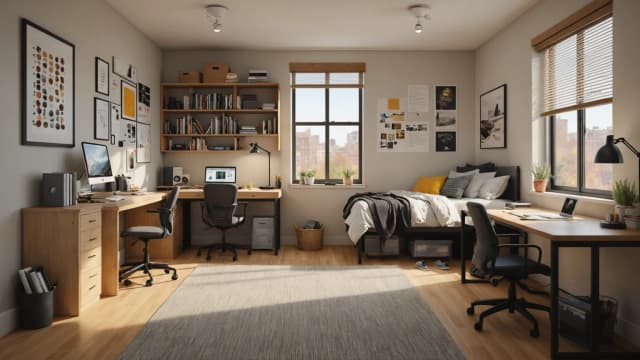
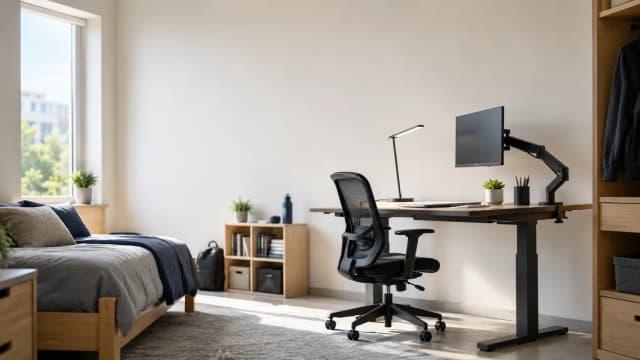
A built-in dorm desk is 44-48 in wide, so setting one up is a build, not a haul: a no-drill arm floats the monitor to reclaim the slab, then an organizer, an eye-strain lamp, cable clips, and a portable screen finish the job. The North Bayou arm starts it.
This article contains affiliate links. We may earn a commission at no extra cost to you. Learn more
Featured in this Guide
Ring
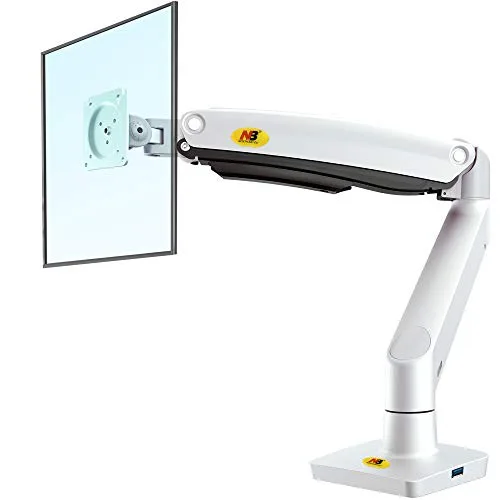
NB North Bayou Full-Motion Single Monitor Arm (G70-W, Gas Spring)
- •A no-drill gas-spring arm floats the monitor off the slab, holding 6.6-26.4lb across ~25.6 in reach — the move that starts the build, ,

Marbrasse
Mesh Desk Organizer with Drawer, 12 Compartments, Multi-Functional Pencil Organizer
- •12 compartments plus a pull drawer in a metal-mesh frame — HGTV's layout pick to sort the reclaimed surface, ,
Lepro
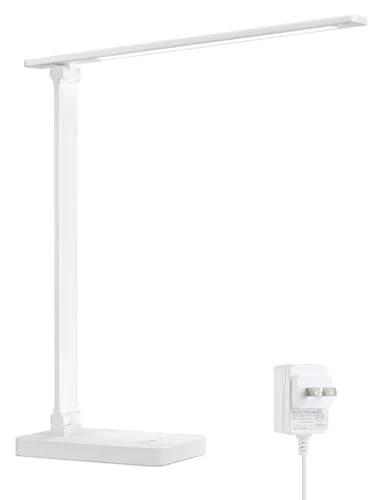
LED Desk Lamp, Metal 9.5W 800lm, 5 Color Modes, Dimmable
- •Flicker-free 800-lumen head, 3000K-6500K color temps, touch dimming — cuts the screen glare that drives late-night headaches, ,
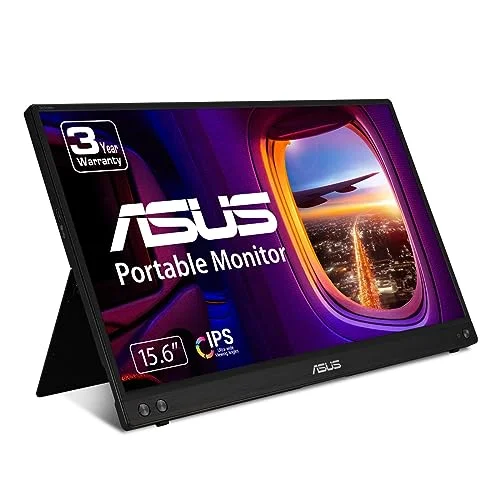
ASUS
ZenScreen MB16NCG
- •16 in QHD 2560x1600 at 165Hz over one USB-C cable, 1.7lb — a second screen that travels to the library, ,
The Short Answer
Setting up a small dorm desk is a build, not a shopping list: float the monitor on a no-drill North Bayou arm to reclaim the desktop, add the Marbrasse organizer, cut glare with the Lepro lamp, tame the cables, then add the ASUS ZenScreen second screen. The DGH Dorm Workstation Score ranks each step.
A built-in dorm desk runs just 44-48 inches wide, so setting one up is a sequence of reclaiming space rather than filling it: float the monitor on a no-drill arm, corral the supplies, light the surface without glare, tame the cables, then add a screen that travels. This guide walks that build step by step, and every step carries a link into the roundup that ranks the category. The DGH Dorm Workstation Score is a weighted composite, normalized to a 0-10 scale, that rewards each piece on footprint efficiency, no-drill install, and thin-desk fit. Wirecutter, Tom's Guide, and HGTV inform the factor weights, and the North Bayou arm anchors the build because it hands back the slab a stock stand eats.
How the Four Pieces Compare
Workspace
Chart
 DormGearHQ.com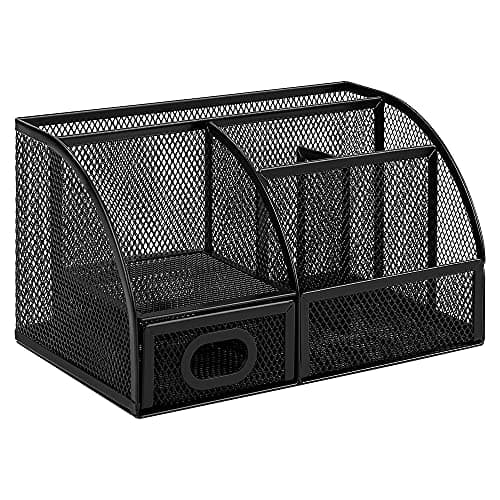
Amazon Basics Mesh Pen Holder and Desktop Desk Organizer, Office Caddy, 9.1 x 5.9 x 5.5 inches, Black
$10.78Must BuyCheck price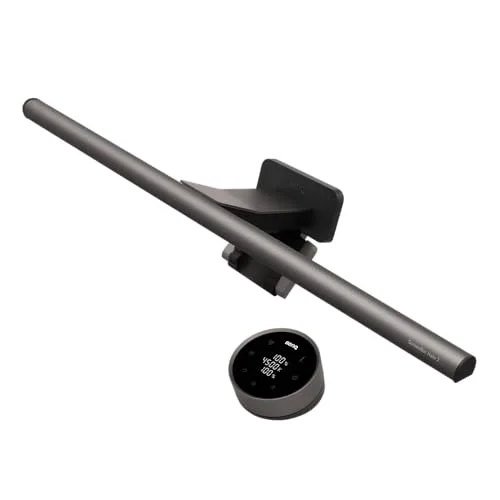
BenQ ScreenBar Halo 2 LED Monitor Light Bar (Wireless Controller, Backlight)
$180Must BuyCheck price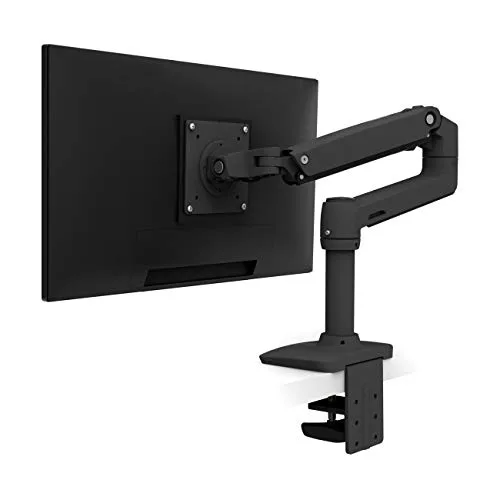
Ergotron LX Desk Mount Single Monitor Arm (Matte Black)
$190Must BuyCheck price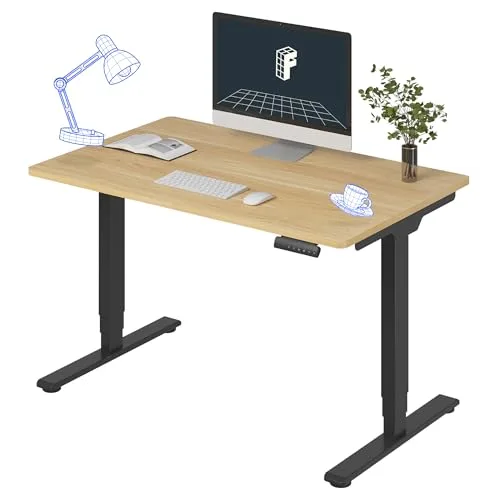
FLEXISPOT E6 Dual-Motor Electric Standing Desk 48x30
$289.99Must BuyCheck price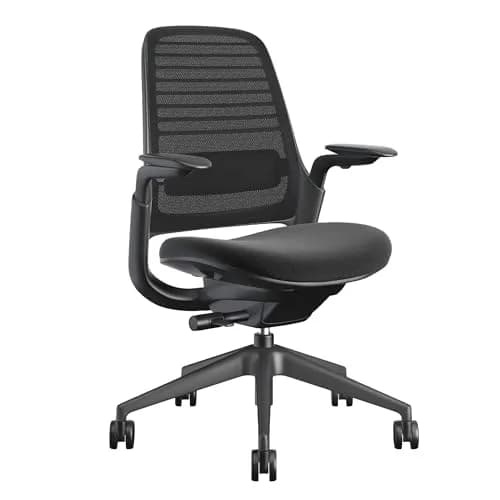
Steelcase Series 1 Ergonomic Office Chair
$499Must BuyCheck price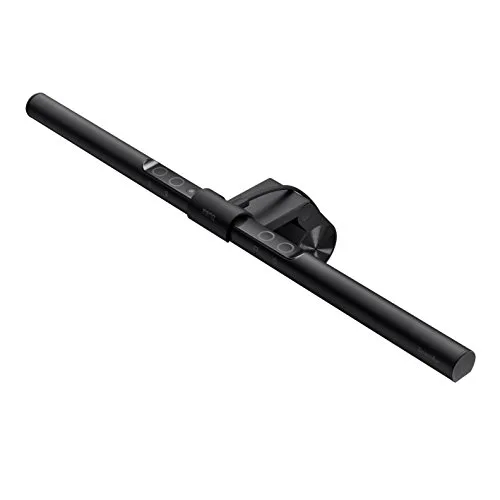
BenQ ScreenBar LED Monitor Light Bar (Auto-Dimming, USB-Powered)
$109RecommendedCheck price
Step 1: Free the desktop: NB North Bayou Full-Motion Single Monitor Arm (G70-W, Gas Spring)
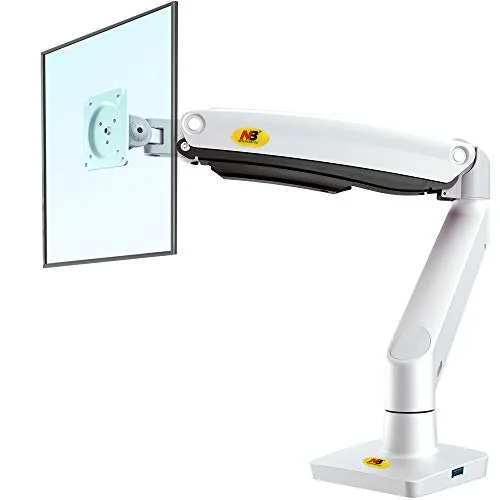
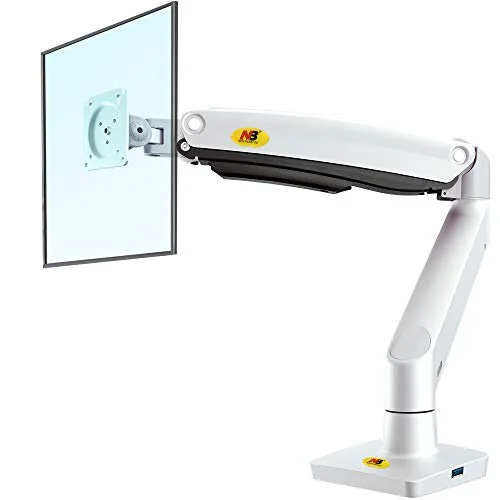
NB North Bayou Full-Motion Single Monitor Arm (G70-W, Gas Spring)
(Current price, subject to change)
- G70-W full-motion gas-spring arm
- C-clamp base
- Grommet mount base
- VESA 75x75 / 100x100 plate
- Cable-management clips
- Install hardware and hex key
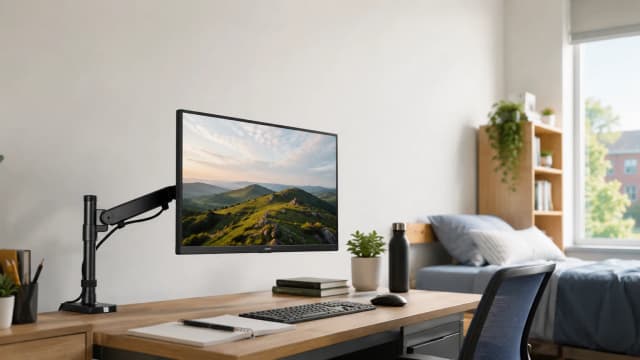
Begin the build here, because the single move that reclaims the most desktop is floating the monitor completely off it, and the North Bayou G70-W handles exactly that. It uses a genuine gas spring rather than stiff spring tension, so it holds any height with one hand, and its spec rates it for 22-35 in monitors weighing 6.6-26.4lb across a ~25.6 in reach, enough to push a 27 in panel well back over the surface. Because North Bayou is not named by a review outlet, this evaluation rests transparently on manufacturer spec and verified-buyer sentiment, honestly labeled: Wirecutter and Tom's Guide instead benchmark the comparable Ergotron and HUANUO in the Best Monitor Arms for Small Dorm Desks 2026 roundup, and the North Bayou nearly matches that desk-clearing reach for far less. It ships with both a C-clamp and a grommet base, so it modifies no university furniture and detaches within minutes at move-out. On the DGH Dorm Workstation Score it leads at 9.0, because the heavily weighted footprint-efficiency factor rewards whichever arm frees the entire slab. Compared against a stock stand, it hands back the 9-11 in strip a pedestal eats, and it supports that heavy load without the sag cheaper struts produce.
What We Love
- Genuine gas-spring float holds 6.6-26.4lb across 22-35 in monitors — the most weight headroom of the budget arms
- Long ~25.6 in reach pushes the monitor well back and frees the slab a stock stand eats
- Ships with both a C-clamp and a grommet base, so it modifies no university furniture and detaches at move-out
What Could Be Better
- Aluminum-and-plastic build feels lighter than a premium Ergotron, and the strut can need re-tensioning over years
- No internal cable channel — cords route along the outside of the arm rather than hiding fully inside
The Verdict
If your built-in desk is buried under a stock monitor stand, the NB North Bayou Full-Motion Single Monitor Arm (G70-W, Gas Spring) is the first move — genuine gas-spring float, 6.6-26.4lb capacity, and ~25.6 in reach that hands back the slab. Its clamp-plus-grommet base drills nothing, and it tops the DGH Dorm Workstation Score at 9.0. Step up to the Ergotron only for internal cabling and a 10-year warranty.
Step 2: Sort the surface: Marbrasse Mesh Desk Organizer with Drawer, 12 Compartments, Multi-Functional Pencil Organizer
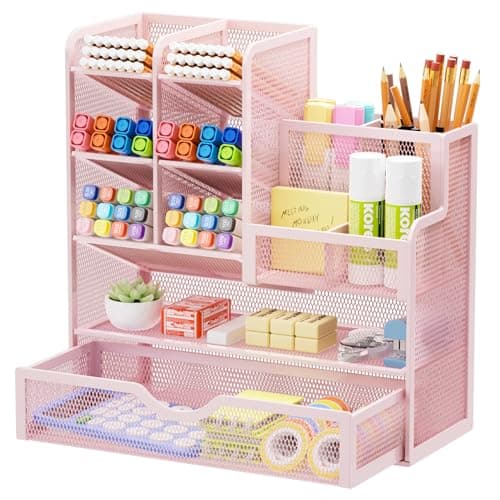
Marbrasse Mesh Desk Organizer with Drawer, 12 Compartments, Multi-Functional Pencil Organizer
(Current price, subject to change)
- Marbrasse mesh desk organizer
- 12 sorting compartments
- One pull drawer
- 100% metal mesh body
- Minimalist finish
With the monitor floating, the reclaimed surface needs a home for pens and cables, and the Marbrasse mesh organizer is the layout pick. It packs 12 compartments plus a pull drawer into a small 100% metal-mesh frame, which HGTV's dorm-organizer roundup and CNN Underscored's under-$20 organization guide both point to for a shared desk where every supply needs a designated place. The drawer hides the small clutter an open caddy leaves exposed, and the rigid mesh outlasts the plastic bargains across a 4-year degree. It sits down with no assembly and no wall damage, so it clears the same no-drill rule the arm does. On the DGH Dorm Workstation Score it lands at 8.4: the layout is the most flexible in the Best Desk Organizers for College Desks (2026) roundup, but its footprint-efficiency factor trails the arm because it still occupies desktop rather than freeing it. Compared to a fixed caddy, the twelve slots and drawer produce a genuinely sorted desk, and versus the plastic sub-$10 options it delivers a build that survives four years of dorm use. No registered lab bench-tested this exact SKU, so the score rests on listing specs and the HGTV and CNN Underscored category calls.
What We Love
- 12 compartments plus a pull drawer — the most sorting flexibility for a shared desk, and the drawer hides small clutter
- 100% metal mesh keeps the frame rigid and reads tidy, outlasting the plastic bargains across a 4-year degree
- Sits down with no assembly and no wall damage, clearing the same no-drill rule the arm respects
What Could Be Better
- About $23 — roughly a third more than a plain steel caddy, for the added drawer and compartments
- Widely recommended in retailer roundups, but no registered lab bench-tested this exact model
The Verdict
If your reclaimed desktop turns into a pile of pens and cables, the Marbrasse Mesh Desk Organizer with Drawer, 12 Compartments, Multi-Functional Pencil Organizer sorts it best — 12 compartments and a pull drawer in one metal-mesh frame that HGTV and CNN Underscored both back. It sits just behind the arm on the DGH Dorm Workstation Score, trading a little footprint for the most flexible layout in this build.
Step 3: Light it right: Lepro LED Desk Lamp, Metal 9.5W 800lm, 5 Color Modes, Dimmable
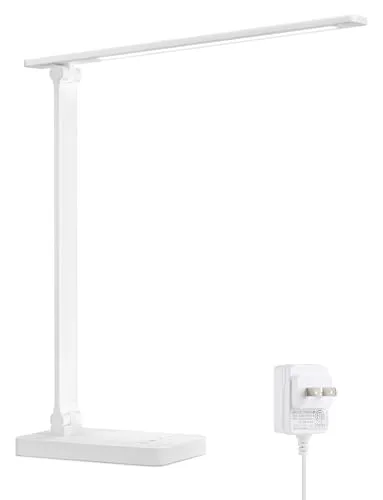
Lepro LED Desk Lamp, Metal 9.5W 800lm, 5 Color Modes, Dimmable
(Current price, subject to change)
- Lepro 9.5W LED desk lamp
- Power adapter
- Five color temperatures (3000K-6500K)
- Five brightness levels with touch dimming
- Metal body
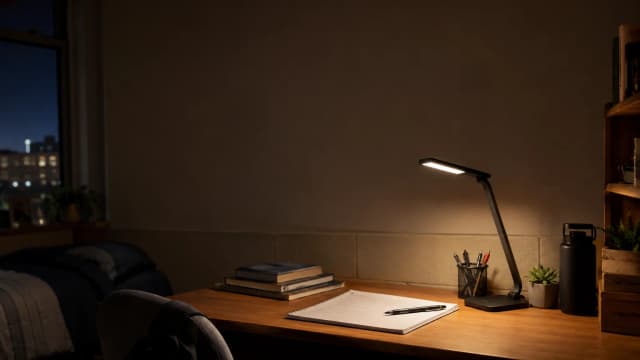
A floated monitor and a tidy desk still leave you squinting if the only light is the dorm overhead, so step three is a task lamp that fights eye strain. The Lepro 9.5W LED runs a flicker-free, glare-reduced 800-lumen head with five color temperatures from 3000K to 6500K and five brightness levels on touch dimming, the eye-care baseline that matters most over a long session. Tom's Guide tested the competing BenQ ScreenBar in the same eye-strain category covered by the Best Desk Lamps for College (Eye-Strain Priority) 2026 roundup, and while no registered outlet rates the Lepro itself, its metal body and dimmable output clear the bar a harsh fluorescent never will. LED heads are rated for 25,000 to 50,000 hours, a 10-year to 12-year life at daily study, so the price spreads thin across the DGH Dorm Workstation Score. It earns 8.5, docked only because its freestanding base costs desk space a clamp-on bar would not, lowering its thin-desk-fit factor. Compared to the overhead, the adjustable color temperature delivers cool daylight to focus and warm light to wind down, and versus a plastic clip lamp the metal body survives four years of bumps.
What We Love
- Flicker-free, glare-reduced 800-lumen head is bright enough to study by without the harsh overhead fluorescent
- Five color temperatures span 3000K warm to 6500K daylight, so one lamp does focused study and warm wind-down reading
- Metal body survives a desk that gets bumped, unlike the plastic clip lamps in the same price band
What Could Be Better
- CRI is unrated and lower than the BenQ bars, so color rendering is adequate rather than premium
- The freestanding base takes up desk space a clamp-on monitor bar would not
The Verdict
If your budget tops out near $25 and the dorm overhead is wrecking your eyes, the Lepro LED Desk Lamp, Metal 9.5W 800lm, 5 Color Modes, Dimmable is the honest step-three pick — flicker-free, dimmable, 3000K-6500K color, on a metal body that lasts. Tom's Guide backs this eye-strain category, and its 25,000 to 50,000 hours of LED life spread the cost across the DGH Dorm Workstation Score.
Step 4: Add a second screen: ASUS ZenScreen MB16NCG
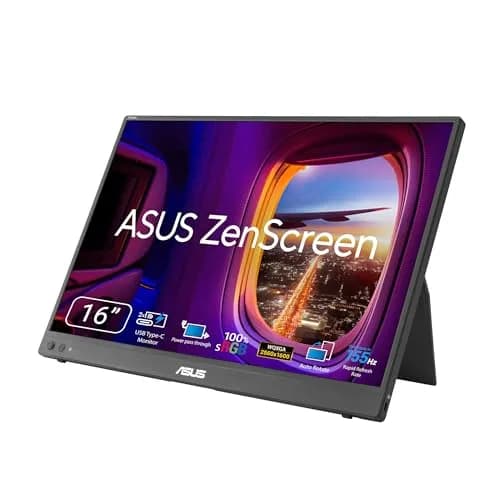
ASUS ZenScreen MB16NCG
(Current price, subject to change)
- 16 in QHD (2560x1600) IPS panel
- 165Hz refresh rate
- 1.7 lb chassis weight
- USB-C single-cable power and video
- Mini-HDMI input for legacy laptops
- Smart-cover stand with foldable storage
Cables tamed, the last upgrade is a second screen, and the ASUS ZenScreen MB16QHG is the portable pick that actually travels. It runs a 16 in QHD 2560x1600 IPS panel at 165Hz over a single USB-C cable, and at 1.7lb it stows in a backpack for the library instead of anchoring the desk. Reviewed and Tom's Guide both rank it the top student portable monitor of 2026 in the Best Portable Monitors for Dorm 2026 roundup, and CNET clocked the 16 in panel at 88% more usable pixel area than a 13 in laptop screen for split-view work. The single USB-C cable keeps the dorm's scarce outlets free, a real win when the power strip is full, and the fold-out smart cover means no separate stand. On the DGH Dorm Workstation Score it reaches 8.8, because its footprint-efficiency factor rewards a 2560x1600 screen that folds to 1.7lb and rides along. Compared to the ViewSonic budget panel it delivers sharper QHD text, and versus a fixed monitor it stays under the 2 lb floor that keeps a screen traveling daily across a 4-year degree.
What We Love
- QHD 2560x1600 at 16 in is a genuine sharpness upgrade over a laptop built-in — CNET clocked 88% more usable pixel area
- 1.7lb chassis stows in a backpack for the library instead of anchoring the desk
- USB-C single-cable power-plus-video keeps the dorm's scarce outlets free, and the fold-out smart cover means no separate stand
What Could Be Better
- $299 sits above the budget tier, and 165Hz is overkill for non-gaming workflows
- QHD scales small on macOS by default and needs a scaling tweak
The Verdict
If you want a second screen that travels instead of anchoring the desk, the ASUS ZenScreen MB16NCG is the finish — 16 in QHD 2560x1600 at 165Hz over one USB-C cable, 1.7lb in a backpack. Reviewed and Tom's Guide rank it the top student portable of 2026, and it earns 8.8 on the DGH Dorm Workstation Score.
How We Score: DGH Dorm Workstation Score
DGH Dorm Workstation Score
Score Formula
weighted composite (0-10): footprint_efficiency 40% + no_drill_install 25% + thin_desk_fit 20% + ease_of_setup 15%, each factor scored 0-10 and normalized across the four setup steps; footprint_efficiency credits desk space freed, no_drill_install credits clamp, grommet, or freestanding mounts, thin_desk_fit credits a compact footprint on a 44-48 in built-in deskScore Factors
- Footprint Efficiency (40%)The core factor, weighted highest: how much of the 9-11 in slab a stock stand eats each piece hands back, or how little desk it costs. The North Bayou arm tops it by floating a 6.6-26.4lb monitor off the surface; the freestanding Lepro lamp scores lowest because its base occupies desk it does not free.
- No-Drill Install (25%)The dorm moat: a clamp, grommet, or freestanding piece modifies no university furniture and detaches at move-out with zero damage. Every pick here scores high because none is bolted down, so the speed and simplicity of the no-drill setup separates them.
- Thin-Desk Fit (20%)Whether the piece suits a shallow 44-48 in built-in desk — a compact footprint, a thin-edge clamp, or a screen that folds to 1.7lb and stows. The mesh organizer and QHD ASUS screen fit cleanly; the lamp's wide base fits least.
- Ease of Setup (15%)Out-of-box to working on move-in day. The organizer and lamp need no assembly, the arm clamps in minutes, and the ASUS screen runs off one USB-C cable — all tool-free and wall-damage-free.
DGH Dorm Workstation Score — Ranked
NB North Bayou Full-Motion Single Monitor Arm (G70-W, Gas Spring)
9.0/10Gas-spring float reclaims the 9-11 in slab at 6.6-26.4lb — the desk-clearing anchor of the whole build
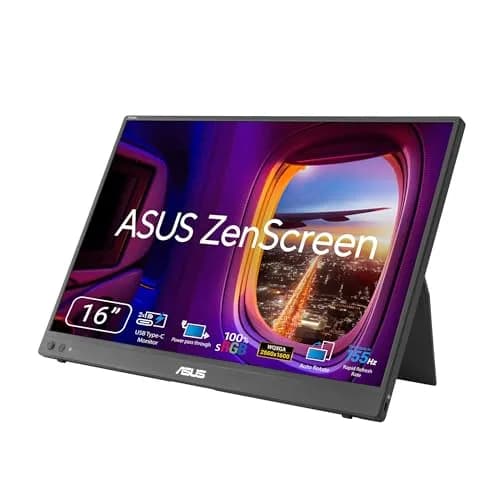
ASUS ZenScreen MB16NCG
8.8/10QHD 2560x1600 screen folds to 1.7lb and rides to the library; a single USB-C cable keeps the dorm outlets free
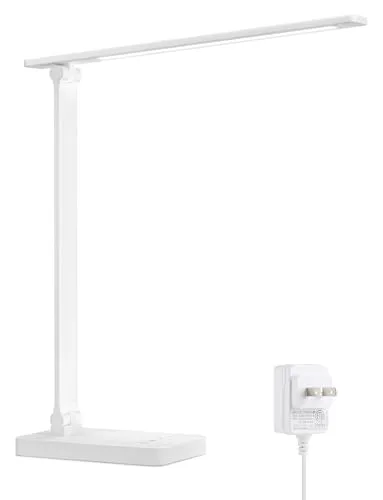
Lepro LED Desk Lamp, Metal 9.5W 800lm, 5 Color Modes, Dimmable
8.5/10Flicker-free dimmable eye care with 25,000 to 50,000 hours of LED life; freestanding base costs some desk
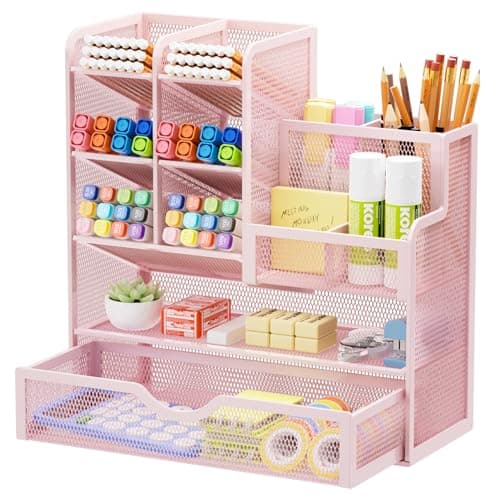
Marbrasse Mesh Desk Organizer with Drawer, 12 Compartments, Multi-Functional Pencil Organizer
8.4/1012 compartments plus a drawer in metal mesh — the most flexible layout; sits on the desk rather than freeing it
DGH Dorm Workstation Score
Weighted composite of footprint efficiency, no-drill install, thin-desk fit, and setup ease across the four steps of a small-dorm-desk build
DormGearHQ analysis of Wirecutter, Tom's Guide, HGTV, Reviewed, and CNET plus manufacturer specs, verified July 2026
Cable Management and the Build Order
Step four is the one with no product card in this guide, and that is deliberate: cable management in a dorm is solved with generic, cheap gear, not a hero SKU. Once the arm lifts the monitor and the organizer clears the surface, route the monitor and laptop cords along the arm, then gather them with a few adhesive-backed clips or a hook-and-loop sleeve run down a desk leg — an under-desk cable tray or a small power strip mounted with removable strips keeps the tangle off the floor without a single screw. None of it touches university furniture, so it clears the same no-drill rule every buyable pick here respects. A single USB-C cable to the ASUS screen and the USB-powered lamp both cut the cord count, which enables a cleaner start. Wirecutter and Reviewed both make the same point across their desk-setup coverage: fewer cables beats fancier cable-management hardware, and a tidy run delivers a desk you will actually use.
The build order matters because each step depends on the one before it. Float the monitor first with the North Bayou arm — its 6.6-26.4lb gas spring reclaims the 9-11 in slab a stock stand eats — then the Marbrasse organizer has room to sit, the Lepro lamp has a clear surface to light, and the 1.7lb ASUS screen has desk depth to fold onto. The DGH Dorm Workstation Score is a weighted composite, normalized to a 0-10 scale across a footprint-efficiency factor, a no-drill-install factor, and a thin-desk-fit tier, so a piece that frees desk space outranks one that merely occupies it neatly. For the full product-stack version of this workstation — a sit-stand riser and the monitor that rides it — see the hub at The Complete Dorm Workstation Setup for 2026, and for arranging the room around the desk, the Dorm Room Layout Ideas for Small Spaces 2026 guide covers zoning. LED heads rated for 50,000 hours and an arm holding 6.6-26.4lb both outlast a 4-year degree, which is exactly what the score rewards.
| Product | Reclaims desk space | No-drill / no-damage install | USB or single-cable powered | Travels or stows off the desk |
|---|---|---|---|---|
| north-bayou-monitor-arm | ✓ | ✓ | – | ✓ |
| marbrasse-mesh-organizer-drawer-12 | – | ✓ | – | – |
| lepro-led-desk-lamp | – | ✓ | – | ✓ |
| asus-zenscreen-mb16qhg | – | ✓ | ✓ | ✓ |
When NOT to Buy
Not every step in this build is mandatory, so match the purchases to your actual situation rather than the full list. If you run a laptop alone with no external monitor, skip the ASUS screen and the North Bayou arm entirely, because there is nothing to float, and a flat Marbrasse caddy plus the Lepro lamp finishes the desk for under $50. If your dorm desk already sits near a window with decent light, hold off on the lamp until the first dark-at-five week of the semester tells you that you need it. And measure your desk-edge thickness before buying any clamp arm, because a clamp that will not close is the one failure that no gas spring or 6.6-26.4lb rating can overcome. Buy each piece whenever a real need surfaces, never on move-in-day speculation, and the Best Desk Organizers for College Desks (2026) and Best Desk Lamps for College (Eye-Strain Priority) 2026 roundups let you match the exact model to whichever desk you actually receive.
Who Should Buy What
Who Should Buy What
| If you are… | Recommended pick |
|---|---|
Cramped-desk multitasker Your built-in desk is buried and you want to float the monitor off it first to reclaim the surface for a laptop and a notebook | NB North Bayou Full-Motion Single Monitor Arm (G70-W, Gas Spring) |
Pens and cables everywhere You have supplies, chargers, and small clutter that each need a slot, plus a drawer to hide the odds and ends on a shared desk | Marbrasse Mesh Desk Organizer with Drawer, 12 Compartments, Multi-Functional Pencil Organizer |
Late-night studier on a budget You need flicker-free, dimmable, color-adjustable light to escape a harsh dorm overhead for under $25 tonight | Lepro LED Desk Lamp, Metal 9.5W 800lm, 5 Color Modes, Dimmable |
Second-screen commuter You want a sharp QHD second screen that travels to the library in a backpack and runs off one USB-C cable | ASUS ZenScreen MB16NCG |
Laptop-only minimalist You run a laptop alone and want the desk organized and lit without an arm or an external monitor you will not use | Lepro LED Desk Lamp, Metal 9.5W 800lm, 5 Color Modes, Dimmable |
Frequently Asked Questions
How do I set up a small dorm desk step by step?
Work in order, because each step frees space for the next. First, float the monitor on a no-drill clamp arm like the North Bayou G70-W to reclaim the 9-11 inch slab a stock stand eats. Second, sort the freed surface with a compact organizer such as the Marbrasse 12-compartment mesh caddy. Third, add a flicker-free task lamp like the Lepro to cut the screen glare that drives late-night headaches. Fourth, tame the cables with cheap adhesive clips — no product card needed. Fifth, if your major is split-view heavy, finish with a portable second screen like the ASUS ZenScreen that stows in a backpack.
Can I mount a monitor arm without drilling the dorm desk?
Yes. The North Bayou G70-W ships with both a C-clamp and a grommet base, so it grips an overhanging desk edge or drops through an existing cable hole — nothing is bolted into university furniture, and it detaches in minutes at move-out with no damage to patch. Measure your desk-edge thickness first, because the one failure a gas-spring arm cannot overcome is a clamp that will not close around your edge. If your desk has no usable lip and no cable hole, a freestanding stand is the fallback.
Do I need both a monitor arm and a portable monitor?
Not necessarily — they solve different problems. A monitor arm floats an existing desktop monitor off the desk to reclaim the surface, and it only helps if you already run an external display. A portable monitor like the ASUS ZenScreen adds a second screen you did not have, and it is the pick for a laptop-only student who wants split-view work that travels. If you run a laptop alone and never plan to add a desktop monitor, skip the arm and consider the portable screen instead.
What kind of desk lamp actually reduces eye strain?
Look for three levers, not just brightness. A flicker-free LED driver removes the invisible strobing your eyes fight through a long session; adjustable color temperature lets you run cool daylight for focus and warm light for wind-down; and dimming plus glare control keeps the screen-to-room contrast comfortable. The Lepro hits all three at a budget price with a flicker-free 800-lumen head, 3000K-6500K color, and touch dimming. A monitor light bar like the BenQ ScreenBar adds true no-glare-onto-screen optics if you study at a screen and can spend more.
How do I manage cables on a small dorm desk?
Keep it cheap and generic — there is no hero product needed here. Route the monitor and laptop cords along the monitor arm, then gather them with a few adhesive-backed clips or a hook-and-loop sleeve run down a desk leg. An under-desk cable tray or a small power strip mounted with removable adhesive strips keeps the tangle off the floor without a single screw, so nothing touches university furniture. The easiest win is cutting cords before you start: a single USB-C cable to a portable monitor and a USB-powered light both reduce the count.
Is the ASUS ZenScreen worth it over a cheaper portable monitor?
It depends on your coursework. The ASUS ZenScreen MB16QHG runs a QHD 2560x1600 panel at 165Hz over a single USB-C cable at 1.7 lb, and Reviewed and Tom's Guide both rank it the top student portable of 2026 for its resolution-to-portability balance. If you do split-view coding, writing with research tabs, or casual gaming, the sharper QHD text and higher refresh pay back daily. If you only need a basic second screen and your budget caps near $200, a value FHD panel like the ViewSonic VG1655 covers the functional ground for less.
Bottom Line
Get the NB North Bayou Full-Motion Single Monitor Arm (G70-W, Gas Spring) if Start here — a no-drill gas-spring arm floats a 6.6-26.4lb monitor off the desk and hands back the slab a stock stand eats.
Get the Marbrasse Mesh Desk Organizer with Drawer, 12 Compartments, Multi-Functional Pencil Organizer if Add it once the desktop is clear — 12 compartments and a pull drawer sort pens and cables on a shared desk.
Get the Lepro LED Desk Lamp, Metal 9.5W 800lm, 5 Color Modes, Dimmable if Light the surface for under $25 — flicker-free, dimmable, 3000K-6500K color to cut late-night screen glare.
Get the ASUS ZenScreen MB16NCG if Finish with a second screen — QHD 2560x1600 at 165Hz over one USB-C cable, 1.7lb that travels to the library.
The build order is the point: float the monitor with the NB North Bayou Full-Motion Single Monitor Arm (G70-W, Gas Spring), sort the surface with the Marbrasse Mesh Desk Organizer with Drawer, 12 Compartments, Multi-Functional Pencil Organizer, light it with the Lepro LED Desk Lamp, Metal 9.5W 800lm, 5 Color Modes, Dimmable, tame the cables with cheap generic clips, then add the ASUS ZenScreen MB16NCG. Skip the arm and the screen if you run a laptop alone.
Sources & Methodology
Methodology: DGH Dorm Workstation Score — Formula: weighted composite (0-10): footprint_efficiency 40% + no_drill_install 25% + thin_desk_fit 20% + ease_of_setup 15%, each factor scored 0-10 and normalized across the four setup steps; footprint_efficiency credits desk space freed, no_drill_install credits clamp, grommet, or freestanding mounts, thin_desk_fit credits a compact footprint on a 44-48 in built-in desk. Factors: Footprint Efficiency (40%) · No-Drill Install (25%) · Thin-Desk Fit (20%) · Ease of Setup (15%). Full factor definitions appear in the How We Score section above.
Expert review sources used in this analysis:
- DormGearHQ aggregates expert review data, manufacturer specifications, and community sentiment to produce consensus-based guidance, and does not perform first-party product testing
- For the monitor arm, Wirecutter and Tom's Guide benchmark the Ergotron and HUANUO in the small-desk category, while the North Bayou G70-W's 6.6-26.4lb capacity and ~25.6 in reach rest on manufacturer spec and verified-buyer sentiment, labeled as such rather than attributed to an outlet test
- For the organizer, HGTV's dorm-organizer roundup and CNN Underscored's under-$20 organization guide back the multi-compartment mesh style; no registered lab bench-tested the exact Marbrasse SKU
- For the lamp, Tom's Guide tested the competing BenQ ScreenBar in the same eye-strain category and Autonomous and College Campus Compass back dimmable, color-adjustable task lamps, while the Lepro's flicker-free spec is manufacturer-published; LED heads are rated 25,000 to 50,000 hours
- For the portable screen, Reviewed, Tom's Guide, CNET, and Good Housekeeping rank the ASUS ZenScreen MB16QHG the top student portable of 2026, with CNET measuring 88% more pixel area than a 13 in laptop panel and Grown and Flown framing move-in as the time to build the desk
- The DGH Dorm Workstation Score is a weighted composite, normalized to a 0-10 scale across footprint-efficiency, no-drill-install, and thin-desk-fit factors; its formula and weights are documented at the methodology page linked above
- Amazon prices, ratings, and availability verified July 2026, and outlet coverage reflects reviews current as of July 2026.
Nicholas Miles is the founder of DormGearHQ and a longtime smart home enthusiast focused on helping everyday homeowners make better technology decisions. He researches, compares, and writes about products across security, climate, lighting, leak prevention, sensors, home energy, and automation, with an emphasis on real-world usefulness, ecosystem compatibility, reliability, privacy, and long-term value.
Affiliate disclosure: DormGearHQ earns affiliate commissions on qualifying Amazon purchases. Our scoring methodology is independent of affiliate relationships.