
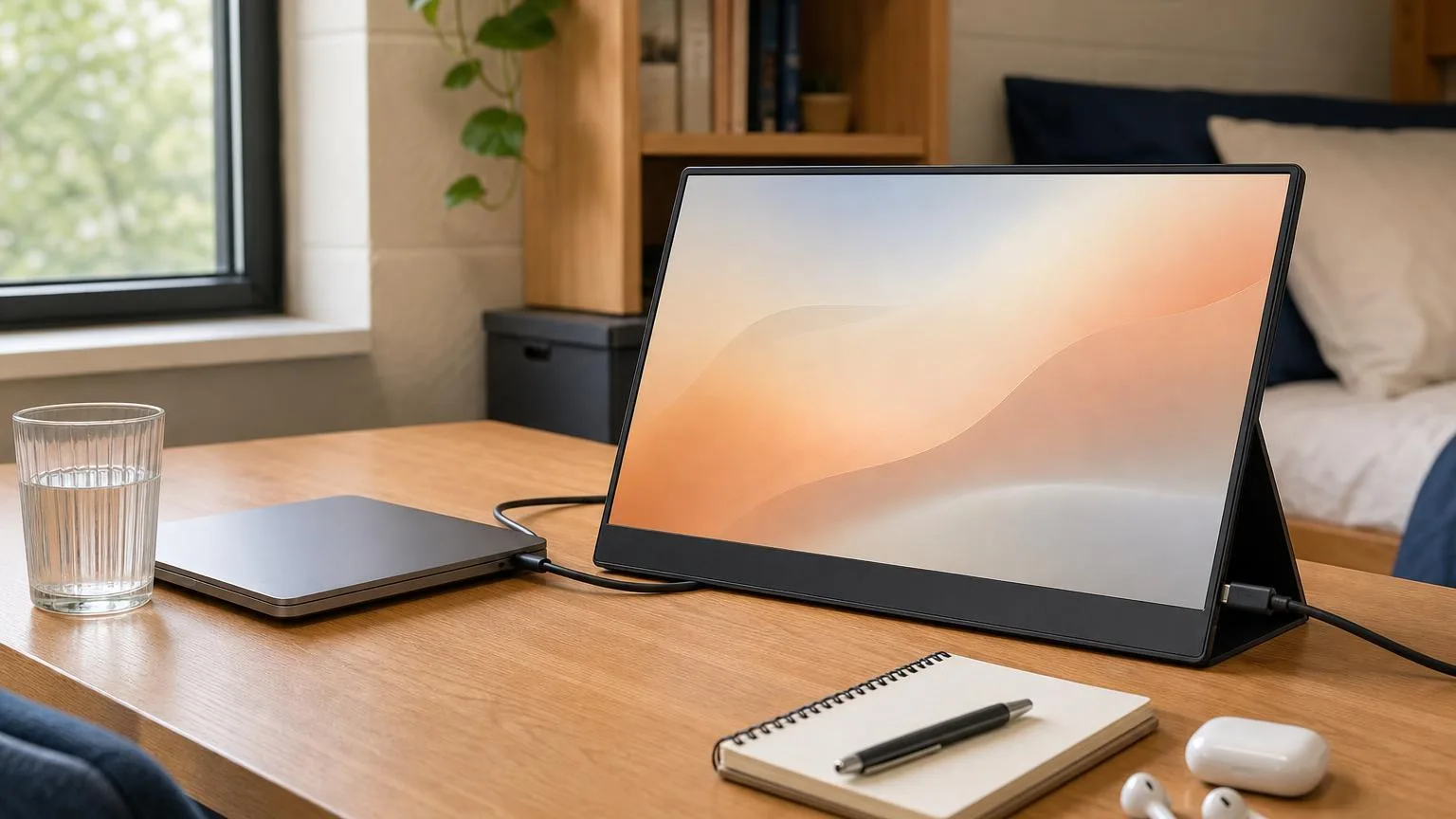
Best Portable Monitors for Dorm 2026
ASUS ZenScreen MB16NCG ($266.99) wins overall — 2560x1600 at 155Hz and 400 nits over one USB-C cable. It is also the heaviest at 1.98 lb, so the 1.45 lb LG gram +view takes the DGH Dorm-Footprint Fit crown. ViewSonic VG1655 ($190.10) covers budget.
This article contains affiliate links. We may earn a commission at no extra cost to you. Learn more
Featured in this Guide
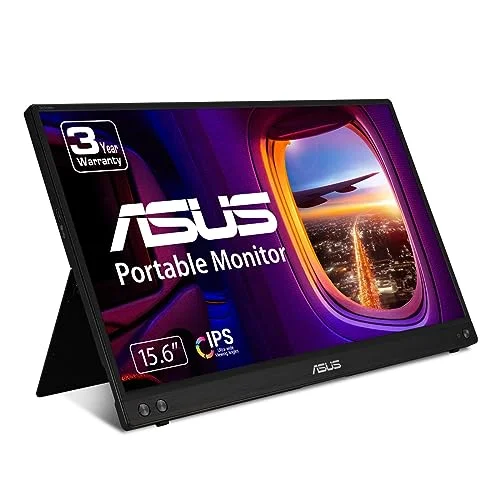
ASUS
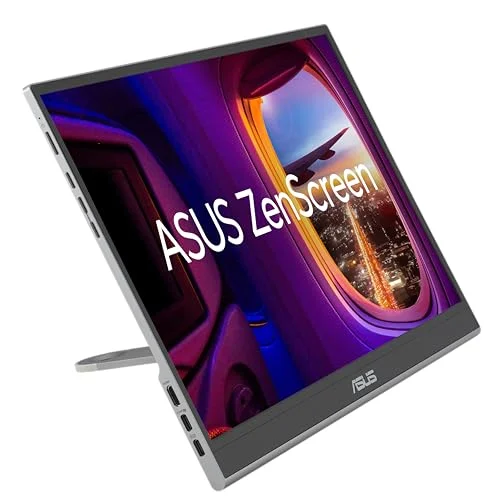
ZenScreen MB16NCG
- •2560x1600 at 155Hz and 400 nits over a single USB-C cable — the sharpest, brightest panel here, and the only one that also games, ,
ASUS
ZenScreen OLED MQ16FC
- •OLED contrast at 1.50 lb, with a 3-year warranty that explicitly covers burn-in — design and film coursework pays back daily, ,
LG
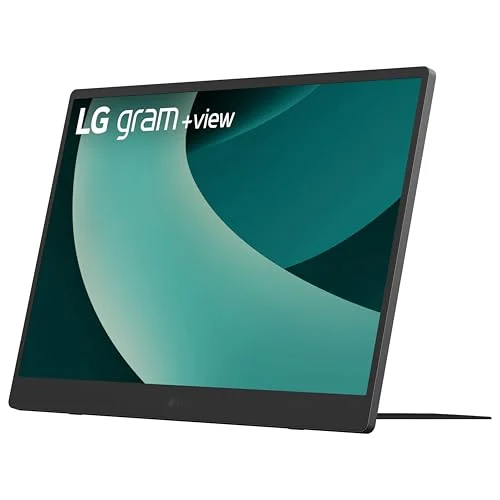
gram +view 16
- •16:10 matches the MacBook Air exactly, and at 1.45 lb it is the lightest panel here — check the ship date before you buy, ,
ViewSonic
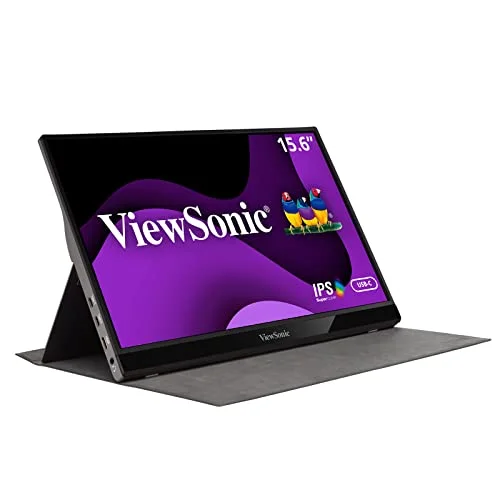
VG1655
- •Single USB-C cable and a bundled cover at $190.10 — the lowest spend that still works, if you can live with a dim 250-nit panel, ,
The Short Answer
The ASUS ZenScreen MB16NCG delivers the strongest combination for 4-year ownership: 2560x1600 resolution, 155Hz, 400 cd/m2, and a 3-year warranty. It is heaviest, so the LG gram +view leads the DGH Dorm-Footprint Fit composite. RTINGS calls the budget ViewSonic acceptable, but flags its dim panel.
Your dorm desk runs 48 inch wide, your roommate's 27 inch monitor takes half of it, and your home setup does not survive move-in. The DGH Dorm-Footprint Fit Score weights footprint at 35%, display quality at 20%, weight at 15%, and brightness at 10%. It is cross-checked versus RTINGS portable-monitor testing and manufacturer specifications, all re-verified 2026-08-07. RTINGS crowns the espresso Display 15 Touch overall, whereas this weighted composite prioritizes dormitory-specific fit.
Re-checking every manufacturer specification in August delivers two corrections, and both run against picks recommended here for 4-year ownership. The ASUS MB16NCG weighs 1.98 lb, not the 1.7 lb previously published, so it barely clears the normalized 2 lb travel threshold. The ViewSonic VG1655 is rated 250 cd/m2 rather than 300, an outright failure compared to the brightness factor, dropping its weighted composite from 8.9 down to 7.9. Amazon currently lists the LG gram +view as backordered.
Head-to-Head: Dorm-Footprint Fit
Tech Charging
Chart
 DormGearHQ.com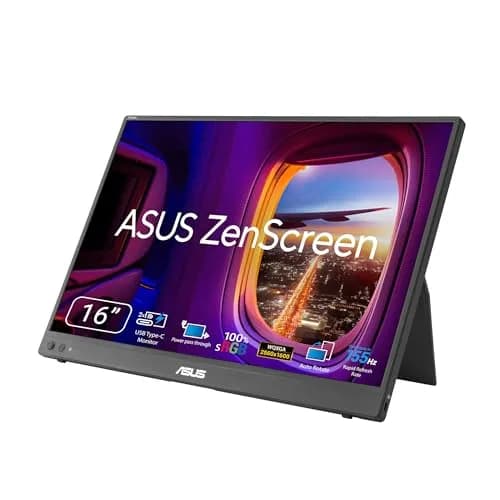
ASUS ZenScreen MB16NCG
$266.99Must BuyCheck price
Canon MegaTank G3270 All-in-One Wireless Inkjet Printer, Home Use, Print, Scan and Copy
$159.99Must BuyCheck price
iPad Air 11-inch (M4)
$689.99Must BuyCheck price
Keychron K2 Pro
$119.99Must BuyCheck price
MacBook Air M5 13-inch
$1259.99Must BuyCheck price
Microsoft Surface Pro 11
$1249.99Must BuyCheck price
Best Overall: ASUS ZenScreen MB16NCG
ASUS ZenScreen MB16NCG
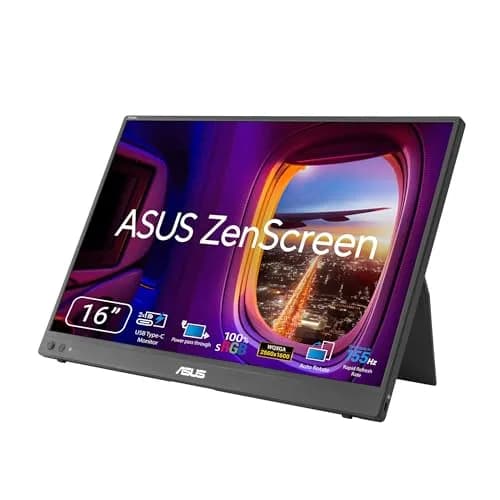
(Current price, subject to change)
- 16 inch WQXGA (2560x1600) IPS panel, 16:10
- 155Hz refresh rate
- 1.98 lb net weight (ASUS spec, 0.90 kg)
- 400 cd/m2 rated brightness, 100% sRGB
- Two full-function USB-C ports with power pass-through, plus Mini-HDMI
- Tripod socket, ZenScreen sleeve, 3-year warranty with advance replacement
On sourcing: no allowlist outlet has published a dedicated MB16NCG review. RTINGS, Wirecutter, and PCMag have not tested this specific model, so nothing here is attributed to them, and the specifics below rest on the ASUS specification sheet plus the DGH Dorm-Footprint Fit Score.
The MB16NCG delivers the best picture in this group, earning a DGH Dorm-Footprint Fit Score of 8.8 despite carrying the heaviest chassis. Its 2560x1600 panel concentrates a QHD-plus pixel count into 16 inches, approximately 38% additional screen area compared to the 13.6 inch display built into a MacBook Air. Its 400 cd/m2 rating remains the highest specification here, and brightness matters considerably more than resolution in practice.
The 2x full-function USB-C ports carry power and video with pass-through, so the room's outlets stay available across 8 hours of daily coursework. The 155Hz refresh enables casual gaming on integrated graphics. A 3-year warranty with advance replacement protects the investment.
The honest catch is weight. ASUS specifies 0.90 kg, or 1.98 lb, barely inside the normalized 2 lb travel factor. Versus the ViewSonic VG1655, you pay $76.89 more for resolution, refresh rate, and 150 additional nits. Versus the LG gram +view 16, you pay $17.00 more and carry 0.53 lb extra.
What We Love
- 2560x1600 at 16 inch delivers roughly 38% more screen area than a 13.6 inch MacBook Air built-in display — the second-screen workflow finally feels like a real upgrade
- 400 cd/m2 is the brightest rating in this guide, and brightness is the spec that decides whether a panel survives a fluorescent-lit lecture hall or a sunny common room
- 155Hz refresh rate covers casual gaming without a discrete GPU — for the CS student who wants a second screen plus occasional gaming, this is the only pick that hits both
- Two full-function USB-C ports with power pass-through mean the dorm's two outlets stay free for laptop and lamp — no power brick on the desk
- 3-year warranty with advance replacement is unusually good cover for a panel that will get thrown in a backpack twice a day
What Could Be Better
- $266.99 is the second-priciest pick here and $76.89 above the budget ViewSonic
- 1.98 lb makes it the heaviest panel in this guide — it clears the 2 lb travel gate by less than an ounce
- 155Hz overkill for non-gaming workflows
The Verdict
If you run a USB-C laptop and you want the sharpest, brightest second screen here and you've shortlisted the ASUS ZenScreen MB16NCG, this is the pick. Be clear about the trade, though: its DGH Dorm-Footprint Fit Score is 8.8, not the top score, because at 1.98 lb it is the heaviest panel in the guide. You are buying display quality, not portability.
Best Display: ASUS ZenScreen OLED MQ16FC
ASUS ZenScreen OLED MQ16FC
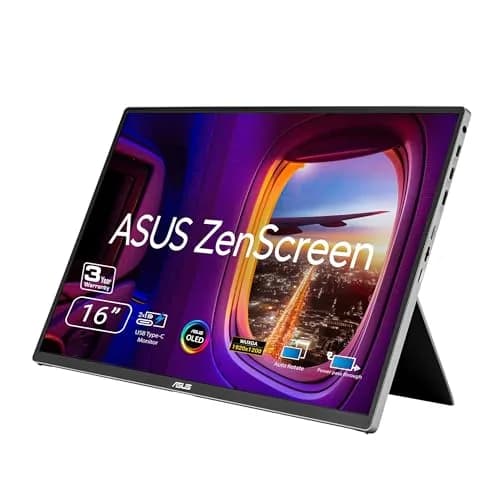
(Current price, subject to change)
- 16 inch WUXGA (1920x1200) OLED panel, 16:10
- 95% DCI-P3 color coverage, 300 cd/m2 rated
- 1.50 lb net weight (ASUS spec, 0.68 kg)
- Two full-function USB-C ports with power pass-through, plus Mini-HDMI
- MTS02D tripod socket kit and ZenScreen sleeve
- 3-year warranty including OLED burn-in coverage
The MQ16FC delivers the display quality here: a 16 inch WUXGA 1920x1200 OLED panel with true black levels and 95% DCI-P3 coverage that no IPS rival matches at this form factor. For film, photo, and design majors, color that grades correctly here grades correctly on the projector across 4-year coursework.
ASUS specifies 0.68 kg, or 1.50 lb, making it the second-lightest panel here and 0.48 lb lighter compared to the MB16NCG for $13.00 more. A single USB-C cable carries power and video, and the bundled MTS02D tripod socket kit produces a mounting option the others charge for.
Burn-in is the standing objection to any dorm OLED, where a static menu bar sits pinned through 8 hours of continuous study. The risk is genuine and worth managing: hide the dock and vary the layout. It is not uninsured, though. The 3-year warranty on this model explicitly includes burn-in coverage, which is unusual for portable OLEDs and materially changes the 4-year ownership calculation. Versus the ASUS ZenScreen MB16NCG, you surrender resolution, refresh rate, and 100 nits, gaining OLED contrast plus 0.48 lb of backpack relief.
What We Love
- OLED contrast and color accuracy at a portable form factor — design and film coursework looks meaningfully better than the laptop built-in
- ASUS covers burn-in explicitly for three years, which turns the category's standard objection into a warranty question rather than a gamble
- 95% DCI-P3 color coverage matches what film and photography professors grade on — work that looks right here looks right on the projector
- 1.50 lb makes it half a pound lighter than the MB16NCG for $13.00 more — the portability-per-dollar bargain of this guide
- USB-C single-cable workflow keeps the dorm desk clean — no power brick, no separate video cable
What Could Be Better
- $279.99 is the most expensive pick here
- 300 cd/m2 sits exactly on the dorm-lighting floor — 100 nits behind the MB16NCG
- WUXGA (1920x1200) is less sharp than the 2560x1600 panels, and it runs at 60Hz
The Verdict
If you're a film, photography, or design major and you've shortlisted the ASUS ZenScreen OLED MQ16FC, you'll be well-served here. Its DGH Dorm-Footprint Fit Score is 9.1, second only to the LG, and the 3-year warranty covering burn-in is the detail that should settle the usual OLED hesitation.
Best for Mac Users: LG gram +view 16
LG gram +view 16
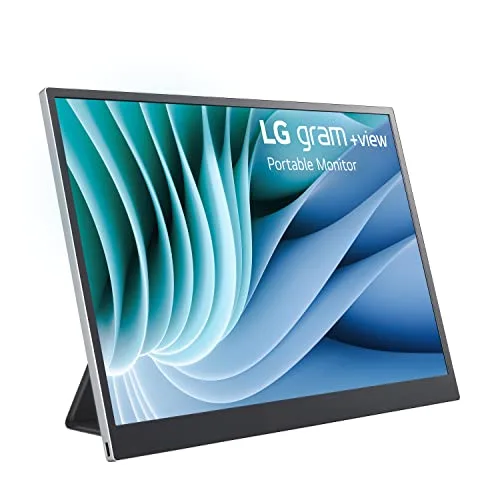
(Current price, subject to change)
- 16 inch WQXGA (2560x1600) nano-IPS panel
- 16:10 aspect ratio (matches MacBook Air)
- 1.45 lb chassis weight — the lightest panel in this guide
- USB-C single-cable power and video
- DCI-P3 color coverage 99%
- Folio-style smart cover with auto-pivot, included
XDA Developers reviewed the gram +view (16MR70-ASDU1) at 8.5/10, calling it easily one of the best portable monitors on the market. XDA measured just under 385 nits of peak brightness plus a contrast ratio over 1200:1. The 16:10 aspect ratio matches the MacBook Air display exactly, which enables natural eye switching across 4-year ownership.
Weight is the measurement that reordered this entire guide. At 1.45 lb the gram +view is demonstrably the lightest panel here, approximately 0.53 lb under the MB16NCG, which explains why it now leads the DGH Dorm-Footprint Fit Score at 9.2. The included folio cover automatically pivots between horizontal and vertical orientation, although it occupies 11 inch of desk depth, precisely at the allowance limit.
Two honest notes. On sourcing: neither Wirecutter nor RTINGS has reviewed the gram +view, so XDA's measurement carries the assessment. More practically for an August buyer, Amazon currently shows this listing as backordered. At $249.99 it undercuts the ASUS ZenScreen MB16NCG by $17.00 while weighing 0.53 lb less, so a patient Mac student should prefer it across 4-year ownership. If you need a second screen on move-in day, buy the panel that actually ships.
What We Love
- 16:10 aspect ratio matches the MacBook Air display exactly — eye switching feels natural instead of cognitively jarring
- At 1.45 lb it is the lightest panel in this guide, lighter than either ZenScreen and half a pound under the MB16NCG
- WQXGA resolution at 16:10 delivers more vertical pixel area than 16:9 alternatives — code editors and document workflows pay back daily
- XDA measured just under 385 nits of peak brightness and contrast over 1200:1, so bright common rooms stay usable
- 99% DCI-P3 color coverage covers light design coursework without any burn-in question
What Could Be Better
- Amazon lists it as backordered rather than in stock — check the ship date against your move-in date before ordering
- No built-in battery — it draws power from the laptop
- 60Hz only, and the folio cover stand needs 11 inch of desk depth
The Verdict
If you're a MacBook Air or Pro user and you've shortlisted the LG gram +view 16, this lines up with what you actually need — and it now tops the DGH Dorm-Footprint Fit Score at 9.2, because at 1.45 lb it is the lightest panel here. XDA rates it 8.5/10 and calls it easily one of the best portable monitors on the market. The catch is availability, not quality.
Best Budget: ViewSonic VG1655
ViewSonic VG1655
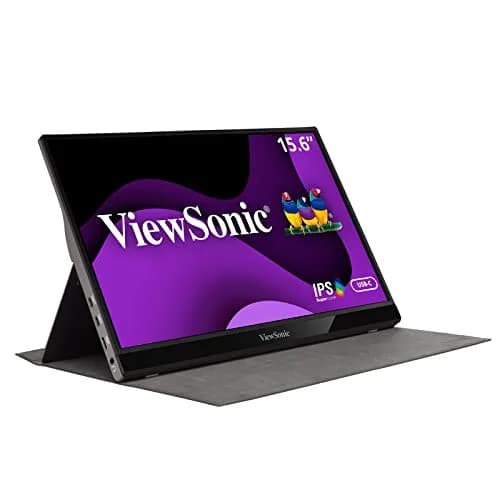
(Current price, subject to change)
- 15.6 inch FHD (1920x1080) IPS panel
- 60Hz refresh rate
- 1.8 lb chassis weight (ViewSonic spec)
- 60W USB-C and Mini-HDMI inputs
- 250 cd/m2 rated brightness
- Built-in stand plus a detachable magnetic screen cover
- 3-year warranty with US-based support
RTINGS reviewed the VG1655 and calls it an acceptable portable monitor, noting it lacks many features found on typical desktop monitors and is designed for on-the-go use. In its best-portable-monitors testing RTINGS adds the practical case: if you prefer something that comes with a screen cover as well, look into the ViewSonic VG1655. It costs less compared to the Lenovo ThinkVision M14, and the cover protects the screen without extra cost.
This refresh corrected a genuine error, and the correction runs against the pick. The panel is rated 250 cd/m2, not the 300 nits previously published here. Since 300 nits is the DGH brightness floor, the VG1655 fails that factor outright, dropping from 8.9 to 7.9. RTINGS reaches the same conclusion independently: it doesn't get bright enough to combat glare.
That yields a conditional recommendation rather than a rejection. In a room where you control the lamp, 250 cd/m2 suffices, and the bundled cover plus a 3-year warranty produce genuine value at $190.10 across 4-year ownership. In a sunlit library carrel it will frustrate you within 8 hours. The ASUS ZenScreen MB16NCG costs $76.89 more and resolves both limitations.
What We Love
- $190.10 is the lowest spend here that still clears the functional dorm requirements — USB-C single-cable, sub-2 lb, real warranty
- 1.8 lb chassis stays inside the 2 lb daily-travel gate, so the panel actually goes to the library
- The magnetic screen cover ships in the box — RTINGS singles this out as the reason to pick it over the Lenovo ThinkVision M14
- Built-in stand means no separate stand accessory — the 9 inch deep desk footprint is the lowest in this guide
- 60W USB-C with passthrough and a 3-year US-supported warranty are unusual at this price
What Could Be Better
- 250 cd/m2 falls below the 300-nit dorm-lighting floor — RTINGS says it doesn't get bright enough to combat glare
- FHD resolution lacks the sharpness of every other pick here
- 60Hz refresh too slow for casual gaming
The Verdict
If you're a budget-first shopper and you've shortlisted the ViewSonic VG1655, it still does the job — but go in clear-eyed. Its DGH Dorm-Footprint Fit Score is 7.9, the lowest here, because the 250 cd/m2 panel misses the brightness floor. RTINGS calls it an acceptable portable monitor, and that word is doing honest work.
How We Score: DGH Dorm-Footprint Fit Score
DGH Dorm-Footprint Fit Score
Score Formula
base_score=10; subtract 2 if weight over 2.0 lb; subtract 2 if requires more than 1 cable; subtract 2 if desk depth required over 11 inch; subtract 1 if no built-in stand; subtract 1 if no smart-cover storage option; subtract 1 if brightness under 300 nitsScore Factors
- Weight Under 2 lbAnything heavier than 2 lb stays home after week 2 of carrying it to the library. Sub-2 lb panels actually travel with the laptop across a 4-year ownership window — that means the second-screen workflow keeps paying back daily.
- USB-C Single-Cable PowerDorms ship with two outlets. A monitor that needs a separate power adapter occupies one — and that's the outlet the lamp or fan needed. Single-cable USB-C is the dorm-outlet target.
- Desk Depth Required Under 11 inchBuilt-in dorm desks run 44-48 inch wide and 22-24 inch deep. After a 14 inch laptop footprint, about 10 inch of depth remains. Monitors requiring more than 11 inch crowd the laptop off the desk.
- Built-in Stand and Smart-Cover StorageSmart-cover stands eliminate the separate-accessory tax. Monitors that require an external stand add weight, footprint, and a move-in-day setup step the warm-lead reader didn't budget for.
- Brightness Above 300 nitsDorm overhead lighting varies wildly between buildings. Below 300 nits panels wash out under fluorescent ceiling lights — so the second-screen workflow stops paying back daily. Rated brightness is used, from the manufacturer spec sheet, except where a reviewer has measured it.
DGH Dorm-Footprint Fit Score — Ranked
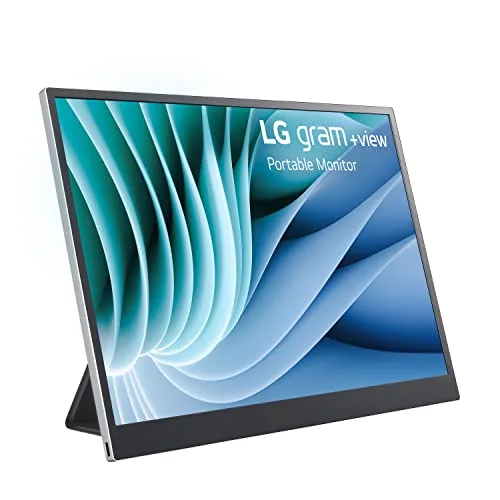
LG gram +view 16
9.2/10Pass — 1.45 lb, the lightest here; USB-C single-cable; 385 nits measured; 11 inch desk depth at the allowance limit
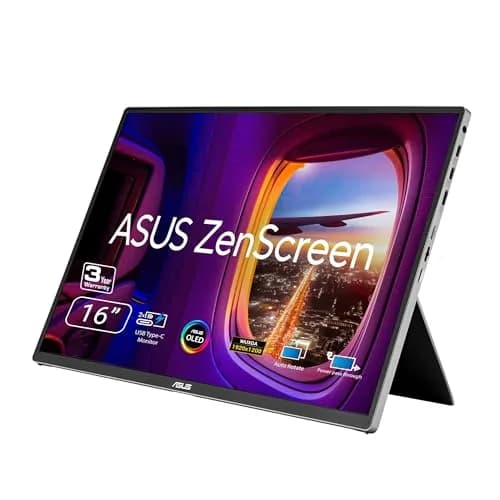
ASUS ZenScreen OLED MQ16FC
9.1/10Pass — 1.50 lb, USB-C single-cable, 10 inch desk depth, 300 nits exactly on the floor
ASUS ZenScreen MB16NCG
8.8/10Pass — 400 nits and 10 inch desk depth, but 1.98 lb is the heaviest here and only just inside the 2 lb gate
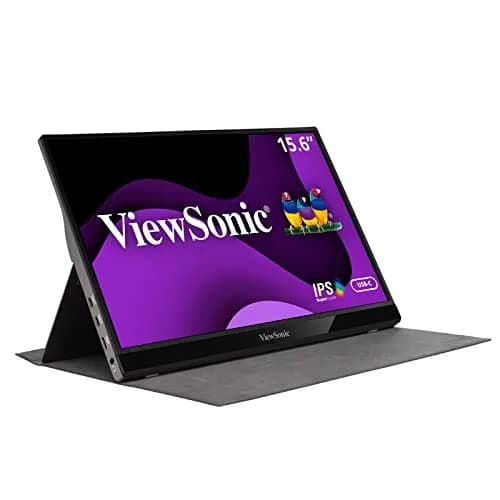
ViewSonic VG1655
7.9/10Partial — 1.8 lb, USB-C single-cable and the smallest 9 inch desk depth, but 250 nits FAILS the 300-nit brightness factor
Dorm-Footprint Verification
The Pass tier requires four conditions: a chassis under 2 lb, single-cable USB-C power, desk depth under 11 inch, and rated brightness above 300 nits. Three picks satisfy all four and score 8.8 to 9.2. The ViewSonic VG1655 does not, because 250 cd/m2 misses the brightness factor, which produces 7.9 rather than the 8.9 previously published. The Borderline tier covers panels over 2 lb, and the Fail tier covers anything over 2.5 lb or requiring a wall outlet.
Two panels sit close enough to a threshold that the exact coefficient matters. The MB16NCG's 1.98 lb clears the 2 lb gate by under an ounce, and the MQ16FC's 300 cd/m2 sits precisely on the brightness floor. Both satisfy the tier, but neither retains meaningful margin across 4-year ownership. Compared to either, the 1.45 lb LG gram +view holds approximately 0.53 lb of additional headroom. All figures are manufacturer net weight and rated brightness, independently re-verified against Amazon listings 2026-08-07 across the $190 to $280 range. RTINGS ranks portable monitors on picture quality first, whereas the DGH Dorm-Footprint Fit Score prioritizes dormitory fit.
Settle one question before buying any panel: where it will sit. The built-in dorm desk is a fixed-height box roughly 24 inch deep, and every monitor here occupies 9 to 11 inch of that depth once the stand is out. If you plan to replace the built-in, and a tall student probably should, read Best Standing Desks for Dorm Under $700 in 2026 first, because the desk is the binding constraint. If you are keeping the built-in, Best Monitor Arms for Small Dorm Desks 2026 covers the clamp-mount route, and The Premium Dorm Tech Stack: Allocating $1500 Before Move-In shows how screen, laptop, and charging fit one wall.
| Product | Sub-2 lb Weight (travels daily) | USB-C Single-Cable Power | Brightness Above 300 nits |
|---|---|---|---|
| asus-zenscreen-mb16qhg | ✓ | ✓ | ✓ |
| asus-zenscreen-oled-mq16fc | ✓ | ✓ | ✓ |
| lg-gram-plus-view-16 | ✓ | ✓ | ✓ |
| viewsonic-vg1655 | ✓ | ✓ | – |
Who Should Buy What
Who Should Buy What
| If you are… | Recommended pick |
|---|---|
USB-C laptop second-screen seeker Your laptop runs USB-C and you want a sharp 16 inch second screen that actually travels in your backpack | ASUS ZenScreen MB16NCG |
Film or design major Your coursework runs in Premiere, Photoshop, Lightroom, or DaVinci Resolve and you need OLED color accuracy on the go | ASUS ZenScreen OLED MQ16FC |
MacBook Air or Pro user You want a 16:10 aspect-ratio match for your MacBook with no cognitive friction between displays | LG gram +view 16 |
Budget-first shopper Your move-in budget caps at $200 and you want every functional dorm portable monitor requirement at the lowest spend | ViewSonic VG1655 |
Casual-gaming CS major You want a second screen plus 155Hz refresh for occasional gaming without buying a dedicated gaming monitor | ASUS ZenScreen MB16NCG |
Frequently Asked Questions
Do I really need a portable monitor in a dorm?
If your major involves split-view work — coding, writing with research tabs, video editing — yes, a second screen helps, and it helps most when you are actively managing several windows at once. If your workflow is single-document focused (humanities, lecture notes only), probably not. The right move is honest self-assessment: do you actively manage 3+ windows at once on your laptop? If yes, a portable monitor pays back daily. If no, the $190 entry price is better spent elsewhere on your dorm setup — a desk lamp and a decent chair do more for a single-document workflow.
Will a portable monitor work with my MacBook?
Every pick in this guide works with M-series MacBook Air and Pro over USB-C — the M-series chips support DisplayPort over USB-C natively, no adapter needed. Three of the four are 16:10 and match the MacBook's own aspect ratio: the LG gram +view 16, the ASUS MB16NCG, and the ASUS OLED MQ16FC. The LG is still the M-series-optimized pick because it also matches the MacBook Air's 2560x1600 resolution while weighing the least. Only the ViewSonic VG1655 is 16:9, which produces slight letterboxing in mirror mode.
Is USB-C alone enough to power the monitor?
Yes for every pick in this guide. Modern USB-C ports on laptops deliver up to 100W of power-plus-video, and dorm portable monitors typically draw 8-12W. The single USB-C cable carries the video signal and the power simultaneously. The exception is older USB-C ports that only carry data — check your laptop spec sheet for DisplayPort over USB-C (sometimes labeled DP Alt Mode) before purchasing.
Is the OLED upgrade worth it over the MB16NCG?
It is a much closer call in August 2026 than it used to be. The gap is now $13.00 — the OLED MQ16FC is $279.99 and the MB16NCG is $266.99 — where this guide previously described it as an $80 upgrade. At $13 the decision stops being about budget and becomes purely about what you do. For film, photo, design, and architecture students, take the OLED: 95% DCI-P3 matches what professors grade on, the contrast looks meaningfully better daily, it weighs half a pound less, and ASUS's 3-year warranty on this model explicitly covers burn-in. For text-heavy workflows, take the MB16NCG: it is 2560x1600 against the OLED's 1920x1200, runs at 155Hz against 60Hz, and is 100 nits brighter.
Is 155Hz refresh rate overkill on a portable monitor?
For productivity workflows, yes — Word, Chrome, and Zoom don't benefit beyond 60Hz, and the other three picks here are all 60Hz. For casual gaming on integrated graphics — Hades, Stardew Valley, indie titles — 155Hz is the difference between playable and choppy. The MB16NCG is the only pick in this guide that hits both, so for CS or engineering majors who want second-screen productivity plus occasional gaming, the 155Hz refresh justifies the spend. Pure productivity students can save $76.89 by taking the ViewSonic VG1655 at $190.10 instead — but read the brightness caveat first, because that is a bigger day-to-day compromise than the refresh rate.
Bottom Line
Get the ASUS ZenScreen MB16NCG if you want the sharpest and brightest panel here — 2560x1600 at 155Hz and 400 nits — and you accept that it is also the heaviest at 1.98 lb.
Get the ASUS ZenScreen OLED MQ16FC if your coursework runs in Premiere, Photoshop, Lightroom, or DaVinci Resolve, and the warranty that covers burn-in settles your last objection to a portable OLED.
Get the LG gram +view 16 if your primary laptop is a MacBook Air or Pro, you want the lightest panel here at 1.45 lb, and the backorder ship date works for your move-in.
Get the ViewSonic VG1655 if your move-in budget caps at $200 and you will use it at a desk where you control the lighting.
The right call for most USB-C-laptop freshmen is the ASUS ZenScreen MB16NCG at $266.99 — 2560x1600, 155Hz, 400 nits, single USB-C cable, in stock now. Mac students who can wait should look at the LG gram +view 16 at $249.99: it is $17.00 cheaper, half a pound lighter, and tops the DGH Dorm-Footprint Fit Score, but Amazon currently lists it as backordered. Budget shoppers get functional ground covered by the ViewSonic VG1655 at $190.10, with the honest caveat that its 250-nit panel is the dimmest here. Skip every portable monitor in this guide if your laptop only outputs HDMI without USB-C DisplayPort support — check your spec sheet for DP Alt Mode before you buy anything.
Sources & Methodology
Methodology: DGH Dorm-Footprint Fit Score — Formula: base_score=10; subtract 2 if weight over 2.0 lb; subtract 2 if requires more than 1 cable; subtract 2 if desk depth required over 11 inch; subtract 1 if no built-in stand; subtract 1 if no smart-cover storage option; subtract 1 if brightness under 300 nits. Factors: Weight Under 2 lb · USB-C Single-Cable Power · Desk Depth Required Under 11 inch · Built-in Stand and Smart-Cover Storage · Brightness Above 300 nits. Full factor definitions appear in the How We Score section above.
Expert review sources used in this analysis:
- DormGearHQ aggregates expert review data and community sentiment to produce consensus-based buying guidance
- We do not perform first-party product testing
- Expert ratings come from RTINGS' published VG1655 review and its best-portable-monitors rankings, and from the XDA Developers gram +view review of the 16MR70-ASDU1 — all re-fetched and re-verified 2026-08-07
- Panel size, resolution, refresh rate, rated brightness, and net weight for both ZenScreens are taken from the ASUS techspec pages for the MB16NCG and MQ16FC; ViewSonic's published spec supplies the VG1655's 250 cd/m2 rating and 1.8 lb weight
- Amazon Buy Box prices and availability were verified via the Amazon Creators API on 2026-08-07 and are subject to change; the LG gram +view listing was showing as backordered at that check
- Two corrections were made in this refresh and are worth stating plainly, because both ran against picks this guide recommends
- The ViewSonic VG1655's brightness was previously published here as 300 nits; its actual rating is 250 cd/m2, which puts it below the DGH Dorm-Footprint Fit brightness floor rather than at it, and its score has been reduced from 8.9 to 7.9 accordingly
- Chassis weights for all four panels were also corrected to manufacturer net weight, which moved the MB16NCG from 1.7 lb to 1.98 lb and identified the LG gram +view, at 1.45 lb, as the lightest panel in the guide rather than among the heaviest
- A previous version of this guide also cited Tom's Guide for a desk light-bar recommendation; that citation could not be verified against a retrievable Tom's Guide review and has been removed
- Community portable monitor and dorm-desk-geometry owner-report data sourced from r/college, r/dormliving, and r/PreCollegeAdvice on Reddit
- The DGH Dorm-Footprint Fit Score formula, tier logic, and factor coefficients are documented at the metrics methodology page linked from the score block above.
Nicholas Miles is the founder of DormGearHQ and a longtime smart home enthusiast focused on helping everyday homeowners make better technology decisions. He researches, compares, and writes about products across security, climate, lighting, leak prevention, sensors, home energy, and automation, with an emphasis on real-world usefulness, ecosystem compatibility, reliability, privacy, and long-term value.
Affiliate disclosure: DormGearHQ earns affiliate commissions on qualifying Amazon purchases. Our scoring methodology is independent of affiliate relationships.