
Best E-Readers & Digital Notebooks for Textbooks 2026
One correction first: your assigned publisher e-textbook will not open on an e-ink Kindle. What e-ink handles beautifully is the reading you hold as a file — course PDFs, lecture slides and Kindle books. The Paperwhite ($159.99) reads them; the Scribe ($399.99) writes on them.
This article contains affiliate links. We may earn a commission at no extra cost to you. Learn more
Featured in this Guide

Amazon
Kindle Scribe (16GB) with Premium Pen
- •A 10.2-inch glare-free page that fits a two-column PDF, with the Premium Pen included and no charging, ,

Amazon
Kindle Scribe Colorsoft 64GB
- •The fastest pen response in the Kindle line and real colour, at over four times the Paperwhite, ,

Amazon
Kindle Paperwhite 16GB (newest model), Black
- •The longest observed charge interval here, waterproof, and the strongest Amazon sales rank of the three, ,
The Short Answer
Publisher e-textbook platforms including Pearson+ are application-and-browser products, so installing them on an e-ink reader is impossible. Everything you hold as a document works beautifully: course PDFs, lecture slides, Kindle books. The Paperwhite reads at $159.99; the Scribe annotates at $399.99.
Start with the correction, because it determines whether buying any of this equipment is sensible. Pearson's own app-support documentation lists iPhone, iPad, Android and desktop browsers as the platforms its eTextbook app supports. No e-ink device of any manufacturer appears in that compatibility listing. Kindle e-ink hardware carries no third-party app store, so a publisher platform simply cannot install.
What e-ink owns is everything you hold as a file or a Kindle book: course-reading PDFs, lecture slide decks, journal articles and set texts. Tom's Guide and Engadget both document a reflective 300 ppi page that produces no glare under lecture-hall lighting, relative to a backlit tablet. Our weighted DGH Semester Study Score ranks markup capability heaviest, then reading comfort, then the charge interval reviewers observed. That markup layer costs roughly 2.5x a plain reader.
Head-to-Head: Markup, Comfort, Endurance
Tech Charging
Chart
 DormGearHQ.com
ASUS ZenScreen MB16NCG
$266.99Must BuyCheck price
Canon MegaTank G3270 All-in-One Wireless Inkjet Printer, Home Use, Print, Scan and Copy
$159.99Must BuyCheck price
iPad Air 11-inch (M4)
$749.00Must BuyCheck price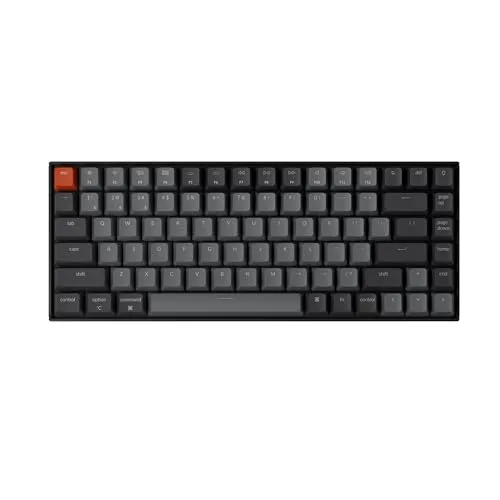
Keychron K2 Pro
$119.00Must BuyCheck price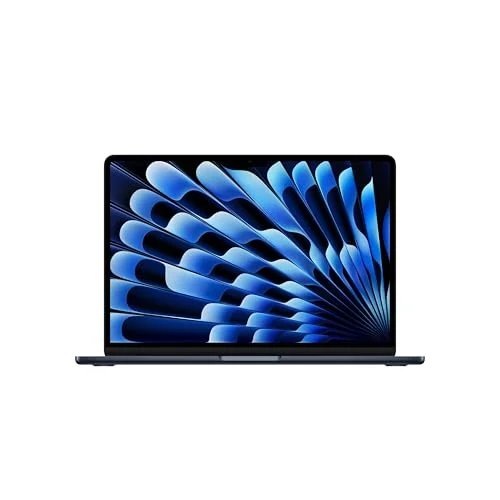
MacBook Air M5 13-inch
$1259.99Must BuyCheck price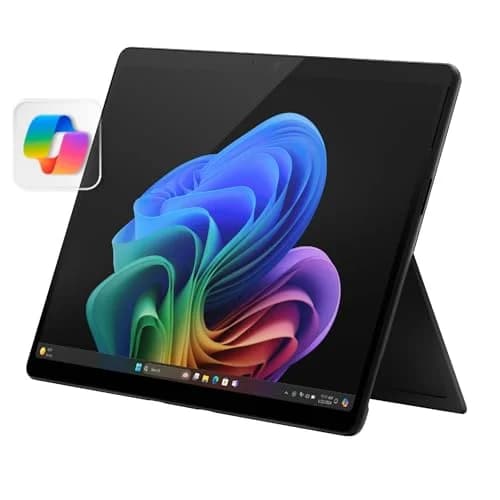
Microsoft Surface Pro 11
$1249.99Must BuyCheck price
Best Overall: Amazon Kindle Scribe (16GB) with Premium Pen
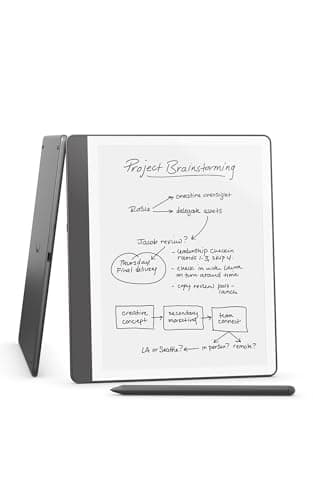
Amazon Kindle Scribe (16GB) with Premium Pen
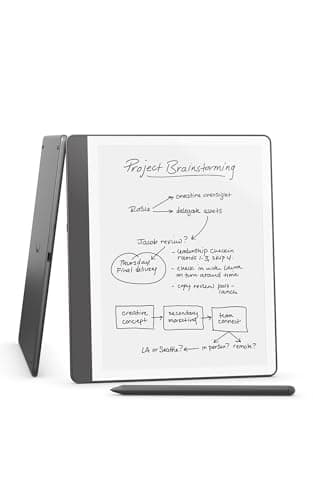
(Current price, subject to change)
- Kindle Scribe, 16GB, Tungsten
- Premium Pen — no charging, no pairing
- 10.2-inch glare-free 300 ppi front-lit display
- Send to Kindle document and PDF import
- Active Canvas margin notes inside book pages
- Handwriting-to-text and notebook summarization
Tom's Guide calls the Scribe's 10.2-inch, 300 PPI panel the biggest Kindle screen you can get, and that size is the whole argument for spending 2.5x a Paperwhite. A two-column PDF or a dense slide deck fits without pinch-zooming. Engadget separately names it the best e-reader E Ink tablet in its category roundup.
Both outlets qualify the writing layer. Engadget states you can only limitedly mark up Kindle books and documents: circle a word and the circle lands beside it, pushing the paragraph over. Underlining and highlighting behave far better, nearly snapping to the intended text. Tom's Guide found the in-book text reflow — Amazon calls it Active Canvas — unnaturally stiff, and measured AI handwriting refinement working about 90% of the time.
Endurance holds up better than the price does. Across a week of use, Tom's Guide barely saw the battery dip below 70% against Amazon's 12-week rating. The money is the honest caveat: that same review calls the $400 Scribe a luxury item and points passionate longhand writers to a reMarkable instead. Its DGH Semester Study Score of 7.9 leads this guide on the most heavily weighted factor, and holds that lead across a 4-year degree.
What We Love
- Tom's Guide calls the 10.2-inch, 300 PPI panel the biggest Kindle screen you can get
- A two-column course PDF or a dense slide deck fits on the page without constant pinch-zooming
- Engadget names it the best e-reader E Ink tablet and reports lower writing latency than the prior model
- The Premium Pen needs no charging and no pairing, so there is nothing extra to keep topped up
- Tom's Guide saw the battery barely dip below 70% across a week of use, and called that long battery life a standout
What Could Be Better
- Engadget is explicit that markup is limited: circle a word and the circle lands beside it, pushing the paragraph over
- Tom's Guide found the in-book text reflow — Amazon calls it Active Canvas — unnaturally stiff and said it could use more work to feel natural
- Tom's Guide calls the $400 Scribe a luxury item and steers anyone truly passionate about longhand writing to a reMarkable slate instead
- At 15.3 ounces it is a two-handed device, and unlike the Paperwhite it is not waterproof
The Verdict
If you genuinely mark up readings rather than only consume them, the Amazon Kindle Scribe (16GB) with Premium Pen is the tier that earns its premium. Its DGH Semester Study Score of 7.9 leads here on the most heavily weighted factor, markup capability, while the page size does the quiet work of making PDFs legible.
Colour Markup, At A Price: Amazon Kindle Scribe Colorsoft 64GB
Amazon Kindle Scribe Colorsoft 64GB
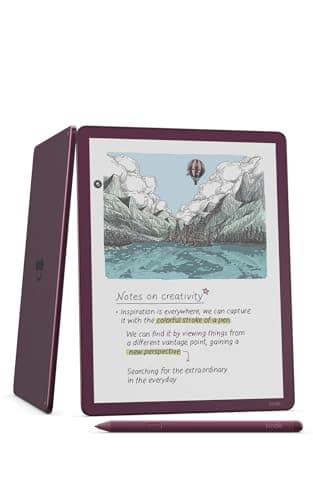
(Current price, subject to change)
- Kindle Scribe Colorsoft, 64GB
- 11-inch front-lit colour Colorsoft display
- Premium Pen — no charging required
- 5.4mm thin, 400 grams
- Google Drive and Microsoft OneDrive import
- Microsoft OneNote notebook export
The colour is real, and Engadget confirms it: the 11-inch Colorsoft panel renders brighter, more saturated colour than the reMarkable Paper Pro. For a student marking up colour-coded lecture slides or anatomy diagrams, that is the single genuine reason to consider this tier over the monochrome Scribe.
Engadget also measured the pen at 14ms response against 20-21ms previously, describing a lack of resistance and an overall smoothness that is very satisfying. At 400 grams it weighs 33 grams less than its predecessor, and it imports from Google Drive and OneDrive while exporting notebooks to OneNote.
The verdict in that same review is where a buyer should slow down. Engadget concludes the device is not a three- or four-in-one and falls short at document annotation versus dedicated competitors, and observed roughly 20% battery drain across two days. Handwriting recognition misread messy writing. Tom's Guide has published no comparable endurance figures for this model. Its DGH Semester Study Score of 7.4 reflects a strong markup factor carried by the weakest price value here, at roughly 4.2x the entry reader across a 4-year degree.
What We Love
- Engadget found the 11-inch colour panel renders brighter, more saturated colour than the reMarkable Paper Pro
- Engadget measured pen response at 14ms against 20-21ms previously, calling the smoothness very satisfying
- Colour highlighting is the one genuine reason to mark slides up here rather than on the monochrome Scribe
- Imports from Google Drive and OneDrive, and exports notebooks straight to OneNote
- At 400 grams it is 33 grams lighter than its predecessor, with auto-adjusting front lighting
What Could Be Better
- Engadget concludes it is not a three- or four-in-one and falls short at document annotation versus dedicated competitors
- Engadget observed roughly 20% battery drain across two days, well short of the multi-week promise
- Engadget found handwriting recognition misread messy writing, and notebook search returned tasks divorced from context
- The front light carries a slight blue tinge that needs the warmth control dialled in
The Verdict
Ask yourself whether colour is how you actually study before the Amazon Kindle Scribe Colorsoft 64GB makes sense. Its DGH Semester Study Score of 7.4 pairs the strongest markup factor here with the weakest price value, which is exactly the trade a colour-coding student is being asked to accept.
Best If You Only Read: Amazon Kindle Paperwhite 16GB (newest model), Black
Amazon Kindle Paperwhite 16GB (newest model), Black
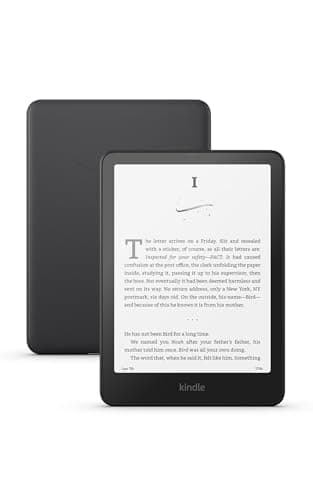
(Current price, subject to change)
- Kindle Paperwhite, 16GB, Black
- 7-inch glare-free 300 ppi display
- Adjustable warm front light
- Waterproof, 7.4 ounces
- No pen and no handwriting support
Nothing here writes, which is the entire trade, and precisely why this pick occupies last position on our composite while simultaneously remaining the correct purchase for most students reading this guide. Tom's Guide describes a 7-inch, 300 ppi panel with warmth adjustable from white through to amber, measuring 94 nits at maximum brightness.
Endurance is the genuine standout. Against Amazon's 12-week claim, Tom's Guide watched the review unit descend only from 50% to 42% across a full week — the slowest observed consumption of any device here, and comfortably the best endurance across a 4-year degree. That same review lists waterproofing among its pros and specs the device at 16GB and 7.4 ounces, alongside approximately a 25% page-turn improvement compared to the previous generation.
The compromises are small but specific. Tom's Guide flags the bottom-mounted power button as prone to accidental presses. The 7-inch page is cramped for a two-column PDF, and this listing carries lockscreen advertising. Its DGH Semester Study Score of 7.1 is suppressed almost entirely by the markup factor, which our formula weights heaviest — 3x the portability factor's share.
What We Love
- Tom's Guide describes a 7-inch, 300 ppi panel with warmth adjustable from white through to amber
- Tom's Guide watched the battery fall only from 50% to 42% across a full week of reading
- Waterproof and 7.4 ounces, so it reads one-handed on a bus and survives a communal bathroom
- Tom's Guide notes roughly a 25% page-turn improvement over the previous generation
- At $159.99 it holds the strongest Amazon sales rank of the three devices in this guide
What Could Be Better
- No pen and no handwriting layer at all — it reads your documents but cannot mark them up
- Tom's Guide flags the bottom-mounted power button as prone to accidental presses while reading
- The 7-inch page is cramped for a two-column PDF or a dense lecture slide deck
- This listing shows lockscreen advertising; the ad-free version is a separate, pricier SKU
The Verdict
Most students in this guide should buy the Amazon Kindle Paperwhite 16GB (newest model), Black and stop there. Its DGH Semester Study Score of 7.1 sits last only because our composite weights markup heaviest, and this device deliberately does none — read that ranking as a markup verdict, not a reading one.
How We Score: DGH Semester Study Score
DGH Semester Study Score
Score Formula
pdf_and_slide_markup (30%) + reading_comfort_glare_free (25%) + charge_interval_endurance (20%) + one_hand_portability (10%) + price_value (15%)Score Factors
- PDF and Slide Markup (30%)Whether the device takes a lecture slide deck or a course-reading PDF and lets you write on it. The heaviest weight, because the writing layer is the only capability separating a digital notebook from a plain reader. Engadget is explicit that Kindle markup is limited rather than free-form, so an included pen alone does not earn a 10.
- Reading Comfort, Glare-Free (25%)Page size, resolution, front-light quality and warmth control across multi-hour reflective reading. Tom's Guide measured the Paperwhite at 94 nits maximum with warmth adjustable to amber, and called the Scribe's 10.2-inch panel the biggest Kindle screen available.
- Charge-Interval Endurance (20%)Observed drain rather than the manufacturer headline. Tom's Guide watched a Paperwhite fall from 50% to 42% in a week, and barely saw a Scribe dip below 70% in the same span. Engadget saw the Colorsoft shed about 20% in two days under review load.
- One-Hand Portability (10%)Weight and footprint for reading in a lecture hall, on a bus or in bed. The 7.4-ounce Paperwhite is a genuine one-handed device; the 15.3-ounce Scribe and the 400-gram Colorsoft are two-handed or desk devices.
- Price Value (15%)Live Amazon price weighed against what a student realistically does with the device. The monochrome writing layer costs about 2.5x the plain reader and the colour writing layer over 4x, so that premium has to be earned by real markup work.
DGH Semester Study Score — Ranked
Amazon Kindle Scribe (16GB) with Premium Pen
7.9/10The best balance of a markup layer, a large glare-free page and a defensible price
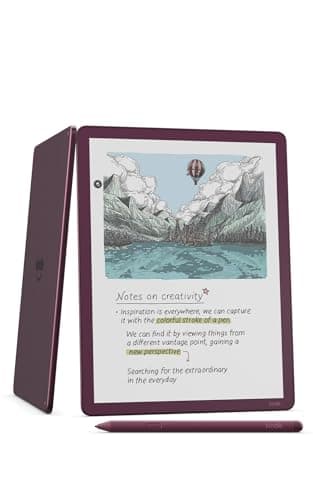
Amazon Kindle Scribe Colorsoft 64GB
7.4/10Strongest markup layer and fastest pen, dragged down by price value and observed battery drain
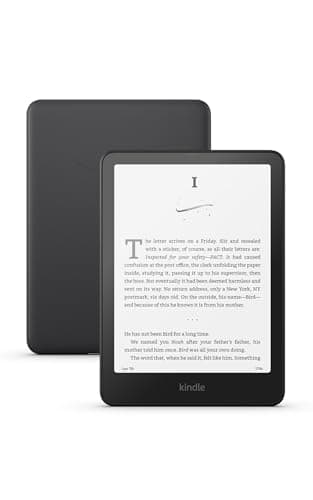
Amazon Kindle Paperwhite 16GB (newest model), Black
7.1/10Last only on a markup-weighted composite — still the best pure reader and the best value here
What Actually Opens On An E-Ink Kindle
Two separate questions get confused constantly, so separate them. Publisher e-textbook platforms are applications: Pearson's support page lists iPhone, iPad, Android phones and tablets, and the Chrome, Edge, Firefox and Safari browsers on Windows and macOS. Kindle e-ink hardware runs no third-party application store, so those platforms cannot install. That is a structural limit, not a settings problem, and no workaround changes it.
Documents reach these devices instead through Send to Kindle, which imports files you already hold and, on the Scribe tier, lets you write on them. That covers course-reading PDFs, lecture slide decks, journal articles, professor handouts and public-domain set texts, plus anything bought in the Kindle Store. Our normalized composite treats that file-based path as the real use case across a 4-year degree, because it is the one that genuinely works. Relative to a tablet, the trade is narrower capability against dramatically longer endurance. If your programme delivers everything through a publisher portal, buy nothing on this page.
| Product | Reads Kindle Store books and imported PDFs | Handwritten markup with an included pen | Colour highlighting | Runs publisher e-textbook apps (Pearson+ and similar) |
|---|---|---|---|---|
| kindle-scribe-16gb | ✓ | ✓ | – | – |
| kindle-scribe-colorsoft-64gb | ✓ | ✓ | ✓ | – |
| kindle-paperwhite-16gb | ✓ | – | – | – |
The Three-Tier Price Ladder
Every rung on this ladder purchases exactly one additional capability, which makes the comparison unusually straightforward compared to most electronics categories. The entry tier, at $159.99, delivers a glare-free reflective page alongside the longest charge interval measured anywhere in this guide. The middle tier costs approximately 2.5x that amount and contributes a substantially larger reading surface plus the Premium Pen, which constitutes the entire writing layer. The premium tier demands over 4x the entry price, roughly 4.2x once you compare the exact figures, and contributes colour rendering above that same writing layer.
Weigh those increments against your own week, not against the specification sheets. If your reading is novels and set texts, the entry tier delivers everything you need, and Tom's Guide's battery measurements suggest recharging perhaps twice a term. If you hand-annotate problem sets across a 4-year degree, the middle tier is the honest minimum. Only colour-dependent revision justifies the top tier, and Engadget's assessment of its annotation as falling short versus dedicated competitors deserves weighing before you spend that difference. Budget roughly 3 hours of reading per sitting when you estimate how much page size matters.
When NOT to Buy
Skip every device here if your assigned reading lives inside a publisher portal. That is not a marginal case. If your set texts all arrive through Pearson+ or a comparable platform, an e-reader gives you a second screen that cannot open any of them. Skip these devices too if you need colour figures at full fidelity, or if you already annotate comfortably on a laptop and this would only produce another thing to charge and carry.
Listings And Variants Worth Knowing About
Three listing details save real money or real annoyance. The Paperwhite we recommend shows lockscreen advertising; the ad-free version is a separate, more expensive SKU rather than a setting you can toggle after purchase. A Like-New Amazon Resale Scribe also circulates at a lower price, and its condition field still reads New while the title carries the open-box marker — treat that listing as refurbished, because that is what it is.
Storage is the third detail, and it matters considerably less than the listings imply. Text and marked-up PDFs are small files, so the 16GB tier comfortably accommodates far more coursework than a single semester generates. The 64GB Colorsoft is not marketed as a storage upgrade over the standard Scribe; it is marketed as a colour upgrade, and Engadget's review treats it identically. Across a 4-year degree that distinction matters, because you are financing colour rendering at roughly 4.2x the entry price rather than capacity. Prices and stock were verified in July 2026 and move often.
Who Should Buy What
Who Should Buy What
| If you are… | Recommended pick |
|---|---|
Reader, not annotator Your coursework is novels, set texts and long-form reading, and you take notes on a laptop or on paper instead of on the page | Amazon Kindle Paperwhite 16GB (newest model), Black |
PDF and slide annotator You hand-mark problem sets, lecture slide decks and course-reading PDFs, and you want a page big enough to read a two-column layout | Amazon Kindle Scribe (16GB) with Premium Pen |
Colour-coded studier Your revision system depends on colour highlighting across diagrams, statutes or anatomy figures, and you already keep a large Kindle library | Amazon Kindle Scribe Colorsoft 64GB |
Commuter and bedtime reader You read one-handed on a bus or in bed and want the lightest, most waterproof device with the longest interval between charges | Amazon Kindle Paperwhite 16GB (newest model), Black |
Frequently Asked Questions
Can you actually read your assigned college textbooks on a Kindle?
Usually not, and this is the single most important thing to understand before buying. Publisher platforms such as Pearson+ are applications: Pearson's own support page lists iPhone, iPad, Android phones and tablets, plus the Chrome, Edge, Firefox and Safari browsers on Windows and macOS. No e-ink device of any brand is listed. Kindle e-ink hardware has no third-party app store, so those platforms cannot be installed on it. What does work is anything you hold as a file or buy in the Kindle Store: course-reading PDFs, lecture slide decks, journal articles, professor handouts and public-domain set texts, all of which reach the device through Send to Kindle.
Is the Kindle Scribe worth 2.5x a Paperwhite for a student?
Only if you write on your reading. The Scribe costs $399.99 against the Paperwhite's $159.99, and that gap buys two things: a 10.2-inch page instead of a 7-inch one, and the Premium Pen. Tom's Guide calls the larger panel the biggest Kindle screen you can get, which is what makes a two-column PDF readable without pinch-zooming. If your annotation happens on a laptop or on printed paper, none of that premium reaches you. The detail most buyers miss is that reading itself is not better on the Scribe — the library, the resolution and the glare-free surface are the same, and the Paperwhite is waterproof while the Scribe is not.
How well does an e-ink Kindle handle PDF lecture slides?
Better than most people expect for reading, and more awkwardly than expected for marking up. Engadget is direct about the limitation: you can only limitedly mark up Kindle books and other documents, and circling a word places the circle beside it, pushing the paragraph over. Underlining and highlighting behave far better, with the Scribe nearly snapping your scribbles to the intended text. Tom's Guide separately found the in-book text reflow — Amazon calls it Active Canvas — unnaturally stiff for margin notes. The practical takeaway: treat it as an excellent surface for underlining, highlighting and margin notes, not as a free-form drawing canvas over a slide deck.
Should I buy a Kindle Scribe or a tablet for taking notes in class?
It depends on whether you want one device or the right device. A tablet has a backlit LCD, a full app ecosystem, notifications and a battery measured in a class day; an e-ink Scribe has a reflective page with no glare, no apps, no notifications and a charge interval measured in weeks. The tablet also runs the publisher e-textbook apps that e-ink cannot. If you want the full multitasking machine, our tablet roundup covers it properly — see Best Tablets for College Note-Taking 2026. If you want a distraction-free surface for reading and annotating, that is exactly what e-ink is for, and it is why plenty of students end up owning both.
How often will I actually have to charge it during a semester?
Less often than a tablet, but not as rarely as the box implies. Amazon rates the Paperwhite and Scribe at up to 12 weeks. Tom's Guide watched a Paperwhite review unit fall only from 50% to 42% across a full week, which points to a genuinely long interval, but the reviewer did not independently confirm the 12-week figure. The same outlet barely saw a Scribe dip below 70% across a week, and Engadget observed the Colorsoft shed about 20% across two days under review load. Plan on charging a Paperwhite roughly a couple of times a term, and a writing-tier device meaningfully more often than that.
Is the Colorsoft colour screen worth the extra money over the standard Scribe?
Only for a specific study habit. Engadget found the 11-inch colour panel renders brighter, more saturated colour than the reMarkable Paper Pro, and measured pen response at 14ms against 20-21ms previously — genuinely the fastest pen in the Kindle line. But the same review concludes the device is not a three- or four-in-one and falls short at document annotation versus dedicated competitors. At $679.99 against $399.99, you are paying $280 for colour highlighting alone. If your revision system genuinely runs on colour-coded diagrams or statutes, that is defensible. If it does not, the monochrome Scribe does the same job.
Bottom Line
Get the Amazon Kindle Paperwhite 16GB (newest model), Black if you read set texts and course readings but annotate elsewhere — the best value and the longest charge interval here.
Get the Amazon Kindle Scribe (16GB) with Premium Pen if you hand-mark PDFs and slide decks and want the largest glare-free page with the pen included.
Get the Amazon Kindle Scribe Colorsoft 64GB if colour-coded highlighting is genuinely how you revise, and you already keep a large Kindle library.
Before anything else, check where your assigned reading lives. If it arrives through Pearson+ or a comparable publisher portal, no device on this page will open it, and you should skip the category entirely. If your reading arrives as PDFs, slide decks or Kindle books, start with the Amazon Kindle Paperwhite 16GB (newest model), Black at $159.99 and only step up to the Amazon Kindle Scribe (16GB) with Premium Pen when you know you write on the page.
Sources & Methodology
Methodology: DGH Semester Study Score — Formula: pdf_and_slide_markup (30%) + reading_comfort_glare_free (25%) + charge_interval_endurance (20%) + one_hand_portability (10%) + price_value (15%). Factors: PDF and Slide Markup (30%) · Reading Comfort, Glare-Free (25%) · Charge-Interval Endurance (20%) · One-Hand Portability (10%) · Price Value (15%). Full factor definitions appear in the How We Score section above.
Expert review sources used in this analysis:
- DormGearHQ aggregates expert review data, manufacturer specifications and marketplace signals to produce consensus-based buying guidance; we do not perform first-party product testing
- Two outlets carry the independent evidence in this guide, and both were fetched and read before anything was written
- Tom's Guide supplies Alex Wawro's Kindle Scribe review, which documents the 10.2-inch 300 PPI panel, the 15.3-ounce weight, the absent waterproofing, the stiff in-book text reflow that Amazon calls Active Canvas, and a battery that barely dipped below 70% across a week against a 12-week rating, plus Dave LeClair's Kindle Paperwhite review, which measured 94 nits maximum brightness, recorded a fall from 50% to 42% across a week, listed waterproofing among its pros, and noted roughly a 25% page-turn improvement
- Engadget supplies Valentina Palladino's E Ink tablet guide, which names the Scribe its best e-reader E Ink tablet while stating plainly that book and document markup is limited rather than free-form, and Cherlynn Low's Kindle Scribe Colorsoft review, which measured 14ms pen response against 20-21ms previously, a 400-gram body, roughly 20% battery drain across two days, and concluded the device is not a three- or four-in-one and falls short at document annotation
- That Colorsoft review carries no numeric verdict; its author stated more testing time was needed before scoring, and we have not invented one
- The Verge, Wirecutter, PCMag and TechRadar are not cited here — their coverage of these devices was not retrievable at write time — so no claim anywhere in this guide is attributed to them
- The platform-compatibility finding rests on Pearson's own published app-support page, which we fetched directly, together with Amazon's manufacturer listing description of the Send to Kindle document path
- The DGH Semester Study Score is a weighted composite: our formula weights PDF and slide markup at 30%, glare-free reading comfort at 25%, charge-interval endurance at 20%, one-hand portability at 10% and price value at 15%, with each factor normalized to a 0-to-10 scale from those fetched reviews, verified specifications and live Amazon prices
- That calculation is why the Paperwhite ranks last here despite being the pick most students should make: the composite deliberately weights a markup capability it does not have, at 3x the weight given to portability
- Read across a 4-year degree, the writing layer costs about 2.5x the entry reader and the colour layer roughly 4.2x, which is the comparison that should drive the decision rather than the raw ranking
- Demand for this category is grounded on live Amazon sales rank pulled 2026-07-25 — the Paperwhite at #10, the Colorsoft at #124 and the Scribe at #210 — because customer rating counts returned empty for every listing we queried, so no rating-volume claim appears in this guide
- None of the three picks carries a list-price savings basis, meaning every price quoted is simultaneously the current and the list price; nothing here is a discount
- Amazon prices, condition and availability verified 2026-07-25; confirm live pricing and stock before buying, and see the metrics methodology page linked from the score block above.
Nicholas Miles is the founder of DormGearHQ and a longtime smart home enthusiast focused on helping everyday homeowners make better technology decisions. He researches, compares, and writes about products across security, climate, lighting, leak prevention, sensors, home energy, and automation, with an emphasis on real-world usefulness, ecosystem compatibility, reliability, privacy, and long-term value.
Affiliate disclosure: DormGearHQ earns affiliate commissions on qualifying Amazon purchases. Our scoring methodology is independent of affiliate relationships.