

Best iPad Accessories for College 2026
You have chosen the iPad; now you kit it out. The Apple Pencil Pro ($99) is the handwriting input, a Paperlike protector makes glass feel like paper, and for typing the backlit Logitech Combo Touch ($198.99) undercuts the pricier, non-backlit Magic Keyboard.
This article contains affiliate links. We may earn a commission at no extra cost to you. Learn more
Featured in this Guide

Apple
Pencil Pro
- •Squeeze palette, barrel-roll, and haptics at $99 — but only on a supported M2/M3/M4 Air, M4/M5 Pro, or A17 Pro mini, ,

Logitech
Combo Touch Keyboard Case for iPad Air 11" (M2/M3/M4)
- •Backlit keyboard, kickstand, and a drop-proof folio at about $40 less than the Magic Keyboard, ,

Paperlike
3 Paper-Feel Screen Protector (2-pack, iPad Air 11" M2/M3/M4)
- •A $49.99 matte protector that adds pen-on-paper friction — only worth it if you actually handwrite, ,
The Short Answer
For handwriting, the Apple Pencil Pro ($99) is the input that matters, provided your iPad is on Apple's supported list. For typing, the backlit Logitech Combo Touch ($198.99) outvalues the pricier, non-backlit Magic Keyboard, while a Paperlike protector and a tounee stand complete the note-taking kit.
The corpus already settles which tablet to buy; best-college-tablets-note-taking-2026 weighs the iPad against the Surface and Galaxy Tab as devices. This guide starts the moment after that purchase, because a bare iPad stays a mediocre note-taker until four accessories convert it: a stylus for handwriting, a matte protector for pen feel, a keyboard for typing, and a stand for hands-free viewing. The two decisions that actually trip students up are compatibility — which iPad generation each accessory supports — and backlighting, which only the cheaper Combo Touch keyboard carries. Our DGH Note-Taking Ecosystem Score ranks all five, from the specs and reviews we reviewed, on how much each improves that after-purchase kit, so you add the pen first and a keyboard later. Over a 4-year degree that order means you spend on the accessory you actually use for 3 hours a day, not the one that merely looks premium.
Head-to-Head: Handwriting, Typing, Portability, and Value
Tech Charging
Chart
 DormGearHQ.com
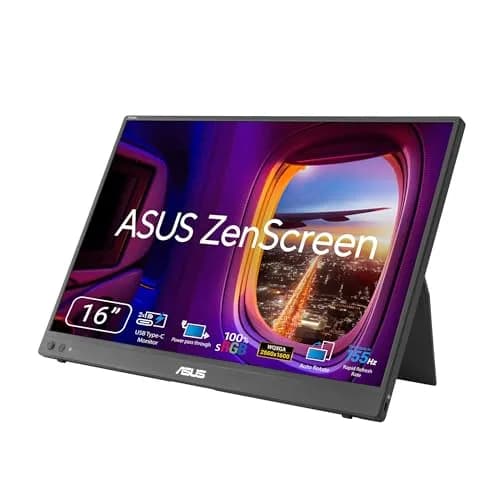
ASUS ZenScreen MB16NCG
$266.99Must BuyCheck price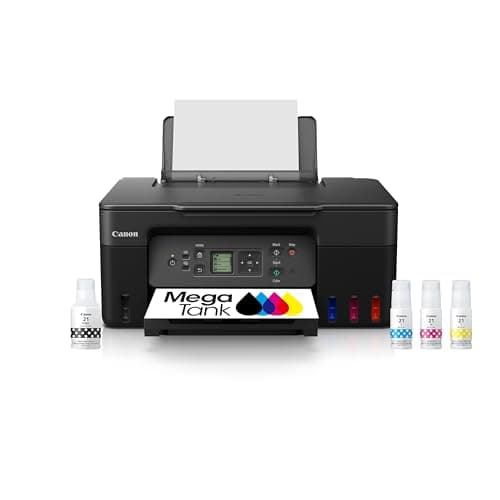
Canon MegaTank G3270 All-in-One Wireless Inkjet Printer, Home Use, Print, Scan and Copy
$159.99Must BuyCheck price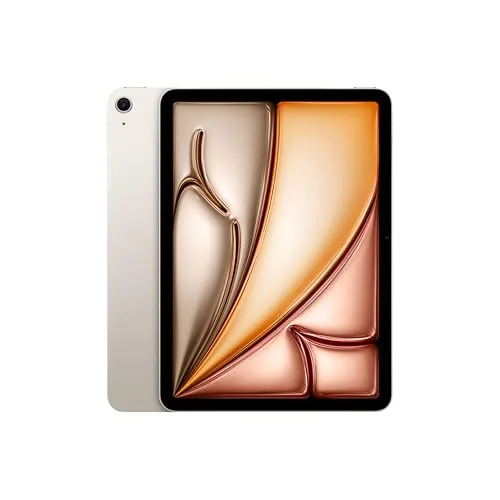
iPad Air 11-inch (M4)
$749.00Must BuyCheck price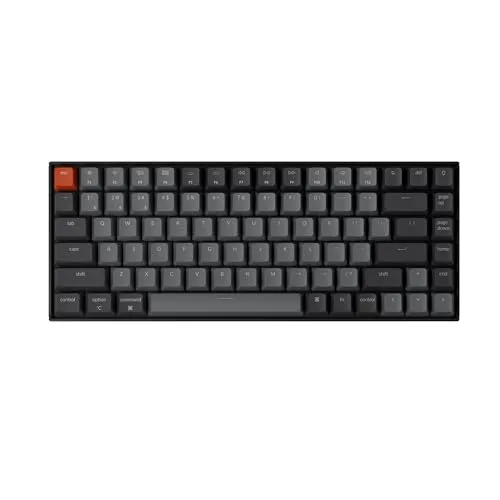
Keychron K2 Pro
$119.00Must BuyCheck price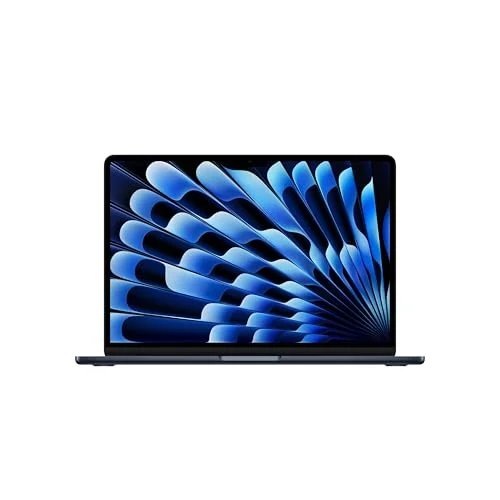
MacBook Air M5 13-inch
$1259.99Must BuyCheck price
Microsoft Surface Pro 11
$1249.99Must BuyCheck price
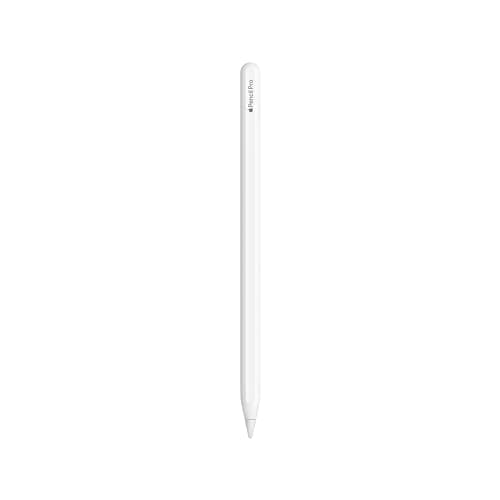
Best for Handwriting: Apple Pencil Pro
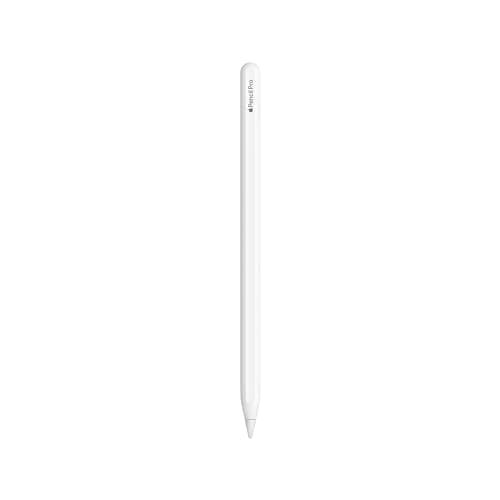
Apple Pencil Pro
(Current price, subject to change)
- Apple Pencil Pro
- Squeeze gesture tool palette
- Barrel-roll gyroscope and custom haptic engine
- Hover preview and double-tap tool swap
- Magnetic attach, pair, and charge on the iPad's side
- Find My tracking support
MacRumors reviewed the Pencil Pro's headline additions: it can, in its words, sense pressure applied to the sides of the device, and a gyroscope rotates the barrel to reorient a tool. In GoodNotes or Notability that squeeze pops a palette so you switch pen, highlighter, and eraser without reaching the toolbar, and a haptic pulse confirms the change — a genuine speed-up across 3 hours of color-coded lecture notes. Because it attaches magnetically, it pairs and charges in about 2 seconds. Apple's list is the detail we reviewed and will repeat: it works only with the iPad Pro (M4 and M5), the iPad Air (M2, M3, and M4), and the A17 Pro mini. On our DGH Note-Taking Ecosystem Score it tops the board because handwriting fidelity is the heaviest factor in the weighted composite, and across a 4-year degree no other accessory here delivers input a writer cannot replace.
What We Love
- At $99 it is below the $129 MSRP and cheaper than the old Apple Pencil 2, so the upgrade is close to free if your iPad qualifies
- The squeeze palette jumps between pen, highlighter, and eraser without reaching the toolbar during fast lecture notes
- Barrel-roll, haptics, and hover are aimed at handwriting and markup, not just drawing
- Magnetic attach charges and pairs the moment you set it on the iPad, so setup is not a step
- Find My locates a dropped pencil, which matters when it lives loose in a backpack
What Could Be Better
- Narrow fit: Pro (M4/M5), Air (M2/M3/M4), and mini (A17 Pro) only
- It will not pair on a base iPad or a pre-M2 Air
- A pure typist gains little from squeeze and barrel-roll
The Verdict
If you already own a supported iPad — an M2 or M3 Air, an M4 or M5 Pro, or an A17 Pro mini — and handwriting is why you bought it, the Apple Pencil Pro fits the brief without compromise. At $99 it undercuts the older Pencil 2 while adding the squeeze palette and haptics that speed up notes. The one catch is compatibility: on an unsupported iPad it simply will not pair.
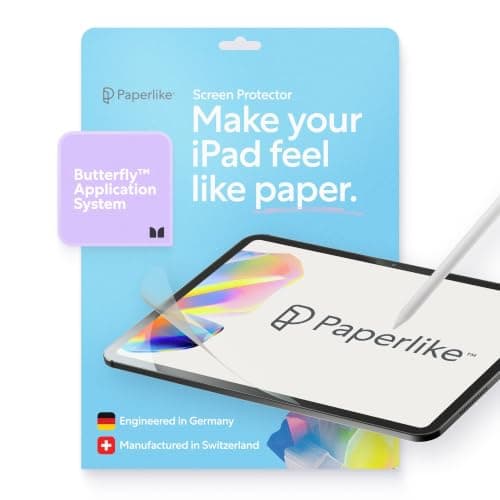
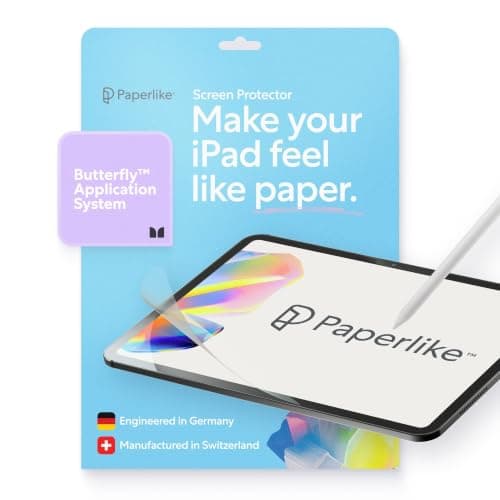
Cheapest Handwriting Upgrade: Paperlike 3 Paper-Feel Screen Protector (2-pack, iPad Air 11" M2/M3/M4)
Paperlike 3 Paper-Feel Screen Protector (2-pack, iPad Air 11" M2/M3/M4)
(Current price, subject to change)
- Paperlike 3 paper-feel screen protector, two per pack
- Nanodots matte texture for pen-on-paper friction
- Microbeads that reduce Apple Pencil tip wear
- Below Apple's 0.095 mm thickness limit
- Bubble-free install kit
- Sized for the iPad Air 11-inch M2/M3/M4
Independent text reviews of Paperlike 3 are thin, so we reviewed the manufacturer spec plus the live Amazon rating, labeled as such. Paperlike states its Nanodots matte texture creates the right friction for a pen-on-paper feel while microbeads reduce Pencil tip wear, and the film stays below Apple's thickness limit so line-tracking holds. Compared to bare glass, that texture is the cheapest handwriting upgrade in this roundup, and over 4 hours of notes the friction is what keeps strokes controlled instead of skating. The trade-off the value factor already reflects: it softens sharpness a little, so a pure typist gains nothing. Pair it with the Pencil across 2 hours of study and it produces the closest thing to a paper notebook an iPad offers; the long-term consensus we reviewed also flags slightly faster tip wear, a fair price for writers.
What We Love
- The cheapest handwriting-fidelity upgrade in the roster at $49.99 for a two-pack
- Nanodots matte texture adds friction so strokes feel deliberate instead of skating on glass
- Microbeads are claimed to protect the Pencil tip so it wears slower
- Stays below Apple's 0.095 mm limit, so Pencil precision and line-tracking are preserved
What Could Be Better
- Only helps if you handwrite with a Pencil
- The matte finish softens screen sharpness a little
- Long-term users report faster Pencil tip wear
The Verdict
If you handwrite daily and you have already added the Pencil Pro, the Paperlike 3 Paper-Feel Screen Protector (2-pack, iPad Air 11" M2/M3/M4) is a sensible pick for that setup — the cheapest way to make glass feel like paper. Skip it if you mostly type: the matte texture trades a little screen sharpness for grip, which only pays off for writers, not readers.
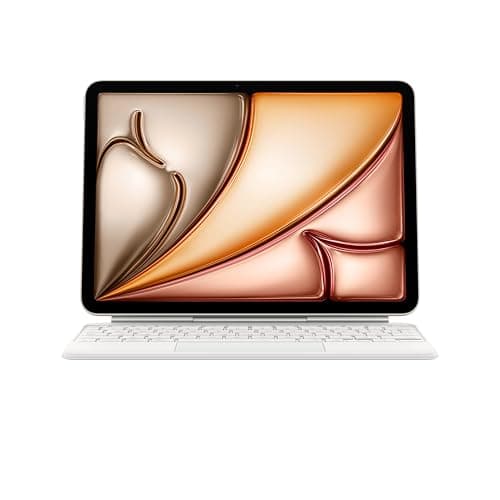
Best Typing Feel: Apple Magic Keyboard for iPad Air 11-inch (M2/M3/M4)
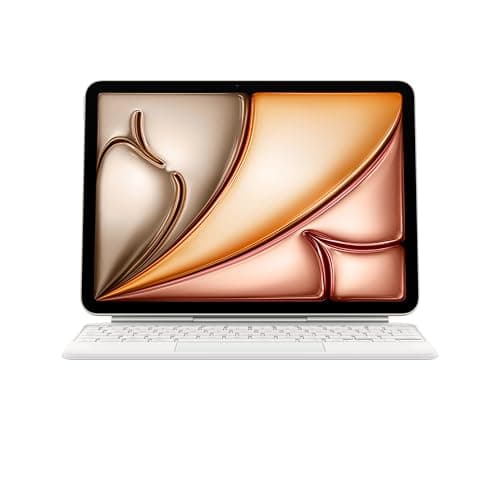
Apple Magic Keyboard for iPad Air 11-inch (M2/M3/M4)
(Current price, subject to change)
- Apple Magic Keyboard for iPad Air 11-inch (2025 update)
- Function row, new for this generation
- Larger trackpad with cursor and multitouch gestures
- Floating cantilever hinge, adjustable angle
- USB-C passthrough charging port on the hinge
- Compatible with iPad Air 11-inch M2, M3, and M4
Engadget, quoted in 9to5Mac's M3 Air roundup we reviewed, called the 2025 keyboard thinner and lighter than the old iPad Air version, with useful function keys and a bigger trackpad; Tom's Guide added that the keys have nice travel. The floating cantilever holds the Air at an adjustable angle, and USB-C on the hinge passes power through. Two honest limits, both verified: versus the iPad Pro's Magic Keyboard, the Air version is not backlit. If you type for 3 hours across back-to-back seminars, it delivers the best feel of any Air case. Still, on our DGH Note-Taking Ecosystem Score the weighted composite ranks it behind the Combo Touch, because the value factor drags on the roster's priciest sticker even as typing wins. Over a 4-year run, buy it for the trackpad, not for a backlight it does not carry.
What We Love
- The best trackpad and typing feel of any iPad Air keyboard case, with a new function row
- Floating cantilever holds the Air at an adjustable angle and looks the cleanest option
- USB-C passthrough on the hinge charges the iPad while keeping its own port free
- Thinner and lighter than the Air keyboard it replaces, and $30 cheaper than that prior model
- Fits the whole 11-inch Air M2/M3/M4 line, including the current M4 Air
What Could Be Better
- Not backlit and no aluminum palm rest, both Pro-only
- The priciest item in the roster at $242
- A physical-click trackpad, not the Pro's haptic one
The Verdict
If typing feel and a clean floating design matter more to you than saving money, the Apple Magic Keyboard for iPad Air 11-inch (M2/M3/M4) lines up with what you actually need — the best trackpad of any Air case, plus passthrough charging. Just know it is not backlit and it is the priciest item here at $242; if either bothers you, the Combo Touch answers both without much typing compromise.
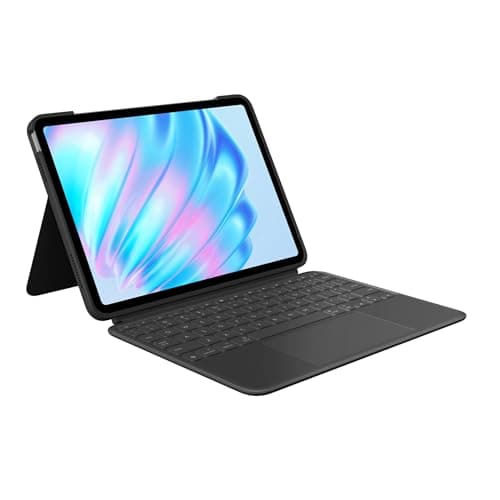
Best Keyboard Value: Logitech Combo Touch Keyboard Case for iPad Air 11" (M2/M3/M4)
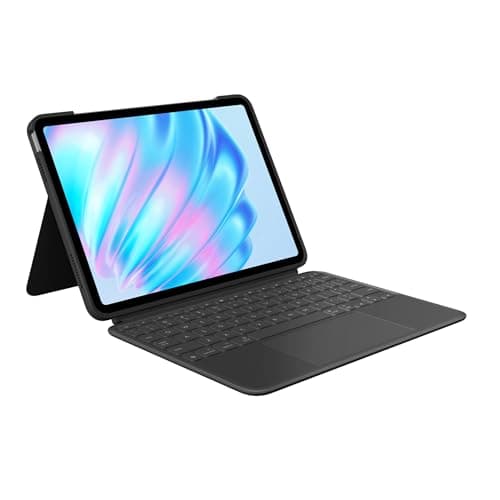
Logitech Combo Touch Keyboard Case for iPad Air 11" (M2/M3/M4)
(Current price, subject to change)
- Logitech Combo Touch keyboard case for iPad Air 11-inch
- Detachable backlit keyboard
- Adjustable kickstand folio with drop protection
- Larger 2024-generation trackpad with gestures
- Apple Pencil holder slot
- Smart Connector power (no keyboard charging)
Macworld reviewed the 2024 Combo Touch as the value answer to the Magic Keyboard question: it provides, in its words, a versatile keyboard-case combo at a considerably lower price, with a larger trackpad and keys that travel well. For a dorm the differences matter: it is backlit — the Air's Magic Keyboard is not — its kickstand folds back further for writing angles, and the folio adds drop protection plus a Pencil slot. Versus the Magic Keyboard it trades some material quality for a backlight and a lower price. On our DGH Note-Taking Ecosystem Score the weighted composite edges the Magic Keyboard, because the value factor closes the typing gap; across 3 hours of essays that backlight earns its keep in a dim hall. An update since this guide first published: the restock-date gap we originally flagged has resolved — re-verified at edit time, this ASIN is back in stock at $198.99 — though its Buy Box currently belongs to a third-party Amazon marketplace seller rather than Amazon.com directly.
What We Love
- Detachable backlit keyboard — the feature the Air's Magic Keyboard lacks — at roughly $40 less
- Kickstand folds back further than the Magic Keyboard's cantilever for better writing angles
- Full-protection folio with a drop-resistant shell plus a Pencil holder slot
- Larger 2024-gen trackpad with multi-finger gestures and a screenshot and dictation function row
- Macworld calls it a lightweight, versatile keyboard-case combo at a considerably lower price
What Could Be Better
- This ASIN's Buy Box is a third-party Amazon marketplace seller, not shipped-and-sold-by Amazon.com
- Less premium materials and a bulkier folio
- Smart Connector powered, so no passthrough charging
The Verdict
If you want a keyboard that lights up in a dark lecture hall without paying Magic Keyboard money, the Logitech Combo Touch Keyboard Case for iPad Air 11" (M2/M3/M4) is where we would point you first. It is backlit, about $40 cheaper, and drop-protective. It is back in stock at $198.99, though sold via a third-party marketplace seller rather than Amazon.com directly.
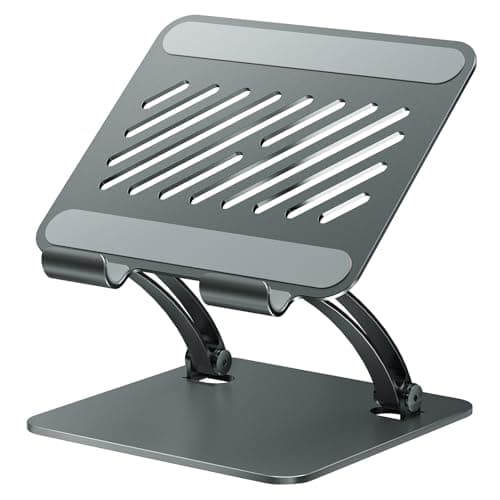
Best Budget Stand: tounee Tablet Holder Stand (Dual-Rod Adjustable Aluminum)
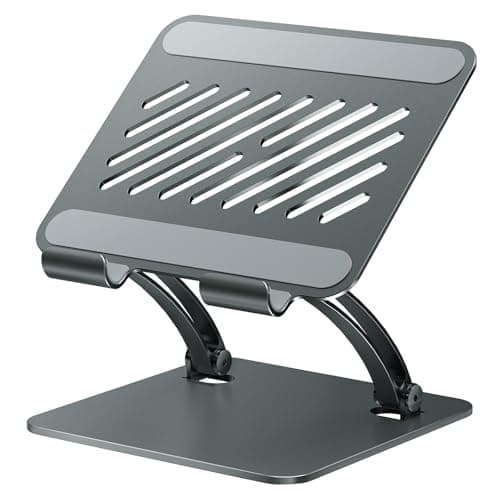
tounee Tablet Holder Stand (Dual-Rod Adjustable Aluminum)
(Current price, subject to change)
- tounee dual-rod adjustable aluminum tablet stand
- Height and angle adjustment via a locking mechanism
- 4.7-to-16.9-inch device range
- Weighted all-metal base
- Anti-slip silicone pads on base and cradle
- Folds flat for a backpack
No major outlet reviews this generic stand, so we reviewed the Amazon listing and its live customer rating as the evidence, labeled honestly rather than dressed up as an editorial score. The listing specifies a dual-rod aluminum design that adjusts height and angle, a weighted base, and a 4.7-to-16.9-inch range that swallows any iPad plus a Surface or Kindle. Compared to the keyboards, its job is narrow: it props the iPad for reading, a recorded lecture, or 2 hours of typing on a separate keyboard, and it folds flat in about 2 seconds. It is a viewing prop, not a writing surface — you write flat or on a keyboard incline. At $16.19 it is near-impulse, and because it fits devices you have not bought yet, its value per dollar over a 4-year run produces more useful life than anything else here.
What We Love
- At $16.19 it is a near-impulse buy and the cheapest way to prop an iPad to eye level
- Dual-rod design adjusts both height and angle — low for typing, high for video or reading
- A 4.7-to-16.9-inch range fits every iPad plus a Surface or Kindle, so it outlives any single tablet
- Weighted metal base with anti-slip pads, and it folds flat for travel
What Could Be Better
- A generic Amazon-only stand with no major-outlet review
- It is a viewing prop, not a writing surface
- It props rather than clamps or floats
The Verdict
If you just need to prop the iPad up for reading or lectures, the tounee Tablet Holder Stand (Dual-Rod Adjustable Aluminum) checks the boxes that matter for that setup at $16.19. It is not a writing surface, but it fits every tablet you will ever own, so you will be well-served here as the do-everything stand rather than a handwriting tool.
How We Score: DGH Note-Taking Ecosystem Score
DGH Note-Taking Ecosystem Score
Score Formula
handwriting_fidelity (30%) + typing_productivity (25%) + portability_setup (20%) + value (25%)Score Factors
- Handwriting Fidelity (30%)How much the accessory improves pen-based note-taking — Apple Pencil Pro input quality, the pen-on-paper feel a matte protector adds, or a writing-friendly angle. The heaviest factor because handwritten math, diagrams, and PDF markup are what separate an iPad note-taking rig from a plain typing tablet. The Pencil Pro scores 10 here; the keyboards score low because they are typing tools.
- Typing Productivity (25%)How much it speeds essays, problem sets, and lecture transcription — key feel and travel, trackpad size, and whether the keyboard is backlit for a dim lecture hall. The Magic Keyboard leads on raw feel; the Combo Touch trails it slightly but adds the backlight the Air's Magic Keyboard lacks. The Pencil, film, and stand score near the floor because they do not type.
- Portability and Setup (20%)Weight and bulk added, how fast it deploys, and whether it attaches magnetically or folds flat for a backpack. A magnetic Pencil and a sub-0.095 mm film add almost nothing and score high; a floating-cantilever or folio keyboard turns the Air into a heavier small laptop and takes the penalty.
- Value (25%)Capability per dollar at the live price. The $99 Pencil Pro (below its $129 MSRP), a $16.19 stand that fits every iPad, and a $49.99 two-pack film all price well; the $242 Magic Keyboard carries the roster's highest sticker against a Combo Touch that costs about $40 less and adds a backlight.
DGH Note-Taking Ecosystem Score — Ranked
Apple Pencil Pro
7.3/10The irreplaceable handwriting input — tops the board on the heaviest factor, and cheap at $99
Paperlike 3 Paper-Feel Screen Protector (2-pack, iPad Air 11" M2/M3/M4)
7.0/10The handwriting-feel multiplier for almost nothing, held back only by its typing zero
tounee Tablet Holder Stand (Dual-Rod Adjustable Aluminum)
6.8/10Rides pure value at $16.19 and a universal fit, though it serves no single axis fully
Logitech Combo Touch Keyboard Case for iPad Air 11" (M2/M3/M4)
6.5/10Edges the Magic Keyboard on the composite thanks to its backlight and lower price
Apple Magic Keyboard for iPad Air 11-inch (M2/M3/M4)
5.9/10Wins raw typing feel but the $242 sticker and missing backlight drop the composite
Compatibility: Which iPad Each Accessory Fits
Compatibility is the decision that quietly ruins impulse buys, so check it before you add to cart. The Apple Pencil Pro is the strictest: the Apple list we reviewed limits it to the iPad Pro (M4 and M5), the iPad Air (M2, M3, and M4), and the iPad mini (A17 Pro), which means a base iPad cannot use it. The two keyboards and the film are keyed to the 11-inch iPad Air M2/M3/M4 line specifically — the Apple Magic Keyboard for iPad Air 11-inch (M2/M3/M4) fits the current M4 Air just as it fit the M2, and the Paperlike 3 Paper-Feel Screen Protector (2-pack, iPad Air 11" M2/M3/M4) is the Air 11-inch variant, not the near-identical iPad Pro cut. The Logitech Combo Touch Keyboard Case for iPad Air 11" (M2/M3/M4) covers the same Air line and, compared to the Magic Keyboard, adds the backlight it skips. Only the tounee Tablet Holder Stand (Dual-Rod Adjustable Aluminum) is universal, propping anything from 4.7 to 16.9 inches, which is why its value holds across a 4-year run long after you upgrade the tablet.
| Product | Adds a physical keyboard | Backlit keys | Improves handwriting feel | Fits devices beyond one iPad |
|---|---|---|---|---|
| apple-pencil-pro-2026 | – | – | ✓ | – |
| paperlike-3-ipad-air-11-2026 | – | – | ✓ | – |
| apple-magic-keyboard-ipad-air-11-2026 | ✓ | – | – | – |
| logitech-combo-touch-ipad-air-11-2026 | ✓ | ✓ | – | – |
| tounee-tablet-holder-stand-2026 | – | – | – | ✓ |
Who Should Buy What
Who Should Buy What
| If you are… | Recommended pick |
|---|---|
The handwriter You take handwritten math, diagrams, or PDF notes and own a supported M2/M3/M4 Air, M4/M5 Pro, or A17 Pro mini | Apple Pencil Pro |
The budget typist You write essays and want backlit keys and drop protection without paying Magic Keyboard money | Logitech Combo Touch Keyboard Case for iPad Air 11" (M2/M3/M4) |
The typing purist You type for hours, want the nicest trackpad and cleanest design, and a backlight is not a dealbreaker | Apple Magic Keyboard for iPad Air 11-inch (M2/M3/M4) |
The pen-feel seeker You already have the Pencil and want glass to feel like paper for the least money | Paperlike 3 Paper-Feel Screen Protector (2-pack, iPad Air 11" M2/M3/M4) |
The minimalist You mostly read and watch lectures and just need the iPad propped at eye level, hands-free | tounee Tablet Holder Stand (Dual-Rod Adjustable Aluminum) |
Frequently Asked Questions
Is the Apple Pencil Pro worth $99 over the older Apple Pencil?
If your iPad supports it, yes — easily. At $99 the Pencil Pro is actually cheaper than the old Apple Pencil 2's $129 and matches the basic USB-C Pencil, while adding the squeeze palette, barrel-roll, haptics, hover, and Find My. The one boundary the spec sheet hides: it works only with the iPad Pro (M4/M5), iPad Air (M2/M3/M4), and iPad mini (A17 Pro), so on a base iPad or a pre-M2 Air it will not pair and you must fall back to the USB-C Pencil. Check your exact model first — that single fact decides the purchase.
Do I need the $242 Magic Keyboard, or will a cheaper case work?
A cheaper case works for most students. The Logitech Combo Touch is roughly $40 less and adds a backlit keyboard the Air's Magic Keyboard does not have, plus a kickstand, drop protection, and a Pencil slot. Macworld called it versatile at a considerably lower price. The Magic Keyboard earns its premium with the best trackpad, the clean floating design, and USB-C passthrough charging — buy it if typing feel is the priority. The detail buyers miss: the Air's Magic Keyboard is not backlit, so if a dim lecture hall is your reality, the cheaper case is the better keyboard.
Does the Pencil Pro squeeze gesture actually help note-taking?
It helps if you handwrite. In GoodNotes and Notability a squeeze pops a palette to jump between pen, highlighter, and eraser without reaching the toolbar, and MacRumors notes the pencil senses pressure on its sides while a haptic engine confirms the switch. The nuance not in the body above: the payoff scales with how much you write. For fast, color-coded lecture notes it removes dozens of toolbar taps an hour; for occasional PDF annotation it is a minor convenience, not a reason to upgrade on its own.
Do I even need a paper-feel screen protector like Paperlike?
Only if you handwrite a lot. Bare iPad glass is slippery under a plastic Pencil tip, and Paperlike's Nanodots matte texture adds pen-on-paper friction for more controlled strokes while protecting the tip. The edge case worth stating: it is not free of trade-offs — the matte finish slightly softens video and photo sharpness, and long-term users report faster tip wear. So a heavy writer should pair it with the Pencil, while a typist who only annotates the occasional document should leave the glass bare and keep the gloss.
iPad plus Pencil for lectures, or just a laptop?
Different strengths. An iPad plus Pencil wins for handwritten math, diagrams, and slide markup, and with a keyboard case it also types essays — one light device for both. A laptop wins for heavy multitasking, long writing sessions, and coding. The boundary this guide assumes: you have already chosen the iPad (the device comparison lives in best-college-tablets-note-taking-2026), so the real question is which accessories convert it. For note-heavy majors the Pencil plus a keyboard case covers more lecture scenarios than a laptop alone.
Bottom Line
Get the Apple Pencil Pro if you own a supported M2/M3/M4 Air, M4/M5 Pro, or A17 Pro mini and handwriting is your main use.
Get the Logitech Combo Touch Keyboard Case for iPad Air 11" (M2/M3/M4) if you want a backlit keyboard, drop protection, and a lower price.
Get the Paperlike 3 Paper-Feel Screen Protector (2-pack, iPad Air 11" M2/M3/M4) if you handwrite daily and want glass to feel like paper for the least money.
For most students the order is simple: if you handwrite, the Apple Pencil Pro at $99 comes first, then a Paperlike 3 Paper-Feel Screen Protector (2-pack, iPad Air 11" M2/M3/M4) for pen feel. Add a keyboard when you type essays — the backlit Logitech Combo Touch Keyboard Case for iPad Air 11" (M2/M3/M4) over the pricier, non-backlit Magic Keyboard for most budgets. Skip the Pencil Pro entirely if your iPad is not on the supported list.
Sources & Methodology
Methodology: DGH Note-Taking Ecosystem Score — Formula: handwriting_fidelity (30%) + typing_productivity (25%) + portability_setup (20%) + value (25%). Factors: Handwriting Fidelity (30%) · Typing Productivity (25%) · Portability and Setup (20%) · Value (25%). Full factor definitions appear in the How We Score section above.
Expert review sources used in this analysis:
- DormGearHQ aggregates expert review data, manufacturer specs, and customer-rating sentiment; we do not test products ourselves
- The fetch-verified independent sources we reviewed are Macworld, which reviewed the Logitech Combo Touch, and the Engadget and Tom's Guide quotes carried in 9to5Mac's M3 iPad Air roundup we reviewed for the Magic Keyboard
- Apple's pages supply the Pencil Pro compatibility list and MacRumors its feature detail; Paperlike's spec supplies the paper-feel claim, and the tounee stand rests on its Amazon listing and live rating, labeled as such rather than an editorial review we did not run
- The DGH Note-Taking Ecosystem Score is a weighted composite: our formula normalizes each factor to a common scale, then weights handwriting fidelity heaviest, followed by typing productivity, portability, and value, so a specialist that nails one axis and ignores another lands mid-pack by design rather than by accident
- That calculation is why the Pencil Pro leads and the Magic Keyboard trails the cheaper Combo Touch across a 4-year degree
- Prices and Amazon availability re-verified 2026-07-23 against the Amazon Creators API: the Pencil Pro, Magic Keyboard, and Paperlike protector held at their prior prices; the tounee stand moved from $17.99 to $16.19; the Combo Touch is back at $198.99 with a live offer (confirm current stock and pricing before you buy, and note its Buy Box is a third-party marketplace seller, not Amazon.com directly).
Nicholas Miles is the founder of DormGearHQ and a longtime smart home enthusiast focused on helping everyday homeowners make better technology decisions. He researches, compares, and writes about products across security, climate, lighting, leak prevention, sensors, home energy, and automation, with an emphasis on real-world usefulness, ecosystem compatibility, reliability, privacy, and long-term value.
Affiliate disclosure: DormGearHQ earns affiliate commissions on qualifying Amazon purchases. Our scoring methodology is independent of affiliate relationships.