

Best MacBook Accessories for College 2026
A MacBook Air gives you two USB-C ports and nothing else, so the accessory kit is what makes it work at a desk. UGREEN's Revodok Pro ($15.98) is the value hub; Anker's 341 ($55.28) adds SD readers; the MX Master 3S ($79.99) and Rain Design mStand ($39.90) finish the setup.
This article contains affiliate links. We may earn a commission at no extra cost to you. Learn more
Featured in this Guide

UGREEN
Revodok Pro 106 USB-C Hub (6-in-1)
- •4K@60Hz and four 10Gbps ports for about $16 — best price-to-spec, but no SD reader and no Ethernet, ,

Anker
341 USB-C Hub (7-in-1) with 100W Charger
- •SD plus microSD and a bundled 100W charger at $55.28, in exchange for 4K@30Hz and 5Gbps data, ,

Logitech
MX Master 3S Wireless Mouse (Bluetooth)
- •TechGearLab's #1-of-10 at 86/100, 8,000-DPI tracking on glass, 70-day battery, $79.99 Bluetooth, ,
The Short Answer
Because a docked MacBook has only two ports, the UGREEN Revodok Pro 106 earns the value verdict at $16 with 4K@60Hz, while the pricier Anker 341 adds SD and microSD readers a media student needs; the MX Master 3S earns its $79.99 through 8,000-DPI tracking, and the mStand lifts the screen toward eye level.
A modern MacBook Air ships with two USB-C ports and a headphone jack — that is the whole port list. So the accessory kit around it isn't optional flair; it's the difference between a laptop that works at a dorm desk and one that stalls the second you plug in a monitor. Macworld says it plainly: USB-C and Thunderbolt Macs often need more ports. Pick the hub by what you actually plug in — the UGREEN Revodok Pro's 4K@60Hz with no SD reader, compared to the Anker 341's 4K@30Hz plus SD and microSD — not by price alone. That gap is what the DGH MacBook Ecosystem Score weighs, so a higher number delivers more usable capability per dollar for a port-starved Mac across a 4-year dorm run. We aggregated Macworld, iMore, and TechGearLab to score all four.
Head-to-Head: Ports, Build, and Value
Tech Charging
Chart
 DormGearHQ.com
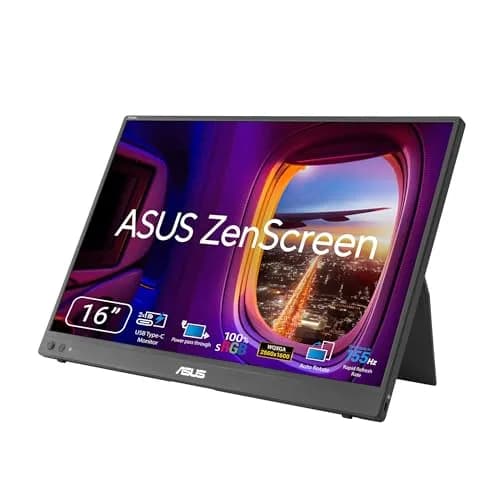
ASUS ZenScreen MB16NCG
$266.99Must BuyCheck price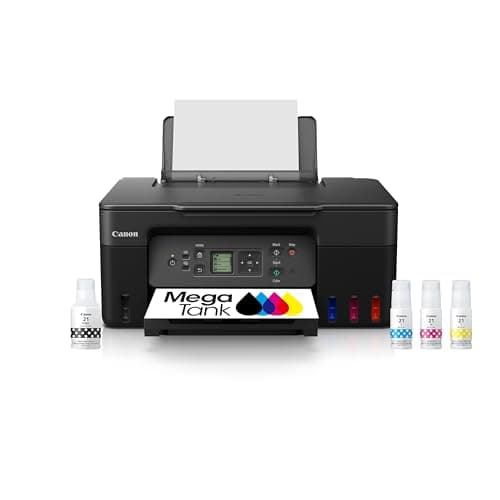
Canon MegaTank G3270 All-in-One Wireless Inkjet Printer, Home Use, Print, Scan and Copy
$159.99Must BuyCheck price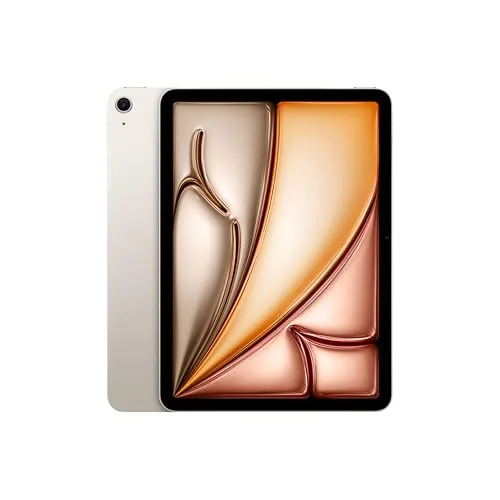
iPad Air 11-inch (M4)
$749.00Must BuyCheck price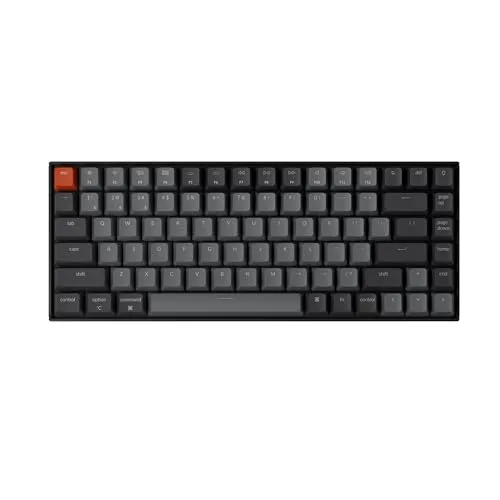
Keychron K2 Pro
$119.00Must BuyCheck price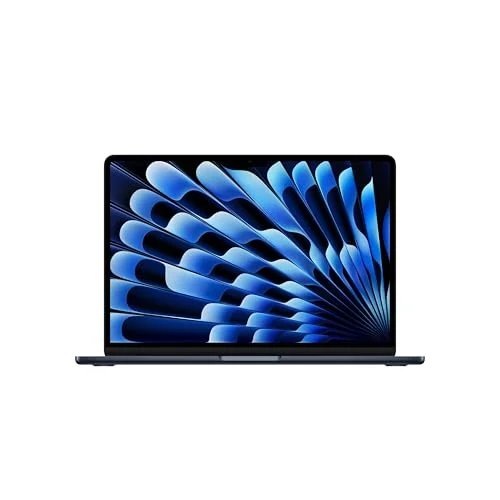
MacBook Air M5 13-inch
$1259.99Must BuyCheck price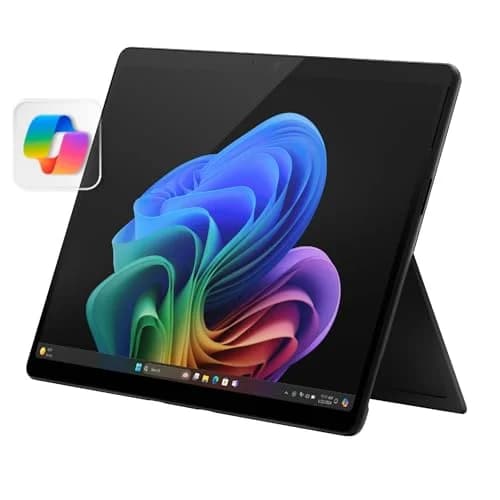
Microsoft Surface Pro 11
$1249.99Must BuyCheck price
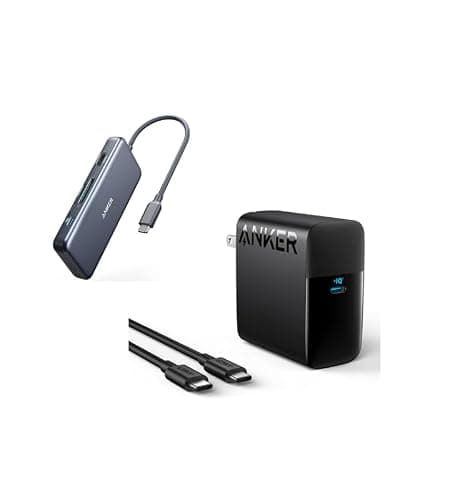
Best Hub for Card Offload: Anker 341 USB-C Hub (7-in-1) with 100W Charger
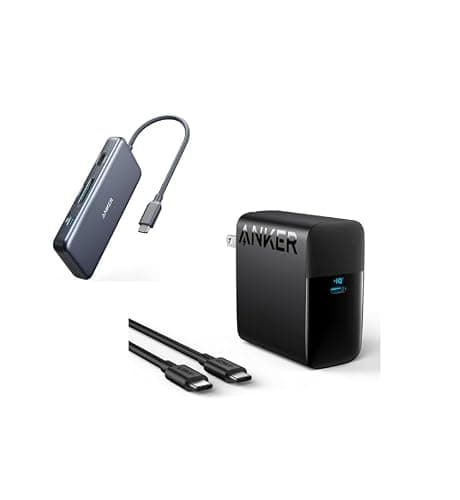
Anker 341 USB-C Hub (7-in-1) with 100W Charger
(Current price, subject to change)
- Anker 341 USB-C Hub (7-in-1)
- HDMI output at 4K@30Hz
- Two USB-A plus one USB-C data port at 5Gbps
- SD and microSD card readers
- 100W USB-C PD input (about 85W to the laptop)
- Bundled 100W USB-C wall charger
Macworld, the category authority on Mac hubs, frames the whole reason this exists: USB-C and Thunderbolt Macs often need more ports, and passthrough Power Delivery lets one cable add I/O while charging the laptop. The Anker spec page we reviewed confirms the honest limits across a 4-year desk life — HDMI runs 4K@30Hz, not 60Hz, data tops out at 5Gbps, and this ASIN carries no Ethernet jack. We do not borrow Engadget's Anker praise here, because that write-up recommends the different Anker 555.
What earns the Anker its place is the card reader. It is the only pick with an SD slot plus a microSD slot, so a media student offloads camera and drone footage the UGREEN cannot read at all, even across a 4-year desk life. The bundled 100W charger is real value, and it costs about 3x the UGREEN yet still enables a one-cable dock-and-charge desk. Its DGH MacBook Ecosystem Score of 8.2 sits just behind the UGREEN, because our weighted formula rewards raw value while the Anker leads on function breadth — a lead that holds up compared to the UGREEN over a 4-year dorm run.
What We Love
- The only pick with an SD slot plus a microSD slot — a film or photo student offloads camera and drone footage the UGREEN can't read
- A bundled 100W wall charger at about $55 means one box docks and charges the MacBook
- Roughly 85W reaches the laptop, so you fast-charge a MacBook Air over a lecture break
- Two USB-A plus one USB-C data port keep a mouse, a drive, and a dongle connected at once
- Seven functions in one small hub keeps a dorm desk tidy on a single cable
What Could Be Better
- HDMI is 4K@30Hz, not the UGREEN's smoother 4K@60Hz
- Data runs at 5Gbps versus the UGREEN's 10Gbps
- No Ethernet jack on this ASIN — a separate 341 variant adds RJ45
The Verdict
If you shoot photo or video and need a hub that reads your cards, the Anker 341 USB-C Hub (7-in-1) with 100W Charger fits the brief. Its DGH MacBook Ecosystem Score of 8.2 reflects the SD-plus-microSD reader and the bundled 100W charger — the trade is 4K@30Hz HDMI and no Ethernet, which the card slots earn back for a media student.
Best Value Hub: UGREEN Revodok Pro 106 USB-C Hub (6-in-1)
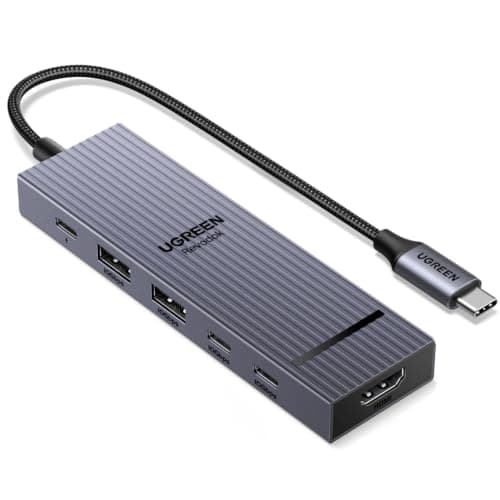
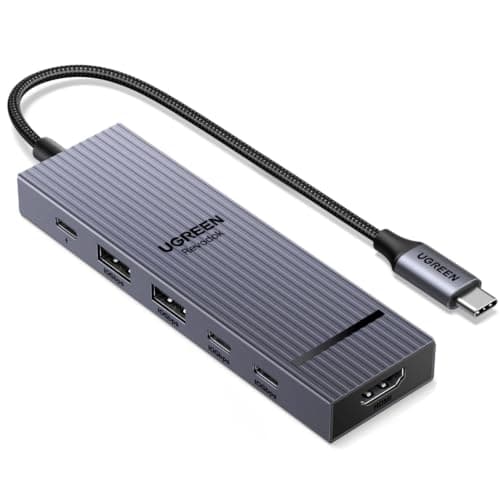
UGREEN Revodok Pro 106 USB-C Hub (6-in-1)
(Current price, subject to change)
- UGREEN Revodok Pro 106 USB-C Hub (6-in-1)
- HDMI output at 4K@60Hz
- Two USB-C plus two USB-A data ports at 10Gbps
- 100W USB-C PD input (about 85W to the laptop)
- Aluminum-alloy shell
- No SD reader and no Ethernet jack
The UGREEN spec page we reviewed is the primary source: a 4K@60Hz HDMI output, two USB-C and two USB-A ports all at 10Gbps, and a 100W PD input that passes roughly 85W to the laptop. Independent editorial coverage of this exact Revodok Pro 106 is thin, so buyer sentiment leans on the live Amazon ratings we checked. Macworld's port-scarcity case applies here as cleanly as it does to the Anker.
The appeal is stark value. At about $16 it delivers 4K@60Hz to an external monitor — smoother than the Anker's 4K@30Hz — and four 10Gbps ports that produce twice the Anker's 5Gbps throughput, so a fast external drive and a monitor both run at full speed for a 4-year dorm run. The honest trade is real: no SD reader, no Ethernet, and no bundled charger. Its DGH MacBook Ecosystem Score of 8.3 edges the roster because our formula weights value heavily and the UGREEN's price outperforms everything here relative to the Anker, which costs roughly 3x more yet keeps the card-reader crown over a 4-year dorm run.
What We Love
- 4K@60Hz to an external monitor is smoother than the Anker's 4K@30Hz, so a docked display looks sharp and fluid
- Four 10Gbps ports run at 2x the Anker's 5Gbps data, so a fast external drive and a monitor both run full-speed
- About $16 makes it the best price-to-spec ratio in the roster
- 100W input with roughly 85W passed to the laptop charges a MacBook Air on the same cable
- Aluminum-alloy shell keeps a slim, Mac-matched profile on the desk
What Could Be Better
- No SD or microSD reader — a student who offloads footage needs the Anker
- No Ethernet jack and no bundled wall charger
- Editorial coverage of this exact 106 SKU is thin, so scoring leans on the UGREEN spec page and Amazon ratings
The Verdict
If you want a fast external monitor and cheap fast ports over card offload, the UGREEN Revodok Pro 106 USB-C Hub (6-in-1) lines up with what you need. Its DGH MacBook Ecosystem Score of 8.3 leads the roster on value: 4K@60Hz and four 10Gbps ports for about $16, with 85W of passthrough that still charges a MacBook Air. Just know it has no SD reader and no Ethernet before you commit.
Best Precision Mouse: Logitech MX Master 3S Wireless Mouse (Bluetooth)
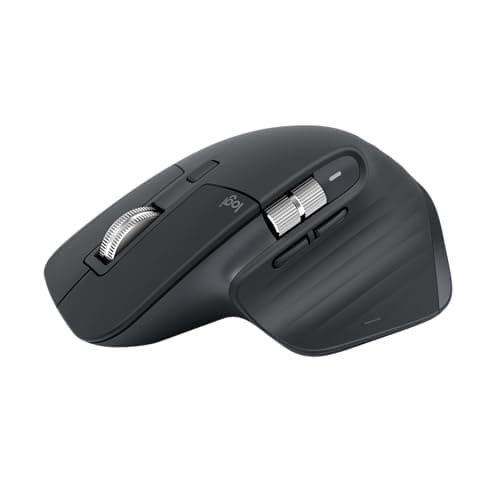
Logitech MX Master 3S Wireless Mouse (Bluetooth)
(Current price, subject to change)
- Logitech MX Master 3S Wireless Mouse (Bluetooth variant)
- 8,000-DPI Darkfield sensor, adjustable 200-8,000
- MagSpeed electromagnetic scroll wheel plus a thumb scroller
- Up to 70-day battery with USB-C quick charge
- Bluetooth Easy-Switch across three devices
- Sculpted right-handed shape (no in-box USB receiver)
TechGearLab rated the MX Master 3S first of ten wireless mice at 86/100, and its testers found no issues with the tracking, calling the precision excellent. The Logitech spec page adds the numbers: an 8,000-DPI Darkfield sensor that tracks on glass, a battery good for weeks, and a one-minute USB-C charge worth about 3 hours of use. One honest note on this ASIN — it is the Bluetooth-only variant, so there is no in-box USB receiver.
The case for spending $79.99 is the 6 hours a day a student lives in documents, spreadsheets, and code. The trackpad is fine for gestures but slow for that work; the MagSpeed wheel flips between ratcheted clicks and a free-spin mode, which produces faster edits compared to a flat trackpad. Its DGH MacBook Ecosystem Score of 8.4 tops the roster, because our weighted formula rewards build and MacBook fit even though the $80 price holds its value factor down against the two hubs across a 4-year dorm run.
What We Love
- TechGearLab rated it first of ten wireless mice at 86/100, calling the tracking precision excellent
- 8,000-DPI Darkfield tracking works even on a glass dorm desk, so precise work in docs and spreadsheets stays fast
- MagSpeed wheel flips between ratcheted line-by-line and near-frictionless free-spin, with a dedicated thumb scroller
- Up to 70-day battery, and a one-minute USB-C top-up buys about three hours of use
- Easy-Switch pairs a MacBook and an iPad, so you jump between them without re-pairing
What Could Be Better
- The priciest single accessory here at $79.99 (MSRP $99.99)
- This ASIN is Bluetooth-only — no in-box USB receiver or Logi Bolt dongle
- Sculpted right-handed shape only
The Verdict
If you spend hours in docs, spreadsheets, or code, the Logitech MX Master 3S Wireless Mouse (Bluetooth) checks the boxes that matter. Its DGH MacBook Ecosystem Score of 8.4 tops the guide on build and MacBook fit — TechGearLab's #1-of-10 tracking and Easy-Switch across a Mac and an iPad. At $79.99 it costs the most, but a coursework-heavy student is well-served here.
Best Stand for Ergonomics: Rain Design mStand Laptop Stand (Space Gray)
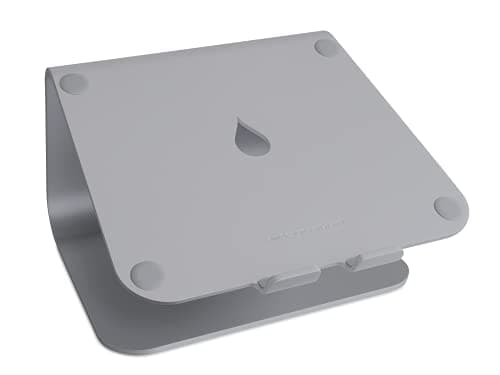
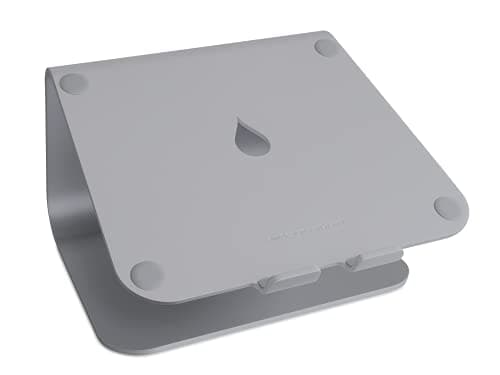
Rain Design mStand Laptop Stand (Space Gray)
(Current price, subject to change)
- Rain Design mStand Laptop Stand (Space Gray)
- Single-piece bent aluminum body
- About 5.9 inches of lift to eye level
- Passive heat-sink cooling
- Rear cable-routing hole and a keyboard nook
- Fixed height (not adjustable)
iMore's reviewer says the mStand raises the MacBook to eye level, so your work floats in front of you and you stop hunching over a low laptop, and notes it improves airflow to prevent overheating. The Rain Design page we reviewed confirms the build: single-piece bent aluminum that acts as a heat sink, a lift of about 5.9 inches, and a rear cable-routing hole. Wirecutter names it a sturdy, stylish fixed-height pick.
For a docked or clamshell MacBook that sits low on a dorm desk, this is the ergonomics and cooling layer, and it delivers eye-level posture with no cable. The Space Gray finish matches the aluminum body, and the passive heat sink helps a working Mac shed heat. The honest caveat is that the height is fixed, not adjustable — Rain Design's iLevel2 is the roughly $80 step-up if you want that. Its DGH MacBook Ecosystem Score of 7.8 trails the others, because it adds ergonomics rather than ports; yet compared to the hubs it leads the roster on MacBook-specific fit, and a solid stand outlasts a 4-year dorm run where cheaper plastic sags.
What We Love
- iMore's reviewer says it raises the MacBook to eye level so your work floats in front of you, preventing the hunch over a low laptop
- Single-piece bent aluminum doubles as a heat sink, so a docked MacBook sheds heat instead of trapping it
- About 5.9 inches of lift, with a rear cable-routing hole and a nook for a keyboard underneath
- Space Gray finish matches the MacBook's aluminum body for a clean desk
- Solid, no-wobble construction at about $40
What Could Be Better
- Fixed height, not adjustable — Wirecutter flags this as its main trade-off for rigidity and price
- Ergonomics and cooling only; it adds no ports
- For adjustability, Rain Design's iLevel2 (about $80) is the step-up
The Verdict
If you dock or clamshell your MacBook at a desk, the Rain Design mStand Laptop Stand (Space Gray) is a sensible pick. Its DGH MacBook Ecosystem Score of 7.8 leads the roster on MacBook-specific fit — eye-level ergonomics per iMore, passive heat-sink cooling, and a matching finish at about $40. It's fixed-height, not adjustable, but for a 1-year or 4-year docked setup, that's a fair trade.
How We Score: DGH MacBook Ecosystem Score
DGH MacBook Ecosystem Score
Score Formula
port_expansion_value (30%) + build_quality_durability (25%) + macbook_specific_fit (25%) + value (20%)Score Factors
- Port/Function Expansion Value (30%)How much usable capability the accessory adds to a port-starved MacBook. For hubs, that is port count, data speed, resolution, and PD wattage — the UGREEN's four 10Gbps ports and 4K@60Hz versus the Anker's 5Gbps and 4K@30Hz plus SD readers. For the mouse it is 8,000-DPI precision and MagSpeed scrolling; for the stand it is the eye-level lift and passive cooling.
- Build Quality and Durability (25%)Materials and construction. Both hubs use aluminum-alloy shells; the mStand is single-piece bent aluminum that doubles as a heat sink; the MX Master 3S carries TechGearLab's category-leading build at 86/100. Higher scores go to the pieces that hold up across a four-year dorm run.
- MacBook-Specific Fit (25%)Fit and finish for a Mac. That means PD wattage suited to MacBook charging — 100W in and roughly 85W out clears even a 16-inch MacBook Pro per Macworld — plus macOS-native behavior like AirPlay-friendly display output and the mouse's Easy-Switch, and an aluminum aesthetic that matches the body.
- Value, Price-to-Spec (20%)Capability per dollar at the live price. The UGREEN's $15.98 sets the bar; the Anker's $55.28 buys the card readers and a bundled charger; the MX Master 3S's $79.99 is the premium; the mStand's $39.90 is the mid-point. Lower price for the same capability scores higher.
DGH MacBook Ecosystem Score — Ranked
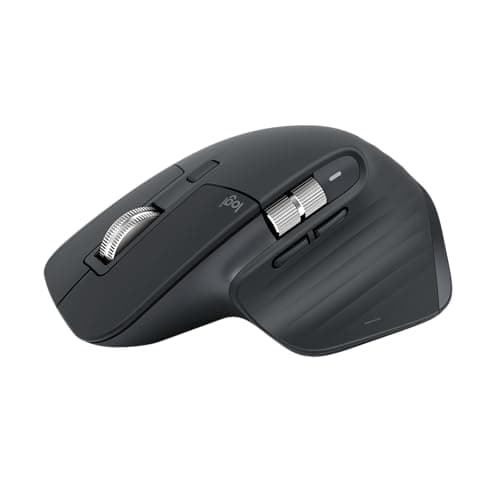
Logitech MX Master 3S Wireless Mouse (Bluetooth)
8.4/10TechGearLab's #1-of-10 mouse at 86/100 — leads on build and MacBook fit, held back only by its $79.99 price
UGREEN Revodok Pro 106 USB-C Hub (6-in-1)
8.3/104K@60Hz and four 10Gbps ports for about $16 — the value leader, minus an SD reader and Ethernet
Anker 341 USB-C Hub (7-in-1) with 100W Charger
8.2/10SD plus microSD readers and a bundled 100W charger at $55.28 — the function-breadth pick at 4K@30Hz
Rain Design mStand Laptop Stand (Space Gray)
7.8/10Eye-level bent-aluminum ergonomics and passive cooling at about $40 — top MacBook fit, fixed height
Fit: What Each One Costs You in Ports
A MacBook Air gives you two USB-C ports, so the real question for each accessory is what it costs you in ports and what it gives back. Across a 4-year dorm run, the Anker 341 USB-C Hub (7-in-1) with 100W Charger and UGREEN Revodok Pro 106 USB-C Hub (6-in-1) each occupy one port and hand back several — HDMI, USB-A, and, on the Anker, SD and microSD — while passing power through to charge the laptop on the same cable. Macworld notes even 60W Power Delivery works for the 16-inch MacBook Pro, so the 100W-in and roughly 85W-out on both hubs is ample for any Air.
The other two cost you nothing in ports. The Logitech MX Master 3S Wireless Mouse (Bluetooth) runs over Bluetooth, so it pairs without touching a USB-C port at all, and Easy-Switch moves it between a Mac and an iPad. The Rain Design mStand Laptop Stand (Space Gray) is passive — it holds the laptop at eye level and sheds heat through its aluminum body, per iMore, without any cable, and Wirecutter's laptop-stand coverage backs the same fixed-height trade-off. Neither hub has an Ethernet jack. If your dorm needs wired internet, add a USB-C-to-Ethernet adapter or the separate Anker 341 Ethernet variant. Over a 4-year dorm run, either hub earns its cost back compared to the ports you would go without.
| Product | Adds HDMI and USB-A ports | Charges the MacBook over the same cable | Uses no MacBook port (wireless or passive) |
|---|---|---|---|
| anker-341-usb-c-hub-7in1 | ✓ | ✓ | – |
| ugreen-revodok-pro-106-hub | ✓ | ✓ | – |
| logitech-mx-master-3s-bt | – | – | ✓ |
| rain-design-mstand-space-gray | – | – | ✓ |
Who Should Buy What
Who Should Buy What
| If you are… | Recommended pick |
|---|---|
Media student who shoots footage You offload SD or microSD cards from a camera, drone, or Switch and want a bundled 100W charger | Anker 341 USB-C Hub (7-in-1) with 100W Charger |
Budget-first monitor user You want a fast 4K@60Hz external display and 10Gbps ports for the least money and don't need SD offload | UGREEN Revodok Pro 106 USB-C Hub (6-in-1) |
Heavy coursework worker You spend hours in documents, spreadsheets, code, or design and want editorial-grade precision and scrolling | Logitech MX Master 3S Wireless Mouse (Bluetooth) |
Docked-desk ergonomics seeker You clamshell or dock the MacBook and want an eye-level, finish-matched aluminum stand with passive cooling | Rain Design mStand Laptop Stand (Space Gray) |
Frequently Asked Questions
Do I even need a hub for a MacBook Air?
Usually yes if you dock at a desk. A modern MacBook Air has only two USB-C ports and a headphone jack — no HDMI, no USB-A, no SD — and Macworld notes USB-C Macs often need more ports. The edge case most guides skip: a 14- or 16-inch MacBook Pro already includes HDMI and an SD slot, so a Pro owner needs a hub far less, mainly for extra USB-A or a second monitor. Match the hub to the machine, not just the price.
What does 100W passthrough mean — will it charge my MacBook?
The hub takes your charger into its PD port and passes power to the laptop over the same cable, so one cable does data, video, and charging. Both hubs here take 100W in and deliver about 85W to the laptop. Macworld points out even 60W works for the 16-inch MacBook Pro, so 85W fast-charges any Air with room to spare. The nuance: the hub keeps roughly 15W to run itself, which is why you feed it a 100W charger rather than a small one.
Is the Logitech MX Master 3S worth $80 for a student?
If you spend hours in documents, spreadsheets, code, or design — yes. TechGearLab rated it first of ten mice at 86/100, with 8,000-DPI tracking that works on a glass desk and a MagSpeed wheel that snaps between ratcheted and free-spin scrolling. The boundary worth naming: if you mostly browse and take notes, the trackpad covers gestures and a $25 mouse is fine, so the value case rests entirely on how many hours you actually work.
Which hub should I get — the Anker or the UGREEN?
Get the UGREEN Revodok Pro 106 (about $16) for the best value, 4K@60Hz to a monitor, and four 10Gbps ports — but note it has no SD reader. Get the Anker 341 (about $55) for the SD plus microSD readers and the bundled 100W charger, accepting 5Gbps data and 4K@30Hz. The detail neither spec sheet leads with: neither hub has Ethernet, so for wired internet buy a USB-C-to-Ethernet adapter or the separate Anker 341 Ethernet variant.
Bottom Line
Get the UGREEN Revodok Pro 106 USB-C Hub (6-in-1) if you want the best-value hub — 4K@60Hz and four 10Gbps ports for about $16, and you don't need an SD reader.
Get the Anker 341 USB-C Hub (7-in-1) with 100W Charger if you offload SD or microSD footage and want a bundled 100W charger, accepting 4K@30Hz HDMI.
Get the Logitech MX Master 3S Wireless Mouse (Bluetooth) if you live in coursework and want TechGearLab's #1-of-10 precision mouse at $79.99.
For most MacBook owners the hub decision comes first: the UGREEN Revodok Pro 106 USB-C Hub (6-in-1) at $15.98 is the value pick with 4K@60Hz, and the Anker 341 USB-C Hub (7-in-1) with 100W Charger at $55.28 is the one to buy if you need SD card readers. Add the Logitech MX Master 3S Wireless Mouse (Bluetooth) if you work long hours, and the Rain Design mStand Laptop Stand (Space Gray) if you dock at a desk. Remember what neither hub does: there is no Ethernet on either, and the Anker's HDMI is 4K@30Hz, not 60Hz.
Sources & Methodology
Methodology: DGH MacBook Ecosystem Score — Formula: port_expansion_value (30%) + build_quality_durability (25%) + macbook_specific_fit (25%) + value (20%). Factors: Port/Function Expansion Value (30%) · Build Quality and Durability (25%) · MacBook-Specific Fit (25%) · Value, Price-to-Spec (20%). Full factor definitions appear in the How We Score section above.
Expert review sources used in this analysis:
- DormGearHQ aggregates expert review data, manufacturer specifications, and customer-rating sentiment to produce consensus-based buying guidance; we do not perform first-party product testing
- For this guide, the strongest independent evidence sits on two products: TechGearLab rated the Logitech MX Master 3S first of ten wireless mice at 86/100 for excellent tracking and a 70-day battery, and iMore reviewed the Rain Design mStand, praising its eye-level lift and improved airflow, with Wirecutter naming it a sturdy fixed-height pick
- Macworld supplies the category authority for both hubs — its point that USB-C Macs need more ports, and that passthrough Power Delivery lets one cable charge the laptop, underpins the whole guide
- The Anker and UGREEN spec pages we reviewed confirm the port layouts, the 4K@30Hz-versus-4K@60Hz HDMI split, and the 100W-in and roughly 85W-out passthrough; independent coverage of these exact hub SKUs is genuinely thin, so buyer sentiment leans on the live Amazon ratings we checked
- We cite Engadget only for its framing that there is a growing ecosystem of gear filling the gaps Apple leaves behind — not for product-specific praise, because its hub pick is the different Anker 555, not our 341
- The DGH MacBook Ecosystem Score is a weighted composite: our formula normalizes each factor to a common scale, then weights port and function expansion at 30%, build quality and durability at 25%, MacBook-specific fit at 25%, and price-to-spec value at 20%
- That calculation yields a single number per accessory, and the score ranks the MX Master 3S first on build and fit, the UGREEN just behind on sheer value, the Anker on function breadth, and the mStand on MacBook-specific fit
- We weight each factor for the 4-year dorm run a student actually keeps this gear, and the ranking holds compared to a naive price-only sort — the TechGearLab-topped mouse and the iMore-backed stand both earn their spots for a 4-year stretch, not just move-in week
- Amazon prices and availability were verified 2026-07-12; confirm live pricing and stock before buying, and see the metrics methodology page linked from the score block above.
Nicholas Miles is the founder of DormGearHQ and a longtime smart home enthusiast focused on helping everyday homeowners make better technology decisions. He researches, compares, and writes about products across security, climate, lighting, leak prevention, sensors, home energy, and automation, with an emphasis on real-world usefulness, ecosystem compatibility, reliability, privacy, and long-term value.
Affiliate disclosure: DormGearHQ earns affiliate commissions on qualifying Amazon purchases. Our scoring methodology is independent of affiliate relationships.