
Best MacBooks for College 2026
The 13-inch M5 Air ($1,199) is the every-major default with an 18-hour class-day battery. The 15-inch Air ($1,446) is the big canvas, the 24GB/1TB Air ($1,699) is the config CS majors graduate with, and the MacBook Pro 14 ($1,849) earns its keep in film and design coursework.
This article contains affiliate links. We may earn a commission at no extra cost to you. Learn more
Featured in this Guide

Apple
MacBook Air 13-inch (M5, 16GB/512GB)
- •$1,199 in Sky Blue or Silver for 16GB/512GB — every base config now ships 16GB, so the old starter-spec trap is gone, ,

Apple
MacBook Air 13-inch (M5, 24GB/1TB)
- •24GB/1TB at $1,699 — the top DGH Major-Fit Score here (8.8) because coverage and 4-year headroom are what the metric measures, ,

Apple
MacBook Pro 14-inch (M5, 2025, 16GB/1TB)
- •The 2025 base-M5 Pro at $1,849 — Macworld measured 27+ hours of playback and the display class color work is graded on, ,
The Short Answer
For most majors, the $1,199 13-inch MacBook Air M5 is the pick — a full class day plus a library night on one charge, silent in lectures. CS and engineering step up to the 24GB/1TB Air; film and design majors are who the MacBook Pro 14's XDR display serves; the 15-inch Air is the big screen with no monitor planned.
The deposit is paid, the major is half-decided, and every tab in the family chat names a different MacBook. Here is the version that survives four years: match the config to the major, because Apple solders memory and storage at checkout, and the machine you carry to move-in is the one you defend a thesis on. Macworld's student guidance puts the Air line first for the vast majority of students, and Engadget's M5 review reaches the same verdict from the bench. Our roster prices four configs — $1,199, $1,446, $1,699 and $1,849, verified 2026-07-21 — and two honestly exceed the $850-to-1,600 band; we flag both. The DGH Major-Fit Score below is a weighted composite spanning everyday, STEM and creative workloads plus 4-year durability, carry and value, versus the Windows rivals and the $699 MacBook Neo holding the budget lanes in our Best Laptops for College Students 2026 fixture.
Head-to-Head: Four Configs, One Four-Year Decision
Tech Charging
Chart
 DormGearHQ.com
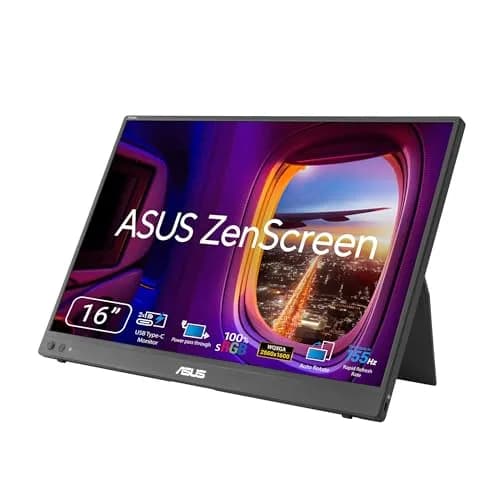
ASUS ZenScreen MB16NCG
$266.99Must BuyCheck price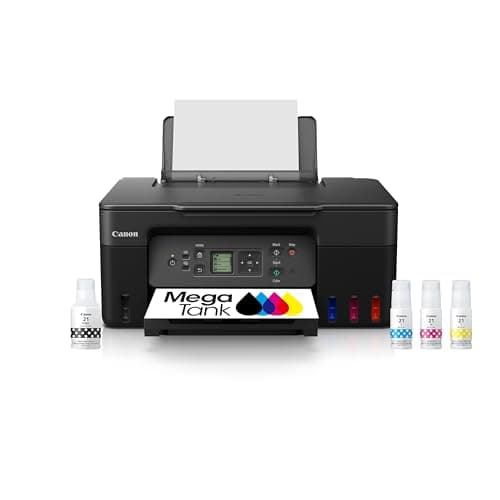
Canon MegaTank G3270 All-in-One Wireless Inkjet Printer, Home Use, Print, Scan and Copy
$159.99Must BuyCheck price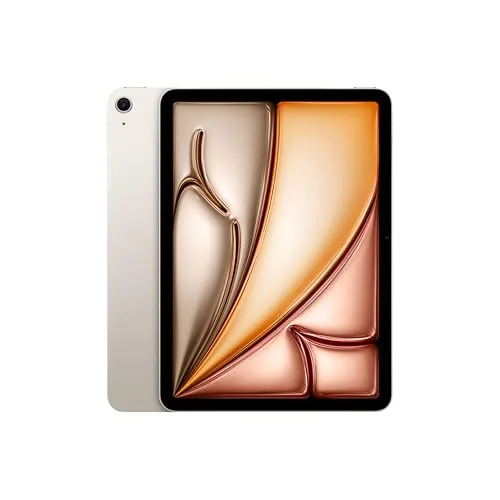
iPad Air 11-inch (M4)
$749.00Must BuyCheck price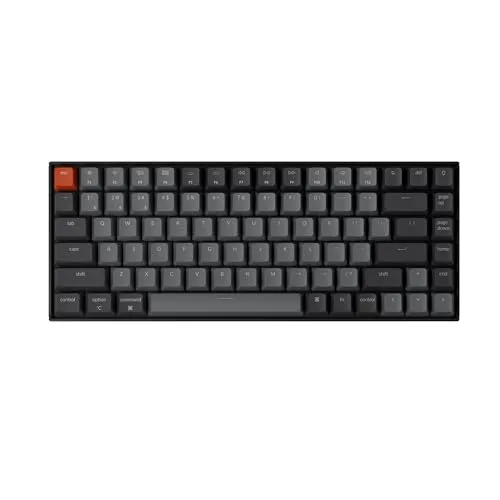
Keychron K2 Pro
$119.00Must BuyCheck price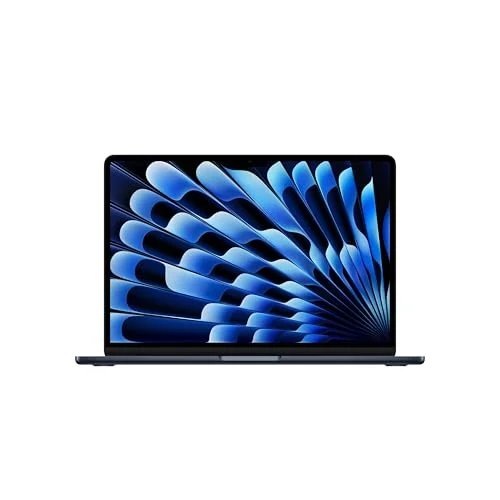
MacBook Air M5 13-inch
$1259.99Must BuyCheck price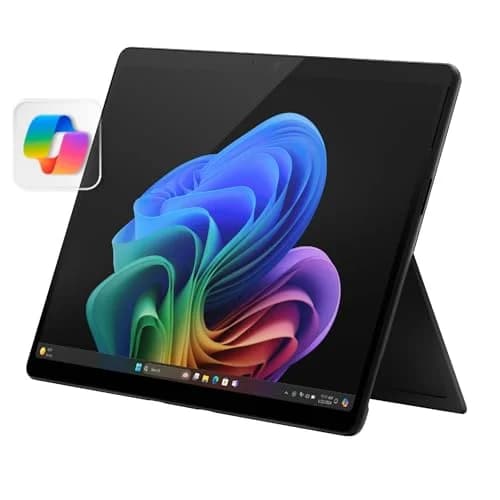
Microsoft Surface Pro 11
$1249.99Must BuyCheck price
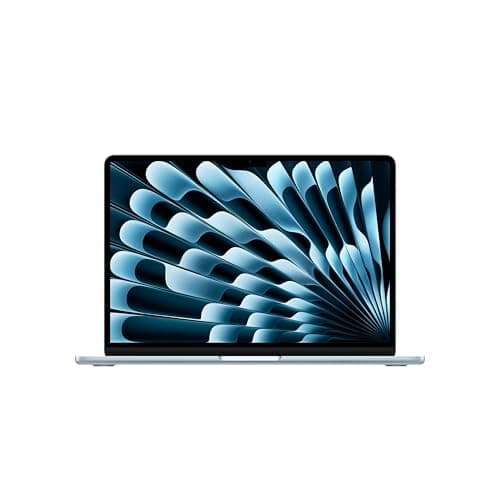
Best Overall for Most Majors: Apple MacBook Air 13-inch (M5, 16GB/512GB)
Apple MacBook Air 13-inch (M5, 16GB/512GB)
(Current price, subject to change)
- MacBook Air 13-inch with Apple M5 chip (10-core CPU, 10-core GPU)
- 13.6-inch Liquid Retina display
- 16GB unified memory and 512GB SSD
- 12MP Center Stage camera with Desk View
- Touch ID, Wi-Fi 7, MagSafe charging
- Sky Blue at $1,199 (Silver same price; Midnight runs $1,255)
The every-major default earns its title on numbers the fetched reviews produced. Macworld's Editors' Choice review credits world-leading single-thread performance, measured 18 hours and 24 minutes of video playback, and closes on a winning formula that works just right for most users. Engadget's review (same chip, 1TB drive tested) lands in the same place: a 92 score, gains of 11% single-core and 17% multi-core compared to the M4 Air with a 31% GPU jump, concluding the Air is by far the best Apple laptop for most people. For a student, that delivers a simple outcome: an 18-hour class day in a 2.7lbs chassis, with the charger left in the dorm.
The honest ledger is the display. Macworld calls the panel a bit dated for this price range, with no HDR, and Engadget flags the same 60Hz limit plus a wish for one more port, against a working battery closer to 10 hours than the video-loop figure. None of that costs a humanities major a grade. Its 8.5 DGH Major-Fit Score holds the top value factor because the formula's heaviest-weighted classes are the everyday ones — watch the colorway spread: Midnight runs $56 over Sky Blue and Silver for identical internals.
What We Love
- Macworld's playback test ran 18 hours and 24 minutes — three back-to-back classes plus a late library shift without hunting an outlet
- Fanless and silent, so it never spins up in a quiet lecture hall or the library's silent floor
- Engadget clocks the M5 11% faster single-core and 17% faster multi-core than the M4 Air, with a 31% GPU jump — headroom your syllabus won't touch until well into the degree
- 16GB and 512GB are the floor now, which clears Macworld's recommended-16GB and practical-minimum-512GB student advice out of the box
What Could Be Better
- Macworld calls the 60Hz display a bit dated for this price range — no HDR, no variable refresh
- Colorway pricing is uneven: Midnight costs $56 more than Sky Blue or Silver for the same internals
- Engadget notes it could use another port, and real-world working battery is closer to the 10-hour range than the video-loop number
The Verdict
If you've narrowed to one MacBook for a major that lives in documents, decks and Zoom, the Apple MacBook Air 13-inch (M5, 16GB/512GB) fits the brief without compromise. Its 8.5 Major-Fit Score reflects what decides freshman year — battery, silence, an under-3-pound carry — and at $1,199 it holds the best value factor here. The step-ups are for specific majors, not remorse insurance.
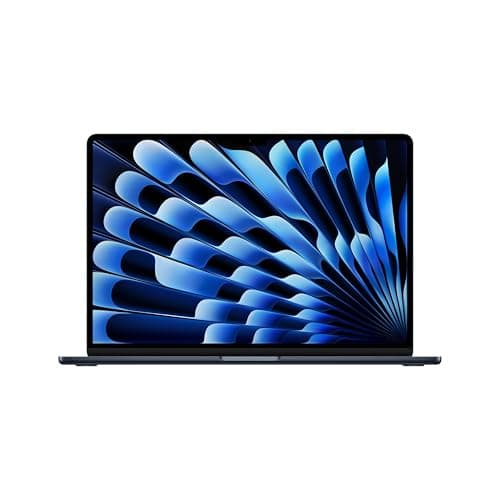
Best Big Screen, No Monitor Planned: Apple MacBook Air 15-inch (M5, 16GB/512GB)
Apple MacBook Air 15-inch (M5, 16GB/512GB)
(Current price, subject to change)
- MacBook Air 15-inch with Apple M5 chip (same platform as the 13-inch)
- 15.3-inch Liquid Retina display
- 16GB unified memory and 512GB SSD
- 12MP Center Stage camera, Touch ID, Wi-Fi 7
- Fanless, silent chassis
- Midnight at the verified $1,446
This is the pick we ground differently, and we say so up front: Macworld and Engadget both benched the M5 Air platform in its 13-inch chassis, so the 15-inch case rests on Apple's listing specs — the same M5 chip, 16GB memory, 512GB drive and 12MP Center Stage camera behind a 15.3-inch Liquid Retina panel — plus the platform results those reviews recorded. Nothing in the larger chassis changes the silicon story, and Macworld's student framing of the Air line as the balance pick for the vast majority of students is the argument this size extends.
Who is that, concretely? The nursing student running a drug reference beside lecture notes; the econ major with a dataset on half the screen; any dorm desk too shallow for an external monitor. The honest trade versus the 13-inch is $247 and the step from 2.7lbs to 3.3lbs for identical speed, and compared to the Pro it delivers the big canvas for $403 less. Over a 4-year run, the panel is the component you look at every single day — which is why its composite stays within 0.2 of the default's.
What We Love
- The same M5 silicon as the reviewed 13-inch — this size changes the screen and the Apple-spec 3.3-pound carry, not the internals
- Split-screen life actually works: source document and draft side by side without an external monitor on the desk
- Keeps the Air line's silence in lecture halls — Macworld's student guide singles out the fanless design for exactly that setting
- At $1,446 it stays $400 under the Pro while giving up nothing a non-creative major will miss
What Could Be Better
- The editorial reviews we fetched tested the 13-inch config — 15-inch-specific coverage is thinner, so this pick leans on listing specs and platform results
- $247 over the 13-inch buys screen area, not speed — chip and memory are identical
- It's the same 60Hz panel class, and a 15.3-inch chassis claims more of a shared dorm desk
The Verdict
For the student who knows an external monitor isn't happening — no desk space, no budget line — the Apple MacBook Air 15-inch (M5, 16GB/512GB) lines up with what you actually need: the big canvas built into the machine you carry. Its 8.3 Major-Fit Score trails the 13-inch only on carry and price, not capability. If a monitor is in the plan, save the $247 and put it toward the screen.
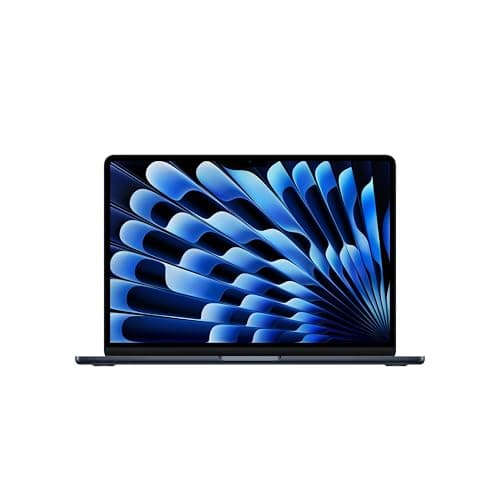
Best STEM/CS 4-Year Config: Apple MacBook Air 13-inch (M5, 24GB/1TB)
Apple MacBook Air 13-inch (M5, 24GB/1TB)
(Current price, subject to change)
- MacBook Air 13-inch with Apple M5 chip (10-core CPU, 10-core GPU)
- 24GB unified memory — fixed at purchase
- 1TB SSD storage
- 13.6-inch Liquid Retina display
- 12MP Center Stage camera, Touch ID, Wi-Fi 7
- Midnight at the verified $1,699
Here is the trap this config beats: Apple memory is part of the chip package, so the 16GB you save $500 on as a freshman is the same 16GB compiling your capstone as a senior. Macworld's student guide draws the line plainly — for computer science or engineering, performance and memory are key — and its 16GB recommendation is a working minimum for tracks that stack Docker, a VM and an IDE by junior year. The jump to 24GB/1TB is the rare step-up bundling both scarce resources, which is why the 4-Year Config Durability factor scores it 9.5, tops in this roundup.
The same honesty cuts the other way. This is a $1,699 laptop in a guide whose band stops at $1,600, and for a marketing major it would be the most expensive unused memory on campus. The silicon is identical to the $1,199 pick — Engadget's multi-core and GPU gains versus the M4 apply to both — so nobody buys speed here. Its 8.8 DGH Major-Fit Score is the honest arithmetic of a weighted composite that rewards coverage: this config enables the senior project compared to a machine that merely survives it.
What We Love
- The $500 jump from the base 13-inch buys memory AND storage together — 24GB and 1TB, not a pick-one upgrade menu
- Macworld's student guide is blunt that performance and memory are the keys for computer-science and engineering majors
- Soldered memory means headroom is a checkout decision — this is the config that still fits when the senior project needs containers, a VM and a dataset at once
- Same under-3-pound silent chassis and the platform Macworld measured at 18-plus hours of playback
What Could Be Better
- It sits above this guide's $850-to-1,600 band — a deliberate step-up we flag, not a default
- Most non-technical majors will graduate without ever touching the extra 8GB
- The display and fanless sustained-load limits are unchanged from the base 13-inch
The Verdict
If you've declared CS, engineering or data science — or know that's where this is going — the Apple MacBook Air 13-inch (M5, 24GB/1TB) is the config to buy once; you'll be well-served here through the senior project. Its 8.8 Major-Fit Score is the roundup's highest — the metric rewards coverage and 4-year headroom. The $1,199 Air stays the default because most majors never use this headroom.
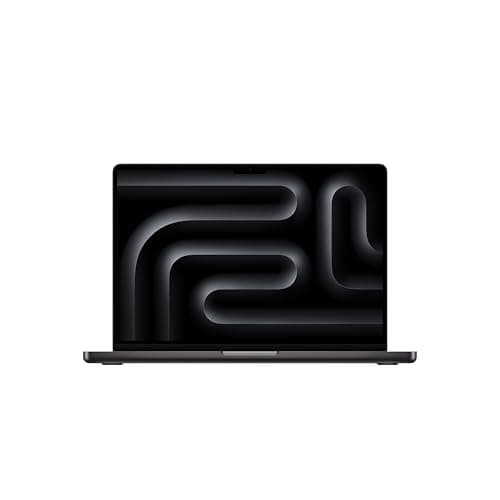
Best Creative-Major Step-Up: Apple MacBook Pro 14-inch (M5, 2025, 16GB/1TB)
Apple MacBook Pro 14-inch (M5, 2025, 16GB/1TB)
(Current price, subject to change)
- MacBook Pro 14-inch (2025) with Apple M5 chip — 10-core CPU, 10-core GPU
- 14.2-inch Liquid Retina XDR display, 1,000 nits sustained / 1,600 peak HDR
- 16GB unified memory and 1TB SSD
- Active cooling for sustained loads
- Space Black at the verified $1,849
First, the naming trap Amazon's own listing sets: this is the Apple 2025 MacBook Pro with the base M5 chip — 10-core CPU, 10-core GPU. The 2026 model moves to the M5 Pro chip at $2,299 in its 24GB/1TB configuration, pro-tier money a college guide has no business defaulting to. Every spec below refers to the 2025 machine at the verified $1,849; getting the year wrong buys the wrong laptop in either direction.
What the right one delivers for a creative major is documented, not projected. Macworld's Editors' Choice review measured over 27 hours of video playback, Cinebench GPU results nearly 50% better compared to the M4, a 35% Metal compute gain, and SSD reads that outran an M4 Max Mac Studio — and Macworld aims the machine at people who work with big files, export constantly and depend on the GPU. The XDR panel's 1,000 sustained nits separates it from every Air here, because color-critical work is graded on displays like this. The costs: a 3.4lbs carry, a fan the Airs skip, and 16GB at a price where the Air alternative carries 24GB — a trade a film major accepts and a CS major shouldn't.
What We Love
- Macworld measured over 27 hours and 15 minutes of video playback — past Apple's own claims
- Cinebench GPU results nearly 50% better than the M4 and a 35% Metal compute gain, per the same review — the difference between rendering overnight and rendering over dinner
- The XDR panel sustains 1,000 nits, which is the display class film and design work is actually graded on
- SSD reads Macworld found faster than an M4 Max Mac Studio — scrubbing 4K timelines doesn't stutter on the drive
What Could Be Better
- Model-year care: this is the 2025 base-M5 Pro — the 2026 14-inch carries the M5 PRO chip at $2,299 and is a different, pro-tier machine
- 16GB of memory at $1,849, where the 24GB/1TB Air offers more RAM for $150 less
- Macworld notes Thunderbolt 4 rather than 5, and the 70W adapter doesn't fast-charge
The Verdict
You've shortlisted a Pro because your major needs it — film, design, architecture, music production — and the Apple MacBook Pro 14-inch (M5, 2025, 16GB/1TB) checks the boxes that matter: XDR display, sustained GPU, 1TB baseline. Macworld's Editors' Choice calls it a tremendous combination of price, performance and features. Buy it for the display and the fan; skip it if your renders are hypothetical.
How We Score: DGH Major-Fit Score
DGH Major-Fit Score
Score Formula
everyday_major_fit (25%) + stem_dev_headroom (20%) + creative_media_fit (15%) + config_durability (15%) + value_per_dollar (15%) + backpack_carry_fit (10%)Score Factors
- Everyday-Major Fit (25%)Coverage of the workload most degrees actually run — writing, research, Zoom, spreadsheets. Macworld's student guidance names the Air line the best choice for the vast majority of students; all four picks clear the bar, so the spread comes from silence, battery and weight. The fanless 13-inch Airs lead at 9.6 and 9.5; the fan-cooled, heavier Pro gives a little back at 8.7.
- STEM/Dev Headroom (20%)Memory and storage room for IDEs, VMs, containers and datasets. Macworld's student guide flags performance and memory as the keys for CS and engineering majors. The 24GB/1TB Air leads at 9.2; the 16GB/512GB configs score 7.3 — enough for coursework today, thinner by senior year.
- Creative-Media Fit (15%)Display class, GPU and sustained output for film, design, architecture and music production. The Pro's XDR panel (1,000 nits sustained per Macworld) and near-50% Cinebench GPU gain over the M4 earn it 9.5; the 15-inch Air's bigger canvas scores 7.5; the 60Hz 13-inch panels trail at 7.0 and below.
- 4-Year Config Durability (15%)Whether the checkout config still fits at graduation — Apple memory and storage are soldered, so headroom is a day-one decision. The 24GB/1TB Air scores 9.5 and the 1TB Pro 8.8; the 512GB configs sit at 8.4, meeting Macworld's practical minimum with less margin.
- Value per Dollar (15%)Machine per dollar at live verified prices. The $1,199 13-inch Air is the value story of the 2026 lineup at 9.5; the $1,446 15-inch scores 8.6; the step-ups pay for headroom ($1,699, 7.6) and display class ($1,849, 7.2) that only their target majors fully use.
- Backpack-Carry Fit (10%)The daily walk-to-class carry. The under-3-pound 13-inch chassis leads at 9.5; the 15.3-inch Air (8.2) and 14-inch Pro (7.8) ride heavier in the same backpack every single day of the semester.
DGH Major-Fit Score — Ranked
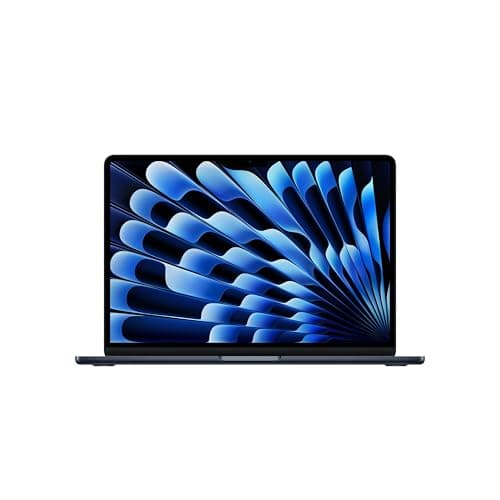
Apple MacBook Air 13-inch (M5, 24GB/1TB)
8.8/10The 4-year STEM config — top marks on headroom and durability; the score's honest winner because coverage across major classes is what it measures
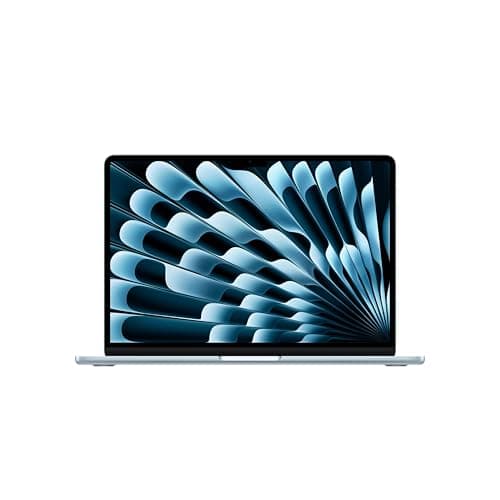
Apple MacBook Air 13-inch (M5, 16GB/512GB)
8.5/10The every-major default — best value and everyday factors at $1,199; the overall pick for anyone not buying headroom
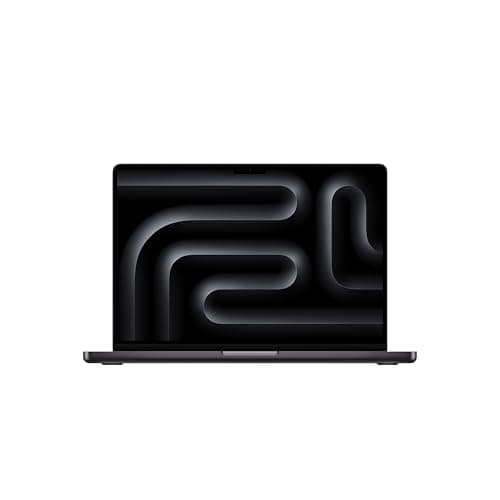
Apple MacBook Pro 14-inch (M5, 2025, 16GB/1TB)
8.5/10The creative step-up — a roundup-best 9.5 Creative-Media factor on the XDR display and sustained GPU, taxed on weight and price
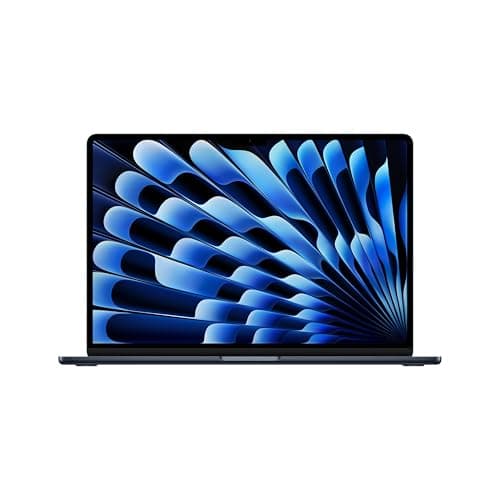
Apple MacBook Air 15-inch (M5, 16GB/512GB)
8.3/10The big canvas — everything the 13-inch does on a 15.3-inch screen, giving up carry weight and the top value slot
Which MacBook Config Fits Your Major?
Read the roster as a map, not a ladder — the weighted score ranks, but the major decides. Business, humanities, social-science and pre-med coursework lands on the Apple MacBook Air 13-inch (M5, 16GB/512GB) — the $1,199 default whose battery and silence carry the everyday workload every one of those majors shares.
CS, engineering and data tracks step to the Apple MacBook Air 13-inch (M5, 24GB/1TB), where the 24GB/1TB combination covers local dev environments, VMs and the containers that show up by junior year. Film, design, architecture and music production are the Pro majors: the Apple MacBook Pro 14-inch (M5, 2025, 16GB/1TB) brings the XDR display and the sustained GPU those programs grade against, while the Apple MacBook Air 15-inch (M5, 16GB/512GB) is the big-canvas alternative when the budget stops short of Pro money. Whichever config wins, the dorm-desk reality is the same: an Air ships with two usable ports, so the hub, stand and mouse kit in our Best MacBook Accessories for College 2026 guide is the second purchase almost every MacBook owner makes across a 4-year run, and the wider The Premium Dorm Tech Stack: Allocating $1500 Before Move-In stack shows where a monitor or speakers slot in later. One channel note, stated once: Apple's education store discounts MacBooks for verified students — Macworld's student guide tracks that pricing on the entry-level 13-inch Air, a lower-spec configuration than the $1,199 16GB/512GB Amazon unit we verified, and the figure moved with Apple's June 2026 price update — worth checking the current number before any checkout.
| Product | Under 3 lb daily carry | Fanless-silent in lectures | 1TB storage out of the box | XDR-class display for color work |
|---|---|---|---|---|
| macbook-air-13-m5-16gb-512gb | ✓ | ✓ | – | – |
| macbook-air-15-m5-16gb-512gb | – | ✓ | – | – |
| macbook-air-13-m5-24gb-1tb | ✓ | ✓ | ✓ | – |
| macbook-pro-14-m5-16gb-1tb | – | – | ✓ | ✓ |
Three Honest Config-Plus-Care Carts
The checkout total nobody prices out loud is the config plus the coverage plus the one accessory that turns a bare laptop into a working setup, so this section runs that arithmetic for three of the four configs above using figures re-verified 2026-07-27, the same day this module was written. The everyday cart pairs the Apple MacBook Air 13-inch (M5, 16GB/512GB) at $1,199.00 with a year of AppleCare+ for the 13-inch Air at $79.99 — Apple's own current annual rate, not the older multi-year figure some retailers still advertise — plus the Anker 341 USB-C Hub (7-in-1) with 100W Charger at $55.28 for the SD-card offload a phone-photo-heavy freshman actually uses, landing the complete cart at $1,334.27. The STEM cart swaps in the Apple MacBook Air 13-inch (M5, 24GB/1TB) at $1,699.00, keeps the same $79.99 AppleCare+ Air rate, and adds the Logitech MX Master 3S Wireless Mouse (Bluetooth) at $79.99 for the precision a CS student wants over a trackpad during long coding sessions, totaling $1,858.98. The creative cart goes further still: the Apple MacBook Pro 14-inch (M5, 2025, 16GB/1TB) at $1,849.00, a year of AppleCare+ for the 14-inch Pro at $109.99 — priced higher than the Air's plan because Apple's own coverage tiers scale with the machine's replacement cost — and the Rain Design mStand Laptop Stand (Space Gray) at $39.90 for the eye-level lift a Pro's XDR display rewards, closing out at $1,998.89.
AppleCare+ is the line every one of these carts is honest about rather than silent on, because the alternative to budgeting it is discovering the true out-of-warranty repair cost the day a dorm-life accident actually happens. Apple's own current published rate runs $79.99 a year for the 13-inch Air, $89.99 for the 15-inch Air, and $109.99 for the 14-inch Pro, all of which climbed from the prior tier this past July per Apple's own pricing update, and none of which resembles the flat multi-year bundle some campus stores and third-party resellers still market under the same AppleCare+ name — confirm which structure a given seller is actually quoting before assuming apples-to-apples pricing. For the accessory layer beyond the single pick bundled into each cart here, our Best MacBook Accessories for College 2026 guide prices the full hub, mouse, and stand lineup on its own, and the wider The Premium Dorm Tech Stack: Allocating $1500 Before Move-In hub is where the monitor and headphone layers this cart deliberately leaves out get priced next.
Who Should Buy What
Who Should Buy What
| If you are… | Recommended pick |
|---|---|
The undeclared freshman You need one machine that covers whatever the major turns into, at the best price-to-fit in the lineup | Apple MacBook Air 13-inch (M5, 16GB/512GB) |
The no-monitor dorm Your desk is shallow, your budget has no monitor line, and split-screen is your working style | Apple MacBook Air 15-inch (M5, 16GB/512GB) |
The declared engineer IDEs, VMs and datasets are on the degree plan, and you'd rather buy the soldered-in headroom once | Apple MacBook Air 13-inch (M5, 24GB/1TB) |
The portfolio builder Film, design or music production grades your output on display and render quality | Apple MacBook Pro 14-inch (M5, 2025, 16GB/1TB) |
Frequently Asked Questions
Should I buy a Renewed M4 MacBook Air to save money?
We didn't roster one — the reason is the market, not the machine. Every M4 Air listing we checked on Amazon during our 2026-07-21 pass was Renewed, and our standing policy is new-condition picks only, since a warranty gap in October is what a college laptop should avoid. The M4 remains capable: a new-in-box unit under about $950 is a fine budget buy. But new-condition M4 stock has effectively left Amazon this year, so the realistic budget-macOS path is elsewhere.
Is the $1,849 MacBook Pro the new 2026 model?
No. The $1,849 pick is Apple's 2025 MacBook Pro 14-inch with the base M5 chip — 10-core CPU, 10-core GPU, 16GB/1TB. The 2026 MacBook Pro 14-inch moves to the M5 Pro chip and starts at $2,299 for its 24GB/1TB configuration — a pro-tier machine priced past any college band. Retail listings blur the model years, so check the chip name, not the calendar: 'M5' is the 2025 college-viable step-up reviewed here; 'M5 Pro' is the 2026 machine you don't need.
Do I really need 24GB of RAM for college?
Most majors: no — the money is better spent on a monitor. The 16GB every M5 config now ships hits Macworld's recommended level for students, and a documents-and-browser workload rarely presses it. The 24GB case is specific: computer science, engineering and data tracks that will eventually run an IDE, a container stack and a VM at once. The catch: Apple memory is soldered — there is no year-three upgrade, only a year-three replacement. Decide by degree plan, not anxiety.
The Amazon listings say 'Built for AI' — what does that actually mean?
Treat it as marketing copy — the phrase appears in Apple's Amazon listing titles for every M5 machine, and it isn't a measured claim about your coursework. The grounded version: Engadget benched the M5 at 11% faster single-core, 17% faster multi-core and 31% faster GPU than the M4 Air, and Macworld measured a near-50% Cinebench GPU gain for the Pro over its predecessor. Faster silicon helps every workload, on-device AI included; no tagline changes which config fits your major.
Should I get the 13-inch or 15-inch Air?
Answer one question first: will an external monitor exist in your dorm? If yes, take the 13-inch and let the monitor be the big screen — the $247 you save covers a large share of one. If no, the 15.3-inch panel is the only big screen you'll get, and it's the cheaper big-screen play by $403 compared to the Pro. The carry cost is about half a pound. Screen-first buyers with monitor plans are who the 15-inch wastes money on.
Is the M5 MacBook Air still Apple's current model this month?
Yes. As of 2026-08-17, every Mac laptop on Apple's own buy pages runs an M5-family chip. The Air ships in 13-inch and 15-inch sizes with the M5. The MacBook Pro ships in 14-inch and 16-inch sizes with the M5, M5 Pro, or M5 Max. Apple no longer sells any M1, M2, M3, or M4 notebook new. The 13-inch MacBook Pro is gone from the lineup entirely. Those older machines survive only inside Apple's historical compare tool, with no buy button attached. That is the real reason a budget macOS search keeps surfacing Renewed listings.
Is there an Apple student discount running right now, and when does it end?
Yes, and it has a hard deadline. Apple's College Student Offer runs July 16 through September 24, 2026 in the US, per Apple's published terms. Qualified buyers are current or newly accepted college students, their parents, and faculty and staff. An eligible MacBook Pro earns a $150 Apple Gift Card and an eligible MacBook Air earns a $100 card, applied at purchase. It is honored at apple.com/us-edu, Apple retail stores, and 1-800-MY-APPLE, while supplies last. The gift card sits on top of Apple's education pricing, which the same store applies on its own.
Bottom Line
Get the Apple MacBook Air 13-inch (M5, 16GB/512GB) if you want the every-major default — 18-hour-class-day battery, silent chassis, and the best value here at $1,199.
Get the Apple MacBook Air 15-inch (M5, 16GB/512GB) if no external monitor is in the plan and the 15.3-inch canvas is your working screen for $1,446.
Get the Apple MacBook Air 13-inch (M5, 24GB/1TB) if you're on a CS, engineering or data track and want the 24GB/1TB config that still fits at graduation.
Get the Apple MacBook Pro 14-inch (M5, 2025, 16GB/1TB) if your major grades rendered, color-critical work and the XDR display plus sustained GPU are course equipment.
For most incoming students, the Apple MacBook Air 13-inch (M5, 16GB/512GB) at $1,199 closes the search — Macworld's 18-hour-24-minute battery result and Engadget's 92 score back the default. Declared STEM tracks should pay for the Apple MacBook Air 13-inch (M5, 24GB/1TB)'s headroom once and be done; creative majors get the display their portfolio is graded on in the Apple MacBook Pro 14-inch (M5, 2025, 16GB/1TB). Skip every pick here if macOS itself is optional and the budget is the constraint — the Windows machines and the $699 MacBook Neo in our college-laptops fixture cover the under-$900 lanes these configs don't.
Sources & Methodology
Methodology: DGH Major-Fit Score — Formula: everyday_major_fit (25%) + stem_dev_headroom (20%) + creative_media_fit (15%) + config_durability (15%) + value_per_dollar (15%) + backpack_carry_fit (10%). Factors: Everyday-Major Fit (25%) · STEM/Dev Headroom (20%) · Creative-Media Fit (15%) · 4-Year Config Durability (15%) · Value per Dollar (15%) · Backpack-Carry Fit (10%). Full factor definitions appear in the How We Score section above.
Expert review sources used in this analysis:
- DormGearHQ aggregates expert review data, manufacturer specifications, and customer-rating sentiment to produce consensus-based buying guidance; we do not perform first-party product testing
- Every editorial performance claim in this guide comes from review pages we fetched on 2026-07-21
- Macworld's Editors' Choice review of the 13-inch MacBook Air M5 (16GB/1TB config tested) credits world-leading single-thread performance, measured 18 hours and 24 minutes of video playback, noted storage throughput doubled in a year alongside a sustained-load dip about 10 minutes into gaming on the fanless chassis, called the 60Hz display a bit dated for this price range, and concluded the Air is still a winning formula that works just right for most users
- Engadget's review of the same 13-inch platform scored it 92, measured 18 hours of looped 4K video at half brightness against a typical working range closer to 10 hours, benched the M5 at 11% single-core, 17% multi-core and 31% GPU gains over the M4 Air, and called the Air by far the best Apple laptop for most people
- Macworld's Editors' Choice review of the 14-inch MacBook Pro M5 (2025, base M5, 16GB/1TB config tested) measured over 27 hours and 15 minutes of video playback, Cinebench GPU results nearly 50% better than the M4, a 35% Metal compute gain and SSD reads past an M4 Max Mac Studio, aimed the machine at buyers who work with big files, export often and depend on the GPU, and called it a tremendous combination of price, performance, and features while noting Thunderbolt 4 rather than 5 and a 70W adapter that doesn't fast-charge
- Macworld's student buying guidance supplies the config-for-major frame: the Air line as the best choice for the vast majority of students on portability-performance balance, performance and memory as the keys for computer-science and engineering majors, the Pro reserved for video, design and 3D workflows on its Liquid Retina XDR display, 16GB as the recommended memory level, 512GB as the practical minimum storage, and an education-store student discount on the entry-level 13-inch Air (a lower-spec configuration than the $1,199 Amazon unit in this roster; the exact student price moved in Apple's June 2026 price update — check before buying)
- The 15-inch M5 Air had no config-specific fetched review, so its entry relies on Apple listing specifications and platform-level results, and we say so in the review itself
- The DGH Major-Fit Score is a weighted composite normalizing six factors to a 0-to-10 scale: everyday-major fit at 25%, STEM/dev headroom at 20%, creative-media fit at 15%, 4-year config durability at 15%, value per dollar at 15%, and backpack-carry fit at 10%
- That calculation ranks the 24GB/1TB Air first at 8.8 — the honest arithmetic of a metric that rewards coverage and durability — while the $1,199 13-inch Air remains the overall pick at 8.5 because its value and everyday factors serve the majority of majors that never use the step-up headroom
- Amazon prices, conditions and availability for all four picks (and the Renewed-only status of every M4 Air listing we checked) were verified 2026-07-21 against the Amazon Creators API: all four picks were New, sold by Amazon.com, at $1,199.00, $1,446.00, $1,699.00 and $1,849.00 respectively, with the Midnight 13-inch colorway at $1,255
- The three config-plus-care carts added 2026-07-27 re-verified all four configs New and unchanged in price against the same API, priced the [[product:anker-341-usb-c-hub-7in1]], [[product:logitech-mx-master-3s-bt]], and [[product:rain-design-mstand-space-gray]] accessories against that same live check, and drew AppleCare+ annual pricing ($79.99 for the 13-inch Air, $89.99 for the 15-inch Air, $109.99 for the 14-inch Pro) from Apple's own July 2026 published rate update, distinct from the flat multi-year AppleCare+ bundles some third-party campus resellers separately advertise under the same name
- Prices move — confirm the live figure before buying — and see the metrics methodology page linked from the score block above
- Apple's shipping lineup and its College Student Offer terms were re-checked on apple.com on 2026-08-17
- The buy pages for MacBook Air and MacBook Pro listed M5-family configurations only
- The offer window of July 16 through September 24, 2026 and the $100 and $150 gift-card tiers come from Apple's own published back-to-school terms page
- Roster prices on this page are Amazon retail reads and are not Apple's list prices.
Nicholas Miles is the founder of DormGearHQ and a longtime smart home enthusiast focused on helping everyday homeowners make better technology decisions. He researches, compares, and writes about products across security, climate, lighting, leak prevention, sensors, home energy, and automation, with an emphasis on real-world usefulness, ecosystem compatibility, reliability, privacy, and long-term value.
Affiliate disclosure: DormGearHQ earns affiliate commissions on qualifying Amazon purchases. Our scoring methodology is independent of affiliate relationships.