
Best Drawing Tablets for Art & Design Majors (2026)
Your studio and illustration classes assume you can draw into Photoshop or Clip Studio on your own machine. The XPPen Artist Pro 16 Gen2 ($499.99) is where we'd start: a 2.5K laminated display and 16,384 pressure levels for about $150 under the Wacom it competes with.
This article contains affiliate links. We may earn a commission at no extra cost to you. Learn more
Featured in this Guide

XPPen
Artist Pro 16 Gen2 2.5K 16 inch QHD Drawing Tablet with Full Laminated Anti-Glare Screen, 16384 Pressure Levels, X3 Pro Battery-Free Stylus, 159% sRGB
- •Highest composite here at 8.4.
- •$499.99 buys 2.5K, full lamination and a 16,384-level stylus, with a wireless shortcut remote in the box., ,

Wacom
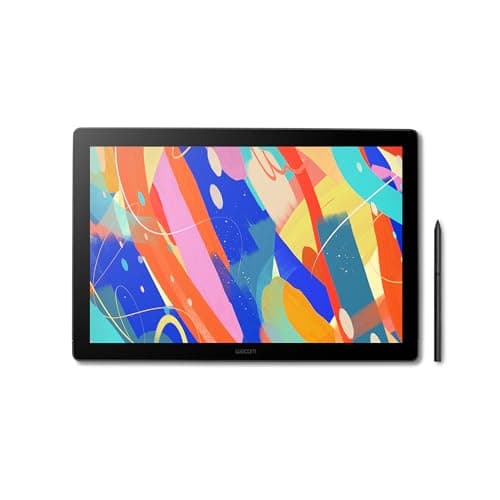
Cintiq 16, Drawing Tablet with QHD Screen & Pro Pen 3
- •$649.95, the top price in this roundup.
- •You are paying for 290 cd/m² and Wacom's driver, not for more gamut and not for more pressure levels., ,

HUION
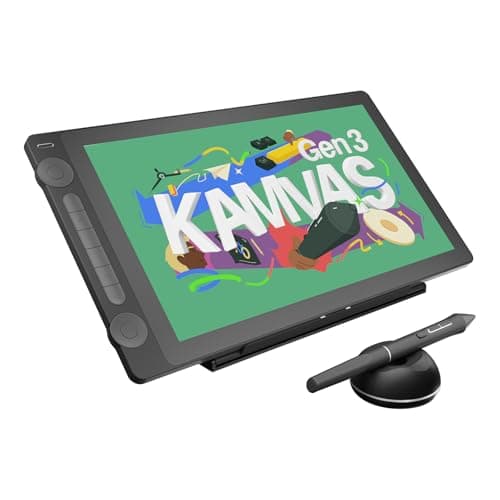
KAMVAS 16 (Gen 3) 2.5K QHD Drawing Tablet with Screen, PenTech 4.0
- •$424.00 for a 2.5K panel Huion rates at 99% sRGB.
- •No stand and no VESA mount in the box, so budget desk space or a stand., ,

Wacom
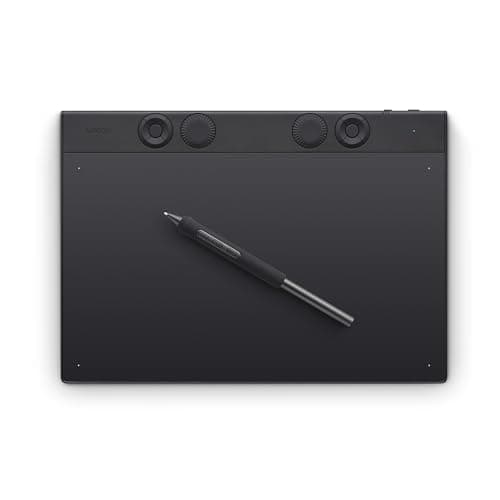
Intuos Pro Medium Bluetooth Graphics Drawing Tablet (screenless)
- •$379.95 and screenless — you draw on it while looking at your monitor.
- •Lower composite because our score measures a panel it does not have., ,
Wacom
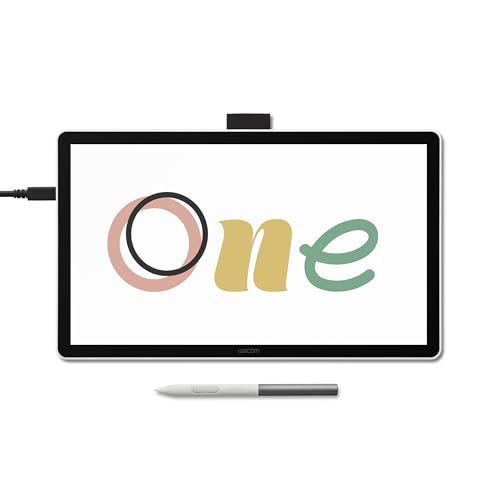
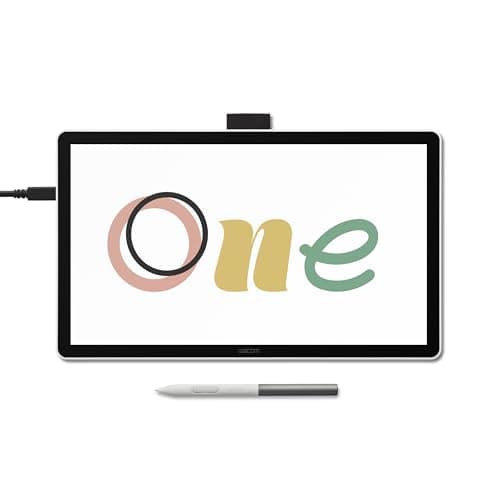
One 14 Drawing Tablet with IPS Full HD Laminated Screen & Pen
- •$249.95 for a 14-inch 1080p pen display.
- •4,096 pressure levels is a quarter of the top picks and you will feel it in brushwork., ,
The Short Answer
For most art and design majors the XPPen Artist Pro 16 Gen2 at $499.99 is the recommended purchase. Its 2560x1600 laminated screen, 16,384 pressure levels and 99% sRGB coverage cover studio illustration coursework, compared to approximately $150 more for the Wacom Cintiq 16.
If your program requires digital illustration, animation or studio coursework, this hardware is mandatory, and the syllabus rarely specifies a model. Pressure sensitivity determines how much of your hand the application registers. Color accuracy matters because an illustration that looks correct on your display and reproduces badly in print becomes a grading problem. Desk footprint decides the rest. We ranked these five on the DGH Studio Pen Display Score, a weighted composite of specifications and prices verified in August 2026.
Four of these five are pen displays, meaning your hand sits directly on the artwork. The Wacom Intuos Pro Medium is screenless: you draw on a blank surface while watching your monitor. It is less expensive than the 16-inch displays for a structural reason, compared to a quality reason, because you are not purchasing a panel. None of these five ships from Amazon itself.
Head-to-head: where these five actually differ
Tech Charging
Chart
 DormGearHQ.com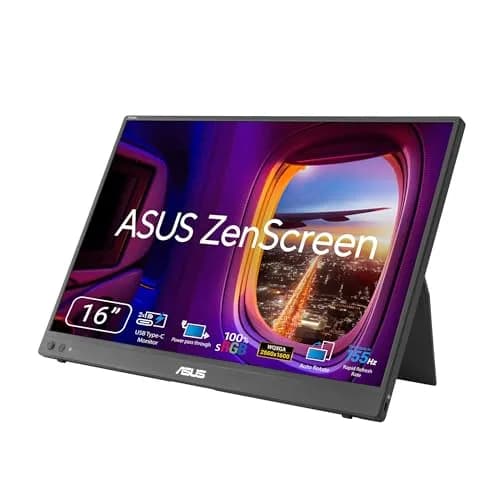
ASUS ZenScreen MB16NCG
$266.99Must BuyCheck price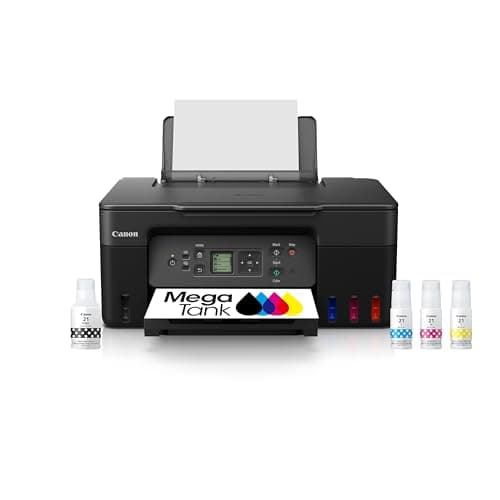
Canon MegaTank G3270 All-in-One Wireless Inkjet Printer, Home Use, Print, Scan and Copy
$159.99Must BuyCheck price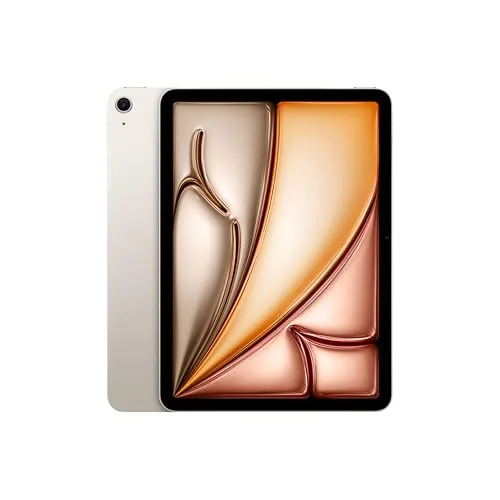
iPad Air 11-inch (M4)
$749.00Must BuyCheck price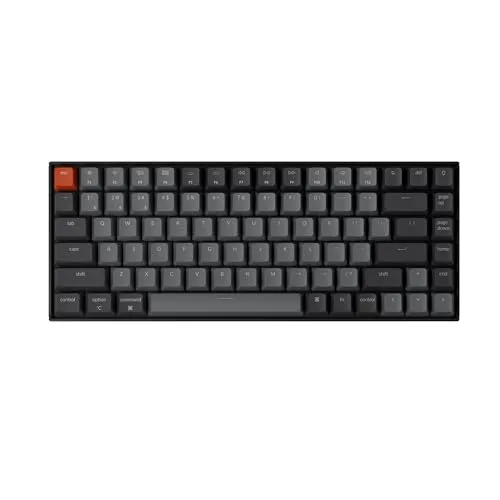
Keychron K2 Pro
$119.00Must BuyCheck price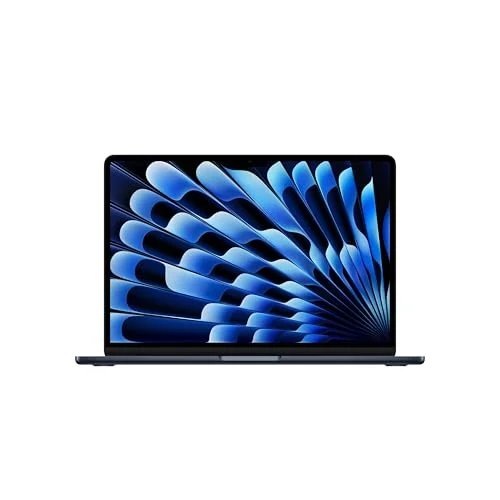
MacBook Air M5 13-inch
$1259.99Must BuyCheck price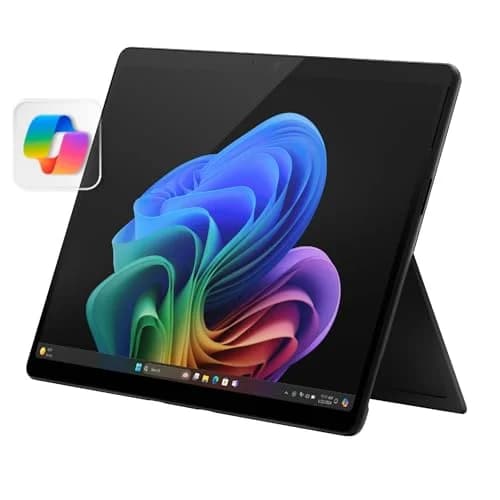
Microsoft Surface Pro 11
$1249.99Must BuyCheck price
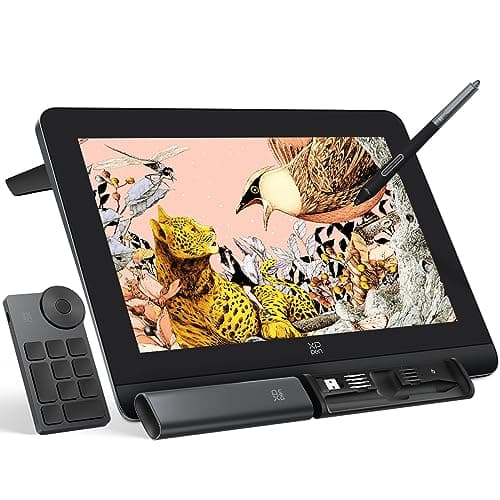
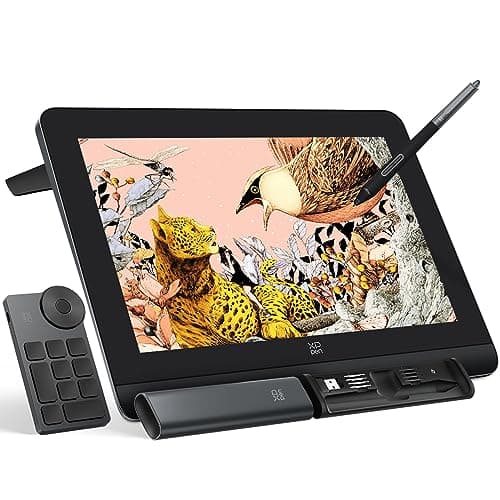
Best Overall: XPPen Artist Pro 16 Gen2 2.5K 16 inch QHD Drawing Tablet with Full Laminated Anti-Glare Screen, 16384 Pressure Levels, X3 Pro Battery-Free Stylus, 159% sRGB
XPPen Artist Pro 16 Gen2 2.5K 16 inch QHD Drawing Tablet with Full Laminated Anti-Glare Screen, 16384 Pressure Levels, X3 Pro Battery-Free Stylus, 159% sRGB
(Current price, subject to change)
- XPPen Artist Pro 16 (Gen 2) pen display
- X3 Pro battery-free stylus, 16,384 pressure levels
- 16" 2560x1600 fully laminated anti-glare screen
- Wireless shortcut remote (mini keydial)
- Built-in foldable stand, drawing glove, USB-C cables
Pressure sensitivity is where an inexpensive tablet reveals itself, and this is the one place the Artist Pro 16 Gen2 does not. XPPen's published specification for the X3 Pro stylus lists 16,384 pressure levels, 60-degree tilt, a 3g initial activation force, and tracking accuracy of ±0.4mm at center. The practical translation is that a tapering line terminates where you lift, compared to ending several pixels early. The panel delivers the other half of the argument: 2560x1600 at 16:10, fully laminated behind anti-glare etched glass. Coverage is 99% sRGB, 99% DCI-P3 and 97% Adobe RGB, with a stated Delta E under 2.2. The Amazon listing carries the identical resolution, pressure and 159% sRGB figures XPPen publishes. It also confirms this configuration ships new from ART TOOL INC rather than Amazon. Where it concedes ground is brightness, at 250 cd/m² typical versus the Cintiq's 290, and the fixed-angle stand. Those concessions are genuine and minor. They are why this configuration earns 8.4 on the DGH Studio Pen Display Score, while the Wacom Cintiq 16, Drawing Tablet with QHD Screen & Pro Pen 3 earns 8.2 at $149.96 more.
What We Love
- 16,384 pressure levels with a 3g initial activation force — light strokes register instead of dropping out.
- 2560x1600 fully laminated etched glass, so the cursor sits under the nib rather than behind a layer of air.
- 99% sRGB, 99% DCI-P3 and 97% Adobe RGB with a stated Delta E under 2.2 — enough to trust a critique-ready file.
- Stand and wireless shortcut remote are in the box, not sold separately.
What Could Be Better
- 250 cd/m² typical brightness is dimmer than the Cintiq 16's 290, which matters in a bright studio.
- The built-in stand is a fixed angle, so you adjust your chair rather than the tablet.
- No touch input — every gesture goes through the pen, the remote or the keyboard.
The Verdict
You are buying one tool to carry studio, illustration and animation coursework, and it has to still be enough in your final year. The XPPen Artist Pro 16 Gen2 2.5K 16 inch QHD Drawing Tablet with Full Laminated Anti-Glare Screen, 16384 Pressure Levels, X3 Pro Battery-Free Stylus, 159% sRGB is the pick for that. It scores 8.4, the top composite here, and asks $499.99 — about $150 under the Cintiq 16 it sits beside. It ships from ART TOOL INC, an authorized XPPen storefront, rather than Amazon directly.
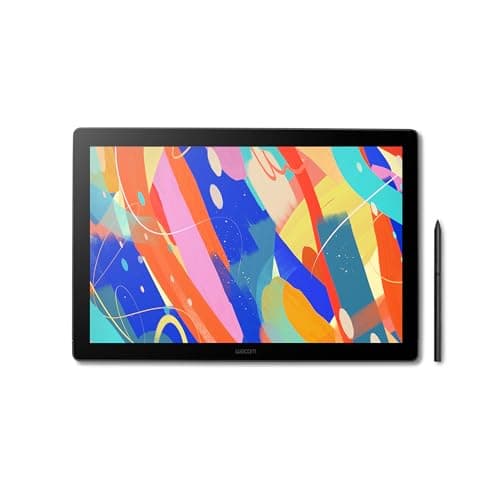
Best for Color-Critical Work: Wacom Cintiq 16, Drawing Tablet with QHD Screen & Pro Pen 3
Wacom Cintiq 16, Drawing Tablet with QHD Screen & Pro Pen 3
(Current price, subject to change)
- Wacom Cintiq 16 pen display
- Wacom Pro Pen 3, 8,192 pressure levels
- 16" 2560x1600 WQXGA display
- Foldable legs with 20-degree adjustment
- Mini HDMI and USB-C connections
The argument for paying Wacom's price is narrower than the brand's reputation suggests, and on this configuration it is specific. Wacom's published specification lists a 16-inch 2560x1600 WQXGA panel at 100% sRGB, 99% DCI-P3, and 290 cd/m² typical. That is the brightest display of the five. It is not the widest gamut: XPPen publishes the same 99% DCI-P3 for the Artist Pro 16 Gen2, plus a 97% Adobe RGB figure Wacom does not publish at all. The Amazon listing confirms the QHD screen and Pro Pen 3 pairing, and that this unit ships new from Wacom Corp. Pro Pen 3 resolves 8,192 pressure levels with ±60-degree tilt, which is fewer discrete increments than XPPen and Huion advertise. In practice that difference registers less than the specification implies, because Wacom's digitizer remains the reference the alternatives are judged against. What this configuration does not deliver is value. At $649.95 it is normalized to 5.5 on that factor, the lowest figure here, and the foldable legs provide 20 degrees before you are shopping for Wacom's separate stand. Buy it for the brightness and the driver, because it does not deliver more pen, or more gamut, than the $499.99 XPPen.
What We Love
- 100% sRGB and 99% DCI-P3 on Wacom's published spec — full coverage of the space most coursework is graded in.
- 290 cd/m² typical brightness, the brightest panel here, which shows in a lit studio.
- Pro Pen 3 with three configurable switches and ±60-degree tilt, on Wacom's own digitizer.
- Foldable legs are built in, so no separate stand purchase to get a working angle.
What Could Be Better
- $649.95 is the top price here, $225.95 above the Huion on a comparable resolution class.
- 8,192 pressure levels is half the XPPen's and half the Huion's figure.
- Only 20 degrees of leg adjustment — a steeper angle means buying Wacom's separate stand.
The Verdict
Your work has to hold up in print, or on somebody else's calibrated screen, and that is graded. The Wacom Cintiq 16, Drawing Tablet with QHD Screen & Pro Pen 3 is the one on this list built for that. It scores 8.2 against the XPPen's 8.4, and the $149.96 you pay above it buys brightness and driver certainty rather than gamut or pressure levels. It ships from Wacom Corp's own storefront rather than Amazon directly.
Best Value 2.5K Display: HUION KAMVAS 16 (Gen 3) 2.5K QHD Drawing Tablet with Screen, PenTech 4.0
HUION KAMVAS 16 (Gen 3) 2.5K QHD Drawing Tablet with Screen, PenTech 4.0
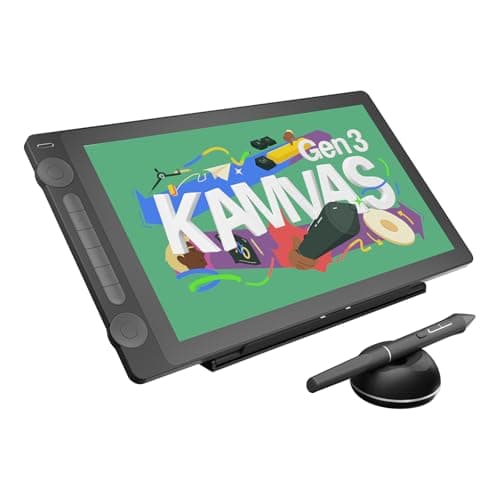
(Current price, subject to change)
- HUION KAMVAS 16 (Gen 3) pen display
- PW600L stylus with PenTech 4.0, 16,384 pressure levels
- 15.8" 2560x1440 etched-glass display
- Single-cable USB-C connection
- Quick keys and dials on the device
The panel figures here are Huion's own published specification: 99% sRGB, 99% Rec.709 and 90% AdobeRGB on a 2560x1440 screen, which across 15.8 inches works out to 186 PPI. Huion rates peak brightness at 220 cd/m², the lowest here, and all four are manufacturer claims with the same standing as numbers Wacom and XPPen publish. Notebookcheck's review does not measure the panel, but it is useful on what a spec sheet cannot: the reviewer described the pen as predictable with virtually no wobble. That is the failure that renders an inexpensive tablet unusable for inking, and the review also flagged high pixel response times and Linux Wayland application problems. It also notes no VESA mount or built-in stand, and summarizes the tablet as a jack of all trades, master of some, roughly $200 under Wacom's equivalent. The Amazon listing confirms the 2.5K QHD panel and PenTech 4.0 pen, new, from the Huion Official Store. On the DGH Studio Pen Display Score, our weighted composite of 7.9 reflects both halves: 9.0 on value, the highest normalized figure, pulled back by 6.0 on desk footprint. The missing stand produces an additional purchase, and a small desk is where that hurts.
What We Love
- Huion publishes 99% sRGB, 99% Rec.709 and 90% AdobeRGB for this panel.
- 2560x1440 across 15.8 inches works out to 186 PPI, within a hair of the 188.7 the XPPen manages.
- PenTech 4.0 resolves 16,384 pressure levels from a 2g activation force.
- $424.00 is the cheapest route to a 2.5K pen display on this list.
What Could Be Better
- Huion rates the panel at 220 cd/m² — the dimmest here by a wide margin.
- No VESA mount and no built-in stand, so a working angle is an extra purchase and extra desk.
- Notebookcheck also flagged high pixel response times and Linux Wayland app problems.
The Verdict
You want the resolution and the pressure sensitivity, and the budget genuinely does not stretch to $499.99. The HUION KAMVAS 16 (Gen 3) 2.5K QHD Drawing Tablet with Screen, PenTech 4.0 is the honest answer to that, at $424.00 and a 7.9 composite. Add the cost of a stand before you compare it to the XPPen. It ships from the Huion Official Store rather than Amazon directly.
Best for a Small Desk: Wacom Intuos Pro Medium Bluetooth Graphics Drawing Tablet (screenless)
Wacom Intuos Pro Medium Bluetooth Graphics Drawing Tablet (screenless)
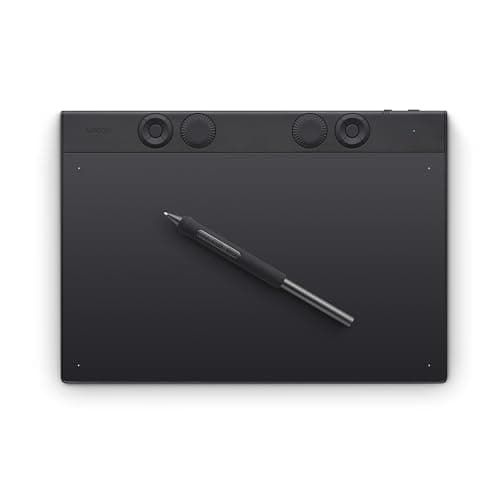
(Current price, subject to change)
- Wacom Intuos Pro Medium pen tablet — no display
- Wacom Pro Pen 3, 8,192 pressure levels
- Bluetooth and USB-C connection
- Updated digitizer in a reduced form factor
- Programmable ExpressKeys and touch ring
This is a different tool class, and the guide should state that clearly once: the Intuos Pro Medium has no screen. Notebookcheck's coverage of the Intuos Pro line describes the workflow directly. Creatives use the digital pen to draw their art on the Intuos Pro while looking up at the actual digital work on their monitor. Notebookcheck also reports an updated digitizer and a new chipset, which delivers improved accuracy in a reduced form factor. Pro Pen 3 provides the identical 8,192 pressure levels and ±60-degree tilt as the Cintiq 16 above. Notebookcheck's figures for the line place the Medium at $379.95, matching the live Amazon listing, which confirms it ships new from Wacom Corp. On the DGH Studio Pen Display Score it takes a 9.5 on desk footprint and a 9.5 on studio software fit, the highest figures in this roundup. Its 5.0 on color accuracy is structural, compared to a judgment about rendering: this tablet generates no color, because your monitor does. If you own a capable monitor, this is the least expensive route to Wacom's digitizer, and the only pick that consumes no additional desk.
What We Love
- Screenless, so your hand never covers the artwork and nothing new lights up on your desk.
- Wacom's Pro Pen 3 and digitizer without paying for a panel — $379.95 against $649.95 for the Cintiq.
- Bluetooth means it can live on your lap or slide under a keyboard between sessions.
- Notebookcheck reports an updated digitizer for better accuracy in a smaller body.
What Could Be Better
- Hand-eye separation takes real practice — expect one to two weeks before it feels normal.
- No screen of its own, so your monitor's color is the only color you get.
- $130.00 more than the Wacom One 14, which does have a display.
The Verdict
Some students prefer drawing on a blank slab while watching their monitor. If that is you, the Wacom Intuos Pro Medium Bluetooth Graphics Drawing Tablet (screenless) is the best version of it. Its 7.8 composite trails the displays above, because our weighted score measures a panel this tablet does not have. Read that as a scope note, not a criticism. It ships from Wacom Corp rather than Amazon.
Best Entry Pen Display: Wacom One 14 Drawing Tablet with IPS Full HD Laminated Screen & Pen
Wacom One 14 Drawing Tablet with IPS Full HD Laminated Screen & Pen
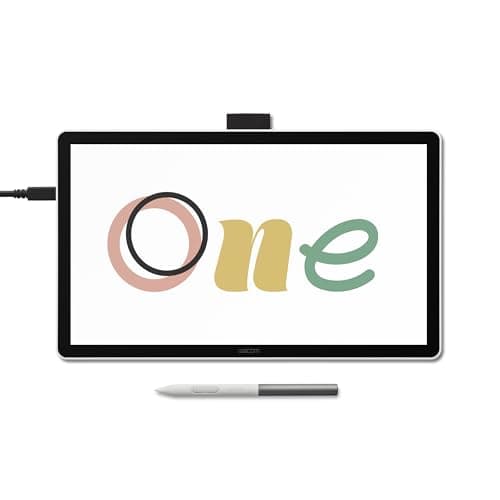
(Current price, subject to change)
- Wacom One 14 pen display (DTC141)
- Battery-free EMR pen, 4,096 pressure levels
- 14" 1920x1080 IPS laminated screen
- Anti-glare, anti-fingerprint coating
- Single USB-C (DisplayPort Alt Mode) connection
Every roundup requires an honest floor, and this configuration is ours. Notebookcheck's specification report on the Wacom One 14 lists a 14-inch 1920x1080 IPS panel at 285 cd/m² and 98% sRGB with a 16ms response time. It is not touch sensitive, and it is driven over a single USB-C cable on a Thunderbolt 3+ or DisplayPort Alt Mode port. Notebookcheck also confirms support for PCs, Macs and ChromeOS, which no other pick in this roundup delivers. That brightness figure is genuinely competitive, and it sits above the Huion's rated 220 cd/m². The pen is where the price becomes visible: battery-free EMR at 4,096 pressure levels and 2,540 lpi, with 60-degree tilt. Four thousand increments are sufficient for line art, lettering and layout, but insufficient for the pressure-driven painting a rendering class assigns — the honest limit of this pick. The Amazon listing confirms the laminated full HD screen and pen, new, from Wacom Corp. At $249.95 it is normalized to 8.5 on value and 6.5 on pen precision, and those two factors are the entire argument.
What We Love
- $249.95 is the entry point to a real pen display on this list, not an accessory.
- 285 cd/m² and 98% sRGB per Notebookcheck — brighter than both 2.5K rivals under $500.
- One USB-C cable carries video and power on a Thunderbolt 3+ or DP Alt Mode port.
- Wacom lists PC, Mac and ChromeOS support — the only pick here that covers a Chromebook.
What Could Be Better
- 4,096 pressure levels is a quarter of the XPPen's and Huion's figure, and brushwork shows it.
- 1920x1080 across 14 inches is roughly 157 PPI against the Huion's 186.
- Not touch sensitive, and Notebookcheck lists a 16ms response time.
The Verdict
Your budget is fixed, and the real alternative is drawing with a mouse for another semester. The Wacom One 14 Drawing Tablet with IPS Full HD Laminated Screen & Pen is a genuine pen display and a genuine answer to that. Understand what $249.95 buys: a 7.7 composite, a good 1080p panel, and a pen with a quarter of the pressure resolution of the picks above it. It ships from Wacom Corp's own storefront rather than Amazon directly.
How We Score: DGH Studio Pen Display Score
DGH Studio Pen Display Score
Score Formula
weighted composite (0-10): pen_precision (25%) + color_accuracy (25%) + studio_software_fit (20%) + desk_footprint (15%) + value_per_dollar (15%), each factor normalized to a 0-10 scaleScore Factors
- Pen Precision (25%)Pressure levels, tilt range, initial activation force and tracking accuracy together. 16,384 levels with a 2-3g activation force resolves a tapering stroke that 4,096 levels rounds off; tilt is what makes a chiseled or broad-nib brush behave.
- Color Accuracy (25%)Panel gamut coverage, calibration claim and brightness. A screenless tablet scores mid-scale here by construction — it has no panel, so the monitor you already own supplies the color and this metric cannot measure it.
- Studio Software Fit (20%)Driver maturity against the desktop applications a program assigns — Photoshop, Illustrator, Clip Studio Paint and animation tools — plus how likely a campus lab has standardized on the same driver.
- Desk Footprint (15%)How much of a small apartment or dorm desk the device occupies once a laptop and a monitor are already there, including whether a stand is in the box or a separate purchase.
- Value per Dollar (15%)Live verified price against the other four factors combined.
DGH Studio Pen Display Score — Ranked
XPPen Artist Pro 16 Gen2 2.5K 16 inch QHD Drawing Tablet with Full Laminated Anti-Glare Screen, 16384 Pressure Levels, X3 Pro Battery-Free Stylus, 159% sRGB
8.4/10Top composite. 9.0 on both pen precision and color accuracy at $499.99, held back only by a 7.0 on desk footprint for the fixed-angle stand.
Wacom Cintiq 16, Drawing Tablet with QHD Screen & Pro Pen 3
8.2/10Top software fit here at 9.5, and a 9.0 on color accuracy that ties the XPPen rather than beating it. Pulled to second by a 5.5 on value per dollar at $649.95.
HUION KAMVAS 16 (Gen 3) 2.5K QHD Drawing Tablet with Screen, PenTech 4.0
7.9/10Best value figure in the roundup at 9.0 for $424.00. A 6.0 on desk footprint reflects no stand and no VESA mount in the box.
Wacom Intuos Pro Medium Bluetooth Graphics Drawing Tablet (screenless)
7.8/10Highest desk footprint and software fit scores here, both 9.5. The 5.0 on color accuracy is structural — it is a screenless tablet, not a weak panel.
Wacom One 14 Drawing Tablet with IPS Full HD Laminated Screen & Pen
7.7/10Lowest composite here. An 8.5 on value at $249.95 against a 6.5 on pen precision, which is what 4,096 pressure levels earns against 16,384.
DGH Studio Pen Display Score
Composite of pen precision, color accuracy, studio software fit, desk footprint, and value per dollar
DormGearHQ analysis of manufacturer specifications, Notebookcheck coverage and live Amazon prices, August 2026
What all five share, and where they ship from
All five use a battery-free pen you never charge, and all five support 60 degrees of tilt. All five install a manufacturer driver on Windows or macOS. After that they behave like a normal input device in Photoshop, Clip Studio Paint and Illustrator. That parity is genuine: the differences here are pressure resolution, panel quality and desk space, compared to any difference in which applications will open. Your computer needs a USB-C port with DisplayPort Alt Mode to drive any of the pen displays over one cable. A plain USB-C data port will not deliver video, so check your laptop's published specification rather than the port shape. The brightness column separates these five more decisively than price does, and every figure in it is a published specification rather than a lab measurement, so they compare directly. The figures are 290 cd/m² for the Cintiq, 285 for the Wacom One 14, 250 for the XPPen and 220 for the Huion.
None of the five is sold by Amazon itself. The Wacom units ship from Wacom Corp, the XPPen from ART TOOL INC, and the Huion from the Huion Official Store. These are first-party and authorized brand storefronts, and they are the normal channel for pen displays. This category has essentially never been an Amazon-retail category. It changes two practical things and nothing else. Returns and warranty run on the brand's terms rather than Amazon's standard window, so read them before ordering. Driver support comes from the manufacturer directly, which is where it originates anyway.
| Product | Built-in display | 2.5K or higher resolution | 16,384 pressure levels | 60-degree tilt support | Brightness above 250 cd/m² |
|---|---|---|---|---|---|
| xppen-artist-pro-16-gen2 | ✓ | ✓ | ✓ | ✓ | – |
| wacom-cintiq-16 | ✓ | ✓ | – | ✓ | ✓ |
| huion-kamvas-16-gen3 | ✓ | ✓ | ✓ | ✓ | – |
| wacom-intuos-pro-medium | – | – | – | ✓ | – |
| wacom-one-14 | ✓ | – | – | ✓ | ✓ |
Who Should Buy What
Who Should Buy What
| If you are… | Recommended pick |
|---|---|
Illustration or animation major buying one main tool Your coursework is pressure-heavy painting and inking in Photoshop or Clip Studio Paint, and you want the most pen and panel your budget reaches. | XPPen Artist Pro 16 Gen2 2.5K 16 inch QHD Drawing Tablet with Full Laminated Anti-Glare Screen, 16384 Pressure Levels, X3 Pro Battery-Free Stylus, 159% sRGB |
Color-critical design or print student Your work is graded on how it reproduces, you want the brightest panel here for a lit studio, and you want the driver your campus lab already runs. | Wacom Cintiq 16, Drawing Tablet with QHD Screen & Pro Pen 3 |
Budget-first buyer who still wants 2.5K You want high resolution and 16,384 pressure levels for the least money, and you can supply your own stand and control your room's light. | HUION KAMVAS 16 (Gen 3) 2.5K QHD Drawing Tablet with Screen, PenTech 4.0 |
Small-desk artist who already owns a good monitor Your desk is full, your monitor is one you trust for color, and drawing while looking up at the screen either suits you or is worth learning. | Wacom Intuos Pro Medium Bluetooth Graphics Drawing Tablet (screenless) |
First-time pen display buyer on a fixed budget You are moving off a mouse, your work is line art, layout or design, and you need a real pen display at the lowest entry price here. | Wacom One 14 Drawing Tablet with IPS Full HD Laminated Screen & Pen |
Frequently Asked Questions
Should an art major buy a pen display or a screenless drawing tablet?
Buy a pen display if this is your first tablet, if you do not already own a monitor you trust for color, or if the idea of drawing while looking somewhere else sounds impossible. Buy a screenless tablet if you already have a good monitor, your desk is small, or you have used one before. The learning curve on a screenless tablet is real — most people describe one to two weeks of hand-eye adjustment — and a lot of artists who get through it never go back, because your hand never covers the artwork. Neither choice is more professional than the other. Studios run both.
How many pressure levels does a drawing tablet actually need?
It depends on what you draw, not on the largest number in the specs. Line art, lettering, layout and vector design work fine at 4,096 levels — the stroke you get is the stroke you intended. Painting, rendering and inking with tapered ends benefit from 8,192 or 16,384, because those are the techniques where the pressure curve is the technique. Initial activation force matters as much as level count and gets quoted less: a 2g or 3g threshold registers a light stroke that a heavier threshold drops entirely. If your program has a painting or rendering requirement, treat 8,192 as the floor.
How much sRGB coverage does a drawing tablet need for design coursework?
For anything that gets graded on how it looks to someone else, 99% or 100% sRGB is the working target, and a stated Delta E under 2 to 3 tells you the panel is calibrated close enough that your file is not lying to you. Wider gamuts — DCI-P3 or AdobeRGB — matter specifically if your work goes to print or to video, and are worth paying for only if a class actually requires it. Brightness is the figure people skip: a panel around 220 nits is fine in a controlled room and frustrating next to a window, and it is not something you can fix later.
What does my laptop need in order to run one of these pen displays?
A pen display is a second monitor with a digitizer, so it needs both video and data. The single-cable setups here run over a USB-C port with DisplayPort Alt Mode, or a Thunderbolt 3 or newer port — a plain USB-C data port will not carry video no matter how the plug looks. Check your laptop's published spec for the words DisplayPort Alt Mode or Thunderbolt before you order. If your machine only has HDMI, most of these ship or sell an adapter that splits video and USB, which works but costs you a second cable and a bit of desk. Screenless tablets have none of this problem — they connect over USB-C or Bluetooth and need no video output at all.
Will a 16-inch pen display fit on a dorm or small apartment desk?
It fits, but plan for it. A 16-inch pen display occupies roughly the footprint of a large laptop laid flat, and it needs to stay there — you draw on it in place, unlike a keyboard you can push back. Add the stand: some models include foldable legs or a built-in stand, and others include neither, which means either buying a stand or losing the angle. If your desk already holds a laptop and an external monitor, measure before you order. This is the single strongest argument for a screenless tablet, which is thin enough to slide under a keyboard when you are done.
Bottom Line
Get the XPPen Artist Pro 16 Gen2 2.5K 16 inch QHD Drawing Tablet with Full Laminated Anti-Glare Screen, 16384 Pressure Levels, X3 Pro Battery-Free Stylus, 159% sRGB if You want the most pen and the most panel a student budget reaches, and your coursework runs on Photoshop or Clip Studio Paint..
Get the Wacom Cintiq 16, Drawing Tablet with QHD Screen & Pro Pen 3 if Color fidelity is graded in your program, or you want the driver your campus lab has already standardized on..
Get the HUION KAMVAS 16 (Gen 3) 2.5K QHD Drawing Tablet with Screen, PenTech 4.0 if You want 2.5K and 16,384 pressure levels for the least money, and you can supply a stand and control your room's light..
Get the Wacom Intuos Pro Medium Bluetooth Graphics Drawing Tablet (screenless) if You already own a monitor you trust, your desk is full, and drawing on a screenless tablet suits you or is worth learning..
Get the Wacom One 14 Drawing Tablet with IPS Full HD Laminated Screen & Pen if This is your first pen display, the budget is fixed, and your work is line art, layout or design rather than pressure-heavy painting..
Skip this whole category if your program's requirement is satisfied by a tablet you can draw on directly without a computer — some illustration and design courses are built around Procreate on an iPad, which is a different purchase with different trade-offs. Our drawing tablet versus iPad guide works through that fork before you spend anything.
Related deep-dives
Sources & Methodology
Methodology: DGH Studio Pen Display Score — Formula: weighted composite (0-10): pen_precision (25%) + color_accuracy (25%) + studio_software_fit (20%) + desk_footprint (15%) + value_per_dollar (15%), each factor normalized to a 0-10 scale. Factors: Pen Precision (25%) · Color Accuracy (25%) · Studio Software Fit (20%) · Desk Footprint (15%) · Value per Dollar (15%). Full factor definitions appear in the How We Score section above.
Expert review sources used in this analysis:
- Prices, condition and seller of record for all five products were pulled live from their Amazon listings via the Amazon Creators API in August 2026
- All five were listed new, and none is sold by Amazon itself
- The Wacom units ship from Wacom Corp, the XPPen from ART TOOL INC, and the Huion from the Huion Official Store
- We verified three items of third-party coverage at write time, and cited them above
- The HUION KAMVAS 16 (Gen 3) panel figures are Huion's own published specification, not a lab measurement, and we have labelled them that way throughout
- Those figures are 220 cd/m² peak brightness, 99% sRGB, 99% Rec.709 and 90% AdobeRGB
- The 186 PPI density is arithmetic from that resolution and screen size
- Notebookcheck's review of the same tablet publishes no lab measurements
- We cite it only for its qualitative findings: the pen-wobble assessment, the high pixel response times, the Linux Wayland problem, and the missing VESA mount and stand
- Notebookcheck's report on the Wacom Intuos Pro line is the source for the screenless workflow description, the updated digitizer, and the $379.95 Medium price
- Notebookcheck's specification report on the Wacom One 14 supplies its 285 cd/m² brightness, 98% sRGB coverage, 16ms response time, 4,096 pressure levels, 2,540 lpi, and ChromeOS support
- Display, gamut and pen figures for the Wacom Cintiq 16 and the XPPen Artist Pro 16 (Gen 2) are the manufacturers' own published specifications, cross-checked against their Amazon listings
- Two gaps are worth stating plainly
- We could not verify any independent third-party review of the Cintiq 16 in its QHD and Pro Pen 3 configuration
- The older 2019 Cintiq 16 is a different display with a different pen, and nothing in this guide rests on coverage of that model
- TechRadar publishes a review of the XPPen Artist Pro 16 (Gen 2), but its page body would not load for us at write time
- We therefore verified nothing from it, and cite nothing from it
- We have not handled any of these five products
- Every score in this guide is a DormGearHQ weighted composite, normalized from the verified specifications, measurements and prices above, compared to a synthesis of outside review scores.
Nicholas Miles is the founder of DormGearHQ and a longtime smart home enthusiast focused on helping everyday homeowners make better technology decisions. He researches, compares, and writes about products across security, climate, lighting, leak prevention, sensors, home energy, and automation, with an emphasis on real-world usefulness, ecosystem compatibility, reliability, privacy, and long-term value.
Affiliate disclosure: DormGearHQ earns affiliate commissions on qualifying Amazon purchases. Our scoring methodology is independent of affiliate relationships.
More Guides
tech-charging
Drawing Tablet vs iPad for Art Students (2026)
tech-charging
Best iPads for College in 2026: The Full Note-Taking Bundle Math

tech-charging
Best External Monitors for a College Dorm Desk 2026

tech-charging
Best Laptops for College Students 2026
tech-charging
Best Tablets for College Note-Taking 2026
Workspace