
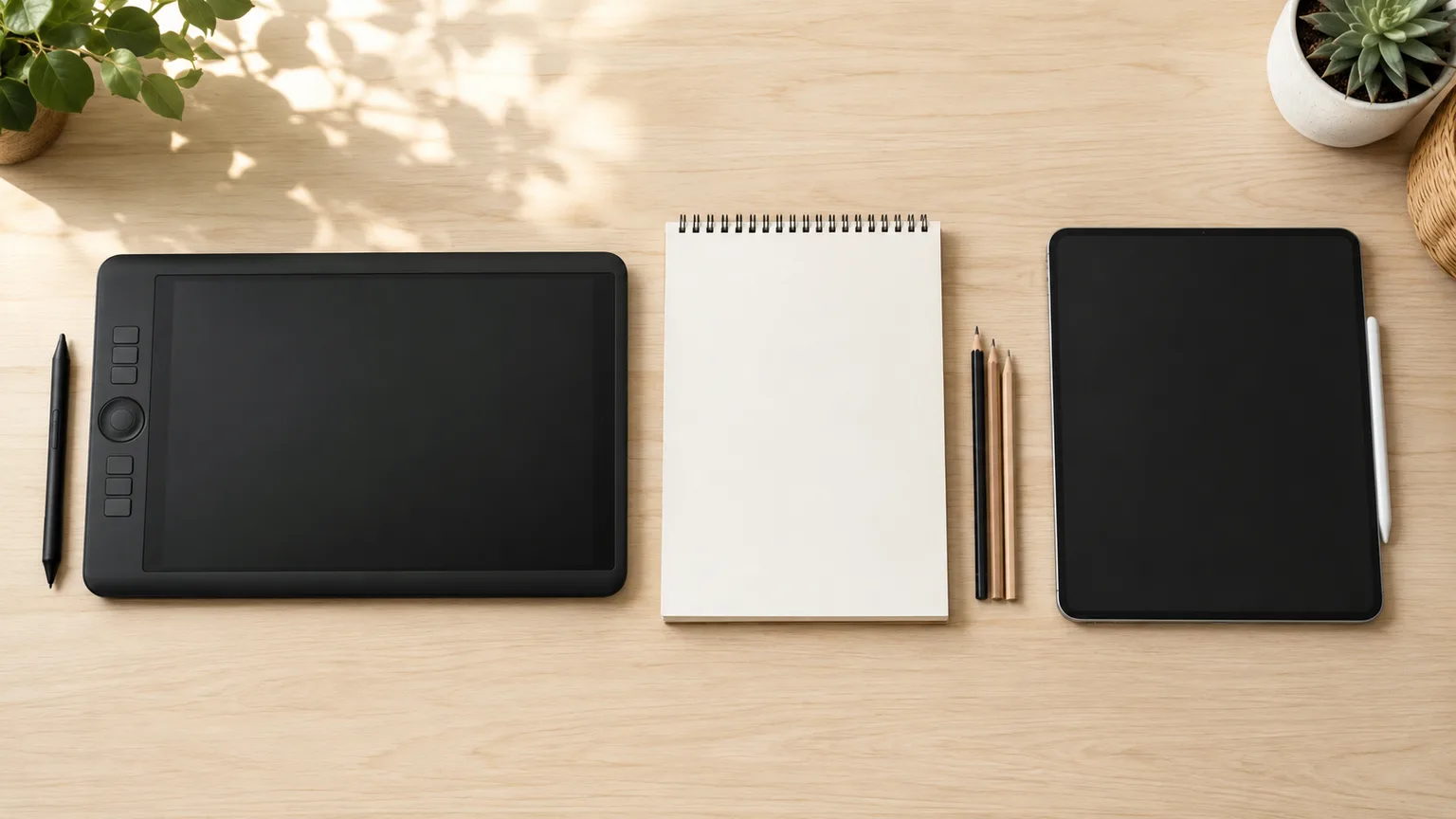
Drawing Tablet vs iPad for Art Students (2026)
A pen display has no computer inside it, which is exactly why it costs less. An iPad is a whole computer that also draws. If you do not already own a capable laptop, the iPad Air 11-inch (M4) at $689.99 is the safer first purchase — prices and specs verified 2026-08-16.
This article contains affiliate links. We may earn a commission at no extra cost to you. Learn more
Featured in this Guide
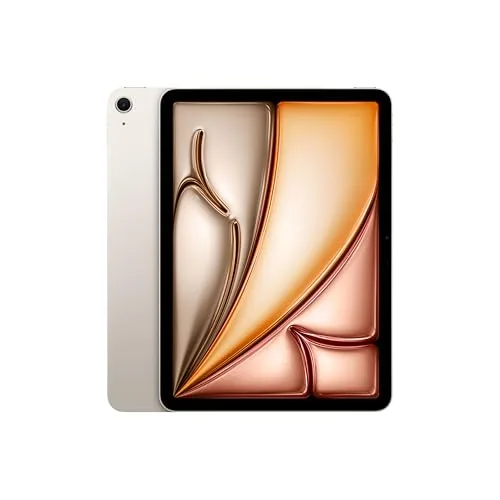
iPad
Air 11-inch (M4)
- •$689.99 and the top composite here at 7.7, on a 10.0 for working without a separate computer.
- •The Apple Pencil Pro is a separate purchase., ,

Wacom
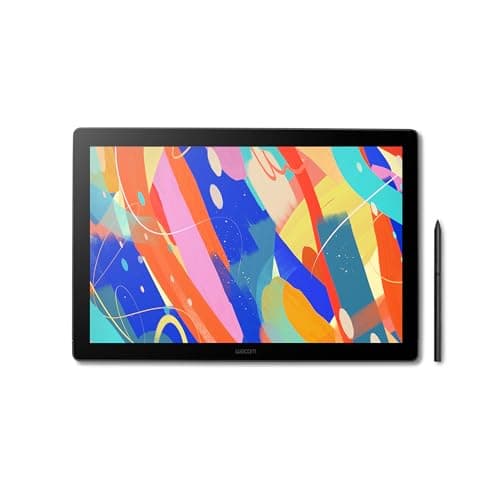
Cintiq 16, Drawing Tablet with QHD Screen & Pro Pen 3
- •$649.95 for a QHD Cintiq 16 canvas and a 9.5 on software reach — the highest here — but a 1.0 on standalone capability., ,

HUION
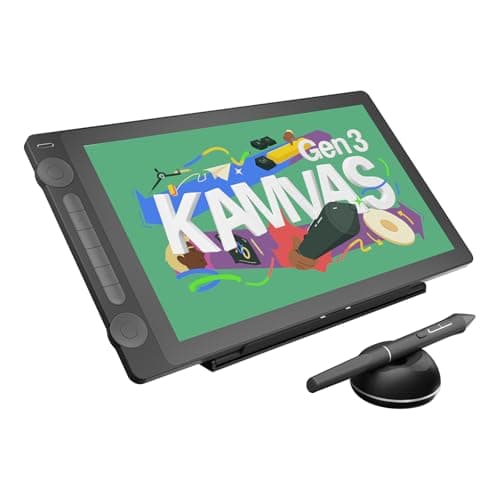
KAMVAS 16 (Gen 3) 2.5K QHD Drawing Tablet with Screen, PenTech 4.0
- •$424.00 for a 15.8-inch 2.5K panel and the same 9.5 drawing area as the Cintiq.
- •Sold by the Huion Official Store rather than Amazon., ,
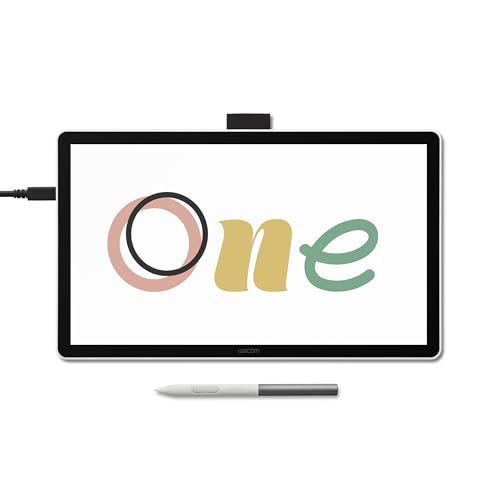
Wacom
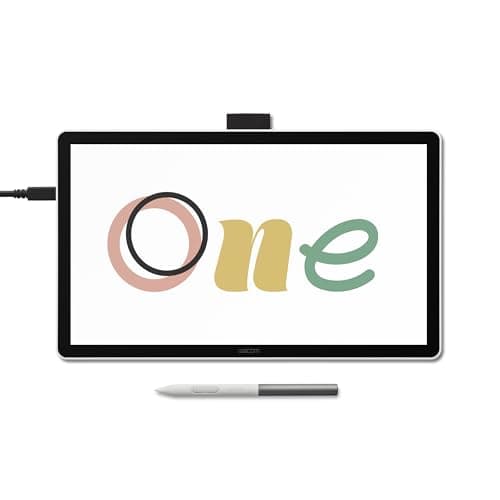
One 14 Drawing Tablet with IPS Full HD Laminated Screen & Pen
- •$249.95, a 9.0 on total cost of ownership, and a laminated Full HD panel with the pen included in the box., ,

Apple
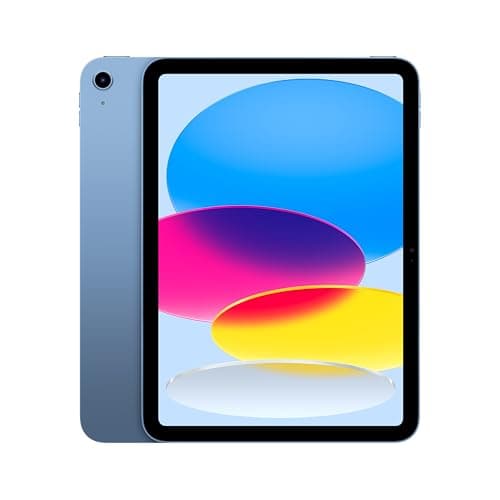
iPad 11-inch (A16)
- •$399.99 from Amazon.
- •Scores 3.0 on pressure and tilt because Apple lists the Apple Pencil (USB-C) without pressure sensitivity., ,
The Short Answer
Without a laptop capable of driving an additional display, buy the iPad Air 11-inch (M4). It costs $689.99, and Apple documents a fully laminated panel plus compatibility with the pressure-sensitive Apple Pencil Pro. Owners of a capable laptop should investigate our drawing tablet hub instead.
A pen display is a monitor with a digitizer layer inside it. There is no processor, no storage and no operating system in the enclosure. That is precisely why a large pen display costs less than an 11-inch iPad: it borrows the computer you connect it to. An iPad is a complete computer that additionally accepts a pressure-sensitive stylus. The opening question is not which tablet is superior. It is whether you already own a laptop capable of driving an additional display.
Check your syllabus before any specification sheet. Procreate is an iPad application, and no pen display runs it at any price. Desktop Photoshop and Clip Studio Paint run on whichever computer a pen display connects to. We normalized five configurations onto the DGH Art-Student Platform Fit Score, on prices verified 2026-08-16. Pressure sensitivity and tilt is the heaviest factor, tied with software reach at 25%.
Head-to-head: pen displays against iPads
Tech Charging
Chart
 DormGearHQ.com
ASUS ZenScreen MB16NCG
$266.99Must BuyCheck price
Canon MegaTank G3270 All-in-One Wireless Inkjet Printer, Home Use, Print, Scan and Copy
$159.99Must BuyCheck price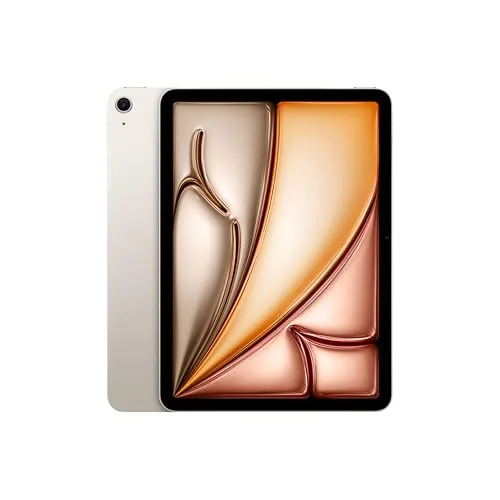
iPad Air 11-inch (M4)
$749.00Must BuyCheck price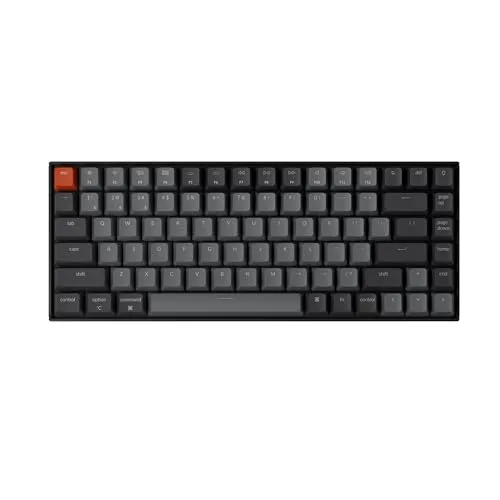
Keychron K2 Pro
$119.00Must BuyCheck price
MacBook Air M5 13-inch
$1259.99Must BuyCheck price
Microsoft Surface Pro 11
$1249.99Must BuyCheck price
Best All-in-One: iPad Air 11-inch (M4)
iPad Air 11-inch (M4)
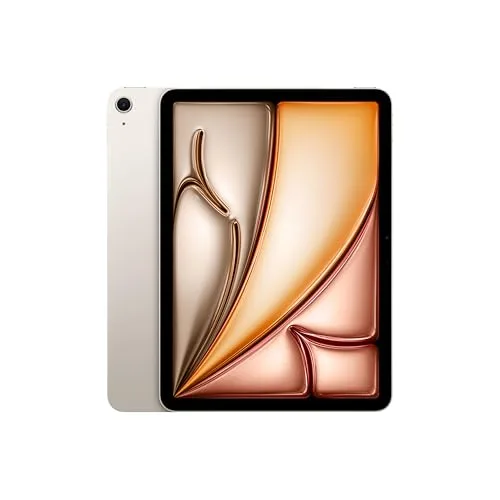
(Current price, subject to change)
- iPad Air 11-inch with Apple M4 chip
- 10.86-inch Liquid Retina display, 2360x1640 at 264 ppi
- Fully laminated with antireflective coating, 500 nits
- 12GB RAM, 128GB base storage
- Apple Pencil Pro support (stylus sold separately)
Live Amazon data on 2026-08-16 puts this configuration at $689.99, condition new, sold by Amazon.com. Apple's published specification supplies every display figure quoted here. That panel measures 10.86 inches at 2360x1640 and 264 ppi, fully laminated, with an antireflective coating and 500 nits of brightness. Lamination deserves attention. It removes the air gap that produces the sensation of writing above the artwork compared to directly on it. Apple's Apple Pencil comparison lists the Pencil Pro with pressure, tilt, squeeze, barrel roll and hover, and the iPad Air specification lists Apple Pencil Pro support directly. The constraint is what iPadOS itself will not open. Desktop Photoshop, Illustrator and Clip Studio Paint have no iPadOS versions with equivalent capability, which is why the iPad Air 11-inch (M4) normalizes to 7.5 on the software reach factor rather than higher. Its 10.0 on standalone capability delivers the top DGH Art-Student Platform Fit Score composite here, 7.7.
What We Love
- Apple lists both a fully laminated panel and an antireflective coating — the pen feels like it is on the artwork.
- Apple Pencil Pro adds pressure, tilt, squeeze, barrel roll and hover, per Apple's own comparison.
- Runs Procreate, which no pen display on this list can run at any price.
- It is a whole computer, so it also takes lecture notes and reads PDFs.
What Could Be Better
- 10.86 inches diagonal is roughly half the working area of the larger pen displays here.
- $689.99 before the separately sold Apple Pencil Pro, and desktop Adobe and Clip Studio still will not run on it.
The Verdict
You are starting a studio major and you do not own a laptop that can drive a second display. That situation makes this straightforward. The iPad Air 11-inch (M4) takes the top composite here at 7.7 because it is the only pick that solves the computer problem and the drawing problem with one $689.99 purchase.
Best for Desktop Studio Software: Wacom Cintiq 16, Drawing Tablet with QHD Screen & Pro Pen 3
Wacom Cintiq 16, Drawing Tablet with QHD Screen & Pro Pen 3
(Current price, subject to change)
- Wacom Cintiq 16 pen display
- Wacom Pro Pen 3 stylus, 8,192 pressure levels, included in the box
- QHD screen, per the Amazon listing title
The Amazon listing specifies the QHD screen and Pro Pen 3 pairing. It confirms new condition from Wacom Corp's own storefront rather than Amazon directly. That arrangement is normal for pen displays and changes only where returns and warranty are administered. On this guide's axis the Wacom Cintiq 16, Drawing Tablet with QHD Screen & Pro Pen 3 normalizes to 9.5 on software reach, the highest figure here, because it inherits whatever your computer runs. It registers 9.5 on drawing area as well. Then it registers 1.0 on standalone capability, and that single factor is the honest centre of this comparison. Read the three figures together and a clean conditional emerges. If the computer already exists, $649.95 produces considerably more usable drawing surface than any iPad here delivers. If the computer does not exist, $649.95 purchases a panel you cannot activate. Its weighted composite of 7.0 on the DGH Art-Student Platform Fit Score reflects exactly that. Our drawing tablet hub ranks this configuration against four other pen displays.
What We Love
- The Cintiq 16 canvas is close to twice the drawing area of an 11-inch iPad.
- Draws directly into desktop Photoshop, Illustrator and Clip Studio Paint on the machine you already own.
- The Pro Pen 3 ships with it, so there is no separate stylus purchase to budget for.
What Could Be Better
- It does nothing on its own. Without a computer with the right video output it is an inert panel.
- $649.95 buys no processor, no storage and no operating system, which is the whole trade.
The Verdict
You already own a laptop you like, and your program grades work made in desktop Adobe. Under those conditions the Wacom Cintiq 16, Drawing Tablet with QHD Screen & Pro Pen 3 is the strongest answer on this page. It scores 7.0 here — held down entirely by a 1.0 on working without a computer, which is a cost you have already absorbed.
Best Value Pen Display: HUION KAMVAS 16 (Gen 3) 2.5K QHD Drawing Tablet with Screen, PenTech 4.0
HUION KAMVAS 16 (Gen 3) 2.5K QHD Drawing Tablet with Screen, PenTech 4.0
(Current price, subject to change)
- HUION KAMVAS 16 (Gen 3) pen display
- PenTech 4.0 pen, 16,384 pressure levels
- 15.8-inch 2.5K QHD display
- Canvas Glass 2.0 with anti-sparkle coating, fully laminated
- 99% sRGB colour gamut
- Dual dials on the device
The Amazon listing specifies a 15.8-inch 2.5K QHD panel and a PenTech 4.0 pen resolving 16,384 pressure levels, new, from the Huion Official Store rather than Amazon directly. Compared to the iPads on this page, the arithmetic is genuinely stark. The HUION KAMVAS 16 (Gen 3) 2.5K QHD Drawing Tablet with Screen, PenTech 4.0 costs $424.00 against the $399.99 iPad 11, a difference of only $24.01. For that it delivers roughly twice the canvas alongside a stylus that resolves pressure. It also delivers absolutely nothing until a computer is connected, whereas an iPad produces a functioning machine immediately. That contrast is the entire platform fork expressed as a price comparison. On the DGH Art-Student Platform Fit Score it normalizes to 9.0 on pressure and tilt and 9.5 on drawing area, then 1.0 on standalone capability. We scored its software reach factor at 8.0 rather than the Cintiq's 9.5 on the editorial judgement that Wacom's driver is the longer-established one in desktop illustration workflows. That is a judgement, not a measurement, and we did not survey any institution to establish it.
What We Love
- Effectively the Cintiq's canvas for $225.95 less, if you already own the computer.
- 16,384 pressure levels on the PenTech 4.0 pen — the highest count on this page, against 8,192 on the Cintiq's Pro Pen 3.
- Full lamination, an anti-sparkle coating and 99% sRGB, all stated on the listing.
What Could Be Better
- The listing does not state that a stand or VESA mount is included, so budget for a working angle.
- Like every pen display here, it needs a host computer and does nothing without one.
The Verdict
Budget is real and you already have a laptop that can drive a display. That is the case where the HUION KAMVAS 16 (Gen 3) 2.5K QHD Drawing Tablet with Screen, PenTech 4.0 makes the most sense on this page. At $424.00 it scores 6.9, and the gap to the Cintiq's 7.0 is almost entirely driver familiarity rather than hardware.
Lowest Total Cost: Wacom One 14 Drawing Tablet with IPS Full HD Laminated Screen & Pen
Wacom One 14 Drawing Tablet with IPS Full HD Laminated Screen & Pen
(Current price, subject to change)
- Wacom One 14 pen display
- Battery-free EMR pen, 4,096 pressure levels, included in the box
- IPS Full HD laminated screen, per the listing title
- Listed for Windows, Mac and Chromebook
The Amazon listing title specifies an IPS Full HD laminated screen with a pen, new, from Wacom Corp rather than Amazon. Its description names Windows, Mac and Chromebook as supported hosts, and this is the least expensive configuration on the page — the $399.99 iPad 11 comparison deserves consideration. The Wacom One 14 Drawing Tablet with IPS Full HD Laminated Screen & Pen costs $249.95, a saving of $150.04, and delivers a 14-inch-class canvas compared to 10.86 inches. It additionally resolves pressure, a capability the Apple Pencil (USB-C) lacks, but it does not deliver a computer. For a laptop owner, this configuration produces the superior drawing purchase by a considerable margin; otherwise it is not viable. Its limitation is simple to state: Wacom publishes 4,096 pressure levels for this pen — a quarter of the Huion's 16,384 and half the Cintiq's 8,192. The panel is Full HD rather than the 2.5K of the two larger displays, and four thousand increments handle line art, lettering and layout cleanly. Pressure-driven painting is where the count shows, so we normalize it to 6.5 on the pressure and tilt factor, against 9.0 for the other two pen displays. That rests on the published count rather than an assumption about its price tier.
What We Love
- $249.95 is the cheapest real pen on this page, and it adds nothing to your software bill.
- Takes a 9.0 on total cost of ownership, the highest figure in this guide.
- Wacom lists Chromebook support alongside Windows and Mac, which no other pick here offers.
What Could Be Better
- A Full HD panel rather than the 2.5K resolution of the two larger pen displays here.
- Still needs a host computer, so the $249.95 is on top of a machine you must already own.
The Verdict
Your laptop is already in your bag, and the budget for this is a few hundred dollars rather than seven. In that situation the Wacom One 14 Drawing Tablet with IPS Full HD Laminated Screen & Pen is the sensible move rather than a compromise. It normalizes to 6.6 here, and its 9.0 on total cost of ownership is the reason to consider it at all.
Cheapest Route to iPadOS: Apple iPad 11-inch (A16)
Apple iPad 11-inch (A16)
(Current price, subject to change)
- Apple iPad 11-inch with A16 chip
- 10.86-inch Liquid Retina display, 2360x1640 at 264 ppi
- 500 nits brightness with True Tone
- 128GB base storage
- Apple Pencil (USB-C) support
Live Amazon data on 2026-08-16 puts this configuration at $399.99, condition new, sold by Amazon.com. On paper the panel matches the iPad Air closely. Apple's specification gives both models a 10.86-inch Liquid Retina display at 2360x1640 and 264 ppi. The difference that decides this comparison for an art student is the stylus. Apple's Apple Pencil comparison lists the Apple Pencil (USB-C) with tilt and hover, but without pressure sensitivity. Apple also omits the 11-inch iPad (A16) from the compatibility list for the Apple Pencil Pro. Apple's iPad specification stops short of describing this display as fully laminated or antireflective, both of which it states for the Air. That combination normalizes to 3.0 on the pressure and tilt factor, weighted at 25% and the heaviest input to our composite. The resulting DGH Art-Student Platform Fit Score is 6.4, the lowest here. Compared to the $249.95 Wacom One 14, the Apple iPad 11-inch (A16) delivers a computer and surrenders pressure entirely.
What We Love
- $399.99 is the cheapest complete computer on this page, and it runs Procreate.
- Doubles as a note-taking and reading device, which no pen display here does.
- Apple lists the same 2360x1640 panel at 264 ppi and 500 nits as the iPad Air.
What Could Be Better
- Apple's Apple Pencil comparison lists the Apple Pencil (USB-C) without pressure sensitivity.
- Apple does not list this model among the iPads the Apple Pencil Pro works with.
The Verdict
You want into iPadOS at the lowest price, and drawing is one of several things you will do with it. Read the stylus row before you order. The Apple iPad 11-inch (A16) scores 6.4 here, the lowest composite on the page, and the reason is a single specification rather than the tablet itself.
How We Score: DGH Art-Student Platform Fit Score
DGH Art-Student Platform Fit Score
Score Formula
weighted composite (0-10): pressure_and_tilt (25%) + software_reach (25%) + standalone_capability (20%) + drawing_area (15%) + total_cost_of_ownership (15%), each factor normalized to a 0-10 scaleScore Factors
- Pressure & Tilt (25%)Whether the stylus resolves pressure at all, and how finely. A stylus with tilt but no pressure sensitivity cannot produce the tapered, weighted stroke that painting and inking coursework is graded on.
- Software Reach (25%)What the platform actually opens. A pen display inherits everything the host computer runs, including desktop Adobe, Clip Studio Paint and campus lab software. An iPad runs Procreate and iPad versions of Adobe apps, which no pen display can run.
- Standalone Capability (20%)Whether the device functions on its own. This is the factor that separates the two halves of this guide: a pen display scores near zero because it is a monitor with a digitizer and needs a computer to exist.
- Drawing Area (15%)Usable canvas measured diagonally. A 15.8-inch pen display offers roughly twice the working area of a 10.86-inch iPad — our own arithmetic from the two diagonals, not a published figure — and that difference is felt on every long session.
- Total Cost of Ownership (15%)Live verified price on 2026-08-16 plus what else you must own or buy — an Apple Pencil Pro, a stand, or the laptop a pen display cannot work without.
DGH Art-Student Platform Fit Score — Ranked
iPad Air 11-inch (M4)
7.7/10Top composite, on a 10.0 for working without a computer and an 8.5 on pressure and tilt with the Apple Pencil Pro. A 5.5 on drawing area is the cost.
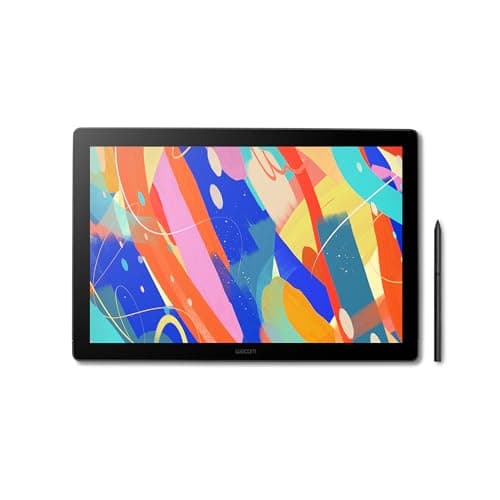
Wacom Cintiq 16, Drawing Tablet with QHD Screen & Pro Pen 3
7.0/10Highest software reach here at 9.5 and 9.5 on drawing area, pulled to second entirely by a 1.0 on standalone capability.
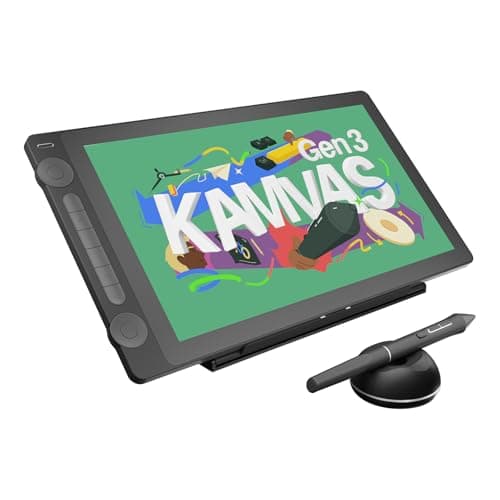
HUION KAMVAS 16 (Gen 3) 2.5K QHD Drawing Tablet with Screen, PenTech 4.0
6.9/10Same 9.0 pressure and 9.5 canvas as the Cintiq for $225.95 less, scored 8.0 rather than 9.5 on software reach for driver familiarity.
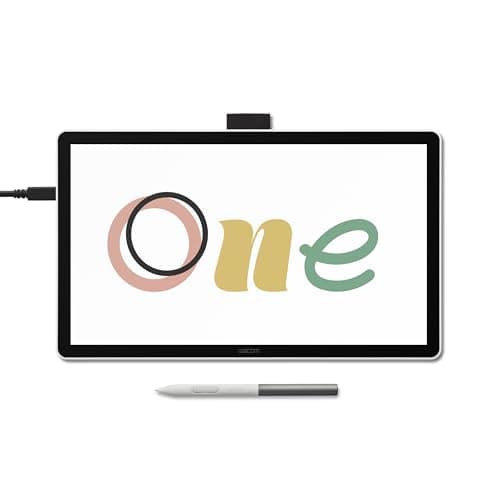
Wacom One 14 Drawing Tablet with IPS Full HD Laminated Screen & Pen
6.6/10Best total-cost figure on the page at 9.0. A 6.5 on pressure and tilt reflects Wacom's published 4,096 levels against the Huion's 16,384.
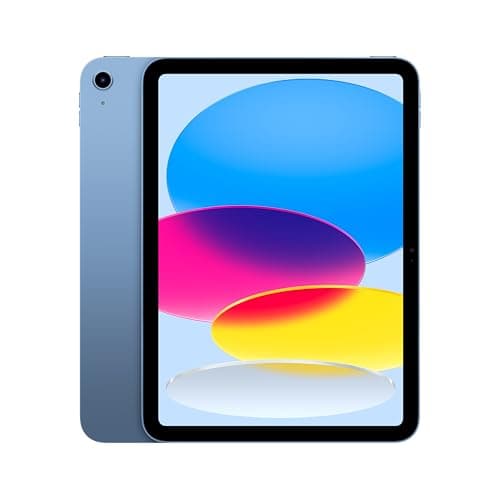
Apple iPad 11-inch (A16)
6.4/10Lowest composite, on a 3.0 for pressure and tilt — Apple lists the Apple Pencil (USB-C) without pressure sensitivity.
DGH Art-Student Platform Fit Score
Composite of pressure and tilt, software reach, standalone capability, drawing area, and total cost of ownership
DormGearHQ analysis of Apple specifications and Amazon listing data, verified August 16, 2026
What each half of this fork requires, and who ships it
The three pen displays require a computer with a video output they can actually use. In practice that means a USB-C port carrying DisplayPort Alt Mode, or Thunderbolt 3 or newer. A plain USB-C data port will not transmit video, whatever the connector looks like. Read your laptop's published specification for those exact terms before ordering. The two iPads require none of that infrastructure. They require a stylus, and stylus compatibility is the specification that decides this guide.
Where these ship from also differs. The two iPads are sold by Amazon.com directly. The three pen displays are not: the Wacom configurations ship from Wacom Corp's own storefront and the Huion from the Huion Official Store. Those are first-party brand storefronts and the normal distribution channel in this category. It changes two practical considerations. Returns and warranty administration run on the brand's terms rather than Amazon's standard window. Driver support comes from the manufacturer directly, which is its origin regardless.
| Product | Works without a computer | Pressure-sensitive stylus | Runs Procreate | Used with desktop Adobe | 14-inch or larger canvas |
|---|---|---|---|---|---|
| ipad-air-m4 | ✓ | ✓ | ✓ | – | – |
| wacom-cintiq-16 | – | ✓ | – | ✓ | ✓ |
| huion-kamvas-16-gen3 | – | ✓ | – | ✓ | ✓ |
| wacom-one-14 | – | ✓ | – | ✓ | ✓ |
| ipad-11-a16 | ✓ | – | ✓ | – | – |
Who Should Buy What
Who Should Buy What
| If you are… | Recommended pick |
|---|---|
Incoming art major with no laptop yet You need a computer and a drawing surface, your program allows Procreate, and you would rather make one purchase than two. | iPad Air 11-inch (M4) |
Student whose program mandates desktop Adobe You already own a capable laptop, your work is graded in desktop Photoshop or Clip Studio Paint, and canvas size matters. | Wacom Cintiq 16, Drawing Tablet with QHD Screen & Pro Pen 3 |
Budget-constrained student who owns a computer You have a laptop that can drive a display, you want a 15.8-inch 2.5K canvas, and you can supply a stand if one is not in the box. | HUION KAMVAS 16 (Gen 3) 2.5K QHD Drawing Tablet with Screen, PenTech 4.0 |
First pen on a laptop or Chromebook Your machine is already sorted, your work is line art or layout, and you want to stop drawing with a mouse for the least money. | Wacom One 14 Drawing Tablet with IPS Full HD Laminated Screen & Pen |
Cheapest way into iPadOS for mixed use You want notes, reading and casual drawing on one inexpensive device, and pressure-sensitive painting is not graded in your program. | Apple iPad 11-inch (A16) |
Frequently Asked Questions
Can a drawing tablet work without a computer?
No, and this is the single most important thing to understand before spending anything. A pen display is a monitor with a digitizer layer — it contains no processor, no storage and no operating system. Plugged into nothing, it does nothing. That is why a large pen display can cost less than an 11-inch iPad: you are buying a screen and a pen, not a computer. A small number of Android-based standalone drawing tablets exist, but none of the pen displays covered here are among them. If you do not already own a laptop, factor the price of one into any pen display you are considering.
Can I run Procreate on a Wacom or Huion drawing tablet?
No. Procreate's App Store listing is an iPad-only listing — a one-time $12.99 purchase requiring iPadOS 16.3 or later — with no Windows, macOS or Android version offered. If a class is built around Procreate, or you have watched enough Procreate tutorials that it is what you want to learn, the decision is made: you need an iPad. The reverse is also true. Desktop Photoshop, Illustrator and Clip Studio Paint have full desktop versions that a pen display draws straight into. Check what your syllabus names before you compare any hardware specification.
Does the cheaper iPad support a pressure-sensitive stylus?
Apple's own Apple Pencil comparison lists the Apple Pencil (USB-C) with tilt and hover but without pressure sensitivity, and Apple does not list the 11-inch iPad (A16) among the models the pressure-sensitive Apple Pencil Pro works with. For note-taking, sketching and lettering that is fine. For painting or rendering, where the weight of a stroke is the technique being graded, it is a real limitation rather than a specification footnote. If pressure matters to your coursework and you want an iPad, the iPad Air is the model that takes the Apple Pencil Pro.
Is an 11-inch iPad too small to draw on for coursework?
It is smaller than most people expect after watching it on video. An 11-inch iPad measures 10.86 inches diagonally, against 15.8 inches on the Huion — roughly half the working area once you do the arithmetic. Plenty of professional illustration is made on an 11-inch iPad, so it is workable rather than disqualifying. What you trade is how much of a composition you can see at working zoom, which means more panning on detailed pieces. If you know your work is large, detailed or layout-heavy, size is worth prioritizing. If you sketch and paint at a moderate scale, it will not hold you back.
Which option actually costs less overall?
It depends entirely on whether you already own a laptop capable of driving a second display. If you do, a pen display is clearly cheaper: adding a Wacom One 14 at $249.95 to a machine you own beats a $689.99 iPad Air plus a separately purchased Apple Pencil Pro by a wide margin. If you do not own that laptop, the comparison inverts, because the pen display's real cost includes a computer. Price out the whole setup rather than the tablet alone, and count the stylus and any stand you would need on top of the sticker figure.
Bottom Line
Get the iPad Air 11-inch (M4) if You do not already own a capable laptop, and you want one purchase that is both a computer and a pressure-sensitive drawing surface..
Get the Wacom Cintiq 16, Drawing Tablet with QHD Screen & Pro Pen 3 if You own the laptop, your program grades work made in desktop Adobe, and the Pro Pen 3 being in the box matters to your budget..
Get the HUION KAMVAS 16 (Gen 3) 2.5K QHD Drawing Tablet with Screen, PenTech 4.0 if You own the laptop, you want nearly the Cintiq's canvas for $225.95 less, and you can supply a stand if one is not included..
Get the Wacom One 14 Drawing Tablet with IPS Full HD Laminated Screen & Pen if You own the laptop, your work is line art or layout, and the drawing budget is a few hundred dollars rather than seven..
Get the Apple iPad 11-inch (A16) if You want the cheapest complete iPad for notes, reading and casual drawing, and pressure sensitivity is not what your coursework grades..
Skip this decision entirely if your department issues or requires specific hardware — ask before you spend. Once you have settled which side of the fork you are on, our drawing tablet hub ranks five pen displays in detail, and our iPad guide covers the rest of the Apple lineup.
Sources & Methodology
Methodology: DGH Art-Student Platform Fit Score — Formula: weighted composite (0-10): pressure_and_tilt (25%) + software_reach (25%) + standalone_capability (20%) + drawing_area (15%) + total_cost_of_ownership (15%), each factor normalized to a 0-10 scale. Factors: Pressure & Tilt (25%) · Software Reach (25%) · Standalone Capability (20%) · Drawing Area (15%) · Total Cost of Ownership (15%). Full factor definitions appear in the How We Score section above.
Expert review sources used in this analysis:
- What we verified, and where
- Prices, condition and seller of record for all five products were pulled live via the Amazon Creators API on August 16, 2026
- All five were listed new
- Amazon.com sells the two iPads directly: $689.99 for the Air, $399.99 for the A16 model
- Wacom Corp ships the Cintiq 16 at $649.95 and the Wacom One 14 at $249.95, per the same pull
- The Huion Official Store ships the KAMVAS 16 at $424.00, also per that pull
- We read Apple's specification pages for both iPads on August 16, 2026
- They supply every iPad display figure here: 10.86 inches diagonal, 2360x1640 at 264 ppi, and 500 nits on both models
- They also supply the Air's 12GB memory and 128GB base storage
- Apple lists a fully laminated panel and an antireflective coating for the Air
- Neither term appears anywhere on the iPad (A16) page, which lists a fingerprint-resistant oleophobic coating instead
- That page names Apple Pencil (USB-C) and Apple Pencil (1st generation) as its supported styluses
- It does not name the Apple Pencil Pro
- We read Apple's Apple Pencil comparison page the same day
- Pencil Pro carries pressure, tilt, squeeze, barrel roll and hover
- Pencil (USB-C) carries tilt and hover, but no pressure sensitivity
- Procreate's App Store listing, read the same day, is iPad-only
- It sells as a one-time $12.99 purchase and requires iPadOS 16.3 or later
- We read all three pen-display listings on Amazon the same day
- The Cintiq 16 listing verifies a QHD screen and an included Pro Pen 3
- The KAMVAS 16 (Gen 3) listing verifies 15.8 inches, 2.5K QHD, PenTech 4.0 and 16,384 pressure levels
- It also verifies full lamination, an anti-sparkle Canvas Glass 2.0 coating, 99% sRGB and dual dials
- The Wacom One 14 listing verifies an IPS Full HD laminated screen, an included pen, and Windows, Mac and Chromebook support
- The two Wacom pressure-level counts quoted above are Wacom's own published specifications rather than listing text
- Those are 8,192 for the Cintiq 16's Pro Pen 3 and 4,096 for the Wacom One 14's battery-free EMR pen
- They are what the Wacom One 14's 6.5 on pressure and tilt rests on against the Huion's 16,384
- Now the gaps
- The Cintiq 16 listing states QHD without a pixel count
- It does not state its ports, its leg angle, or whether a stand is included, so we claim none of those
- The Huion listing likewise does not state what mount or stand ships in the box
- Our drawing-area comparisons are our own arithmetic from the published diagonals
- Roughly twice the canvas, roughly half the working area — no manufacturer publishes those figures
- Our 8.0 rather than 9.5 for Huion on software reach is an editorial judgement about driver familiarity
- We surveyed no institution and cite no study for it
- This page cites no third-party review and quotes no reviewer
- The platform comparison rests entirely on Apple's and the manufacturers' published specifications and the live listings above
- That is a choice about this page rather than a statement about the outlets
- Notebookcheck's published coverage of the HUION KAMVAS 16 (Gen 3) and the Wacom One 14 informs our drawing tablet hub
- Apple publishes no pressure-level count for any Apple Pencil
- The iPad pressure scores rest on Apple's feature rows rather than a numeric comparison
- We have not handled any of these five products
- Every score here is a DormGearHQ weighted composite, normalized from the verified specifications and prices above.
Nicholas Miles is the founder of DormGearHQ and a longtime smart home enthusiast focused on helping everyday homeowners make better technology decisions. He researches, compares, and writes about products across security, climate, lighting, leak prevention, sensors, home energy, and automation, with an emphasis on real-world usefulness, ecosystem compatibility, reliability, privacy, and long-term value.
Affiliate disclosure: DormGearHQ earns affiliate commissions on qualifying Amazon purchases. Our scoring methodology is independent of affiliate relationships.