
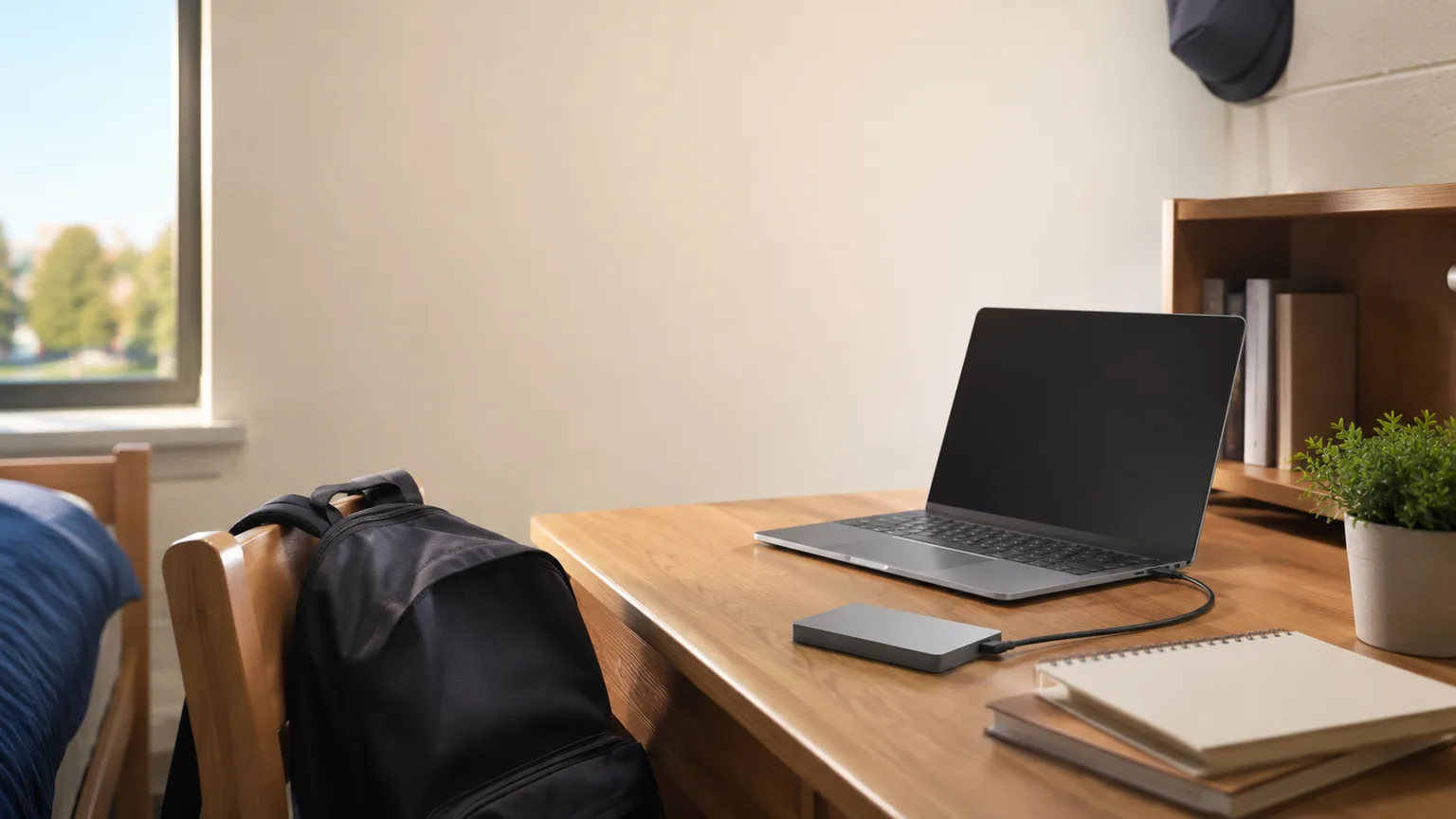
Best Portable SSDs & Backup Drives for College Students 2026
A dorm room has no server closet and no spare building, so your backup is whatever object fits in the bag. Our DGH Dorm Backup Resilience Score ranks four drives on the things that actually kill dorm data: theft, drops, and a roommate at your desk.
This article contains affiliate links. We may earn a commission at no extra cost to you. Learn more
Featured in this Guide

Western
Digital 1TB My Passport SSD
- •The only drive here whose listing promises password-enabled 256-bit AES encryption, plus a 6.5 ft drop rating, at $219.99 verified live, ,

Samsung
T7 Shield Portable SSD 2TB
- •IP65 water and dust resistance and a 9.8 ft drop rating over 2TB — the drive that survives the walk across campus in the rain, ,

Samsung
T9 Portable SSD 1TB
- •Samsung lists sustained transfers up to 2,000 MB/s, so a lost project folder comes back before your library session ends, ,

Seagate
Portable 2TB External Hard Drive
- •2TB for $139.99 works out near $70 per terabyte — the archive copy that stays on the desk and never rides in a backpack, ,
The Short Answer
Western Digital's 1TB My Passport SSD at $219.99 is the recommendation, because it uniquely publishes hardware encryption alongside a documented 6.5 ft drop rating, addressing both dormitory failure modes. Samsung's ruggedized 2TB T7 Shield accommodates wet commutes; Seagate's $139.99 archive remains supplementary.
Four years of coursework usually lives in exactly one place: the laptop from our Best Laptops for College Students 2026 guide, sitting on an unlocked desk in a shared room. There is no NAS in a residence hall, no second building to keep a copy in, and campus Wi-Fi rarely lets you reach a drive at home. The backup has to be a physical object you own.
That reframes the entire purchase. Our DGH Dorm Backup Resilience Score is a weighted composite that consequently allocates 30% to backpack survivability and 25% to shared-room security, relative to only 15% for capacity per dollar. Restore throughput contributes another 20%, because recovering a thesis chapter overnight versus over a weekend decides whether a deadline survives. Cheap terabytes are simply not the factor that fails.
Head-to-Head: Survivability, Security and Restore Speed
Tech Charging
Chart
 DormGearHQ.com
ASUS ZenScreen MB16NCG
$266.99Must BuyCheck price
Canon MegaTank G3270 All-in-One Wireless Inkjet Printer, Home Use, Print, Scan and Copy
$159.99Must BuyCheck price
iPad Air 11-inch (M4)
$749.00Must BuyCheck price
Keychron K2 Pro
$119.00Must BuyCheck price
MacBook Air M5 13-inch
$1259.99Must BuyCheck price
Microsoft Surface Pro 11
$1249.99Must BuyCheck price
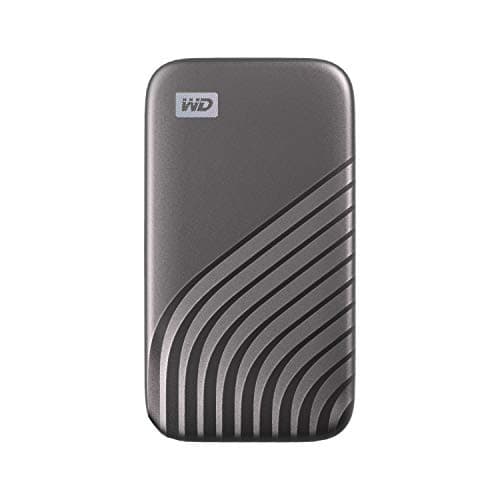
Best Overall for a Dorm: Western Digital 1TB My Passport SSD
Western Digital 1TB My Passport SSD
(Current price, subject to change)
- 1TB portable NVMe solid-state drive
- Password-enabled 256-bit AES hardware encryption
- Listed drop resistance up to 6.5 ft
- Listed read up to 1050MB/s, write up to 1000MB/s
- USB 3.2 Gen-2 with USB-C and USB-A compatibility
- Shock and vibration resistant enclosure
Most dorm backup advice starts with transfer speed. That misreads the threat. In a residence hall the real hazards are a stolen laptop and an open desk. Western Digital is the only manufacturer here answering the second hazard explicitly: the listing specifies password-enabled 256-bit AES hardware encryption, so a drive lifted from a desk is unreadable rather than merely annoying.
The toughness side holds up too. Western Digital lists shock and vibration resistance plus drop resistance up to 6.5 ft, about the height of a lofted dorm bed. Restore throughput is published at up to 1050MB/s read and 1000MB/s write, so pulling back a semester of files is a coffee-length wait.
The honest compromise is capacity. At about $220 per terabyte you pay roughly 3x the cost of the mechanical Seagate Portable 2TB External Hard Drive, and that gap is what our weighted DGH Dorm Backup Resilience Score exists to settle.
What We Love
- Western Digital publishes password-enabled 256-bit AES hardware encryption — no other drive on this page makes that claim
- A listed 6.5 ft drop rating covers the fall from a lofted bed to a tile floor
- Listed transfers up to 1050MB/s read and 1000MB/s write make a same-evening restore realistic
- Cross-compatible over USB-C and USB-A, so it works with an older desktop in the library too
- Pocket-sized and bus-powered, so it never competes for an outlet on a dorm-safe power strip
What Could Be Better
- Roughly $220 per terabyte, over 3x the cost per terabyte of the mechanical Seagate
- No published IP water or dust rating, which the T7 Shield does provide
- The encryption workflow runs through Western Digital's bundled utility, so it is one more setup step
The Verdict
If you have one copy of a thesis and a roommate you like but did not choose, start with the Western Digital 1TB My Passport SSD. It ranks first at 7.6 on our weighted resilience composite because Western Digital publishes both of the things a dorm punishes: 256-bit AES encryption for the shared desk and a 6.5 ft drop rating for the backpack. At $219.99 that combination is the honest default.
Best Premium Four-Year Drive: Samsung T7 Shield Portable SSD 2TB
Samsung T7 Shield Portable SSD 2TB
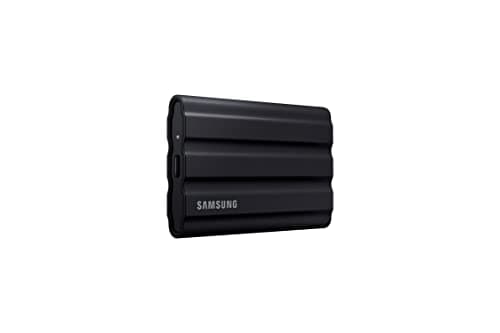
(Current price, subject to change)
- 2TB portable PCIe NVMe solid-state drive
- IP65 water and dust resistance rating
- Drop protection from falls up to 9.8 ft
- Listed read and write up to 1,050 and 1,000 MB/s
- Works with PC, Mac, Android and gaming consoles
- Samsung Magician drive-health monitoring
Ruggedness is the factor Samsung actually competes on here, and the published numbers are the best on the page. The listing specifies an IP65 rating for water and dust, plus drop protection from falls up to 9.8 ft. Nothing else in this roundup publishes both, and that pair is what a backpack between buildings in November demands.
Capacity is the second argument. 2TB in one palm-sized enclosure covers coursework, photos and a game library across a 4-year degree, which means you are not buying a second drive junior year. Samsung lists PCIe NVMe transfers up to 1,050 and 1,000 MB/s, comfortably faster than any mechanical option.
What Samsung does not say matters as much. The T7 Shield feature list covers Magician drive-health monitoring but never claims hardware encryption, so we scored shared-room security accordingly rather than assuming it. The Western Digital 1TB My Passport SSD still owns that column.
TechGearLab's own drop and water-spray tests back the IP65 and 9.8 ft drop claims, though the review never states its tested capacity — its $145 list price suggests the 1TB unit, not the 2TB drive here. DigitalTrends independently measured the T7 Shield (tested capacity unstated) at roughly 855/835 MB/s, below Samsung's 1,050/1,000 MB/s rating.
What We Love
- An IP65 water and dust rating is the only rain answer on this page for a walk between buildings
- Drop protection listed up to 9.8 ft, the highest published figure in this roundup
- 2TB in one palm-sized object covers a full 4-year degree without a second purchase
- Listed PCIe NVMe transfers up to 1,050 read and 1,000 write over USB 3.2 Gen 2
- Compatibility spans PC, Mac, Android and gaming consoles from the same cable
What Could Be Better
- At $447.99 it costs over 3x the Seagate and roughly 2x the My Passport SSD
- Samsung's feature list sells ruggedness and health monitoring but makes no hardware-encryption claim
- Most students will not fill 2TB, so some of that spend sits idle for years
The Verdict
When your bag genuinely gets rained on and you would rather buy storage once, the Samsung T7 Shield Portable SSD 2TB is the drive to reach for. Samsung publishes an IP65 rating and 9.8 ft drop protection, which is why it scores 7.4 and takes the survivability factor outright. It finishes just behind our winner only because the listing never claims encryption.
Best Restore Speed: Samsung T9 Portable SSD 1TB
Samsung T9 Portable SSD 1TB
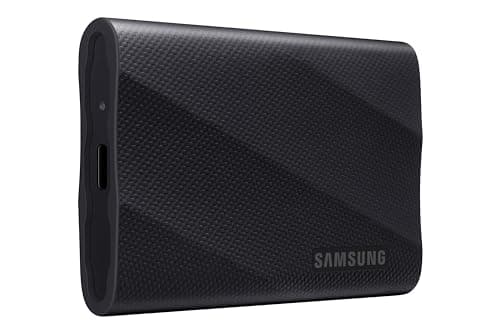
(Current price, subject to change)
- 1TB portable solid-state drive
- Sustained read and write listed up to 2,000 MB/s
- Dynamic Thermal Guard cooling design
- Samsung Magician firmware and health monitoring
- Listed support for iPhone 15 Pro 4K 60fps capture
Speed is the whole case for this drive, and the published figure is the best here. Samsung lists sustained read and write up to 2,000 MB/s, versus up to 1,050 MB/s on both the T7 Shield and the My Passport SSD. The Dynamic Thermal Guard design is listed to hold speed through longer transfers rather than only in short bursts — what a video export or full-folder restore actually produces.
Security sits in the middle. Samsung credits its Magician software with firmware updates, extra encryption and drive-health monitoring, which is a software story rather than the hardware claim Western Digital publishes.
The cost is toughness and price together. There is no published IP rating and no published drop figure, and near $240 per terabyte this is the weakest capacity per dollar on the page. Speed-first buyers should still take it.
PCWorld's own 2TB test measured a sustained 450GB write at roughly 900 MBps — context, not confirmation of the 2,000 MB/s marketing figure — and called the T9 merely a middle-of-the-pack performer. AppleInsider's test (capacity unstated) timed a 162GB folder at 2:55 on an M2 Max MacBook Pro, versus 7:28 for the standard T7 tested alongside, rating the T9 4/5.
What We Love
- Samsung lists sustained read and write up to 2,000 MB/s, about 2x the other solid-state drives here
- Dynamic Thermal Guard is listed to hold that speed through long transfers rather than short bursts
- Samsung credits Magician with firmware updates, extra encryption and drive-health monitoring
- Listed support for recording iPhone 15 Pro 4K video at 60fps straight to the drive
What Could Be Better
- No published IP rating and no published drop figure — this is a fast drive rather than a rugged one
- Near $240 per terabyte, the weakest capacity per dollar on this page
- Encryption is described through companion software rather than as a hardware guarantee
The Verdict
For a film, media or design major who moves project folders daily, the Samsung T9 Portable SSD 1TB earns its place: Samsung lists sustained transfers up to 2,000 MB/s, roughly 2x the other solid-state drives compared here. It scores 6.8 because that speed is bought with no published drop rating and the weakest capacity per dollar here, which is a real trade in a backpack.
Best Capacity per Dollar: Seagate Portable 2TB External Hard Drive
Seagate Portable 2TB External Hard Drive
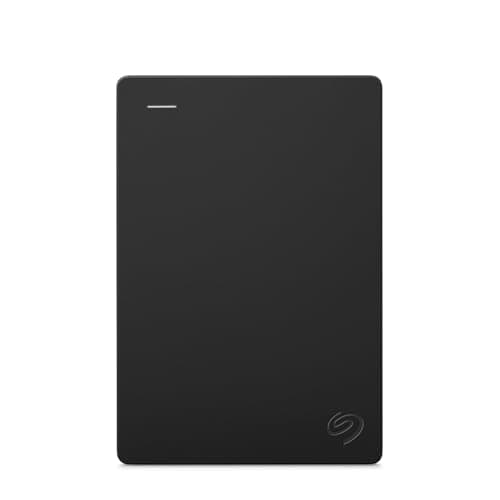
(Current price, subject to change)
- 2TB portable mechanical hard drive
- Works with Windows or Mac out of the box
- Automatic recognition, no software required
- Included 18 inch USB 3.0 cable
- Drag-and-drop backup workflow
This drive remains on the page for one defensible reason: approximately $70 per terabyte, versus $220 and upward for every solid-state alternative compared here. If your objective is a single complete archive of everything you have written, nothing approaches it financially.
Everything else is a compromise, and our scoring reflects that unsparingly. Seagate publishes no drop rating, no water or dust rating, and no transfer-speed figure whatsoever on a mechanical platter mechanism. An unpublished specification is not a commitment, which is why restore throughput scores poorly rather than merely averagely. No encryption claim appears anywhere either.
Consequently it collects 4.6 on the DGH Dorm Backup Resilience Score, because survivability and shared-room security jointly carry 55% of the weighting and this drive answers neither. Treat it as a supplementary desk archive beside the Western Digital 1TB My Passport SSD, never as the only copy.
TechGearLab's own 2TB test, published October 2025, backs up that gap: because Seagate's own listing publishes no transfer-speed figure, TechGearLab measured the drive itself and clocked a maximum of roughly 145 MB/s — real-world confirmation, not a number Seagate stands behind, and a fraction of the roughly 855 MB/s DigitalTrends measured on the solid-state T7 Shield.
What We Love
- 2TB for $139.99 lands near $70 per terabyte, under a third the cost per terabyte of any solid-state option here
- Seagate lists automatic recognition with no software required on Windows or Mac
- The listing confirms compatibility with PlayStation and Xbox alongside PC and Mac
- The cheapest way to keep a complete archive of a 4-year degree in a single object
What Could Be Better
- A mechanical platter drive with no published drop rating — the worst fit for a bag that gets thrown around
- The listing publishes no transfer-speed figure, so restore time is an unknown rather than a promise
- No encryption or password claim appears anywhere in the listing
The Verdict
If your budget is the binding constraint and the drive will live on a desk rather than in a bag, the Seagate Portable 2TB External Hard Drive still earns a place — 2TB at $139.99 is near $70 per terabyte. It scores 4.6 because it is the weakest drive here on the two factors that carry 55% of our weighting: survivability and shared-room security.
How We Score: DGH Dorm Backup Resilience Score
DGH Dorm Backup Resilience Score
Score Formula
0.30 * backpack_survivability + 0.25 * shared_room_security + 0.20 * restore_throughput + 0.15 * capacity_per_dollar + 0.10 * ease_of_setupScore Factors
- Backpack Survivability (30%)The heaviest weight, because a backup that dies in transit was never a backup. Published drop and IP ratings drive this factor: Samsung lists IP65 water and dust resistance with 9.8 ft drop protection on the T7 Shield, Western Digital lists 6.5 ft on the My Passport SSD, the T9 publishes neither, and the mechanical Seagate publishes nothing at all. Solid-state construction sets the floor; a published rating raises it.
- Shared-Room Security (25%) and Restore Throughput (20%)Security asks what happens when the drive sits on a desk in an unlocked room: a published password-enabled 256-bit AES hardware encryption claim scores highest, a software encryption story scores in the middle, and no protection claim scores lowest. Throughput uses the manufacturer's published sequential figure — 2,000 MB/s on the T9, 1,050 MB/s on the T7 Shield and My Passport SSD — because that number decides how long a lost project takes to come back. A listing that publishes no figure scores low, since an unpublished number is not a promise.
- Capacity per Dollar (15%) and Dorm Desk Fit (10%)Capacity per dollar starts as live verified price divided by capacity — near $70 per terabyte for the Seagate, $220 for the My Passport SSD, $224 for the T7 Shield and $240 for the T9 — then normalizes 0-10 across those four figures so the cheapest per terabyte scores a 10 and the priciest scores a 0: Seagate 10.0, My Passport SSD 1.2, T7 Shield 0.9, T9 0.0. It carries real but minority weight, because cheap terabytes are not resilience. Desk fit covers setup friction on a single cable with no wall adapter competing for the one dorm-safe power strip. We checked what the manufacturers actually publish rather than assuming: Seagate's own portable-drive datasheet confirms bus-powered operation outright, drawing power solely from the USB connection; the three SSDs are single-cable USB devices whose official spec pages list no power input beyond the USB port, so every drive here clears that bar, which is why it is the lightest factor at 10%.
DGH Dorm Backup Resilience Score — Ranked
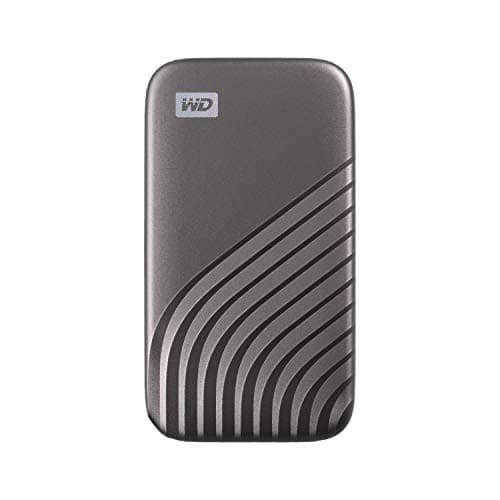
Western Digital 1TB My Passport SSD
7.6/10Published encryption plus a published 6.5 ft drop rating — the only drive answering both dorm failure modes
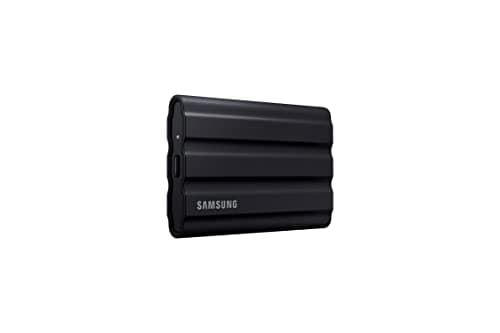
Samsung T7 Shield Portable SSD 2TB
7.4/10IP65 and 9.8 ft drop protection take survivability outright; no encryption claim keeps it a half-step behind
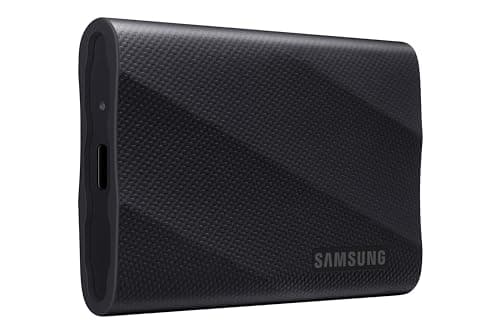
Samsung T9 Portable SSD 1TB
6.8/10The 2,000 MB/s restore leader, held back by no published drop rating and the weakest cost per terabyte
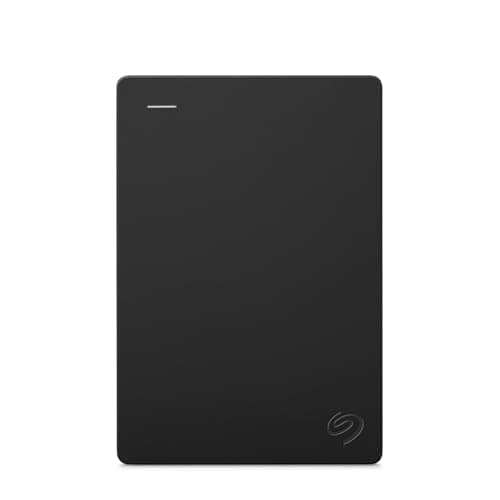
Seagate Portable 2TB External Hard Drive
4.6/10Near $70 per terabyte and nothing else — a desk archive rather than a drive that travels
DGH Dorm Backup Resilience Score
Weighted composite for dorm conditions — survivability, shared-room security, restore speed, cost per terabyte and desk fit; higher is better
DormGearHQ analysis of manufacturer specs, TechGearLab and PCWorld testing, live Amazon pricing, verified July 2026
The 3-2-1 Rule When You Only Have One Room
The standard backup rule says three copies, on two kinds of media, with one copy off-site. A dorm room breaks the third clause immediately: there is no second building, no home server, and no NAS. The workable dorm version is a laptop copy, a drive copy, and a cloud copy on whatever your school already licenses — that gets you the off-site leg without renting anything. The drive copy is the one that travels between buildings, which is precisely why a published 6.5 ft drop rating matters considerably more than it initially sounds. Independent testing bears that out: TechGearLab's own drop and water-spray tests confirm the T7 Shield's toughness claims hold up in practice, rather than just repeating Samsung's marketing copy.
Then separate the two physical copies. A drive that lives in the same backpack as the laptop is not a second copy; one stolen bag takes both. Keep the travelling drive on your person or in a locked drawer, and keep the archive drive on the desk. Port compatibility decides which cable you carry: a modern MacBook is USB-C only, which our Best MacBook Accessories for College 2026 guide covers in detail, while the Seagate ships with an 18 inch USB 3.0 cable that wants an adapter or a USB-A port. Western Digital's drive is the only one here listing both USB-C and USB-A compatibility outright. Separation of the two copies is also why shared-room security carries 25% of our weighting rather than 10%. AppleInsider's 162GB-in-2:55 timing was run on an M2 Max MacBook Pro's USB-C port — a reminder that the port and the host machine matter as much as the drive itself.
| Product | Solid-state (no moving parts) | Published drop rating | Published water and dust rating | Published hardware encryption | Console compatibility listed |
|---|---|---|---|---|---|
| wd-my-passport-ssd-1tb | ✓ | ✓ | – | ✓ | – |
| samsung-t7-shield-2tb | ✓ | ✓ | ✓ | – | ✓ |
| samsung-t9-1tb-ssd | ✓ | – | – | – | ✓ |
| seagate-portable-2tb-hdd | – | – | – | – | ✓ |
Spread across a four-year degree, the math compresses into something genuinely usable for budgeting. Seagate's archive averages roughly $35 a year, Western Digital's encrypted drive about $55, Samsung's T9 near $60, and the ruggedized T7 Shield approximately $112. Every figure was independently verified during July 2026, and three separate listings carry documented list-price differentials worth disclosing: Samsung publishes a $574.99 list price for the T7 Shield against its discounted $447.99 card price, a $287.99 list price for the T9, and Seagate publishes a $149.99 list price against its discounted $139.99 card price. Measured annually, the gap separating the cheapest option from the most defensible recommendation is roughly $20 — less than a single textbook, weighed against a semester of irreplaceable coursework.
The two-drive configuration is the one we would actually run. Pairing the $219.99 My Passport SSD as the travelling encrypted copy with the $139.99 Seagate desk archive delivers 3TB across two media types for $359.98, with the vulnerable copy encrypted. Measured against spending $447.99 on a single 2TB drive carrying no encryption claim, that allocation scores better on every factor our composite weights. If your workflow is a creator workflow rather than a coursework one — sustained 4K timelines, scratch-disk throughput, multi-camera exports — and you want pro-grade backup speed for creator workflows, our sister site's portable SSD guide for creators is the right lane for that decision.
How the weighted formula produces those rankings is worth stating plainly. Backpack survivability contributes 30%, shared-room security 25%, restore throughput 20%, capacity per dollar 15%, and dorm desk fit the remaining 10%. Capacity per dollar is normalized 0-10 across the four drives here, so the cheapest per terabyte (Seagate) scores a full 10 on that factor alone while the priciest per terabyte (the T9) scores a 0. Weighted that way, Western Digital's published 6.5 ft drop rating and encryption claim, combined with the second-best capacity-per-dollar score, delivers 7.6. Samsung's IP65 shell and 9.8 ft drop figure carry the T7 Shield to 7.4 on survivability alone, because that listing claims no encryption and its capacity per dollar scores near the bottom. The T9's published 2,000 MB/s throughput is the best in this roundup, yet it produces only 6.8 once its last-place capacity-per-dollar score and missing drop rating are weighted in — and independent hands-on numbers from PCWorld and AppleInsider both show the same real pattern, quick on the transfers a student actually runs even where a long sustained write falls short of the spec sheet. DigitalTrends' CrystalDiskMark run on the T7 Shield (tested capacity unstated) shows the same below-rating shape at roughly 855/835 MB/s against Samsung's published 1,050/1,000. Seagate's mechanical archive enables genuine 4-year depth for the money and takes the capacity-per-dollar factor outright, yet that factor carries only 15% of the composite, so it still finishes last at 4.6.
When NOT to Buy
Skip the drive that only wins on price if it is going to be your only copy — that is the whole reason the Seagate ranks last on our weighting rather than first. Skip 4TB and larger for undergraduate coursework; that is 2x what most majors fill, and across a 4-year degree the capacity goes unused while the money buys nothing you can feel. And skip any drive whose Buy Box is a third-party seller rather than Amazon.com, which knocked several otherwise-attractive models out of this roundup during verification. TechGearLab's own measured figure of roughly 145 MB/s on the Seagate is exactly why we score it as a desk archive rather than a travelling copy, and PCWorld's real-world sustained-write number is the same reason we don't oversell the T9's published speed ceiling either.
Who Should Buy What
Who Should Buy What
| If you are… | Recommended pick |
|---|---|
Thesis or capstone student You have one copy of a year of research and a shared room with an unlocked door — published encryption plus a drop rating is the whole purchase | Western Digital 1TB My Passport SSD |
Rainy-campus commuter You walk between buildings daily in real weather and want an IP65 shell rated for 9.8 ft drops that you only buy once | Samsung T7 Shield Portable SSD 2TB |
Film, media or design major Your coursework moves large project folders weekly and the 2,000 MB/s sustained figure is the friction you actually feel | Samsung T9 Portable SSD 1TB |
Budget-capped freshman You need the largest archive per dollar for a drive that stays on the desk, and you understand it is a second copy | Seagate Portable 2TB External Hard Drive |
Four-year single-purchase planner You would rather buy 2TB once at move-in than upgrade junior year, and toughness outranks a password prompt for you | Samsung T7 Shield Portable SSD 2TB |
Frequently Asked Questions
Which backup drive should a college student buy in 2026?
The Western Digital 1TB My Passport SSD at $219.99 for most students. It ranks first on our DGH Dorm Backup Resilience Score at 7.6 out of 10 because Western Digital publishes both password-enabled 256-bit AES hardware encryption and drop resistance up to 6.5 ft, which are the two things a dorm room actually breaks. Choose the 2TB Samsung T7 Shield at $447.99 instead if your bag gets rained on and you want an IP65 rating with 9.8 ft drop protection bought once for the whole degree. The Seagate Portable 2TB at $139.99 is the cheapest capacity, but treat it as a desk archive rather than your only copy.
Is an SSD or a regular hard drive better for a dorm room?
For anything that travels, solid-state wins, and it is not close. A mechanical drive has spinning platters and a moving head, and the Seagate's listing publishes no drop rating at all — a fall from a lofted bed is a real risk to it. Solid-state drives have no moving parts, and both the My Passport SSD and the T7 Shield publish drop ratings on top of that. Mechanical drives still win one axis outright: near $70 per terabyte versus $220 and up. The sensible answer for many students is both — a solid-state drive that travels, and a cheap high-capacity drive that never leaves the desk.
How much storage does a college student actually need?
1TB covers coursework comfortably for most majors across four years, including photos, slide decks, PDFs and a reasonable music or game library. Step up to 2TB if you shoot video, work in RAW photography, or plan to archive full game installs alongside coursework. Buying 4TB or larger as an undergraduate usually means paying for space that stays empty. If you are unsure, start at 1TB with an encrypted drive and add a cheap high-capacity archive drive later, rather than spending the entire budget on capacity you cannot yet fill.
Do I really need an encrypted drive in a shared room?
If the drive holds anything you would not hand to a stranger, yes. A backup drive sitting on a desk in an unlocked room is readable by a roommate, their friends, and anyone walking through during a move-in weekend. Western Digital's listing is the only one in this roundup that publishes password-enabled 256-bit AES hardware encryption, which means the drive is unreadable without the password rather than merely inconvenient. Samsung describes extra encryption through its Magician software on the T9, and the T7 Shield listing makes no encryption claim at all. Seagate's listing makes none either.
How do I back up in a dorm with no NAS or home server?
Run the dorm version of the 3-2-1 rule: three copies, two kinds of media, one off-site. The laptop is copy one, a portable drive is copy two on different media, and whatever cloud storage your school already licenses is the off-site copy — most universities include a generous allocation with the student account. Keep the physical drive somewhere other than the laptop bag, because a single stolen backpack that contains both is one copy, not two. A locked desk drawer is enough separation for most residence halls.
Will these drives work with a USB-C-only MacBook?
Yes, though the cable situation differs. Western Digital lists the My Passport SSD as cross-compatible with USB 3.2 Gen-2 and USB-C, with USB-A support for older systems, so it plugs straight into a modern MacBook. Samsung lists both the T7 Shield and T9 as compatible with Mac. The Seagate ships with an 18 inch USB 3.0 cable, so a USB-C-only laptop needs an adapter or a hub. Our MacBook accessories guide covers which hubs and adapters are worth carrying between classes if you are running a USB-C-only machine.
Bottom Line
Get the Western Digital 1TB My Passport SSD if you want the default dorm answer — published 256-bit AES encryption and a 6.5 ft drop rating at $219.99, the only drive covering both failure modes.
Get the Samsung T7 Shield Portable SSD 2TB if your bag gets rained on and you would rather buy 2TB once — IP65 and 9.8 ft drop protection for $447.99, list $574.99.
Get the Samsung T9 Portable SSD 1TB if you move large project folders weekly and want the 2,000 MB/s sustained restore, at $239.99 against a $287.99 list.
Get the Seagate Portable 2TB External Hard Drive if you need maximum archive capacity per dollar at $139.99 and the drive will live permanently on your desk as a second copy.
If you buy only one drive, make it the Western Digital 1TB My Passport SSD — encryption and a drop rating beat cheap terabytes when the laptop is the single copy. Reach for the Samsung T7 Shield Portable SSD 2TB only if weather and 2TB genuinely matter to you. Skip the Seagate Portable 2TB External Hard Drive as a sole backup; it is a desk archive, and our weighting says so.
Sources & Methodology
Methodology: DGH Dorm Backup Resilience Score — Formula: 0.30 * backpack_survivability + 0.25 * shared_room_security + 0.20 * restore_throughput + 0.15 * capacity_per_dollar + 0.10 * ease_of_setup. Factors: Backpack Survivability (30%) · Shared-Room Security (25%) and Restore Throughput (20%) · Capacity per Dollar (15%) and Dorm Desk Fit (10%). Full factor definitions appear in the How We Score section above.
Expert review sources used in this analysis:
- DormGearHQ aggregates published specifications and live retailer data to produce buying guidance across a 4-year ownership window; we do not perform first-party product testing
- This guide is deliberately narrow about its sourcing, and readers deserve the specifics
- Three of the four drives here carry independent third-party verification, and none of it is treated as cross-capacity confirmation — each citation is scoped to the unit it actually measured
- TechGearLab's own drop and water-spray tests, published September 2023, back the T7 Shield's IP65 water-and-dust rating and 9.8 ft drop protection on one tested unit; that review never states its capacity, and its $145 list price points to the 1TB drive rather than the 2TB unit recommended here
- DigitalTrends independently benchmarked the T7 Shield with CrystalDiskMark and measured roughly 855 MB/s read and 835 MB/s write; that review never states which capacity it tested, so we treat it as a single-unit result rather than confirmation for the 2TB drive here
- PCWorld's own hands-on test of the T9 measured a sustained 450GB write at roughly 900 MBps on the 2TB unit and called the drive "merely a middle-of-the-pack performer" among 20Gbps drives; that is honest context on real-world sustained throughput, not confirmation of Samsung's 2,000 MB/s marketing figure, and it is the 2TB unit PCWorld tested rather than the 1TB drive here
- AppleInsider's hands-on test of the T9 (capacity unstated) timed a 162GB folder transfer at 2 minutes 55 seconds on an M2 Max MacBook Pro and rated the drive 4 out of 5, calling it "fast, reliable." And TechGearLab's own 2TB test of the Seagate, published October 2025, measured the drive's real-world transfer speed directly at roughly 145 MB/s because Seagate's listing publishes none
- We could not find a live third-party review of the current-generation Western Digital My Passport SSD covering this exact ASIN, so its published claims remain manufacturer-sourced only — that gap is reported honestly rather than papered over
- Everything else above comes from the manufacturer's own published listing copy, retrieved through the Amazon Product Advertising (Creators) API on 2026-07-25 and retained as a verification record
- Seagate is the source for the 2TB capacity, the automatic recognition with no software required, and the included 18 inch USB 3.0 cable; the same listing publishes no transfer-speed figure, no drop rating and no encryption claim, and the scoring reflects those absences rather than filling them in — the bus-powered claim, however, is confirmed against Seagate's own published portable-drive datasheet, not just the listing
- Western Digital is the source for password-enabled 256-bit AES hardware encryption, shock and vibration resistance, drop resistance up to 6.5 ft, read speeds up to 1050MB/s with write speeds up to 1000MB/s, and USB 3.2 Gen-2 with USB-C and USB-A compatibility
- Samsung is the source for the T7 Shield's IP65 water and dust rating, its drop protection from falls up to 9.8 ft, PCIe NVMe read and write up to 1,050 and 1,000 MB/s, and console compatibility; and for the T9's sustained read and write up to 2,000 MB/s, the Dynamic Thermal Guard design, the Magician software description covering firmware updates, extra encryption and drive-health monitoring, and iPhone 15 Pro 4K 60fps capture support
- All four ASINs — Western Digital My Passport SSD 1TB $219.99 (B08F27QGHX), Samsung T7 Shield 2TB $447.99 against a $574.99 list (B09VLHR4JC), Samsung T9 1TB $239.99 against a $287.99 list (B0CHFSWM2P), and Seagate Portable 2TB $139.99 against a $149.99 list (B07CRG94G3) — returned condition New with Amazon.com as the Buy Box merchant and In Stock availability when verified on 2026-07-25; the three list-price figures quoted ($574.99, $287.99 and $149.99) are the listings' own values rather than editorial anchors
- Several otherwise-appealing drives were rejected during that sweep because the Buy Box belonged to a third-party seller or a non-US Amazon store, and those rejections are recorded with the guide's research artifacts
- Confirm live pricing before buying, since Amazon prices move daily
- The DGH Dorm Backup Resilience Score is the proprietary metric introduced in this guide; its formula, factor weights and per-product scores are documented in the methodology block above and at the metrics page linked from it, where the 30% survivability and 25% security weightings are set out in full.
Nicholas Miles is the founder of DormGearHQ and a longtime smart home enthusiast focused on helping everyday homeowners make better technology decisions. He researches, compares, and writes about products across security, climate, lighting, leak prevention, sensors, home energy, and automation, with an emphasis on real-world usefulness, ecosystem compatibility, reliability, privacy, and long-term value.
Affiliate disclosure: DormGearHQ earns affiliate commissions on qualifying Amazon purchases. Our scoring methodology is independent of affiliate relationships.