
Best Laptops for Engineering Students (2026)
SolidWorks, Revit and CATIA publish no macOS build at all. So the honest answer splits by major: CAD-heavy programs need a certified Windows workstation, while CS and EE students can pick the MacBook Air without apology.
This article contains affiliate links. We may earn a commission at no extra cost to you. Learn more
Featured in this Guide
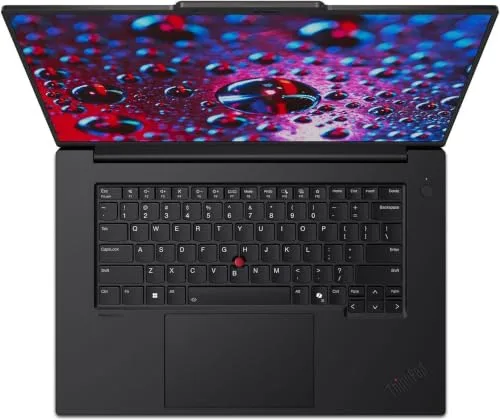
Lenovo
ThinkPad P1 Gen 7 (Ultra 7 165H, RTX 3000 Ada, 32GB/1TB)
- •Certified Ada workstation graphics plus 32GB of memory, which is what Virginia Tech's published floor actually asks for., ,
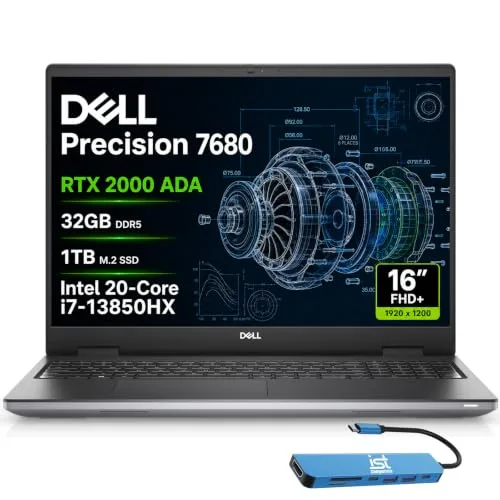
Dell
Precision 7680 (i7-13850HX, RTX 2000 Ada, 32GB/1TB)
- •Certified Ada graphics and 32GB of memory with the heaviest processor here, for less than the lead pick., ,
HP
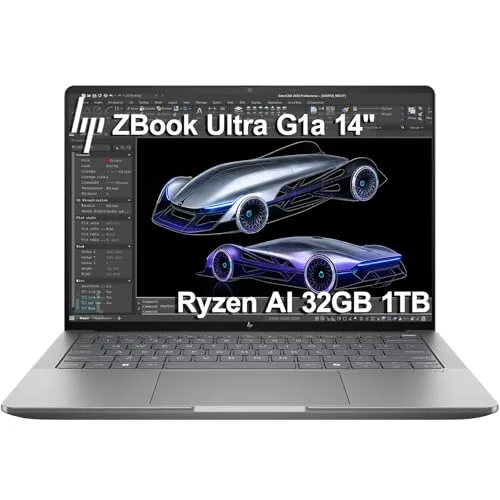
ZBook Ultra G1a (Ryzen AI Max PRO 385, integrated Radeon 8050S, 32GB/1TB)
- •The one genuinely portable Windows pick here.
- •HP's own page names SOLIDWORKS, though the graphics are integrated., ,

Apple
MacBook Air 13-inch (M5, 24GB/1TB)
- •MATLAB and AutoCAD both ship native Mac builds, so nothing in that toolchain forces you onto Windows., ,

Acer
Nitro V ANV15-51 (Core i5-13420H, RTX 4050 6GB)
- •Runs CAD in practice on a consumer GeForce card, but 8GB of memory sits at half the 16GB department floor., ,
The Short Answer
If your coursework runs SolidWorks, Revit or CATIA, none of the three has a macOS build. Buy Windows with certified professional graphics, starting with the ThinkPad P1 Gen 7. If you are CS, EE or software-adjacent, the MacBook Air M5 is a legitimate pick.
Most people arrive here with a department requirements page open and no idea which line on it is load-bearing. Here is the short version. The most-asked question in this category is which MacBook to buy. For a large share of engineering majors, that is the wrong question to answer first.
Three programs settle it. SolidWorks lists Windows 11 and 10 as its only client operating systems. Autodesk's Revit requirements name Parallels for Mac and no native build, and Dassault certifies its CATIA platform on Windows hardware. AutoCAD and MATLAB, though, both ship real Mac versions.
So read your own department page first, then pick a branch. CAD-heavy majors belong in the certified-Windows section below. CS, EE and software-adjacent students can stop at the MacBook Air. One caveat on sourcing: no usable student-forum consensus turned up for these machines, and this guide invents none.
How the two branches compare on paper
Tech Charging
Chart
 DormGearHQ.com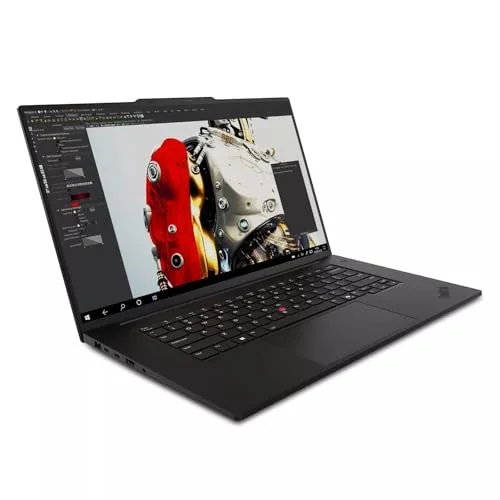
ASUS ZenScreen MB16NCG
$266.99Must BuyCheck price
Canon MegaTank G3270 All-in-One Wireless Inkjet Printer, Home Use, Print, Scan and Copy
$159.99Must BuyCheck price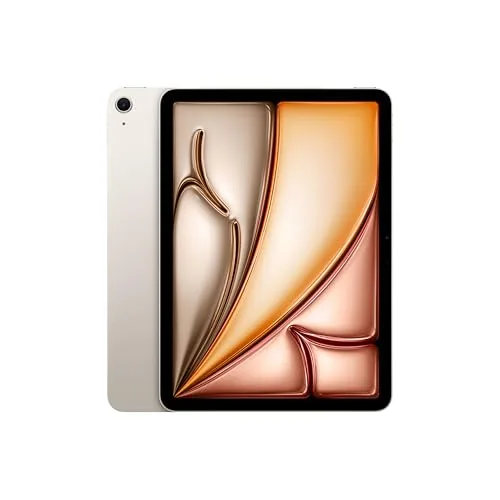
iPad Air 11-inch (M4)
$749.00Must BuyCheck price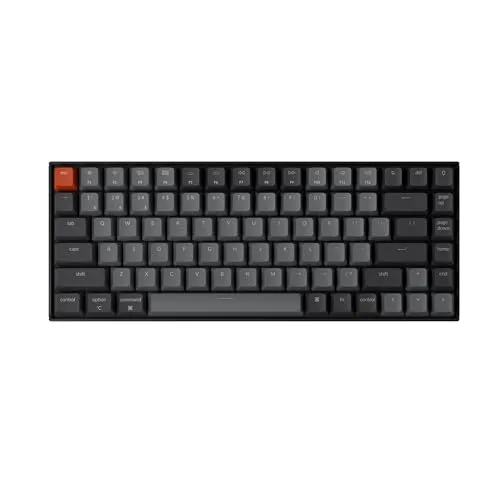
Keychron K2 Pro
$119.00Must BuyCheck price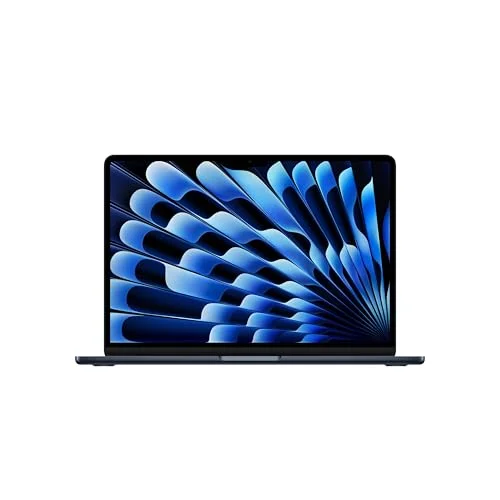
MacBook Air M5 13-inch
$1259.99Must BuyCheck price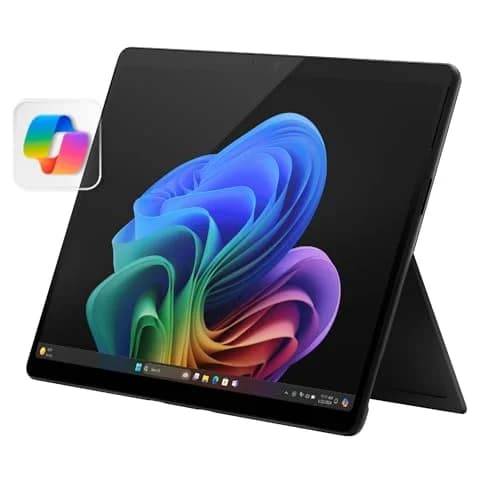
Microsoft Surface Pro 11
$1249.99Must BuyCheck price
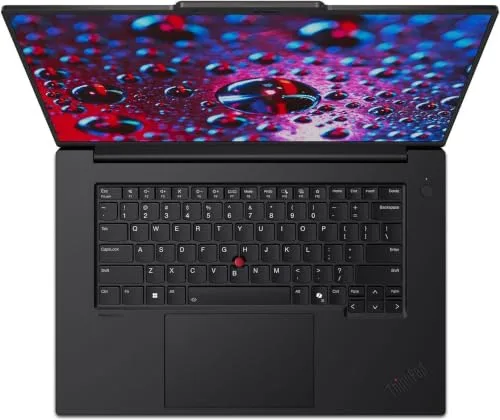
Mechanical, civil, or aerospace major (CAD-heavy): Lenovo ThinkPad P1 Gen 7 (Ultra 7 165H, RTX 3000 Ada, 32GB/1TB)
Lenovo ThinkPad P1 Gen 7 (Ultra 7 165H, RTX 3000 Ada, 32GB/1TB)
Not scoredNo outlet has published a rating for this configuration; we need two.
(Current price, subject to change)
You have probably already found this machine on a recommended-hardware list, or something close to it. Here is what it actually buys you. Windows 11 Pro is the only operating system SolidWorks lists for its client products, so the operating-system question is settled before the hardware conversation starts. From there, Virginia Tech's mechanical engineering page publishes two numbers, 32GB of memory and 4GB of dedicated graphics memory. This configuration meets the first and doubles the second, which delivers real headroom rather than a bare pass. Marquette's engineering IT page points SolidWorks students toward professional-class graphics specifically, which is the tier this card sits in rather than the consumer GeForce tier. What that produces day to day is a laptop that opens a large assembly without you thinking about it once in four years. The trade-off is blunt. You are paying flagship money for a driver stack you will notice only on the days it stops something going wrong.
What We Love
- A professional RTX 3000 Ada card, not a gaming chip wearing a workstation badge
- 32GB of memory and 8GB of graphics memory clear Virginia Tech's published floor with margin
- A 16-inch 165Hz panel gives a feature tree and a viewport room to sit side by side
What Could Be Better
- No outlet has bench-tested this exact configuration, so thermals under a long rebuild are unmeasured
- Sold by the third-party seller D.O.E. LLC rather than by Lenovo or Amazon.com, though Amazon ships it
The Verdict
If your department page names both a memory figure and a graphics-memory figure, the Lenovo ThinkPad P1 Gen 7 (Ultra 7 165H, RTX 3000 Ada, 32GB/1TB) fits the brief without compromise on either. You are paying a real premium for a certified driver stack. It carries no consensus score because no outlet has rated this configuration, which reflects missing evidence rather than doubt about the hardware.
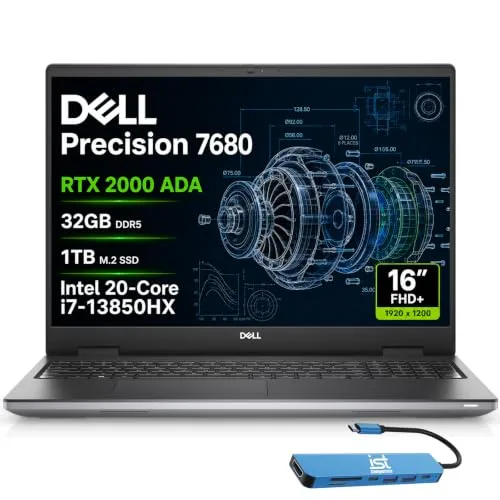
Top-tier alternative to the lead pick: Dell Precision 7680 (i7-13850HX, RTX 2000 Ada, 32GB/1TB)
Dell Precision 7680 (i7-13850HX, RTX 2000 Ada, 32GB/1TB)
Not scoredNo outlet has published a rating for this configuration; we need two.
(Current price, subject to change)
Listings at this price are usually a wall of specifications and nothing else. This one carries owner reviews, and the configuration tag under each one matters. Amazon pools reviews across a listing's configurations. Of the five here, two are tagged to the 1TB build you would receive. The useful one, from June 2026, goes straight at the reseal. The reseller "replaced SSD per their posting as well which I was a little concerned with, but passed testing and quality SSD installed." The other 1TB account is a five-star note about delivery. The remaining three describe the 2TB build. One is a 2024 buyer who bought five for his staff and reports they run SolidWorks and anything else just fine. Another is a single star from October 2025, reporting dead USB-C ports and a warranty claim Dell declined. Quoting only the good ones would be dishonest. So the specification still carries most of this pick. It clears Virginia Tech's 32GB memory floor and doubles the 4GB graphics-memory figure. The 20-core processor outperforms every other chip here on multi-threaded solves. Compared to the ThinkPad, you trade panel quality and one graphics tier for a lower price.
What We Love
- Certified professional Ada graphics with 32GB of memory, one tier down from the ThinkPad and cheaper
- Twenty cores and 28 threads, the heaviest processor here for solver-bound coursework
- Windows 11 Pro, which is the only client operating system SolidWorks lists
What Could Be Better
- Three of the five owner reviews on this listing are tagged to the 2TB configuration, not the 1TB one being sold
- Sold and shipped by the third-party seller Issaquah Highlands Tech, whose listing disclosed that it opened and resealed the unit to fit a larger drive
- A 250-nit 1920x1200 panel, against 2560x1600 at 500 nits on the ThinkPad above
The Verdict
If you have already narrowed to a certified workstation and core count matters more to you than graphics tier, Dell Precision 7680 (i7-13850HX, RTX 2000 Ada, 32GB/1TB) is the cheaper way onto the same certified driver stack. It sits just under the lead pick on graphics tier and panel, not on anything a department asks for.
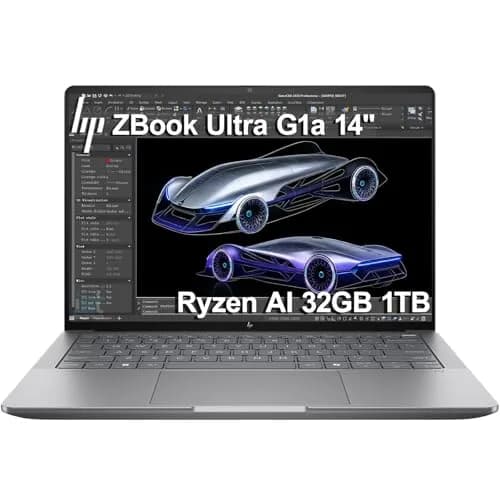
Wants ISV certification in the lightest chassis: HP ZBook Ultra G1a (Ryzen AI Max PRO 385, integrated Radeon 8050S, 32GB/1TB)
HP ZBook Ultra G1a (Ryzen AI Max PRO 385, integrated Radeon 8050S, 32GB/1TB)
Not scoredNo outlet has published a rating for this configuration; we need two.
(Current price, subject to change)
This is the most interesting machine here and the hardest to place. HP's own product page carries an ISV-Certified badge and an attributed testimonial from a SOLIDWORKS graphics director, which is vendor-published evidence rather than reseller marketing. The same page lists the graphics as integrated. That pairing is unusual. Mechanical-CAD certification normally rides on a certified discrete workstation card. This one has no dedicated graphics memory at all. That fails Virginia Tech's 4GB requirement outright. On our composite, the DGH Engineering Workload Readiness Score puts it in the Marginal band, well below the certified picks. We could not find certification for any other application on an HP-owned page, so treat any broader application list as unproven rather than disproven. Versus the Precision 7680, you give up a certified discrete card, and that trade delivers portability and a lower price.
What We Love
- HP makes the certification claim on its own product page, not through reseller copy
- An attributed SOLIDWORKS testimonial sits on that same HP page, naming one application specifically
- A 14-inch chassis with 32GB of DDR5, the only Windows machine in this guide that is genuinely portable
What Could Be Better
- Integrated graphics only, so there is no dedicated graphics memory at all
- We could not confirm certification for Creo, ANSYS, NX, CATIA or MATLAB on any HP page
- Sold and shipped by the third-party seller Issaquah Highlands Tech rather than by HP or Amazon.com
The Verdict
If you carry a laptop between five buildings a day and dock for the heavy work, HP ZBook Ultra G1a (Ryzen AI Max PRO 385, integrated Radeon 8050S, 32GB/1TB) is a sensible pick for that setup, with one condition attached. HP's certification claim is real and vendor-published, but we could ground it for SOLIDWORKS and no other application. Against the certified discrete-graphics picks above, it fails the graphics-memory line outright.
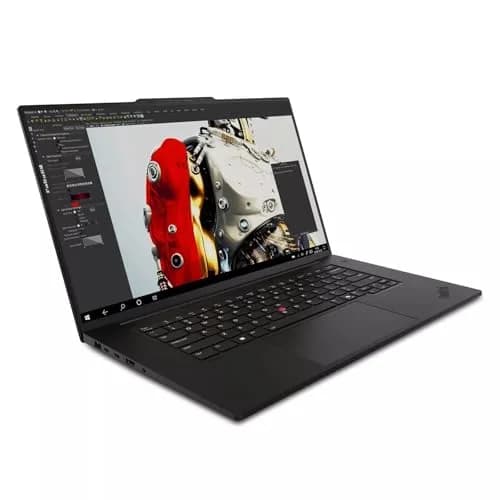
Premium P1 config (higher price, lower GPU tier than the lead): Lenovo ThinkPad P1 Gen 7 (Ultra 7 155H, RTX 2000 Ada, 32GB/1TB)
Lenovo ThinkPad P1 Gen 7 (Ultra 7 155H, RTX 2000 Ada, 32GB/1TB)
Not scoredNo outlet has published a rating for this configuration; we need two.
(Current price, subject to change)
Read the two ThinkPad listings side by side and something looks broken. This one sits well above the RTX 3000 Ada configuration at the top of this guide, and it carries a lower graphics tier. That is not our error, and it is not a specification difference we have misread. It is a reseller pricing quirk on a third-party listing, and while the cheaper, faster listing is live there is no reason to choose this one. What this listing does have is evidence. A verified purchaser called Byron Smith writes that it handles his heavy CAD work well, on this listing rather than a neighbouring one. A separate owner of this Intel-and-Ada generation, writing on a sibling ThinkPad listing rather than this one, reports driver-level crashes in Adobe applications under sustained graphics load. That account is about Adobe and not about SolidWorks, and we are recording it rather than hiding it. The trade-off here is unusual. You gain a real owner report and give up both money and graphics tier.
What We Love
- A verified purchaser on this exact listing writes that it handles his heavy CAD work well
- Same 16-inch 165Hz panel, same 32GB of memory and same 1TB drive as the lead pick
- 8GB of certified professional graphics memory, double Virginia Tech's published floor
What Could Be Better
- Listed well above the RTX 3000 Ada ThinkPad while carrying a lower graphics tier
- An owner of this hardware generation reports graphics-driver crashes in Adobe apps under sustained load
- Sold and shipped by the third-party seller MeloMin, so returns run through that seller's 30-day window
The Verdict
If the cheaper RTX 3000 Ada listing has sold out, this configuration fits the brief and there is an owner report behind it. While both listings are live, though, this one costs meaningfully more for a lower graphics tier, and Lenovo ThinkPad P1 Gen 7 (Ultra 7 155H, RTX 2000 Ada, 32GB/1TB) is the wrong buy of the two.
CS, EE, or software-adjacent major: Apple MacBook Air 13-inch (M5, 24GB/1TB)
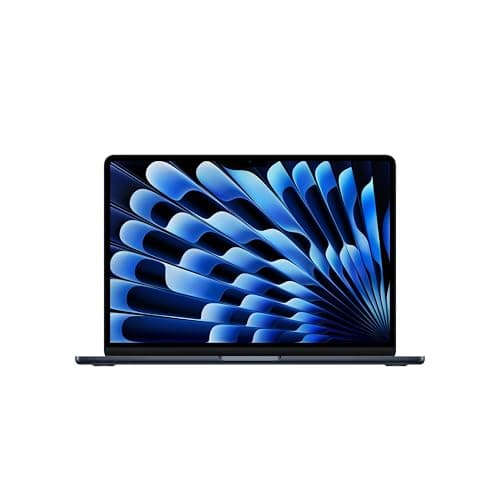
Apple MacBook Air 13-inch (M5, 24GB/1TB)
Not scoredOnly one outlet we cite (Macworld, 4.5/5) publishes a machine-readable rating; we need two.
(Current price, subject to change)
The honest version of this recommendation has two halves. Skip either one and you mislead somebody. First half: for a large share of engineering students, a MacBook is not a compromise. MathWorks lists native Mac support for MATLAB alongside Windows and Linux. Autodesk maintains a dedicated AutoCAD for Mac requirements page, kept current through the 2027 release. Our Best MacBooks for College 2026 guide works through why 24GB and 1TB is the configuration a STEM student keeps for four years. Second half: SolidWorks lists Windows as its only client operating system. It states plainly that Macs running Windows through Boot Camp are not supported. Revit and CATIA publish no native Mac build either. Revit is the one case where a door is left open. Autodesk publishes a supported Apple-silicon configuration that runs Windows 11 inside Parallels Desktop. Read the memory line on it, though, and the door shuts again here. Autodesk asks for 32GB of host memory and this Air ships 24GB. The machine falls short of Autodesk's own published Mac specification, not of some general prejudice. Our CAD-readiness composite marks it accordingly. If your four years never require those three applications, this is the laptop that fits how you actually work.
What We Love
- MATLAB ships native builds for Windows, Mac and Linux, confirmed on MathWorks' own requirements page
- Autodesk publishes and maintains a separate AutoCAD for Mac requirements page through the 2027 release
- 24GB of unified memory and a 1TB drive, the configuration that survives four years
What Could Be Better
- SolidWorks, Revit and CATIA publish no native macOS build, and Autodesk's supported Mac route for Revit asks for 32GB of host memory, which this 24GB machine does not have
- No dedicated graphics memory, so it misses every published CAD graphics floor we sourced
The Verdict
If you are in CS, EE or another software-adjacent program, you can stop the search here. Apple MacBook Air 13-inch (M5, 24GB/1TB) sits in the Marginal band on our CAD-readiness composite, and that band means one thing only: it is the wrong machine for SolidWorks coursework. For a toolchain of MATLAB, AutoCAD, cloud IDEs and Linux VMs, none of it applies.
Wants GPU compute without full ISV certification cost: Acer Nitro V ANV15-51 (Core i5-13420H, RTX 4050 6GB)
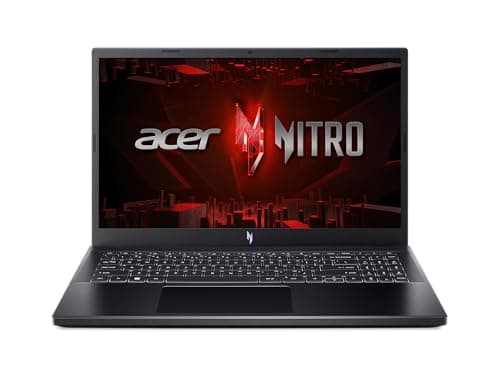
Acer Nitro V ANV15-51 (Core i5-13420H, RTX 4050 6GB)
Not scoredOnly one outlet we cite (Notebookcheck, 83/100) publishes a machine-readable rating; we need two.
(Current price, subject to change)
This is the one machine here carried over from our Best Gaming Laptops for College Students 2026 roundup, and it is worth being precise about why it appears at all. A GeForce RTX 4050 will run SolidWorks. Plenty of students do exactly that. What it will not do is appear on the certified-hardware lists the CAD vendors and workstation makers maintain, which is the distinction a gaming-laptop roundup tends to skate past. Marquette's engineering IT page points SolidWorks students at professional graphics for precisely this reason. The bigger practical problem is memory. 8GB is a quarter of Virginia Tech's published figure and half the 16GB minimum at three other programs we read, though the memory here is listed as upgradeable. Fixing that delivers more day-one benefit than anything else you could change here. Compared to the certified picks, though, the support story does not improve. This is the one to buy if certification is not a requirement anyone will check and the budget genuinely will not move.
What We Love
- The RTX 4050's 6GB clears Virginia Tech's 4GB graphics-memory floor with room to spare, and it is the cheapest machine here that beats that floor rather than just meeting it
- Thunderbolt 4 and a 144Hz matte panel, which makes a single-cable dorm-desk dock straightforward
What Could Be Better
- GeForce is a consumer line, not the professional class Marquette points SolidWorks students toward
- 8GB of memory is a quarter of Virginia Tech's figure and half the 16GB minimum at three other programs we read
- Sold and shipped by the third-party seller HotDeal Express rather than by Acer or Amazon.com
The Verdict
If your engineering workload is really GPU compute or gaming-adjacent, Acer Nitro V ANV15-51 (Core i5-13420H, RTX 4050 6GB) checks the boxes that matter for that setup, and no other machine here reaches 6GB of dedicated graphics memory at anywhere near this price. For accredited CAD coursework it is a calculated gamble. It runs the software, but no vendor supports it, and the 8GB memory figure is the real problem.
How We Score: DGH Engineering Workload Readiness Score (EWRS)
DGH Engineering Workload Readiness Score (EWRS)
Score Formula
EWRS = 0.35 x ISV/OS Compatibility Score + 0.25 x RAM Floor Ratio (capped 100) + 0.25 x VRAM/GPU Tier Score vs CAD minimum (capped 100) + 0.15 x Sustained Load Retention %. Scale 0-100: 85-100 Certified-Ready / 60-84 Capable (Unofficial) / 30-59 Marginal — Budget for Upgrades / 0-29 Not Recommended for CAD Coursework.Score Factors
- ISV/OS Compatibility (35%)100 = certified professional discrete GPU plus Windows; 60 = Windows without a certified professional discrete GPU (a consumer card, or integrated graphics even where the maker claims certification for one application), which works in practice but is not what the department pages point to; 20 = Apple Silicon running CAD software only through emulation, cloud or a Windows VM; 0 = Apple Silicon with no viable CAD path.
- RAM Floor Ratio (25%)Laptop memory divided by 16GB, the minimum published by three of the five engineering-department pages we sourced (Marquette, UT Austin mechanical engineering and Washington State mechanical and materials engineering), capped at 100%. Virginia Tech sets 32GB and South Dakota State mechanical engineering 8GB.
- VRAM/GPU Tier (25%)Dedicated graphics memory divided by 4GB, which is Virginia Tech Mechanical Engineering's published discrete-GPU requirement and the same minimum Washington State's mechanical and materials engineering page names, though Washington State recommends 8GB or more on a certified professional card. Integrated and unified-memory graphics have no dedicated graphics memory, so they score 0% on this factor regardless of total system memory.
- Sustained Load Retention (15%)Percent of peak clock retained after 30 or more minutes of continuous load. This factor is NOT measured here. No third-party stress-test data exists for these exact configurations, so it is set to a flat, disclosed 70% for all six laptops. That shifts every composite by the same amount and changes no product's rank. Read the composite as three measured factors plus one stated placeholder.
DGH Engineering Workload Readiness Score (EWRS) — Ranked
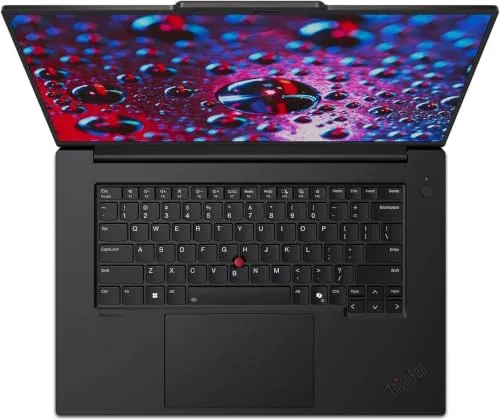
Lenovo ThinkPad P1 Gen 7 (Ultra 7 165H, RTX 3000 Ada, 32GB/1TB)
9.6/10ISV/OS 100 · RAM 100% · VRAM 100% · Sustained-load 70% (unmeasured placeholder) = 95.5 -> Certified-Ready.
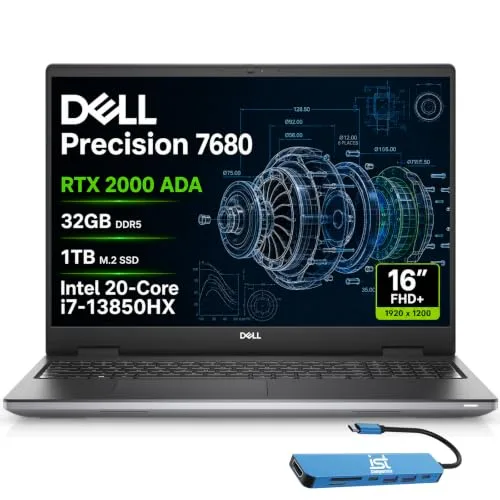
Dell Precision 7680 (i7-13850HX, RTX 2000 Ada, 32GB/1TB)
9.6/10ISV/OS 100 · RAM 100% · VRAM 100% · Sustained-load 70% (unmeasured placeholder) = 95.5 -> Certified-Ready.
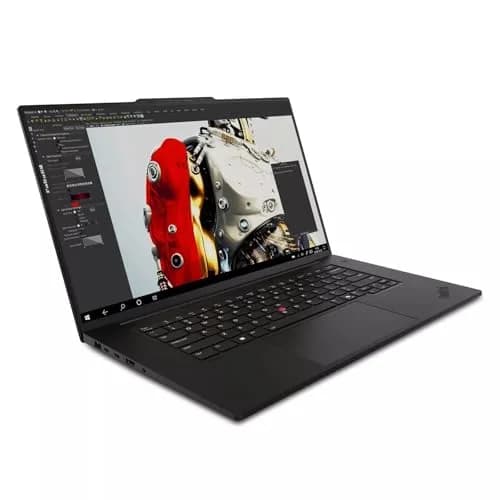
Lenovo ThinkPad P1 Gen 7 (Ultra 7 155H, RTX 2000 Ada, 32GB/1TB)
9.6/10ISV/OS 100 · RAM 100% · VRAM 100% · Sustained-load 70% (placeholder) = 95.5 -> Certified-Ready. Priced above the lead pick despite a lower GPU tier.
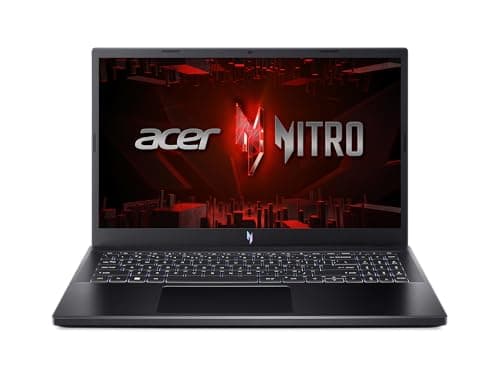
Acer Nitro V ANV15-51 (Core i5-13420H, RTX 4050 6GB)
6.9/10ISV/OS 60 (consumer GPU) · RAM 50% (8GB against the 16GB floor) · VRAM 100% · Sustained-load 70% (placeholder) = 69.0 -> Capable (Unofficial).
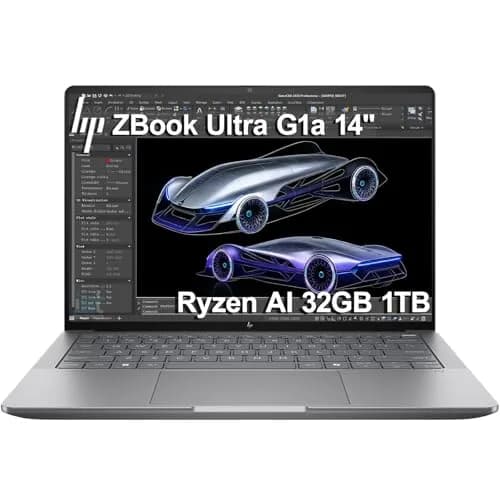
HP ZBook Ultra G1a (Ryzen AI Max PRO 385, integrated Radeon 8050S, 32GB/1TB)
5.7/10ISV/OS 60 (integrated graphics) · RAM 100% · VRAM 0% (no dedicated graphics memory) · Sustained-load 70% (placeholder) = 56.5 -> Marginal — Budget for Upgrades.
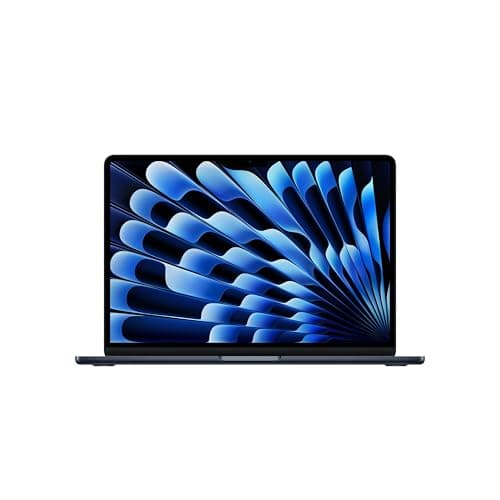
Apple MacBook Air 13-inch (M5, 24GB/1TB)
4.3/10ISV/OS 20 (no native SolidWorks/Revit/CATIA) · RAM 100% · VRAM 0% (unified memory) · Sustained-load 70% (placeholder) = 42.5 -> Marginal for the CAD-heavy branch only.
DGH Engineering Workload Readiness Score (EWRS)
EWRS composite (0-100 scale, shown here as /10), by product. Sustained-load retention is an unmeasured 70% placeholder applied identically to every product — see methodology above.
DGH proprietary analysis, recomputed 2026-09-23
What runs on what, and what your department requires
The matrix below is built from vendor pages and department pages, not from forum consensus. On the software side: SolidWorks lists Windows 11 and Windows 10 as its only client operating systems, and states that Macs running Windows through Boot Camp are not supported. Autodesk's Revit requirements index names Parallels Desktop for Mac and no native macOS build. Dassault organises certified hardware for its CATIA platform around Windows alone. AutoCAD and MATLAB are the exceptions that keep this from being a blanket anti-Mac argument. Autodesk maintains a dedicated AutoCAD for Mac requirements page, and MathWorks lists Mac alongside Windows and Linux. On the hardware side, five published engineering-department pages set the floors used in the DGH Engineering Workload Readiness Score. Virginia Tech names 32GB of memory and 4GB of dedicated graphics memory. Marquette, UT Austin and Washington State all set a 16GB minimum, and Marquette requires Windows 11 outright. South Dakota State's mechanical engineering page sets 8GB. That disagreement is the real finding here. Your own department page is the spec that matters. The formula behind the DGH Engineering Workload Readiness Score is weighted toward that modal floor rather than the strictest one. In the calculation, the graphics-memory factor carries the same weight as the memory factor.
| Product | SolidWorks / Revit / CATIA | AutoCAD | MATLAB | Virginia Tech 32GB RAM floor | Virginia Tech 4GB VRAM floor |
|---|---|---|---|---|---|
| thinkpad-p1-gen7-rtx3000-ada-32gb | ✓ | ✓ | ✓ | ✓ | ✓ |
| dell-precision-7680-rtx2000-ada-32gb | ✓ | ✓ | ✓ | ✓ | ✓ |
| hp-zbook-ultra-g1a-32gb | ✓ | ✓ | ✓ | ✓ | – |
| thinkpad-p1-gen7-rtx2000-ada-32gb-alt | ✓ | ✓ | ✓ | ✓ | ✓ |
| macbook-air-13-m5-24gb-1tb | – | ✓ | ✓ | – | – |
| acer-nitro-v-rtx4050 | ✓ | ✓ | ✓ | – | ✓ |
Who Should Buy What
Who Should Buy What
| If you are… | Recommended pick |
|---|---|
CAD-heavy majors (mechanical, civil, aerospace) SolidWorks, Revit or CATIA on the syllabus, and a department page naming both a memory figure and a graphics-memory figure. | Lenovo ThinkPad P1 Gen 7 (Ultra 7 165H, RTX 3000 Ada, 32GB/1TB) |
CS, EE, or software-adjacent majors A toolchain of MATLAB, AutoCAD, cloud IDEs and Linux VMs, none of which forces you onto Windows, and no required parametric-CAD sequence. | Apple MacBook Air 13-inch (M5, 24GB/1TB) |
Wants an ISV-certified alternative to the lead pick You want the same certified driver stack for less money, and a 20-core processor matters to you more than the newest graphics tier. | Dell Precision 7680 (i7-13850HX, RTX 2000 Ada, 32GB/1TB) |
Wants the lightest ISV-branded chassis You carry the laptop between buildings all day, run SOLIDWORKS specifically, and will dock for the long modelling sessions. | HP ZBook Ultra G1a (Ryzen AI Max PRO 385, integrated Radeon 8050S, 32GB/1TB) |
GPU compute on the tightest budget, accepts uncertified status GPU compute matters, certification does not, and you accept that 8GB of memory sits below four of the five department minimums cited here. | Acer Nitro V ANV15-51 (Core i5-13420H, RTX 4050 6GB) |
Frequently Asked Questions
Does SolidWorks run on a MacBook?
No. Dassault Systemes' own system-requirements table lists Windows 11 and Windows 10 64-bit for SOLIDWORKS client products, and it adds that Macs running Windows through Boot Camp are not supported either. The only macOS entry on that page is eDrawings for Mac, which is a viewer for opening and marking up files rather than a modelling tool.
Which laptops in this guide are actually ISV-certified for CAD?
Three Windows picks pair a professional NVIDIA card with Windows 11 Pro: both ThinkPad P1 Gen 7 configurations and the Dell Precision 7680. HP's ZBook Ultra G1a carries HP's own ISV-Certified badge and a named SOLIDWORKS testimonial, but on integrated graphics, and we could not confirm any other application on an HP-owned page. The Acer Nitro V's GeForce card is consumer hardware and is not certified at all.
How much RAM do engineering students actually need?
The five department pages we read do not agree, which is the useful part. Virginia Tech asks for 32GB. Marquette, UT Austin and Washington State all set a 16GB minimum. South Dakota State's mechanical engineering page still lists 8GB. Sixteen is the most common minimum and the figure our scoring uses, but your own department's published page overrides all of it. Read that one before you buy anything.
Is the MacBook Air actually bad for engineering majors?
Not generally, no. It lands low here because this guide's score measures readiness for CAD coursework specifically, and that is one branch of engineering rather than all of it. For CS, EE and software-adjacent programs, where MATLAB and AutoCAD both have native Mac builds, it is a legitimate and often better choice. The Marginal band applies only if SolidWorks, Revit or CATIA are on your syllabus.
What is the DGH Engineering Workload Readiness Score (EWRS)?
It weights four things: certified-software and operating-system compatibility at 35 percent, memory against the department floor at 25 percent, dedicated graphics memory against the 4GB CAD floor at 25 percent, and sustained-load retention at 15 percent. That last factor is not measured. No third-party stress-test data exists for these exact configurations, so it sits at a flat 70 percent for all six laptops, which shifts every composite by the same amount and reorders nothing.
Can I use a gaming laptop for CAD coursework?
In practice, yes, on Windows. A GeForce card will open and run SolidWorks, and plenty of students get through a degree that way. What it will not do is appear on the certified-hardware lists the CAD vendors and workstation makers maintain, and Marquette's engineering IT page points SolidWorks students toward professional-class graphics for that reason. If nobody in your program checks, this is a real way to save money. If a department or an internship checks, it is not.
Bottom Line
Get the Lenovo ThinkPad P1 Gen 7 (Ultra 7 165H, RTX 3000 Ada, 32GB/1TB) if Your department page names a graphics-memory figure and you want the newest certified tier available in a laptop..
Get the Apple MacBook Air 13-inch (M5, 24GB/1TB) if Your program is CS, EE or software-adjacent, and parametric CAD never appears on your syllabus..
Get the Dell Precision 7680 (i7-13850HX, RTX 2000 Ada, 32GB/1TB) if You want the certified driver stack and the core count for less money, and you will dock to an external monitor anyway..
Get the HP ZBook Ultra G1a (Ryzen AI Max PRO 385, integrated Radeon 8050S, 32GB/1TB) if Portability is the constraint you feel daily, SOLIDWORKS is the application, and no graphics-memory figure is published for your program..
Get the Acer Nitro V ANV15-51 (Core i5-13420H, RTX 4050 6GB) if Certification is not a requirement anyone will check, and the budget will not move..
There is no single best laptop across both branches of this guide, and inventing one would misrepresent what the sources actually show. Read your department's requirements page, pick the branch, then pick from it.
Sources & Methodology
Methodology: DGH Engineering Workload Readiness Score (EWRS) — Formula: EWRS = 0.35 x ISV/OS Compatibility Score + 0.25 x RAM Floor Ratio (capped 100) + 0.25 x VRAM/GPU Tier Score vs CAD minimum (capped 100) + 0.15 x Sustained Load Retention %. Scale 0-100: 85-100 Certified-Ready / 60-84 Capable (Unofficial) / 30-59 Marginal — Budget for Upgrades / 0-29 Not Recommended for CAD Coursework.. Factors: ISV/OS Compatibility (35%) · RAM Floor Ratio (25%) · VRAM/GPU Tier (25%) · Sustained Load Retention (15%). Full factor definitions appear in the How We Score section above.
Expert review sources used in this analysis:
- Software compatibility here comes from vendor pages
- SOLIDWORKS and Dassault Systemes cover SOLIDWORKS and CATIA, Autodesk covers Revit and AutoCAD, and MathWorks covers MATLAB
- The hardware floors behind the DGH Engineering Workload Readiness Score come from five published engineering-department pages, each read live on 2026-09-23
- They are Virginia Tech mechanical engineering (compreq.vt.edu/specs/mechanical-engineering.html), Marquette (marquette.edu/engineering/coetech/laptop-requirements.php), UT Austin mechanical engineering (me.utexas.edu/academics/undergraduate-program/laptop-requirements), Washington State mechanical and materials engineering (mme.wsu.edu/laptop-requirements) and South Dakota State mechanical engineering (sdstate.edu/mechanical-engineering/student-laptop-requirements)
- Owner evidence comes from verified-purchase reviews on Amazon, attributed in each product's section and scoped to the configuration that reviewer actually bought
- Amazon shows a listing's reviews pooled across its configurations
- Where a review turned out to describe a different build from the one being sold, we say so and give it no weight
- A search for student-forum discussion of these specific configurations returned nothing usable in September 2026, and nothing has been substituted for it
- No product here carries a consensus score: none has two outlet ratings we could verify, so each one is marked Not scored.
Nicholas Miles is the founder of DormGearHQ and a longtime smart home enthusiast focused on helping everyday homeowners make better technology decisions. He researches, compares, and writes about products across security, climate, lighting, leak prevention, sensors, home energy, and automation, with an emphasis on real-world usefulness, ecosystem compatibility, reliability, privacy, and long-term value.
Affiliate disclosure: DormGearHQ earns affiliate commissions on qualifying Amazon purchases. Our scoring methodology is independent of affiliate relationships.