

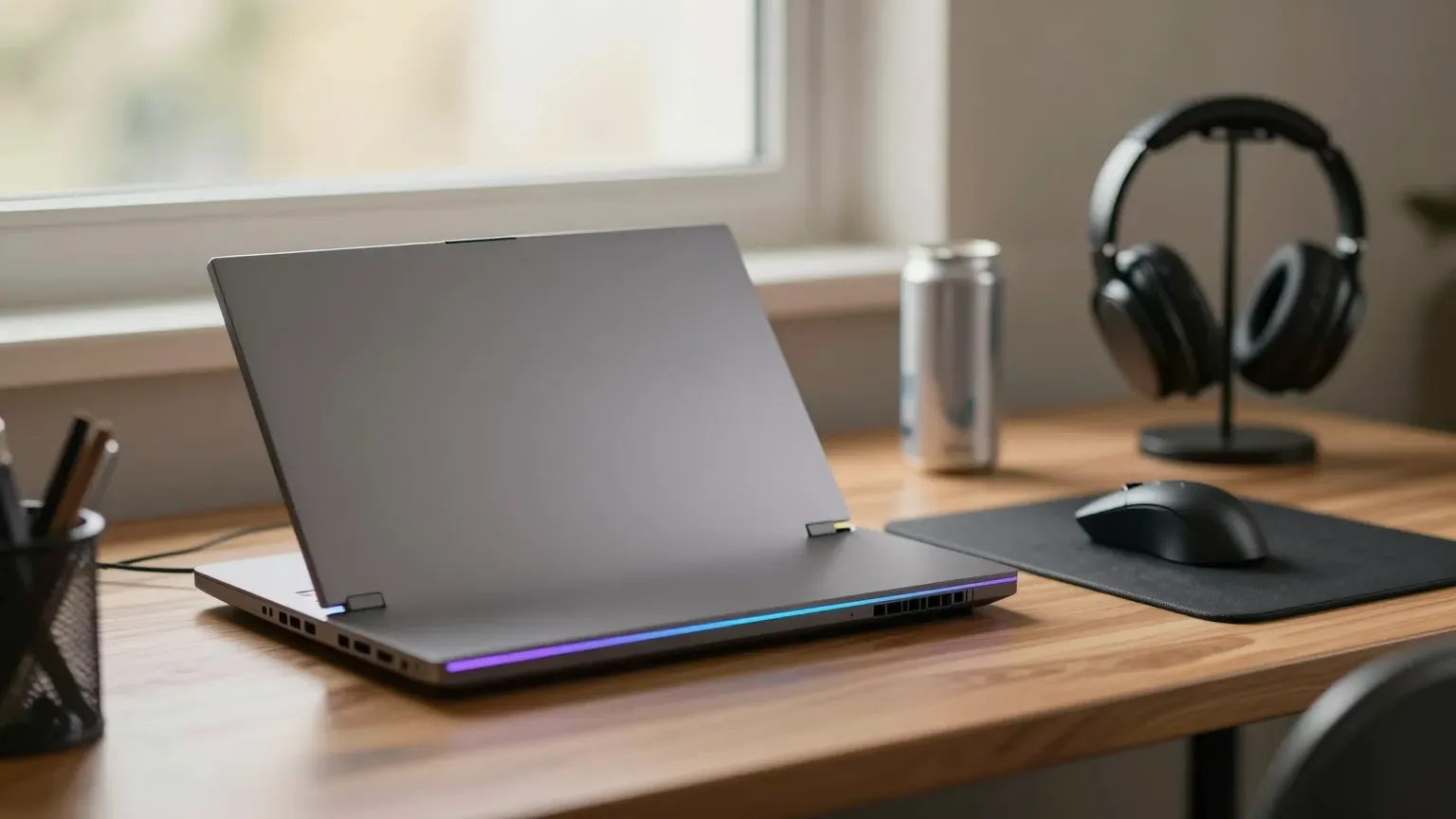
Best Gaming Laptops for College Students 2026
For a CS, engineering, or media student, a discrete RTX laptop is the cheapest CUDA GPU on campus. The MSI Katana 15 HX ($1,450) brings the newest RTX 5060 and a QHD panel; the Acer Nitro V ($899.99) is the balanced budget pick. Read past the price tag to the actual GPU config.
This article contains affiliate links. We may earn a commission at no extra cost to you. Learn more
Featured in this Guide

MSI
Katana 15 HX B14WFK (Core i7-14650HX, RTX 5060 8GB)
- •Newest RTX 5060 (Blackwell), QHD 165Hz, and above 60 FPS at 1440p Cyberpunk Ultra per CGMagazine, ,

Acer
Nitro V ANV15-51 (Core i5-13420H, RTX 4050 6GB)
- •A real RTX 4050 with DLSS 3 at $899.99, 78 to 82 fps in Witcher 3 per Notebookcheck, RAM you can upgrade, ,

HP
Victus 15 (New, Core i5-13420H, RTX 3050, DDR4)
- •The lowest price at $785 (now sold New, not Renewed), but an RTX 3050 with DDR4 — the weakest GPU in the guide, ,
The Short Answer
For genuine GPU compute, the MSI Katana 15 HX ($1,450) earns the strongest recommendation on its newest-generation RTX 5060 and QHD panel. The Acer Nitro V remains the balanced budget purchase at $899.99. The HP Victus offers the cheapest RTX pathway at $785, but configuration decides this comparison.
You've narrowed it to a gaming laptop because a discrete RTX GPU is the cheapest CUDA hardware a CS, engineering, or media major can get, and the same silicon that runs Blender, SolidWorks, and local PyTorch also runs your games. Here is the trap: for that student, the GPU generation and thermal design matter more than the sticker price, and this roundup deliberately includes an entry-tier GPU pick, a 2022 model, and a bundle-inflated listing, so reading past the "$" to the actual config is the whole job. The DGH Dorm Gaming-Laptop Score weights real GPU-per-dollar, measured Notebookcheck fan noise, and future-proofing across a 4-year dorm run so a cheaper sticker cannot hide a weaker GPU. We aggregated Notebookcheck, PCWorld, and CGMagazine bench data to rank all five.
Head-to-Head: GPU, Thermals, and Value
Tech Charging
Chart
 DormGearHQ.com
Tap any pick to check its live price on Amazon.
ASUS ZenScreen MB16NCG
$266.99Must BuyCheck price
Canon MegaTank G3270 All-in-One Wireless Inkjet Printer, Home Use, Print, Scan and Copy
$159.99Must BuyCheck price
iPad Air 11-inch (M4)
$689.99Must BuyCheck price
Keychron K2 Pro
$119.99Must BuyCheck price
MacBook Air M5 13-inch
$1259.99Must BuyCheck price
Microsoft Surface Pro 11
$1249.99Must BuyCheck price
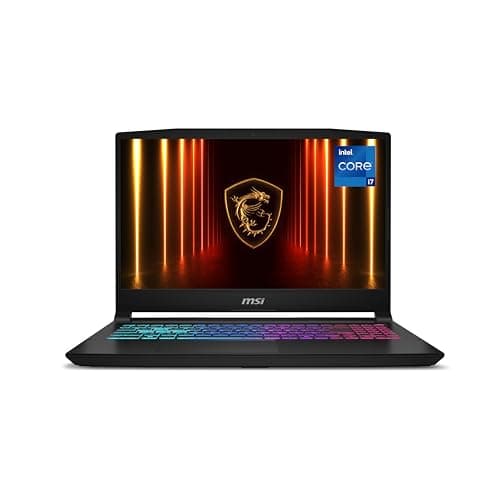
Best Performance: MSI Katana 15 HX B14WFK (Core i7-14650HX, RTX 5060 8GB)
MSI Katana 15 HX B14WFK (Core i7-14650HX, RTX 5060 8GB)
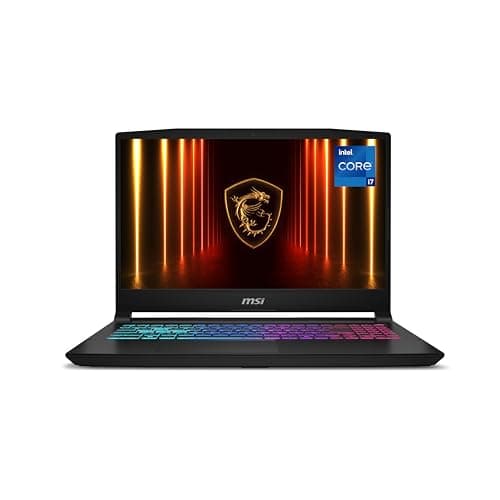
(Current price, subject to change)
- MSI Katana 15 HX B14WFK gaming laptop
- Intel Core i7-14650HX (14th-gen HX)
- RTX 5060 Laptop 8GB GDDR7 (Blackwell)
- 16GB DDR5 plus 1TB NVMe SSD
- 15.6-inch QHD 2560x1440 165Hz panel
- Wi-Fi 6E, RGB keyboard, Windows 11
CGMagazine reviewed the exact RTX 5060 and i7-14650HX config and found that at 1440p Cyberpunk 2077 Ultra "the 15 HX easily managed above 60 FPS without frame generation or DLSS," and that "even with Ray Tracing Ultra enabled at 1440p, the Katana 15 HX consistently managed above 40 FPS." Compared to the older 40-series parts in this guide, that is a genuine generational step: Notebookcheck's testing of those parts shows nothing that clears 1440p ultra so comfortably. The trade-off is honest — CGMagazine logged productivity battery at an average of 5 to 7 hours, and the HX silicon runs warm and loud under load. Its DGH Dorm Gaming-Laptop Score of 7.9 tops the roundup because our weighted composite rewards the newest GPU generation and the QHD panel most, and this is the only config here that delivers both, which is what lets it earn back its price across a 4-year run of real GPU compute.
What We Love
- The RTX 5060 (Blackwell, 8GB GDDR7) is the newest and fastest GPU here, with DLSS 4 Multi Frame Generation so ray tracing and 1440p ultra stay playable across a 4-year dorm run
- The only QHD 2560x1440 165Hz panel in the guide, so a Blender viewport or a Premiere timeline gets real screen room your budget rivals cannot match
- 16GB DDR5 and a 1TB SSD mean CUDA and ML coursework run without an immediate upgrade
- CGMagazine measured above 60 FPS at 1440p Cyberpunk Ultra without frame generation, so demanding titles are comfortable
What Could Be Better
- This ASIN is the RTX 5060 config, not the RTX 5070 some listings and reviews cover — verify the GPU tier at checkout
- It is the priciest pick at $1,449.99, and the 15.6-inch HX chassis is dorm-audible under load
- Battery is about 5 to 7 hours of tuned productivity, far less while gaming
The Verdict
If you'll actually use the GPU for CUDA, rendering, or 1440p gaming, the MSI Katana 15 HX B14WFK (Core i7-14650HX, RTX 5060 8GB) lines up with what you need. Its DGH Dorm Gaming-Laptop Score of 7.9 leads the guide because the newest-generation RTX 5060 and the only QHD panel here future-proof a 4-year degree — a strong, confident buy for a serious student. Verify it is the 5060, not the 5070 some listings show.
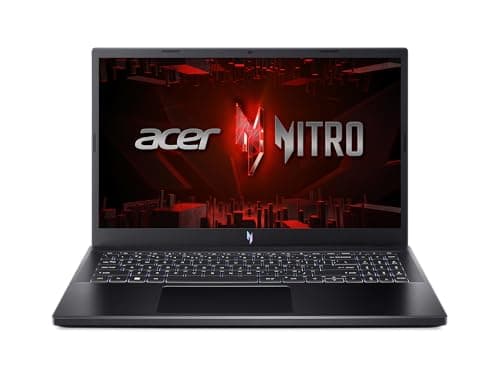
Best Budget Balance: Acer Nitro V ANV15-51 (Core i5-13420H, RTX 4050 6GB)
Acer Nitro V ANV15-51 (Core i5-13420H, RTX 4050 6GB)
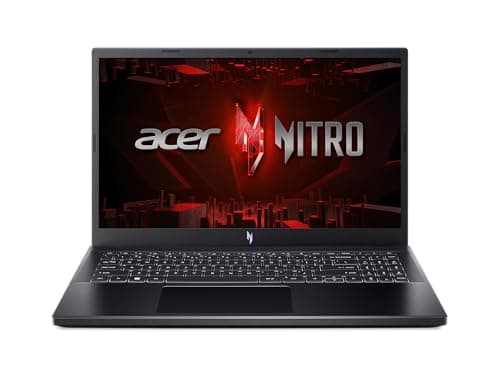
(Current price, subject to change)
- Acer Nitro V ANV15-51 gaming laptop
- Intel Core i5-13420H (12 threads)
- RTX 4050 Laptop 6GB GDDR6, 75W TGP
- 8GB DDR5 (upgradeable) plus 512GB PCIe Gen4 SSD
- 15.6-inch FHD 144Hz IPS matte panel
- Wi-Fi 6, Thunderbolt 4, backlit keyboard
Notebookcheck reviewed this RTX 4050 Nitro V and put honest numbers on the compromises: the display is "one of its biggest weaknesses," measuring only about 263 cd/m2 average brightness and roughly 60% sRGB, and fan noise measured about 49dB(A) gaming — audible through a thin dorm wall. The upside is real gaming, though — Notebookcheck recorded about 78 fps balanced and 82 fps performance in Witcher 3 at FHD Ultra. Compared to the HP Victus 3050 below it, the 4050 adds DLSS 3 Frame Generation, which is the feature gap that matters most in demanding titles. Its DGH Dorm Gaming-Laptop Score of 6.6 leads the budget tier because our composite weights current GPU generation and value heavily, and a real Ada part at $899.99 delivers more future-proofing per dollar across a 4-year dorm run than an older Ampere card at a similar price. For a student who mostly plays at 1080p and will add RAM later, that is the path of least friction.
What We Love
- The RTX 4050 (Ada, 6GB) adds DLSS 3 Frame Generation, the true budget-2026 baseline, and Notebookcheck measured a competent 78 to 82 fps in Witcher 3 at FHD Ultra so 1080p high runs smoothly
- 8GB DDR5 is upgradeable, so you can add memory later instead of overpaying at checkout
- Thunderbolt 4 gives a real docking path to a dorm-desk second monitor, which produces a workstation setup at a student price
- At $899.99 it is the cheapest way to a current-gen RTX 4050 with DLSS 3
What Could Be Better
- Notebookcheck calls the display one of its biggest weaknesses at roughly 263 cd/m2 and 60% sRGB, dim in a bright dorm and weak for color work
- Roughly 49 dB of gaming fan noise Notebookcheck measured — audible to a roommate through a thin dorm wall
- 6GB VRAM is the ceiling in the most demanding 2026 titles
The Verdict
If your budget is capped but you still need CUDA and DLSS 3, the Acer Nitro V ANV15-51 (Core i5-13420H, RTX 4050 6GB) is a sensible pick for that setup. Its DGH Dorm Gaming-Laptop Score of 6.6 is the strongest of the sub-$900 options because a genuine Ada RTX 4050 outperforms the older 3050 and 3060 here on features per dollar. Plan on headphones for the fan noise.
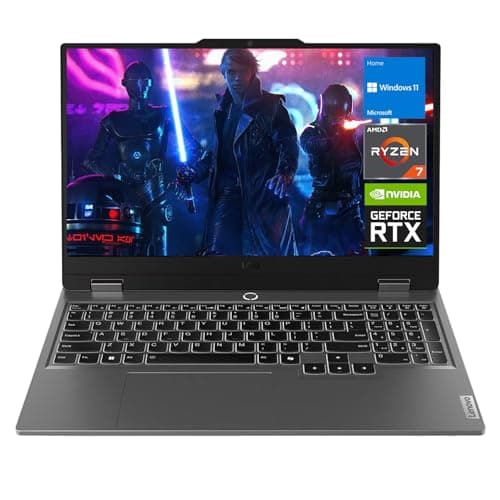
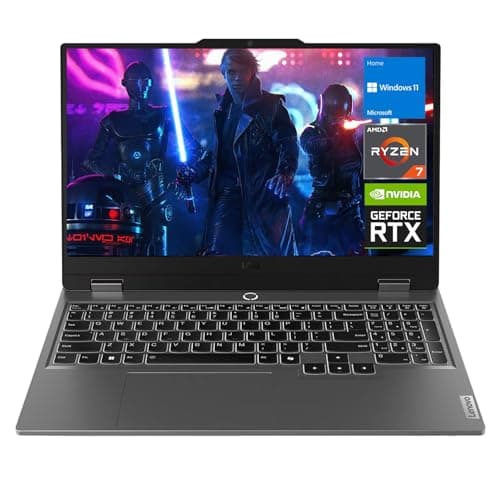
Most RAM (Buy Direct, Not This Bundle): Lenovo LOQ 15 15ARP9 (Ryzen 7 7435HS, RTX 4060 8GB, 32GB)
Lenovo LOQ 15 15ARP9 (Ryzen 7 7435HS, RTX 4060 8GB, 32GB)
(Current price, subject to change)
- Lenovo LOQ 15 15ARP9 gaming laptop
- AMD Ryzen 7 7435HS (8-core / 16-thread)
- RTX 4060 Laptop 8GB GDDR6, ~115W
- 32GB DDR5 plus 1TB SSD
- 15.6-inch FHD 144Hz panel with RJ-45 Ethernet
- Third-party seller bundle includes a laptop cooler
The hardware here is strong: an RTX 4060 with 8GB VRAM, 32GB DDR5, and a 1TB SSD. Notebookcheck's review of a sibling LOQ with the same RTX 4060 recorded 66 fps in Cyberpunk 2077 (Phantom Liberty, balanced) at 48dB, plus a 310 cd/m2 panel that is brighter than the Acer or HP, and it noted Lenovo asks "just over US$1,000 (without Windows)." That last detail is the whole story. This Amazon listing is a third-party bundle at $1,660.66 that packs in a laptop cooler, so you are paying a steep markup over the direct price across a 4-year ownership window. Tom's Hardware's verdict on the exact 15ARP9 read "Decent gaming, but poor productivity," which tracks with a value-first machine. Notebookcheck's brighter 310-nit sibling reading only sharpens the point that the hardware is fine and the listing price is not. Its DGH Dorm Gaming-Laptop Score of 6.1 reflects that our composite penalizes price sanity relative to GPU tier — the silicon would score far higher at Lenovo's own number, which is why the honest move is to compare direct before you commit.
What We Love
- The RTX 4060 (8GB, ~115W) is the value sweet spot, with 8GB VRAM and a larger L2 cache than the 4050, so it holds up better in demanding 2026 titles
- 32GB DDR5 is the most RAM in the guide, so heavy multitasking and VM or CUDA work run without swap
- Notebookcheck measured a sibling LOQ 4060 at 66 fps in Cyberpunk 2077 and a brighter 310 cd/m2 panel than the budget units, which produces a more usable screen indoors
- A 1TB SSD and RJ-45 Ethernet round out a genuine desktop-replacement kit for a wired dorm
What Could Be Better
- This $1,660.66 listing is a third-party cooler bundle and sits well above Lenovo's own ~$999 to $1,300 direct pricing for the same config
- Tom's Hardware summed the exact 15ARP9 as decent gaming, but poor productivity
- About 48 dB of gaming fan noise is dorm-audible next to a roommate
The Verdict
If you want an RTX 4060 with 32GB and you'll price-check Lenovo direct first, the Lenovo LOQ 15 15ARP9 (Ryzen 7 7435HS, RTX 4060 8GB, 32GB) fits the brief on hardware. But its DGH Dorm Gaming-Laptop Score of 6.1 is dragged down by this $1,660.66 bundle listing, which runs far above Lenovo's own ~$1,000 config — so buy the base unit direct, not this cooler package, and the value math flips.
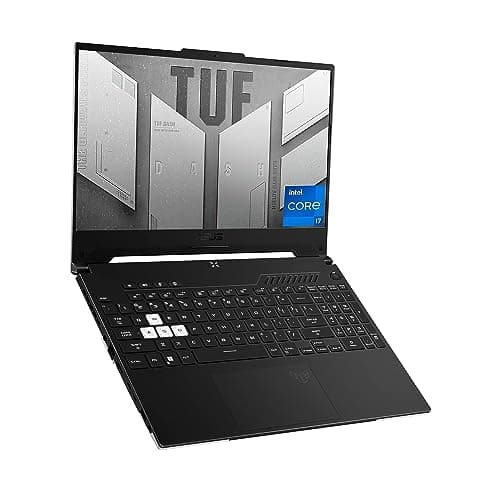
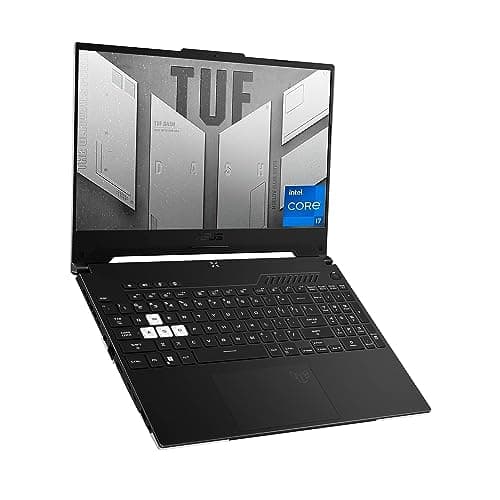
Lightest Build (2022 Model): ASUS TUF Dash 15 FX517ZM (2022, Core i7-12650H, RTX 3060 6GB)
ASUS TUF Dash 15 FX517ZM (2022, Core i7-12650H, RTX 3060 6GB)
(Current price, subject to change)
- ASUS TUF Dash 15 FX517ZM-AS73 (2022)
- Intel Core i7-12650H (12th-gen)
- RTX 3060 Laptop 6GB (Ampere)
- 16GB DDR5 plus 512GB SSD
- 15.6-inch FHD 144Hz, about 1.95 kg thin chassis
- Thunderbolt 4, MIL-STD durability, Windows 11
This configuration represents the well-constructed outlier here, and its most honest disclosure concerns age rather than craftsmanship. The listing is the 2022-generation FX517ZM: a twelfth-generation i7-12650H paired with an Ampere-architecture RTX 3060 lacking DLSS 3 Frame Generation entirely, sold at $1,029.99 against considerably newer RTX 4050 and 4060 laptops. Because no independent laboratory has published a review of this precise SKU, we lean on Notebookcheck's evaluation of a sibling FX517ZR sharing the identical chassis and panel family: that review found the "maximum brightness (266.2 cd/m2) is too low," ranked it among "the lightest devices in the comparison field" at approximately 1.95kg, and praised a screen exhibiting "very fast response rates" near 5.6ms grey-to-grey. That profile constitutes the pitch — portable, durable, fast-paneled — set against newer parts that comprehensively outperform it on features per dollar. Its DGH Dorm Gaming-Laptop Score of 5.8 sits last because our weighted composite emphasizes GPU generation and value, and an aging 2022 card at 2026 rates inevitably loses on both across a four-year ownership run, even though its build quality remains the best in this roundup.
What We Love
- The lightest chassis here at about 1.95 kg with a thin MIL-STD-durability body, so it actually travels to the library instead of staying on the desk
- Thunderbolt 4 and 16GB DDR5 give real docking and multitasking headroom
- Notebookcheck rates the sibling panel very fast at about 5.6ms grey-to-grey, well suited for fast-paced gaming
- The RTX 3060 6GB still delivers 1080p high in most current titles
What Could Be Better
- This is a 2022 model: a 12th-gen i7-12650H plus an Ampere RTX 3060 with no DLSS 3, yet it is priced at $1,029.99 against newer RTX 4050 and 4060 machines
- Notebookcheck calls the sibling panel's 266 cd/m2 maximum brightness too low
- 512GB SSD is the smallest storage among the pricier picks
The Verdict
For a student who prizes a thin-and-light chassis over raw value, the ASUS TUF Dash 15 FX517ZM (2022, Core i7-12650H, RTX 3060 6GB) is a reasonable pick — with one caveat. Its DGH Dorm Gaming-Laptop Score of 5.8 is the lowest here because a 2022 RTX 3060 with no DLSS 3 is priced against newer gear. You are buying the portability and the build, not the generation, so weigh that trade honestly.
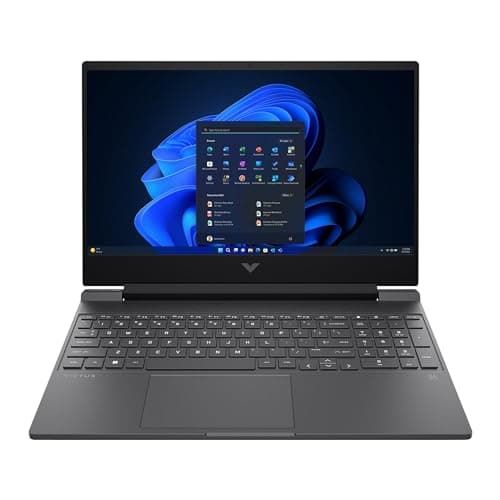
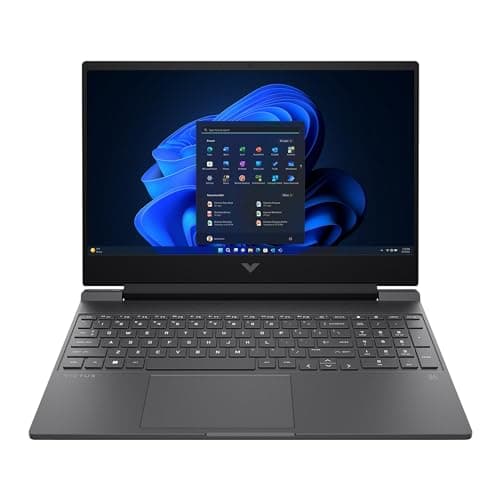
Cheapest Entry: HP Victus 15 (New, Core i5-13420H, RTX 3050, DDR4)
HP Victus 15 (New, Core i5-13420H, RTX 3050, DDR4)
(Current price, subject to change)
- HP Victus 15 (New listing — no longer the Renewed unit this guide originally reviewed)
- Intel Core i5-13420H
- RTX 3050 Laptop (entry tier, not a 4050)
- 8GB DDR4 plus 512GB NVMe SSD
- 15.6-inch FHD 144Hz panel
- Wi-Fi 6, backlit keyboard
The honest disclosure comes first: this Amazon listing runs the entry RTX 3050 and DDR4, a lower tier than most reviewed Victus machines that ship an RTX 4050 with DDR5. So the published reviews describe a stronger sibling, and we flag that rather than borrow their fps. An update since publication: this ASIN previously listed as Renewed at $599.99; re-verified 2026-07-23 it now ships New at $785 through a third-party seller — a real price and condition change, not a deal-window fluctuation. PCWorld's review of the RTX 4050 sibling called it "a great value" at its $799.99 sale price but warned "you shouldn't buy it for the $1,100 MSRP," managing "just 32 fps on average" in Metro Exodus with "just shy of six hours" battery and a 250-nit panel. Notebookcheck's sibling test logged about 42dB at 78 fps, a dim 249 cd/m2 screen, and "a rather lackluster picture" at 58% sRGB. Treat those as a ceiling, not a promise, since this cheaper unit runs a weaker 3050. Its DGH Dorm Gaming-Laptop Score of 6.0 credits the low price yet marks down the GPU tier and the DDR4, which is the whole reason to read the config before the price.
What We Love
- At $785 it is still the lowest entry price in the guide for a discrete-RTX laptop, and it now ships New rather than Renewed
- The i5-13420H, a 512GB NVMe SSD, and a 144Hz FHD panel cover light gaming and everyday coursework
- It is fine for 1080p esports and older or indie AAA at medium settings
- Wi-Fi 6 and a backlit keyboard are still on board
What Could Be Better
- It is an RTX 3050 with DDR4, the weakest GPU and slower memory here, not the RTX 4050 plus DDR5 most reviewed Victus units use
- PCWorld's sibling RTX 4050 review managed just 32 fps in Metro Exodus and about six hours battery, so expect this weaker 3050 to trail those numbers
- Price has risen from the $599.99 this guide first quoted to $785 as the listing moved from a Renewed unit to New stock
- This ASIN's Buy Box is a third-party Amazon marketplace seller, not shipped-and-sold-by Amazon.com
The Verdict
If your budget caps near $785 and the entry RTX 3050 tier is acceptable, the HP Victus 15 (New, Core i5-13420H, RTX 3050, DDR4) checks that box — it now ships New, not the Renewed unit this guide originally reviewed. Its DGH Dorm Gaming-Laptop Score of 6.0 still reflects the weakest GPU here. For about $115 more, the Acer Nitro V's real 4050 is the sturdier long-term call.
How We Score: DGH Dorm Gaming-Laptop Score
DGH Dorm Gaming-Laptop Score
Score Formula
gpu_performance_per_dollar (30%) + thermals_and_dorm_noise (20%) + value_and_futureproofing (20%) + build_and_durability (15%) + display_quality (15%)Score Factors
- GPU Performance per Dollar (30%)The real GPU tier measured against the live price — the heaviest factor. A current-gen RTX 5060 or 4060 outscores an older 3050 or 3060 at a comparable price, and a bundle-inflated listing is penalized here because you are paying more for the same silicon. This is where the MSI leads and the Lenovo bundle and the 2022 ASUS lose ground.
- Thermals and Dorm Noise (20%)Measured gaming fan noise and heat, since a 15.6-inch machine sits feet from a roommate. Notebookcheck clocked about 49 dB on the Acer and 48 dB on the LOQ sibling, so lower measured decibels and cooler sustained clocks score higher. Every unit here is loud under load; this factor separates the merely loud from the worse.
- Value and Future-Proofing (20%)VRAM, RAM headroom, GPU generation, and price sanity across a 4-year dorm run. 8GB VRAM ages better than 6GB, DLSS 3 or 4 support matters for 2026 titles, and a price that reflects the actual config rather than a Renewed or bundle markup earns more points.
- Build and Durability (15%)Chassis quality, hinge, and weight measured against nine months of dorm abuse per year. The ASUS TUF's thin MIL-STD body scores highest; the heavier HX and LOQ desktop-replacements trade portability for cooling mass.
- Display Quality (15%)Brightness, sRGB coverage, resolution, and refresh. Only the MSI runs a QHD 165Hz panel; the budget units cluster near 250 cd/m2 and under 60% sRGB, which Notebookcheck flags as dim and weak for color work.
DGH Dorm Gaming-Laptop Score — Ranked
MSI Katana 15 HX B14WFK (Core i7-14650HX, RTX 5060 8GB)
7.9/10Newest RTX 5060, only QHD panel, and 60-plus FPS at 1440p Ultra — the future-proofing leader
Acer Nitro V ANV15-51 (Core i5-13420H, RTX 4050 6GB)
6.6/10A genuine Ada RTX 4050 with DLSS 3 at $899.99 — the strongest value in the budget tier
Lenovo LOQ 15 15ARP9 (Ryzen 7 7435HS, RTX 4060 8GB, 32GB)
6.1/10Strong RTX 4060 and 32GB, but this $1,660.66 bundle listing craters the value versus direct pricing
HP Victus 15 (New, Core i5-13420H, RTX 3050, DDR4)
6.0/10Cheapest at $785 (now sold New, not Renewed), but an RTX 3050 with DDR4 — low price, weakest GPU
ASUS TUF Dash 15 FX517ZM (2022, Core i7-12650H, RTX 3060 6GB)
5.8/10Lightest and best-built, but a 2022 RTX 3060 with no DLSS 3 priced against newer gear
Does a Gaming Laptop Fit a Dorm Desk?
A gaming laptop earns its heat and weight only when the GPU is genuinely under sustained load, so plan the desk around it: these are 15.6-inch machines running from about 1.95kg to 2.7kg, each with a power brick that consumes backpack and desk space, and Notebookcheck measured 48dB to 49dB of fan noise under real gaming load, headphones territory next to a roommate.
The ASUS TUF Dash 15 FX517ZM (2022, Core i7-12650H, RTX 3060 6GB) is the one that genuinely travels to the library at about 1.95kg; the MSI Katana 15 HX B14WFK (Core i7-14650HX, RTX 5060 8GB) and Lenovo LOQ 15 15ARP9 (Ryzen 7 7435HS, RTX 4060 8GB, 32GB) are heavier desktop-replacements you'll leave plugged in across a 4-year dorm run. Battery under real use runs about 5 to 7 hours of light work and only 1 to 2 hours while gaming, so keep the desk near an outlet and carry the charger to class. If your coursework is only writing, browsing, and cloud or Linux-VM coding, a MacBook Air is lighter, quieter, and lasts far longer — the RTX laptop pays off, and pays off well, when CUDA compute or modern AAA actually runs, delivering real, tangible, and lasting value across a full 4-year degree. Matched to the right student and the right major, every one of these five laptops earns its keep, turning coursework and downtime into the same reliable, capable machine. That flexibility is worth restating: the same dedicated GPU that renders a CAD model, trains a small local model, or exports a Premiere timeline is also the GPU that runs the games a student plays between classes, so the spend genuinely does double duty across both coursework and downtime rather than serving only one purpose. Buyers who verify the exact GPU generation before checkout, rather than trusting the sticker price alone, get the most reliable four-year outcome from any of these five picks.
| Product | Current-gen GPU (Ada or Blackwell, DLSS 3+) | 8GB or more VRAM for 2026 titles | Thin-and-light enough to carry daily (under 2.1 kg) |
|---|---|---|---|
| msi-katana-15-hx-rtx5060 | ✓ | ✓ | – |
| acer-nitro-v-rtx4050 | ✓ | – | ✓ |
| lenovo-loq-15-rtx4060 | ✓ | ✓ | – |
| asus-tuf-dash-15-rtx3060 | – | – | ✓ |
| hp-victus-15-rtx3050 | – | – | ✓ |
Three Honest Battlestation Bundles, Priced Out
A gaming laptop's sticker price stops being the real number the moment it needs a cooling pad for sustained load and an external monitor for anything past 1080p — two purchases nearly every buyer on this page eventually makes. Every dollar figure below was independently re-verified against the Amazon Creators API on 2026-07-27, the same afternoon this bundle module was written. The budget cart pairs the HP Victus 15 (New, Core i5-13420H, RTX 3050, DDR4) at $781.85 with the TopMate C12 Laptop Cooling Pad, 6-Fan RGB, 8 Adjustable Heights at $34.77 — genuinely useful under the RTX 3050's sustained load per TechRadar's testing — plus the 144Hz LG 27G414B-B UltraGear 27" FHD IPS 144Hz Monitor at $129.99, landing at $946.61 for a complete esports-ready setup. The sweet-spot cart swaps in the Acer Nitro V ANV15-51 (Core i5-13420H, RTX 4050 6GB) at $949.00, keeping the same cooling pad and monitor, for $1,113.76 total — the current-gen RTX 4050 and DLSS 3 support this guide ranks second overall. The premium cart anchors on the MSI Katana 15 HX B14WFK (Core i7-14650HX, RTX 5060 8GB) at $1,449.99, the newest RTX 5060 and QHD panel in this roundup, plus the identical cooling pad and monitor, clearing $1,614.75 for the complete desk-and-cooling setup this GPU's sustained load genuinely benefits from.
The cooling pad is not a luxury add-on for this category specifically: Notebookcheck measured 48dB to 49dB of fan noise under sustained load across this roster, and a laptop already running hot on a soft dorm-bed surface throttles harder without one. Anyone who already owns a cooling solution and just wants the display upgrade will find our Best External Monitors for a College Dorm Desk 2026 guide prices that narrower monitor-plus-arm cart on its own. And for a student whose real plan is a stationary rig instead of a gaming laptop entirely, our Best Mac Mini & Compact Desktops for Dorm Battlestations 2026 guide runs that alternative math in full.
Who Should Buy What
Who Should Buy What
| If you are… | Recommended pick |
|---|---|
CS or engineering student with GPU workloads You run local CUDA, PyTorch, CAD, or Blender and want a QHD screen and the newest GPU to last four years | MSI Katana 15 HX B14WFK (Core i7-14650HX, RTX 5060 8GB) |
Budget gamer who needs current-gen features Your budget caps near $900 and you want a real RTX 4050 with DLSS 3 for 1080p high settings | Acer Nitro V ANV15-51 (Core i5-13420H, RTX 4050 6GB) |
Memory-hungry multitasker You want an RTX 4060 with 32GB for VMs and heavy multitasking, and you'll buy the base config direct from Lenovo | Lenovo LOQ 15 15ARP9 (Ryzen 7 7435HS, RTX 4060 8GB, 32GB) |
Portability-first student You carry the laptop everywhere and value a thin, durable body, and you accept a 2022 RTX 3060 with no DLSS 3 | ASUS TUF Dash 15 FX517ZM (2022, Core i7-12650H, RTX 3060 6GB) |
Hard-capped budget buyer You need any discrete RTX GPU near $785, you mostly play esports, and the entry RTX 3050 tier is acceptable | HP Victus 15 (New, Core i5-13420H, RTX 3050, DDR4) |
Frequently Asked Questions
Is a gaming laptop worth it for a CS major?
Only if you will actually use the GPU. Local CUDA and PyTorch, ML coursework, Unity or Unreal builds, and CAD all lean on the RTX GPU and 16 to 32GB of RAM a MacBook Air cannot match. Many CS programs run their toolchains in the cloud or in Linux VMs, which shrinks the gaming laptop's advantage to local GPU compute and gaming. If that describes your program, an ultrabook is lighter and lasts longer — check your specific courses first.
RTX 4050 vs 4060 for college — which should I get?
The 4060 carries 8GB VRAM against the 4050's 6GB, plus a larger L2 cache, so it ages better for demanding 2026 titles and GPU compute. Get the 4050 (the Acer Nitro V at $899.99) if your budget is hard-capped and you mostly play 1080p esports; stretch to a 4060, or the newer RTX 5060 in the MSI Katana, if you can — especially for CAD, rendering, or ML. The boundary worth knowing: 6GB is already tight in a few 2026 titles at ultra textures.
Will a gaming laptop be too loud for a dorm?
It will not damage itself, but it gets loud under load: Notebookcheck measured about 49 dB on the Acer and 48 dB on the Lenovo sibling during gaming — headphones territory beside a roommate. Keep it on a hard surface, not a bed, for airflow, and set a balanced or quiet fan profile for schoolwork. The nuance people miss: idle and web use are quiet, so the noise is strictly a gaming-load phenomenon, not a constant.
Gaming laptop vs MacBook Air for school?
The MacBook Air wins battery, silence, weight, and portability; the gaming laptop wins raw GPU and CUDA compute, gaming, upgradeable RAM and SSD, and price-to-power. Rule of thumb: CUDA, gaming, CAD, or rendering points to an RTX laptop; writing, coding, web, and all-day portability points to the Air. The detail that decides it: the Air has no discrete GPU and no CUDA at all, so a compute-bound workload is not a close call.
What is the real battery life on these?
Budget-honest: expect about 5 to 7 hours of light schoolwork (PCWorld logged near six hours on a Victus sibling; CGMagazine 5 to 7 hours on the MSI) and only 1 to 2 hours while gaming unplugged — and performance throttles off the charger. The practical takeaway a spec sheet won't tell you: treat these as plug-in-to-game machines and carry the bulky charger to class, because unplugged gaming is not the experience you paid for.
Bottom Line
Get the MSI Katana 15 HX B14WFK (Core i7-14650HX, RTX 5060 8GB) if you want the newest RTX 5060 and a QHD panel for gaming plus CAD, Blender, or local ML across a 4-year degree.
Get the Acer Nitro V ANV15-51 (Core i5-13420H, RTX 4050 6GB) if your budget caps near $900 and you want a genuine current-gen RTX 4050 with DLSS 3 for 1080p high.
Get the Lenovo LOQ 15 15ARP9 (Ryzen 7 7435HS, RTX 4060 8GB, 32GB) if you need an RTX 4060 with 32GB and you will buy the base config direct from Lenovo near $1,000, not this bundle.
For a student who will actually use the GPU, the MSI Katana 15 HX B14WFK (Core i7-14650HX, RTX 5060 8GB) is the future-proof call at $1,449.99 — the newest RTX 5060 and the only QHD panel here, a strong pick for gaming plus coursework across a 4-year degree. On a tighter budget, the Acer Nitro V ANV15-51 (Core i5-13420H, RTX 4050 6GB) gives you a real RTX 4050 with DLSS 3 at $899.99, a genuinely good value. Read the config on the rest: the HP Victus is an entry RTX 3050 now priced at $785, the ASUS TUF is a 2022 RTX 3060, and the Lenovo LOQ's $1,660.66 tag is a cooler bundle you should price-check against Lenovo direct before buying.
Sources & Methodology
Methodology: DGH Dorm Gaming-Laptop Score — Formula: gpu_performance_per_dollar (30%) + thermals_and_dorm_noise (20%) + value_and_futureproofing (20%) + build_and_durability (15%) + display_quality (15%). Factors: GPU Performance per Dollar (30%) · Thermals and Dorm Noise (20%) · Value and Future-Proofing (20%) · Build and Durability (15%) · Display Quality (15%). Full factor definitions appear in the How We Score section above.
Expert review sources used in this analysis:
- DormGearHQ aggregates expert review data, manufacturer specifications, and live Amazon listings to produce consensus-based buying guidance; we do not perform first-party product testing
- For this guide, Notebookcheck supplied fetch-verified bench data on the Acer Nitro V (263 cd/m2, 60% sRGB, 49dB, 78 to 82 fps) and on sibling configurations of the HP Victus, Lenovo LOQ, and ASUS TUF Dash where an exact-SKU review was unavailable — each Notebookcheck sibling is flagged as such rather than presented as this unit's result, and every price is checked against a 4-year ownership window
- PCWorld reviewed a stronger RTX 4050 Victus sibling (32 fps Metro Exodus, near six-hour battery, 250 nits), and CGMagazine reviewed the exact MSI Katana RTX 5060 config (above 60 FPS at 1440p Cyberpunk Ultra, 5 to 7 hours battery)
- Tom's Hardware's verdict on the exact Lenovo 15ARP9 read "decent gaming, but poor productivity"; we cite that headline only, since the article body was JS-gated on fetch
- The DGH Dorm Gaming-Laptop Score is a weighted composite: our formula normalizes each factor to a tier scale, then weights GPU performance per dollar at 30%, thermals and dorm noise at 20%, value and future-proofing at 20%, build and durability at 15%, and display quality at 15%
- That calculation yields one number per laptop, and the DGH Dorm Gaming-Laptop Score ranks the MSI Katana first because its newest-generation GPU and QHD panel outperform the field relative to price
- Config-identity flags — the HP Victus's entry RTX 3050, the ASUS 2022 RTX 3060, and the Lenovo bundle markup — are disclosed in each review because reading past the "$" to the actual config is the point of this guide
- Prices, ASINs, and availability were re-verified 2026-07-23 against the Amazon Creators API: every roster price moved (MSI $1,133.67 to $1,449.99, Acer $849 to $899.99, Lenovo bundle $1,699 to $1,660.66, ASUS TUF $995.97 to $1,029.99), the HP Victus ASIN was swapped after its original listing went out of stock (it now ships New at $785 rather than the Renewed $599.99 unit first reviewed here), and every roster ASIN's Buy Box is currently held by a third-party Amazon marketplace seller rather than Amazon.com directly — worth knowing before you check out
- The three battlestation-bundle carts added 2026-07-27 price the HP Victus, Acer Nitro V, and MSI Katana against the TopMate C12 cooling pad and the LG UltraGear monitor — all five re-verified New-condition, live-priced against the Amazon Creators API on 2026-07-27; TechRadar's independent review of the cooling pad measured 58.5dB at 3 inches and 45dB at a normal head-height distance, and the cooling pad is sold via a third-party Amazon marketplace seller (NIPAITechnology) rather than Amazon or the brand, New and in stock on our check date
- Confirm live pricing, stock, and the exact GPU SKU before buying, and see the metrics methodology page linked from the score block above.
Nicholas Miles is the founder of DormGearHQ and a longtime smart home enthusiast focused on helping everyday homeowners make better technology decisions. He researches, compares, and writes about products across security, climate, lighting, leak prevention, sensors, home energy, and automation, with an emphasis on real-world usefulness, ecosystem compatibility, reliability, privacy, and long-term value.
Affiliate disclosure: DormGearHQ earns affiliate commissions on qualifying Amazon purchases. Our scoring methodology is independent of affiliate relationships.
More Guides

tech-charging
The Premium Dorm Tech Stack: Allocating $1500 Before Move-In

tech-charging
Best Laptops for College Students 2026
Gaming & Tech
Dorm Gaming Setup for Small Shared Rooms in 2026

tech-charging
Best External Monitors for a College Dorm Desk 2026

tech-charging