
Dorm WiFi and Tech Connectivity Setup for 2026
Six connectivity fixes for a dorm where the building router is off-limits and personal routers are commonly banned, ranked by the DGH Dorm Connectivity Score across reliability gain, policy-safe fit, setup simplicity, and value — so an extender leads and a cable kit trails.
This article contains affiliate links. We may earn a commission at no extra cost to you. Learn more
Featured in this Guide

TP-Link
AX3000 WiFi 6 Range Extender (RE715X)
- •Tops the DGH Dorm Connectivity Score: WiFi 6 AX3000 reaches a dead corner without touching the building router, and a Gigabit port wires one desk device, ,

UGREEN
Revodok 6-in-1 USB-C Hub with Gigabit Ethernet and 4K HDMI
- •Gives a modern laptop a Gigabit jack, 4K HDMI, and 100W passthrough over one USB-C cable — what makes a wired run usable at the desk, ,
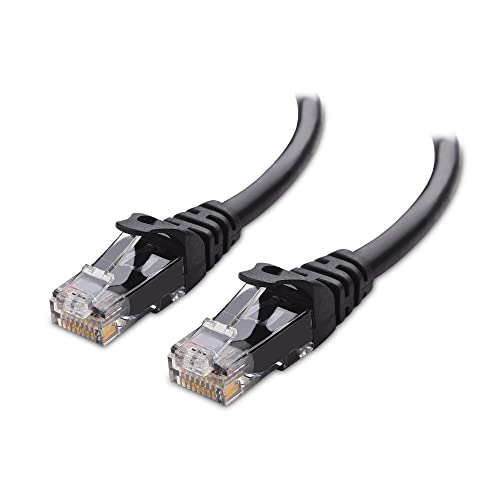
Cable
Matters Snagless Cat 6 Ethernet Cable, 25 ft
- •A 25 ft Cat 6 run into an active wall jack bypasses the congested shared wifi for the most reliable link — check your hall has a jack, ,
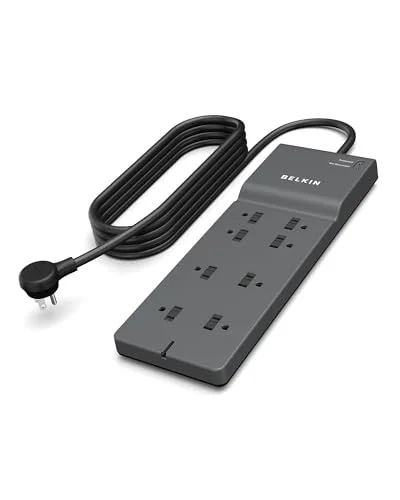
Belkin
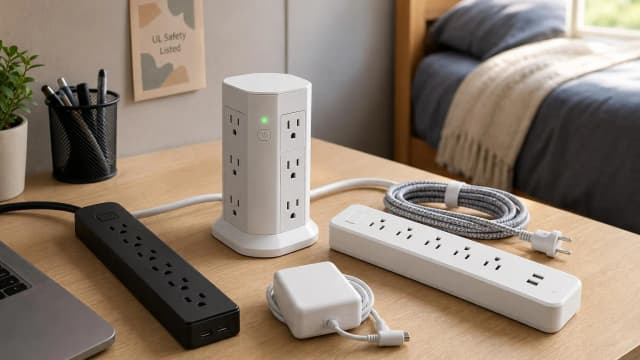
8-Outlet Surge Protector with 8 ft Flat Plug (2,500 Joules)
- •Eight UL-listed outlets on an 8 ft flat-plug cord power the whole stack safely, framed at its $17.99 MSRP, no banned cord, ,
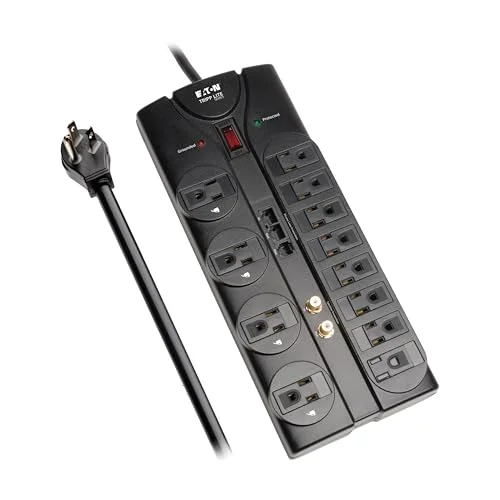
Tripp
Lite TLP1208SAT Surge Protector
- •Twelve outlets in a dorm-legal chassis for a bigger desk, with an 8 ft cord plus coax and phone-line surge ports, ,

N
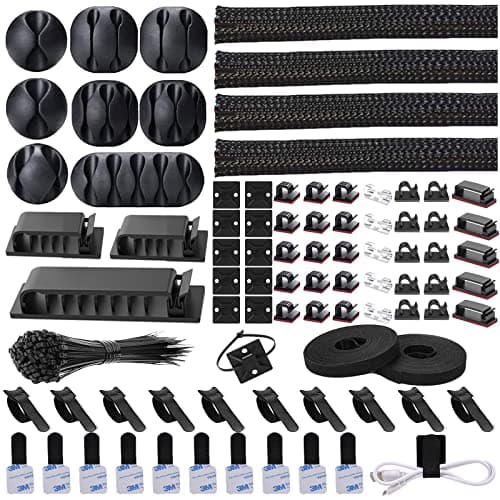
NOROCME 192-Piece Cable Management Kit
- •192 pieces to route the extender, hub, and charger cables off the floor — no speed gain, just tidiness and trip-safety, ,
The Short Answer
When the building's router is off-limits, reliability comes first. A WiFi 6 extender rescues a dead corner, and a 25 ft ethernet run into an active jack delivers the steadiest connection. Then add the UGREEN hub so a port-poor laptop accepts that wired jack, and power everything from one dorm-legal surge protector.
Dorm connectivity is a problem of constraints. The building's router is off-limits, many schools prohibit personal routers, and banned extension cords rule out half the power strips on the shelf. This guide ranks six pieces by the DGH Dorm Connectivity Score. That score is a weighted composite, and it favors gear built to last a 4-year dorm stay over a yearly churn of replacements. It weighs how much reliability each piece adds, whether it stays inside campus rules, how simple the setup is, and what it costs per outlet. The approach here follows what the cited reviews establish piece by piece: extend the signal, wire around congestion, and run it on safe power. Compared to buying a router you cannot use, this stack delivers a steadier connection without breaking a policy.
Six Connectivity Pieces, Ranked by Dorm Fit
Tech & Connectivity
Chart
 DormGearHQ.com
Vornado 660 Large Air Circulator Fan
$119.99Must BuyCheck price
Tempur-Pedic TEMPUR-Topper Supreme Twin XL
$269Must BuyCheck price
Budding Joy Under Bed Storage with Wheels 2-Pack, 80L Height-Adjustable Underbed Containers with Clear Lids
$41.99RecommendedCheck price
EUDELE Mesh Shower Caddy Portable for College Dorm, 8-Pocket Large Capacity
$8.54Must BuyCheck price
Dalykate Backpack Laundry Bag with Shoulder Straps and Mesh Pocket
$17.97Must BuyCheck price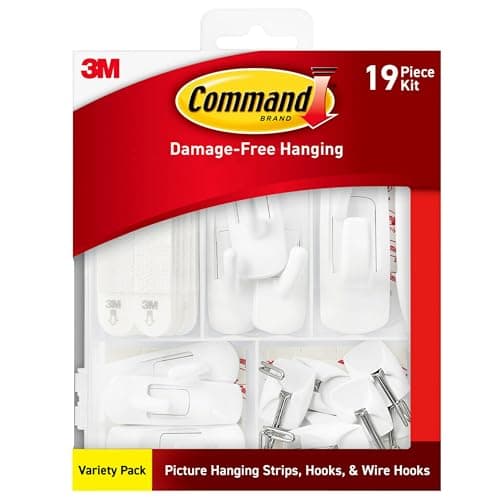
Command Variety Pack (10 Pairs Picture Hanging Strips, 6 Wire Hooks, 8 Utility Hooks)
$14.84Must BuyCheck price
Best signal fix: TP-Link AX3000 WiFi 6 Range Extender (RE715X)
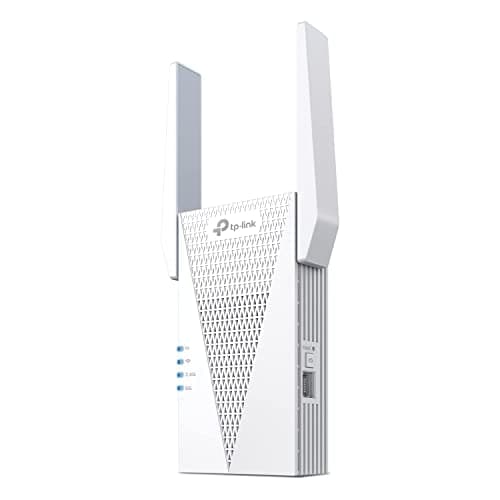
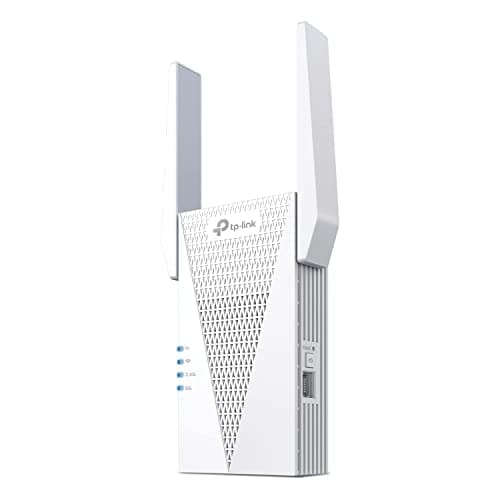
TP-Link AX3000 WiFi 6 Range Extender (RE715X)
(Current price, subject to change)
- WiFi 6 dual-band AX3000: 2402 Mbps (5GHz) + 574 Mbps (2.4GHz)
- Coverage rated up to 2400 sq ft, 64 devices
- One Gigabit Ethernet port for a wired drop
- TP-Link Tether app-guided setup
- EasyMesh / OneMesh compatible
- Wall-plug form factor, no shelf needed
The RE715X tops the DGH Dorm Connectivity Score because it fixes the one thing you cannot solve by unplugging the building's router: a dead corner. Its WiFi 6 AX3000 radios push usable signal to a spot the hall access point misses, and a Gigabit Ethernet port on the unit gives one desk device a wired drop. PCMag names it an Editor's Choice for range extenders, crediting its blend of performance, security, and value, and PCMag's read matches the app-guided Tether setup that takes minutes with no IT involvement. The honest limit is physics: like any repeater, throughput roughly halves in the extended zone, so it delivers reliable reach, not full speed, and it claims a mid-point outlet. Compared to a personal router you are not allowed to install, an extender is commonly permitted where routers are banned — but check your campus policy first. As gear built to last a 4-year dorm stay, it is the signal fix. See The Premium Dorm Tech Stack: Allocating $1500 Before Move-In.
What We Love
- WiFi 6 AX3000 radios push usable signal into a far corner the hall access point misses
- A Gigabit Ethernet port on the unit gives one desk device a wired drop without cabling to the wall
- Tether app setup takes minutes and needs no access to the building's router
- Rated coverage far exceeds what one dorm room ever asks of it
- EasyMesh means it still cooperates with a home router over breaks
What Could Be Better
- Like any repeater, throughput roughly halves in the extended zone
- It occupies a mid-point wall outlet, which may not be where your free one is
- Extender permission varies by campus, so check your policy first
The Verdict
If your room has a dead corner, the TP-Link AX3000 WiFi 6 Range Extender (RE715X) is the fix. PCMag names it an Editor's Choice for range extenders for its blend of performance, security, and value, and Dong Knows Tech calls it versatile yet limited. Its top DGH Dorm Connectivity Score reflects reliability gain, not full speed.
Port-poor laptop fix: UGREEN Revodok 6-in-1 USB-C Hub with Gigabit Ethernet and 4K HDMI
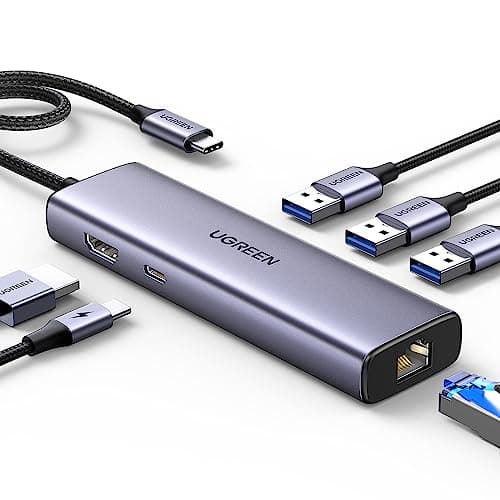
UGREEN Revodok 6-in-1 USB-C Hub with Gigabit Ethernet and 4K HDMI
(Current price, subject to change)
- Gigabit Ethernet (RJ45) port
- 4K 30Hz HDMI output
- 100W USB-C Power Delivery passthrough
- Three USB-A 3.0 data ports
- Aluminum body for heat shedding
- Single USB-C host connection
The UGREEN Revodok is the piece that makes a wired connection usable on a modern laptop, and that is why it ranks second. A thin laptop has no RJ45 jack, so the hub's Gigabit Ethernet port is what lets it accept the Cat 6 run at the desk; the same single USB-C connection also drives a 4K display and passes 100W of charging back to the laptop. Creative Bloq's tested review calls it versatile and lightweight, and Kotaku singles out the port set — Ethernet, HDMI, USB-A, USB-C — as unusually complete for the price. The honest caveats are modest: the HDMI tops out at 4K 30Hz, it runs warm when several ports work at once, and a slice of the passthrough wattage feeds the hub itself. Its three USB-A 3.0 ports also absorb the mouse, keyboard, and flash drives a dorm desk collects, so one connection replaces a drawer of dongles. Compared to buying separate adapters, one hub produces a cleaner single-cable desk. Built to serve across a 4-year dorm stay, it is the port-poor-laptop fix. See Best Laptops for College Students 2026.
What We Love
- The Gigabit RJ45 port gives a port-poor laptop the wired jack that makes an ethernet run usable
- 4K HDMI drives an external display from the same single USB-C connection
- 100W passthrough charges the laptop through the hub, so the desk runs off one port
- Three USB-A 3.0 ports absorb the mouse, keyboard, and flash-drive gear a desk accumulates
- An aluminum body at a budget price helps shed heat under load
What Could Be Better
- HDMI tops out at 4K 30Hz, fine for a document monitor but not a high-refresh screen
- It runs warm when several ports work at once
- A slice of the passthrough wattage feeds the hub, so the laptop sees less than the full input
The Verdict
If your laptop has no ethernet jack, the UGREEN Revodok 6-in-1 USB-C Hub with Gigabit Ethernet and 4K HDMI is what lets it accept a wired run. Creative Bloq's tested review calls it versatile and lightweight, and Kotaku singles out its port set as unusually complete for the price. Its DGH Dorm Connectivity Score is strong on setup and value, softened only by the modest HDMI ceiling.
Steadiest connection: Cable Matters Snagless Cat 6 Ethernet Cable, 25 ft
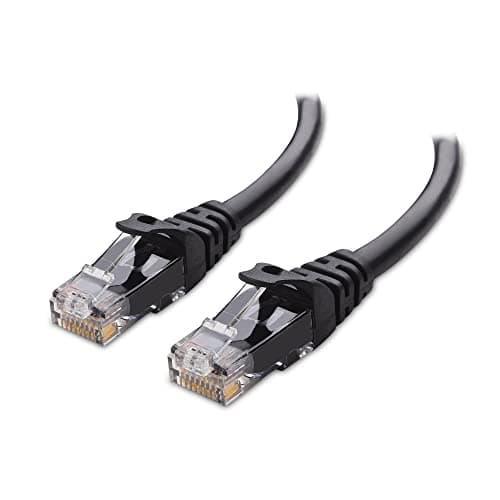
Cable Matters Snagless Cat 6 Ethernet Cable, 25 ft
(Current price, subject to change)
- Cat 6, rated to 10Gbps
- 25 ft length
- Snagless connector boots
- Bare-copper conductors
- RJ45 plugs both ends
- Infrastructure-priced for a 4-year buy
A wired run is the most reliable connection a dorm room can have, and the Cable Matters Cat 6 is how you get one for the price of lunch. Dropping a 25 ft cable from an active wall jack to the desk bypasses the congested shared-wifi channel entirely, and the Cat 6 rating to 10Gbps means the cable is never the bottleneck against any campus uplink. The snagless boots survive the yank-and-move life of dorm furniture, and at this price it is infrastructure you buy once. The honest limits are worth checking first: it only helps if your hall has an active ethernet jack, and some newer buildings are wifi-only, so confirm before you buy. A 25 ft run needs routing discipline, and a thin laptop needs the UGREEN hub to accept the plug. Compared to fighting for airtime on a shared access point, a wire delivers a steady link congestion cannot touch. For a desktop, a game console, or an exam-day laptop, that wired steadiness is worth the routing effort. As a 4-year infrastructure buy, it is the reliability pick. See Dorm Desk Setup for Small Spaces 2026.
What We Love
- A wired run bypasses the congested shared-wifi channel entirely for the most reliable link
- Cat 6 rated to 10Gbps is far beyond any campus uplink, so the cable is never the bottleneck
- 25 ft reaches from a wall jack across a standard room to the desk with slack to route
- Snagless boots survive the yank-and-move life of dorm furniture rearrangement
- Cheap enough to treat as infrastructure and buy once
What Could Be Better
- Only useful if your room has an active ethernet jack — some newer halls are wifi-only
- 25 ft of cable needs routing discipline or it becomes floor clutter
- A thin laptop needs the UGREEN hub or an adapter to accept the RJ45 plug
The Verdict
If your wifi is congested rather than weak, the Cable Matters Snagless Cat 6 Ethernet Cable, 25 ft is the steadiest answer. The Amazon listing confirms the 10Gbps Cat 6 rating, snagless boots, and 25 ft length. Its DGH Dorm Connectivity Score is high on value and reliability, held back only by the active-jack requirement it depends on.
Safe-power backbone: Belkin 8-Outlet Surge Protector with 8 ft Flat Plug (2,500 Joules)
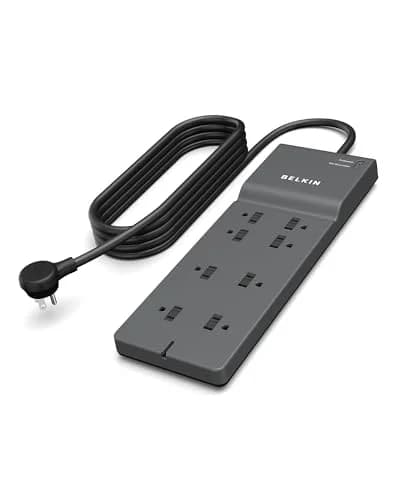
Belkin 8-Outlet Surge Protector with 8 ft Flat Plug (2,500 Joules)
(Current price, subject to change)
- 8 AC outlets
- 2,500 joules surge protection
- UL-listed
- 8 ft flat-plug cord
- Fits behind furniture
- Heavy-duty cord rating
The Belkin 8-outlet strip is the day-one power backbone the whole networking stack plugs into. Its UL-listed, flat-plug design is the form dorm housing policies require, so nothing gets confiscated at inspection, and its 8 ft flat-plug cord reaches a far-wall outlet without the banned extension cord. TechGearLab establishes that 1,000-2,000 joules is adequate for sensitive electronics, and the Belkin's 2,500 clears that bar with headroom, which is why TechGearLab's threshold is the honest way to read its rating. Eight outlets cover the laptop, monitor, extender, hub, and chargers without a daisy-chain. The honest gaps are minor for this job: it has no built-in USB ports, and its rating trails the 4,000-joule premium tier a few of the strictest schools ask for. Compared to a cheap strip that fails inspection, a UL-listed flat plug produces a setup that passes and lasts. Framed at its $17.99 MSRP and built for a 4-year dorm stay, it is the safe-power pick. See Best Dorm-Safe Power Strips 2026.
What We Love
- UL-listed flat-plug design is the form dorm housing policies require, so nothing gets confiscated
- 2,500 joules clears the range TechGearLab calls adequate for sensitive electronics with headroom
- Eight outlets cover the laptop, monitor, extender, hub, and chargers without a daisy-chain
- An 8 ft flat-plug cord reaches a far-wall outlet so you skip the banned extension cord
- Trusted brand and serious build quality iZReview flags for the price
What Could Be Better
- No built-in USB charging ports, unlike pricier strips
- The joule rating trails the 4,000-joule premium tier a few strict schools ask for
- A plain power strip with no smart features
The Verdict
If you want the day-one power backbone, the Belkin 8-Outlet Surge Protector with 8 ft Flat Plug (2,500 Joules) is it. TechGearLab calls 1,000-2,000 joules adequate for sensitive electronics, and the Belkin's 2,500 clears it; iZReview flags its trusted build. Framed at its $17.99 MSRP, its DGH Dorm Connectivity Score is high on policy-safe fit and value.
Most outlets: Tripp Lite TLP1208SAT Surge Protector
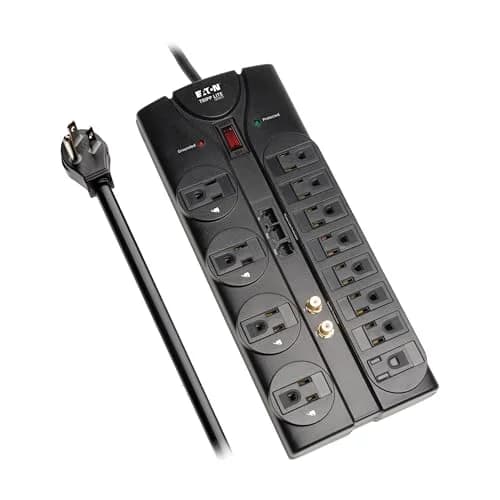
Tripp Lite TLP1208SAT Surge Protector
(Current price, subject to change)
- 12 outlets in a two-row layout
- UL 1449 listed surge protector
- 8 ft cord
- Coax and phone-line surge ports
- Enterprise-grade chassis
- Right-angle plug head
The Tripp Lite TLP1208SAT is the answer when eight outlets are not enough. Its 12 outlets are the highest count here in a dorm-legal form factor, and its 8 ft cord runs from a far-wall outlet to the desk without a chained extension cord. CNET frames it as the enterprise-grade consumer pick whose twelve outlets handle setups other strips cannot, and Reviewed ranks it the best high-outlet-count strip of its 2026 coverage. Tom's Guide recommends it as the dorm-policy-compliant choice for students who genuinely need twelve outlets, and Good Housekeeping credits its institutional warranty for clearing the safety bar shared housing demands. The honest trade-offs are size and price: the right-angle plug head still occupies a full outlet, the coax and phone-line surge ports are overkill for most 2026 dorms, and it carries no USB-C charging. Compared to running two smaller strips, one twelve-outlet chassis delivers a tidier, single-cord desk. Framed at $55 and built for a 4-year dorm stay, it is the big-setup pick. See The Premium Dorm Tech Stack: Allocating $1500 Before Move-In.
What We Love
- Twelve outlets are the highest count here in a dorm-legal form factor at this price tier
- An 8 ft cord runs from a far-wall outlet to the desk without a chained extension cord
- Coax and phone-line surge ports protect a cable modem and landline-era electronics
- An enterprise-grade chassis holds up to dorm move-in and move-out cycles
- UL 1449 listed protection clears the strict-tier dorm-policy floor
What Could Be Better
- The right-angle plug head still occupies a full outlet rather than lying flat
- Coax and phone-line protection is overkill for most 2026 dorm setups
- No USB-C charging — every device charges through the outlets directly
The Verdict
If eight outlets are not enough, the Tripp Lite TLP1208SAT Surge Protector is the answer. CNET frames it as the enterprise-grade consumer pick, Reviewed ranks it the best high-outlet-count strip, Tom's Guide calls it dorm-policy-compliant, and Good Housekeeping credits its warranty. Framed at $55, its DGH Dorm Connectivity Score is strong on policy-safe fit.
Cable tidy: N NOROCME 192-Piece Cable Management Kit
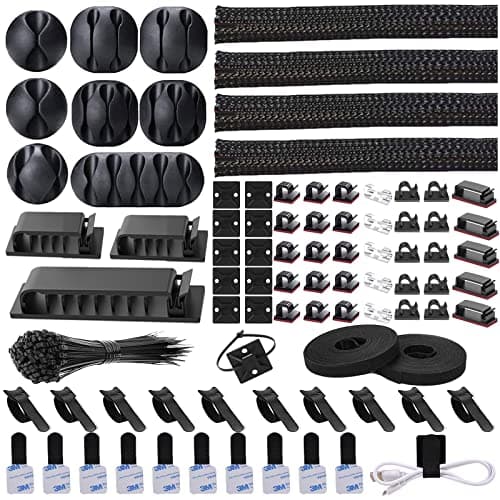
N NOROCME 192-Piece Cable Management Kit
(Current price, subject to change)
- 192 total pieces
- 4 zip-up cable sleeves
- 35 adhesive cord clips
- 11 cable holders
- 100 fastening cable ties
- 12 roll-organizer straps
The NOROCME 192-piece kit adds no speed, and the DGH Dorm Connectivity Score is built to say so honestly — it ranks last because tidiness is its whole job. What it does well is turn the extender, hub, charger, and ethernet runs into one clean trunk line instead of a floor tangle. The 192 pieces include four zip-up sleeves, cord clips, holders, and 100 fastening ties, enough to route a whole desk along its edge rather than across the floor of a shared room. The honest caveats are specific: the adhesive clips can pull paint or laminate on removal, so mount them on the desk and never the wall, and the kit delivers trip-safety, not throughput. Compared to leaving cables loose, a tidied desk produces fewer snags and a safer walkway for a roommate. The reusable straps make the whole run re-doable after every winter break and move-out, so the same kit serves year after year. One kit covers a 4-year dorm stay of rearrangements, which is why it earns its spot. See What NOT to Bring to a College Dorm in 2026.
What We Love
- 192 pieces cover a whole desk's sprawl of extender, hub, and charger runs in one kit
- Zip-up sleeves bundle the messy runs into one clean trunk line
- Adhesive clips route cables along the desk edge instead of across a shared-room floor
- Reusable straps make the setup re-doable after every break and move-out
- One kit covers a 4-year dorm stay of rearrangements
What Could Be Better
- Adhesive clips can pull paint or laminate on removal — mount them on the desk, not the wall
- No performance benefit — this is tidiness and trip-safety, not speed
- Sleeves take patience to load the first time
The Verdict
If your desk becomes a cable tangle, the N NOROCME 192-Piece Cable Management Kit tidies it. The Amazon listing confirms the 192-piece count: four sleeves, 11 holders, 35 clips, 12 straps, and 100 ties. Its DGH Dorm Connectivity Score ranks last on purpose — it adds trip-safety, not throughput — but it earns its low spot honestly.
How We Score: DGH Dorm Connectivity Score
DGH Dorm Connectivity Score
Score Formula
weighted composite (0-10): connection_reliability_gain 30% + policy_safe_fit 25% + setup_simplicity 25% + value_and_footprint 20%, each factor scored 0-10 from listing specs, published review findings, and dorm-network constraints, normalized to a single composite. connection_reliability_gain credits gear that adds a steadier connection; policy_safe_fit credits gear that stays inside campus rules with no IT involvement; setup_simplicity credits plug-and-play install for a non-network person; value_and_footprint credits dollars, outlet slots, and desk space against the return.Score Factors
- Connection Reliability Gain (30%)The heaviest factor: how much steadier the room's connection gets with the piece installed. A WiFi 6 extender that reaches a dead corner and a wired ethernet run that bypasses the congested shared channel score highest; a surge strip or cable kit that powers and tidies the desk without touching throughput scores low.
- Policy-Safe Fit (25%)Whether the piece works within typical campus rules: no personal router, no touching the building's network hardware, no banned extension cords. Gear that plugs into your own outlet or laptop and needs no IT involvement scores high; anything whose permission varies by campus carries an honest check-your-policy caveat.
- Setup Simplicity (25%)How close the install is to plug-and-play for a student with no network training. App-guided pairing and single-cable hubs score high; anything needing placement experimentation, port adapters, or patient routing scores lower.
- Value & Footprint (20%)What the piece costs in dollars, outlet slots, and desk space against what it returns. A cheap cable that solves congestion outright is the value ceiling; pricier or bulkier gear must earn its outlet and its price.
DGH Dorm Connectivity Score — Ranked
TP-Link AX3000 WiFi 6 Range Extender (RE715X)
8.6/10The best signal fix: WiFi 6 AX3000 reaches a dead corner without touching the building router
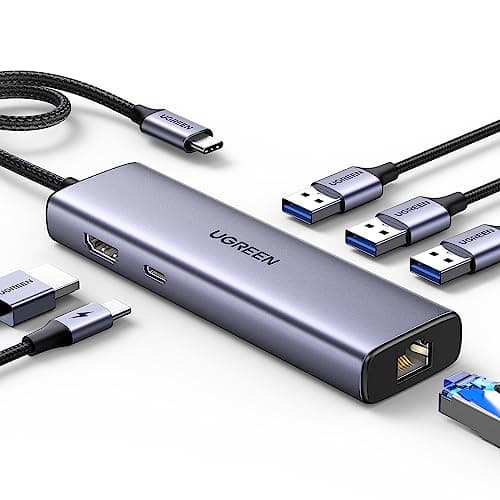
UGREEN Revodok 6-in-1 USB-C Hub with Gigabit Ethernet and 4K HDMI
8.3/10The piece that makes a wired run usable on a port-poor laptop, over a single USB-C cable
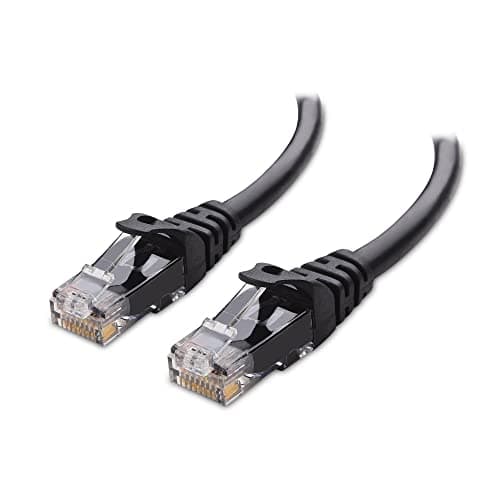
Cable Matters Snagless Cat 6 Ethernet Cable, 25 ft
8.0/10The steadiest link a dorm can get — if the hall still has an active ethernet jack
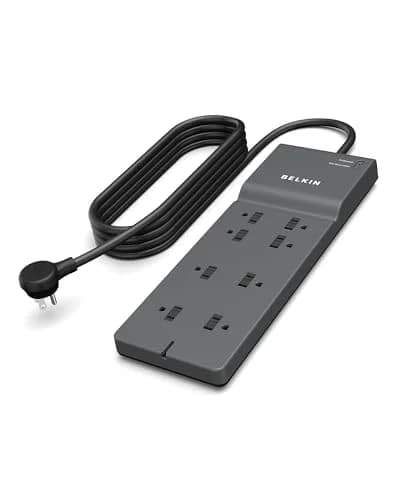
Belkin 8-Outlet Surge Protector with 8 ft Flat Plug (2,500 Joules)
7.5/10The safe-power backbone: eight UL-listed outlets that pass inspection, framed at MSRP
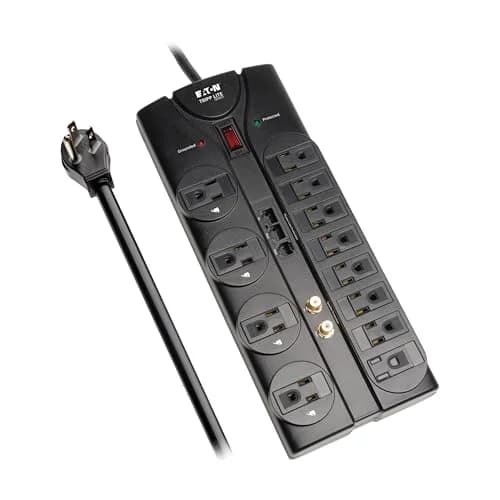
Tripp Lite TLP1208SAT Surge Protector
7.2/10Twelve outlets for a bigger desk, dinged only on footprint and price
N NOROCME 192-Piece Cable Management Kit
7.0/10The cable tidy — no throughput gain, but the trip-safety a shared floor needs
DGH Dorm Connectivity Score
How much reliable, policy-safe connectivity each piece adds to a dorm desk, weighing reliability gain, policy-safe fit, setup simplicity, and value
DormGearHQ analysis of listing specs, published review findings, and dorm-network constraints, verified July 2026
Which Pieces Fix Your Connection
The right build depends on why your connection is unreliable. The DGH Dorm Connectivity Score, a weighted composite, sorts by that rather than by raw specs. If the problem is a dead corner, start with the TP-Link extender that PCMag names an Editor's Choice. If the problem is a congested shared channel, the 25 ft ethernet run into an active jack is the steadier fix, and the UGREEN hub lets a port-poor laptop accept it. Power is the layer under all of it. The Belkin covers a standard desk with the joule headroom TechGearLab calls adequate, and the Tripp Lite adds outlets that CNET credits for handling setups smaller strips cannot. The four factors weigh reliability gain and policy-safe fit far above raw price, which is why a cheap cable can outrank a pricier strip. Compared to installing a router you cannot run, every piece here stays inside campus rules and delivers real connectivity.
| Product | Adds connection reliability | Works with the router off-limits | Plug-and-play setup | Needs an active wall jack |
|---|---|---|---|---|
| tp-link-re715x-ax3000-extender | ✓ | ✓ | ✓ | – |
| ugreen-revodok-6in1-hub | ✓ | ✓ | ✓ | – |
| cable-matters-cat6-25ft | ✓ | ✓ | ✓ | ✓ |
| belkin-8-outlet-surge-protector | – | ✓ | ✓ | – |
| tripp-lite-tlp1208sat-surge-protector | – | ✓ | ✓ | – |
| norocme-cable-mgmt-kit-192 | – | ✓ | ✓ | – |
Every pick here runs through the DGH Dorm Connectivity Score rather than a flat best-specs list, because the four factors pull against each other: connection reliability gain at 30%, policy-safe fit at 25%, setup simplicity at 25%, and value and footprint at 20% rarely peak in the same piece. The Belkin proves it — it adds no throughput yet earns its place as the safe-power backbone, so its normalized composite sits mid-pack despite a high independent consensus. The same weighted formula lets a budget cable and a pricier extender share one honest ranking. CNET, Reviewed, and Tom's Guide all back the Tripp Lite for high-outlet rooms, but its footprint and price hold its composite down. Compared to a single-gadget fix, this stack delivers reliability, safe power, and a tidy desk together. Two cautions hold across every tier: confirm you have an active ethernet jack before buying a cable, and treat any extender as policy-dependent. A build weighed this way lasts a 4-year dorm stay, not a semester. See Dorm Desk Setup for Small Spaces 2026 and The Premium Dorm Tech Stack: Allocating $1500 Before Move-In.
When NOT to Buy
Not every piece belongs on every dorm desk. Buying the whole kit to feel wired-up is how you spend on gear that does nothing for your actual problem. The clearest hold is the extender if your issue is congestion rather than range. Where the shared channel is simply overloaded, the 25 ft ethernet run fixes it better, and Dong Knows Tech's review notes every repeater pays a throughput cost. Skip the Cat 6 cable entirely if your hall has no active ethernet jack. Some newer wifi-only buildings have none, so check the wall before you buy. And think twice about the Tripp Lite's twelve outlets if a standard eight-outlet Belkin covers your stack, since TechGearLab's threshold shows the cheaper strip already clears the safety bar. One rule holds for the whole desk: run everything from one dorm-legal surge protector on a 15A circuit, never a daisy-chained strip. A connectivity build is the few pieces that fix your bottleneck, and the discipline to skip the rest.
Who Should Buy What
Who Should Buy What
| If you are… | Recommended pick |
|---|---|
Dead corner in the room Building wifi drops in one corner and you cannot touch the router — you need to extend the signal you already have | TP-Link AX3000 WiFi 6 Range Extender (RE715X) |
Port-poor laptop Your thin laptop has no ethernet jack and you want one cable to carry a wired network, a display, and charging | UGREEN Revodok 6-in-1 USB-C Hub with Gigabit Ethernet and 4K HDMI |
Congested shared wifi You have an active wall jack and want the steadiest, lowest-latency link a dorm room can get | Cable Matters Snagless Cat 6 Ethernet Cable, 25 ft |
Standard safe-power base You want a UL-listed, inspection-passing strip that powers a normal networking desk within campus rules | Belkin 8-Outlet Surge Protector with 8 ft Flat Plug (2,500 Joules) |
Big powered desk Your setup runs a monitor, fan, lamp, and charging combination that genuinely needs twelve outlets | Tripp Lite TLP1208SAT Surge Protector |
Cable tangle to tame You want the extender, hub, and charger runs routed off the floor of a shared room for trip-safety | N NOROCME 192-Piece Cable Management Kit |
Frequently Asked Questions
Can I use my own router in a dorm?
Usually not. Many schools prohibit personal routers because they interfere with the building's managed network, and campus IT policies vary on what they allow. The safe path is to work with the wifi you are given: a WiFi 6 range extender like the TP-Link RE715X pushes the existing signal into a dead corner without touching the building's router, and it is commonly permitted where personal routers are banned. Check your specific campus policy before buying either one.
Should I use a WiFi extender or an ethernet cable?
It depends on the problem. If the wifi is weak in one corner, an extender like the RE715X reaches it best. If the signal is strong but congested because everyone shares the same channel, a wired run is steadier — the Cable Matters Cat 6 cable into an active wall jack bypasses the shared airwaves entirely. Many students use both: the extender for wireless devices and the cable for a desktop or console that needs the most reliable link.
Do I need a USB-C hub to use ethernet in a dorm?
If your laptop is a thin, modern model with no RJ45 jack, yes. The UGREEN Revodok 6-in-1 hub adds a Gigabit Ethernet port so the laptop can accept a wired cable, and the same single USB-C connection also drives a 4K display and passes charging back to the laptop. If your laptop already has a built-in ethernet port, you can plug the cable in directly and skip the hub.
What surge protector is dorm-safe?
Housing policies typically require a UL-listed power strip with a flat, non-coiled plug, and ban loose extension cords. The Belkin 8-outlet strip fits that rule at MSRP and its 2,500 joules clear the range TechGearLab calls adequate for sensitive electronics. If your desk needs more outlets, the twelve-outlet Tripp Lite TLP1208SAT is a UL 1449 listed step up. Run everything from one strip on a 15A circuit rather than daisy-chaining.
How do I hide cables in a dorm without damaging the walls?
Route them along furniture, not drywall. A kit like the NOROCME 192-piece set gives you sleeves, clips, and ties to bundle the extender, hub, and charger runs into one trunk line along the desk edge. The one caution is adhesive: peel-and-stick clips can pull paint or laminate, so mount them on the desk itself rather than a wall you must return undamaged, and peel them slowly at move-out.
Bottom Line
Get the TP-Link AX3000 WiFi 6 Range Extender (RE715X) if the building wifi dies in one corner and you need to extend the signal without touching the router.
Get the UGREEN Revodok 6-in-1 USB-C Hub with Gigabit Ethernet and 4K HDMI if your thin laptop has no ethernet jack and you want one USB-C cable for a wired network, display, and charging.
Get the Cable Matters Snagless Cat 6 Ethernet Cable, 25 ft if your room has an active wall jack and you want the steadiest, lowest-latency link a dorm can get.
Get the Belkin 8-Outlet Surge Protector with 8 ft Flat Plug (2,500 Joules) if you want a UL-listed, inspection-passing power backbone for a standard networking desk, framed at its $17.99 MSRP.
Get the Tripp Lite TLP1208SAT Surge Protector if your desk genuinely needs twelve outlets for a monitor, fan, lamp, and charging combination, framed at $55.
Get the N NOROCME 192-Piece Cable Management Kit if you want the extender, hub, and charger cables routed off the floor of a shared room for trip-safety.
Build for your actual bottleneck: fix reliability first with the TP-Link AX3000 WiFi 6 Range Extender (RE715X) for a dead corner or the Cable Matters Snagless Cat 6 Ethernet Cable, 25 ft for congestion, add the UGREEN Revodok 6-in-1 USB-C Hub with Gigabit Ethernet and 4K HDMI so a port-poor laptop accepts the wired jack, then power it all safely from the Belkin 8-Outlet Surge Protector with 8 ft Flat Plug (2,500 Joules) — or the Tripp Lite TLP1208SAT Surge Protector if you need twelve outlets — and tidy the runs with the N NOROCME 192-Piece Cable Management Kit. Do not buy the whole kit to feel wired-up; a steadier connection and safe power matter more than any single gadget.
Sources & Methodology
Methodology: DGH Dorm Connectivity Score — Formula: weighted composite (0-10): connection_reliability_gain 30% + policy_safe_fit 25% + setup_simplicity 25% + value_and_footprint 20%, each factor scored 0-10 from listing specs, published review findings, and dorm-network constraints, normalized to a single composite. connection_reliability_gain credits gear that adds a steadier connection; policy_safe_fit credits gear that stays inside campus rules with no IT involvement; setup_simplicity credits plug-and-play install for a non-network person; value_and_footprint credits dollars, outlet slots, and desk space against the return.. Factors: Connection Reliability Gain (30%) · Policy-Safe Fit (25%) · Setup Simplicity (25%) · Value & Footprint (20%). Full factor definitions appear in the How We Score section above.
Expert review sources used in this analysis:
- DormGearHQ aggregates listing specifications, expert-review consensus, and category demand patterns to rank a dorm connectivity kit, and this guide does not perform first-party product testing
- Product claims are cited to their sources: PCMag's Editor's Choice and Dong Knows Tech on the TP-Link RE715X's WiFi 6 range and its repeater throughput cost; Creative Bloq and Kotaku on the UGREEN Revodok's port set; the Amazon listing spec on the Cable Matters Cat 6 cable's 10Gbps rating and 25 ft length; TechGearLab and iZReview on the Belkin 8-outlet strip's UL-listed protection and its 8 ft flat plug; and CNET, Reviewed, Tom's Guide, and Good Housekeeping on the Tripp Lite TLP1208SAT's twelve outlets and dorm-policy fit
- The DGH Dorm Connectivity Score is a weighted, normalized composite across four factors — connection reliability gain at 30%, policy-safe fit at 25%, setup simplicity at 25%, and value and footprint at 20% — with its formula and factor tiers documented at the methodology page linked above
- Two pricing notes: the Belkin was above its listed MSRP when checked, so this guide frames it at its $17.99 MSRP rather than the higher live figure, and the Tripp Lite's buy-box dips below its typical price, so we frame it at its ~$55 typical price rather than the momentary deal
- Every piece is chosen to last a 4-year dorm stay rather than a single semester
- Amazon prices, ratings, and availability verified July 2026.
Nicholas Miles is the founder of DormGearHQ and a longtime smart home enthusiast focused on helping everyday homeowners make better technology decisions. He researches, compares, and writes about products across security, climate, lighting, leak prevention, sensors, home energy, and automation, with an emphasis on real-world usefulness, ecosystem compatibility, reliability, privacy, and long-term value.
Affiliate disclosure: DormGearHQ earns affiliate commissions on qualifying Amazon purchases. Our scoring methodology is independent of affiliate relationships.