
Best Chromebooks for College Students (2026)
You need one machine to survive four years of Google Docs, Canvas, Zoom and a tab count that never goes down. The ASUS Chromebook Plus CX34 ($356.38) is where we'd start: buy for the headroom you'll need senior year, not the price you see today.
This article contains affiliate links. We may earn a commission at no extra cost to you. Learn more
Featured in this Guide

ASUS
Chromebook Plus CX34 Laptop with Google AI, 14" FHD, Core i3-1215U, 8GB RAM, 256GB UFS Storage, ChromeOS, White
- •Top performance headroom in the roundup at $356.38, about $94 under the Acer it ties on our composite., ,
Acer
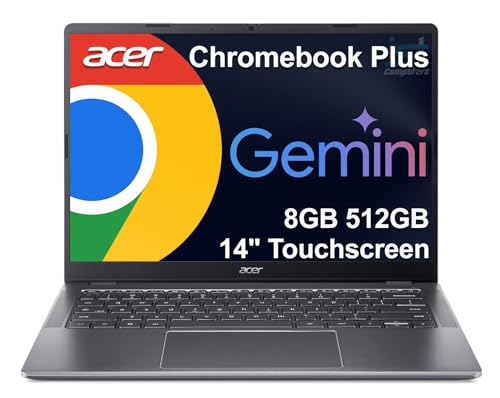
Chromebook Plus 514 14" Touchscreen, Intel Core i3-N355, 8GB RAM, 512GB SSD
- •Touchscreen plus a 512GB SSD at $449.98 — the most machine on this list if the budget stretches., ,

Lenovo
Chromebook Duet (2025) 10.95" WUXGA IPS Touch Convertible Laptop, 4GB RAM, 64GB Storage
- •Converts to a tablet for stylus notes;
- •$259.00 at our last check, from a third-party seller rather than Amazon., ,

Samsung
14" Galaxy Chromebook Go Laptop, Intel Celeron N4500, 4GB RAM, 64GB Storage
- •14-inch screen at $234.99 with a Celeron N4500 — right for light coursework, not a 30-tab research session., ,

HP
Chromebook 14 Laptop (2022), Intel Celeron N4120, 4GB RAM, 64GB eMMC, 14" HD Display
- •$229.00 is the floor here, and the entry memory and storage tier means it will feel slow under a real junior-year workload., ,
Best Buy Offer Window on the ASUS CX34 — Through September 13, 2026
ASUS · Laptops & Chromebooks
Chromebook Plus CX34 (Core i3, 8GB, 256GB)
List price around $399. Best Buy is running a limited-time deal window on this pick; pricing and stock there are time-limited. When the window closes on 2026-09-13, the button below automatically switches to the current Amazon offer.
Prices and availability are examples, not endorsements of a specific sale price. Best Buy promotional pricing is time-limited; each card auto-updates to the Amazon offer when its deal window ends.
The Short Answer
For most college students the ASUS Chromebook Plus CX34 at $356.38 is the one to buy. A Core i3 with 8GB of RAM and a full 1080p screen carries a heavy tab load through senior year. Google lists every CX34 board variant as supported until June 2032, past a four-year degree.
Most of a college workload now lives in a browser tab: Google Docs, a Canvas or Blackboard portal, a Zoom section, and the pile of reference tabs nobody ever closes. ChromeOS handles that well and costs less than a comparable Windows machine. If your major requires native Adobe, full desktop Office, or local compute for CAD or video, our general college laptop guide is the better stop. For everything else, we ranked these five on the DGH Dorm Chromebook Value Score. It weights performance headroom at 30 percent, storage capacity at 20, display and form-factor fit at 25, and value per dollar at 25. One thing the score cannot cover for you: every Chromebook has a Google-set Auto Update Expiration, so look up your exact model before you buy. A machine that stops getting security updates junior year is not a bargain.
Head-to-head: where these five actually differ
Tech Charging
Chart
 DormGearHQ.com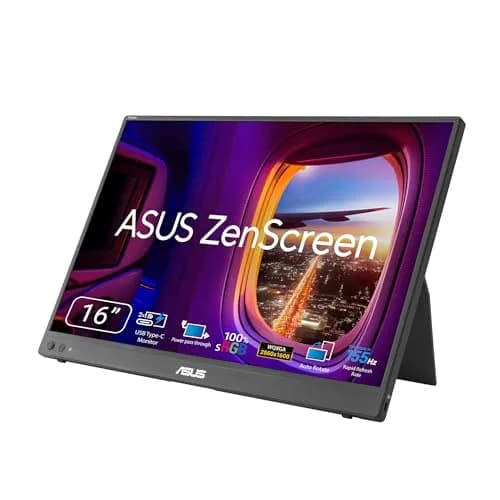
ASUS ZenScreen MB16NCG
$266.99Must BuyCheck price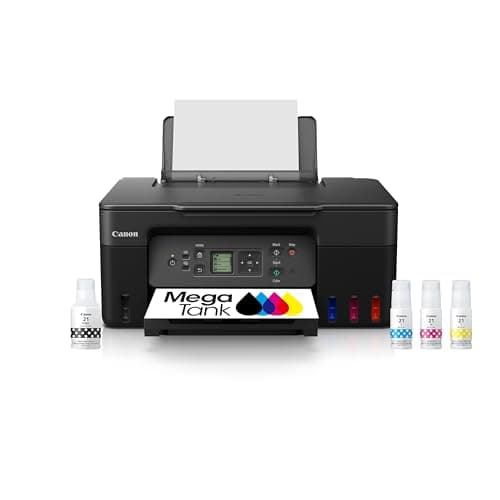
Canon MegaTank G3270 All-in-One Wireless Inkjet Printer, Home Use, Print, Scan and Copy
$159.99Must BuyCheck price
iPad Air 11-inch (M4)
$749.00Must BuyCheck price
Keychron K2 Pro
$119.00Must BuyCheck price
MacBook Air M5 13-inch
$1259.99Must BuyCheck price
Microsoft Surface Pro 11
$1249.99Must BuyCheck price
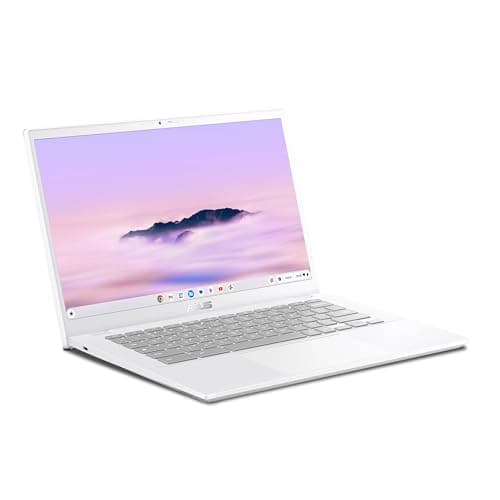
Best Overall: ASUS Chromebook Plus CX34 Laptop with Google AI, 14" FHD, Core i3-1215U, 8GB RAM, 256GB UFS Storage, ChromeOS, White
ASUS Chromebook Plus CX34 Laptop with Google AI, 14" FHD, Core i3-1215U, 8GB RAM, 256GB UFS Storage, ChromeOS, White
(Current price, subject to change)
- ASUS Chromebook Plus CX34 laptop
- Intel Core i3-1215U processor
- 8GB RAM
- 256GB UFS storage
- 14" 1920x1080 FHD display
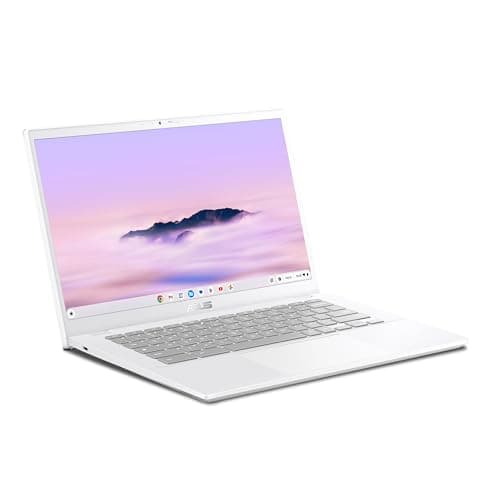
Chrome tabs are the real workload in college, and they are what kills a cheap Chromebook first. The ASUS Chromebook Plus CX34 Laptop with Google AI, 14" FHD, Core i3-1215U, 8GB RAM, 256GB UFS Storage, ChromeOS, White answers that with a Core i3-1215U and 8GB of RAM, which is why it still feels usable in year three. The 4GB machines on this list start swapping the moment a Zoom call joins a full browser window. The full-height 1080p panel earns its keep in a smaller, daily way: a source document and a draft fit side by side. Google's Auto Update Expiration list is the other half of a four-year purchase, and it shows every CX34 board variant supported through June 2032. Where it gives ground to the Acer is storage, which is double here, and display fit, where the Acer's touchscreen earns a 9.0 against this machine's 8.5. What you get back is about $94.
What We Love
- Core i3-1215U with 8GB of RAM: a 30-tab research session doesn't stall the Zoom window.
- A true 1920x1080 14-inch panel, so two documents fit side by side without squinting.
- 256GB of UFS storage — room for offline files without living inside Drive.
What Could Be Better
- No touchscreen, which rules out stylus note-taking apps.
- Costs noticeably more than the budget clamshells, without a touchscreen to show for it.
The Verdict
If you're buying one machine to carry a full course load for four years, the ASUS Chromebook Plus CX34 Laptop with Google AI, 14" FHD, Core i3-1215U, 8GB RAM, 256GB UFS Storage, ChromeOS, White fits the brief without compromise on the thing that ages worst — headroom. The Acer scores the same 8.3 and holds more storage, but this one costs about $90 less and is sold by Amazon rather than a third-party seller.
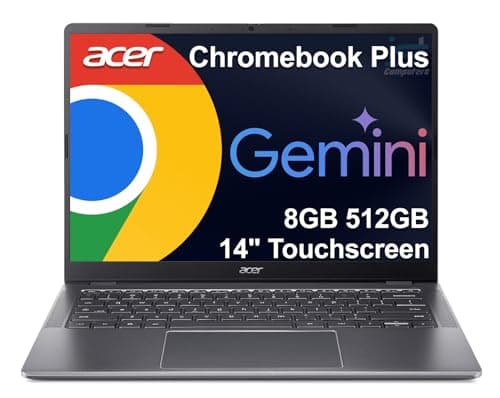
Best for Storage & Performance: Acer Chromebook Plus 514 14" Touchscreen, Intel Core i3-N355, 8GB RAM, 512GB SSD
Acer Chromebook Plus 514 14" Touchscreen, Intel Core i3-N355, 8GB RAM, 512GB SSD
(Current price, subject to change)
- Acer Chromebook Plus 514 laptop
- Intel Core i3-N355 processor
- 8GB RAM
- 512GB SSD
- 14" touchscreen display
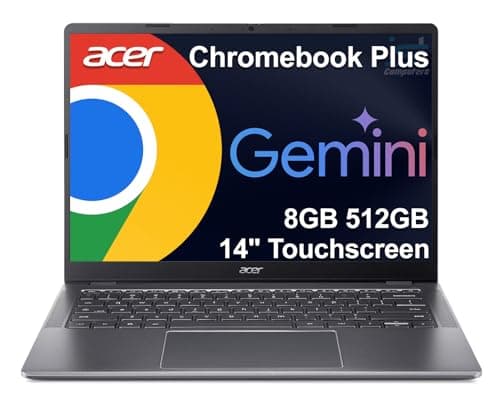
Storage is the quiet failure mode of a cheap Chromebook. ChromeOS leans on the cloud, but downloaded lecture recordings, a semester of PDFs and a Linux container fill 64GB faster than most students expect. The Acer Chromebook Plus 514 14" Touchscreen, Intel Core i3-N355, 8GB RAM, 512GB SSD takes that problem off the table with a 512GB SSD, and the Core i3-N355 with 8GB keeps a full tab load moving alongside it. The touchscreen is the other reason to look here: stylus note-taking works on the same machine you write papers on, and it is why this scores 9.0 on display and form-factor fit, the highest mark in the roundup alongside the Duet. Its buy box is held by a third-party seller rather than Amazon, which is worth a glance at the return terms before you order. The honest trade is real — it ties the ASUS on our score and asks about $94 more for the storage and the touchscreen.
What We Love
- 512GB SSD — double the ASUS and eight times the budget picks.
- Touchscreen on a 14-inch clamshell, so stylus notes work without a second device.
- Core i3-N355 with 8GB keeps a heavy tab load and a video call running together.
What Could Be Better
- The most expensive pick in this roundup at $449.98.
- The buy box is a third-party seller rather than Amazon, so check the return window.
The Verdict
For the student whose program means a semester of downloaded datasets, PDFs and Linux tooling, the Acer Chromebook Plus 514 14" Touchscreen, Intel Core i3-N355, 8GB RAM, 512GB SSD lines up with what you actually need. It ties the ASUS at 8.3 — you're paying roughly $90 more for the touchscreen and the bigger drive.
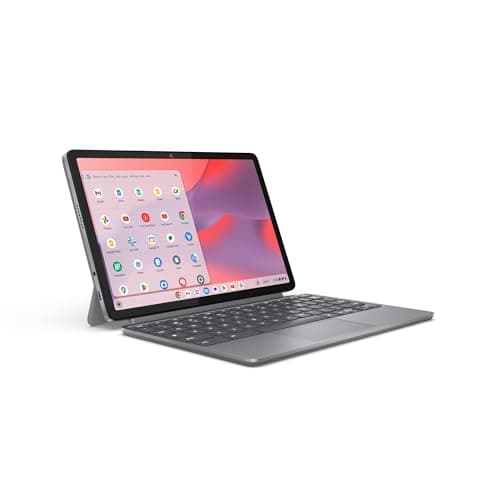
Best 2-in-1 for Notes: Lenovo Chromebook Duet (2025) 10.95" WUXGA IPS Touch Convertible Laptop, 4GB RAM, 64GB Storage
Lenovo Chromebook Duet (2025) 10.95" WUXGA IPS Touch Convertible Laptop, 4GB RAM, 64GB Storage
(Current price, subject to change)
- Lenovo Chromebook Duet (2025) convertible laptop
- MediaTek Kompanio 838 processor
- 4GB RAM
- 64GB storage
- 10.95" WUXGA IPS touchscreen
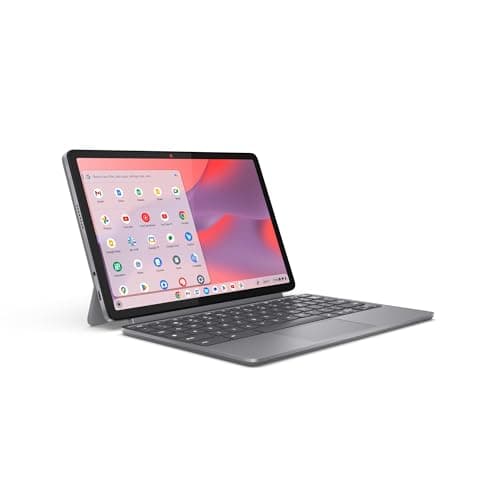
The Duet is a different shape of answer. It's a 10.95-inch ChromeOS tablet with a keyboard that comes off, which is why it scores 9.0 on display and form-factor fit — the highest here alongside the Acer. That form factor is the whole argument: stylus notes in a lecture, then the keyboard back on for the write-up. At our last check it listed for $259.00, from a third-party seller rather than Amazon. That price is what carries the Lenovo Chromebook Duet (2025) 10.95" WUXGA IPS Touch Convertible Laptop, 4GB RAM, 64GB Storage to 9.6 on value per dollar and a 7.5 composite. The 4GB of RAM and 64GB of storage are the reason it does not rank higher, and they are a real ceiling. Buy it because you write by hand, not because it is the cheapest way into ChromeOS.
What We Love
- Detaches into a 10.95-inch tablet — handwritten notes on the screen you already carry.
- WUXGA IPS touch panel is sharper than the 14-inch budget clamshells here.
- Small enough to fit a lecture-hall tablet arm where a 14-inch clamshell will not.
What Could Be Better
- Half the RAM and a quarter the storage of the ASUS — the tab ceiling arrives fast.
- The buy box is a third-party seller, not Amazon, so check the return window.
The Verdict
You've shortlisted a 2-in-1 because handwriting is how you actually retain a lecture, and that instinct is right. The Lenovo Chromebook Duet (2025) 10.95" WUXGA IPS Touch Convertible Laptop, 4GB RAM, 64GB Storage is a sensible pick for that setup. It listed at $259.00 at our last check, sold by a third-party seller rather than Amazon, and it takes the notes and then writes the paper.
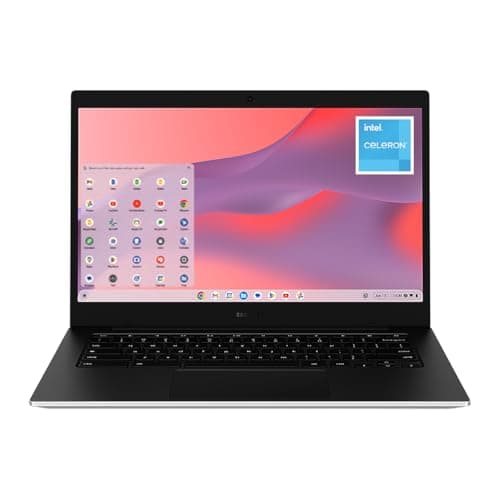
Best Everyday Value: Samsung 14" Galaxy Chromebook Go Laptop, Intel Celeron N4500, 4GB RAM, 64GB Storage
Samsung 14" Galaxy Chromebook Go Laptop, Intel Celeron N4500, 4GB RAM, 64GB Storage
(Current price, subject to change)
- Samsung Galaxy Chromebook Go laptop
- Intel Celeron N4500 processor
- 4GB RAM
- 64GB storage
- 14" display
There's a real category of student who does not need a Core i3. If your day is a Docs window, an LMS tab, email and a streamed lecture, the Celeron N4500 in the Samsung 14" Galaxy Chromebook Go Laptop, Intel Celeron N4500, 4GB RAM, 64GB Storage handles it. What $234.99 buys here that the HP does not is the screen — a 14-inch panel that scores 7.0 on display fit against the HP's 6.0. Where it stops is predictable. 4GB of RAM and 64GB of storage cap how many tabs and downloads this machine will carry, and that ceiling arrives sooner than a four-year plan wants. For a light-duty workload it is a capable light-duty laptop, and that is the whole and honest claim.
What We Love
- A full 14-inch screen at the bottom of this price range — no squinting at an 11-inch panel.
- Google lists the Galaxy Chromebook Go as supported through June 2031, past a four-year degree.
- Light enough to live in a backpack all day without a second thought.
What Could Be Better
- Celeron N4500 with the entry memory tier — a 20-tab session will drag.
- Storage fills quickly once you start downloading lecture recordings.
The Verdict
You already know your whole day is Docs, email, an LMS and a streamed lecture. That workload doesn't need a Core i3, and the Samsung 14" Galaxy Chromebook Go Laptop, Intel Celeron N4500, 4GB RAM, 64GB Storage checks the boxes that matter for it. This is the one to buy if you want a full 14-inch screen at $234.99 and nothing more complicated than that.
Best Budget: HP Chromebook 14 Laptop (2022), Intel Celeron N4120, 4GB RAM, 64GB eMMC, 14" HD Display
HP Chromebook 14 Laptop (2022), Intel Celeron N4120, 4GB RAM, 64GB eMMC, 14" HD Display
(Current price, subject to change)
- HP Chromebook 14 (2022) laptop
- Intel Celeron N4120 processor
- 4GB RAM
- 64GB eMMC storage
- 14" HD display
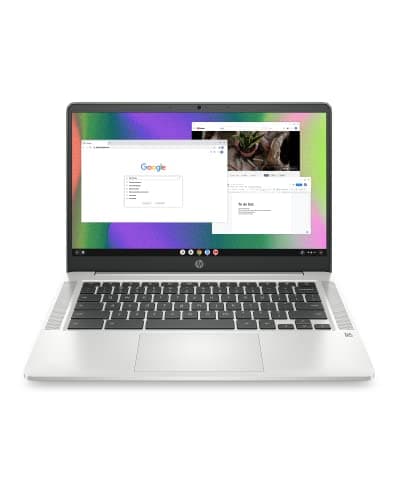
Every roundup needs an honest floor, and this is ours. The HP Chromebook 14 Laptop (2022), Intel Celeron N4120, 4GB RAM, 64GB eMMC, 14" HD Display is a 2022 machine built on a Celeron N4120, and it scores 4.0 on performance headroom — the lowest figure in this guide. That is not a criticism of the price; $229.00 buys a real 14-inch ChromeOS laptop that will open Docs, join a Zoom class and load an LMS. It is a warning about the four-year frame. HP has reused the Chromebook 14 name across many board revisions. Their listed Auto Update Expiration dates differ by more than a decade. The model number on the box matters more here than on any other pick. Its buy box is also held by a third-party seller rather than Amazon, the same as the Acer and the Duet above — worth a glance at the return terms before you order. Take it as a spare or a stopgap, and skip it as a freshman's only machine.
What We Love
- The lowest entry price here for a working ChromeOS machine.
- A 14-inch chassis at a price where 11-inch screens are the norm.
- Fine as a spare for the library or a shared common-room device.
What Could Be Better
- Celeron N4120 is the oldest silicon in this roundup — it scores 4.0 on headroom.
- HD-class panel and the same entry memory and storage tier as the Samsung.
- The buy box is a third-party seller rather than Amazon, so check the return window.
The Verdict
If the budget is genuinely fixed and the alternative is no laptop at all, the HP Chromebook 14 Laptop (2022), Intel Celeron N4120, 4GB RAM, 64GB eMMC, 14" HD Display is the path of least friction into ChromeOS. Understand the trade you are making. At $229.00 you get a working 14-inch machine and a 5.7 composite, the lowest here, on a 2022 Celeron that will feel it by junior year.
How We Score: DGH Dorm Chromebook Value Score
DGH Dorm Chromebook Value Score
Score Formula
weighted composite (0-10): performance_headroom (30%) + storage_capacity (20%) + display_form_factor_fit (25%) + value_per_dollar (25%), each factor normalized to a 0-10 scaleScore Factors
- Performance Headroom (30%)CPU class and RAM together — a Core i3 with 8GB clears a full Chrome tab load, Google Workspace, and a Zoom class simultaneously; an entry Celeron with 4GB starts swapping under the same load by sophomore year.
- Storage Capacity (20%)Local storage headroom for offline files, downloaded PDFs, and Android/Linux app installs — ChromeOS leans on the cloud but a 64GB budget model fills up faster than students expect.
- Display & Form-Factor Fit (25%)Resolution (HD vs full 1080p) plus touchscreen/convertible flexibility, which matters directly for handwritten note-taking apps.
- Value per Dollar (25%)Live verified price against the other three factors combined.
DGH Dorm Chromebook Value Score — Ranked
ASUS Chromebook Plus CX34 Laptop with Google AI, 14" FHD, Core i3-1215U, 8GB RAM, 256GB UFS Storage, ChromeOS, White
8.3/10Top composite on the unrounded math, carried by a 9.0 on performance headroom; it trails the Acer on storage and display fit but costs about $94 less.
Acer Chromebook Plus 514 14" Touchscreen, Intel Core i3-N355, 8GB RAM, 512GB SSD
8.3/10Ties the ASUS at one decimal place. A perfect 10.0 on storage and 9.0 on display fit, pulled back by a 6.5 on value per dollar.
Lenovo Chromebook Duet (2025) 10.95" WUXGA IPS Touch Convertible Laptop, 4GB RAM, 64GB Storage
7.5/10Highest value-per-dollar figure here at 9.6, at $259.00 at our last check from a third-party seller rather than Amazon; 5.0 on storage caps it.
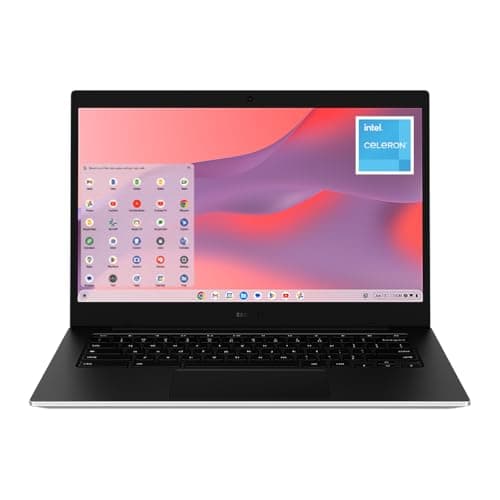
Samsung 14" Galaxy Chromebook Go Laptop, Intel Celeron N4500, 4GB RAM, 64GB Storage
6.4/10An 8.5 on value per dollar carries it; 5.0 on both performance headroom and storage is where the four-year case runs out.
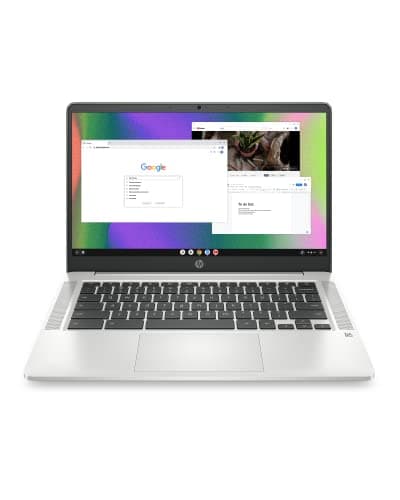
HP Chromebook 14 Laptop (2022), Intel Celeron N4120, 4GB RAM, 64GB eMMC, 14" HD Display
5.7/10Lowest composite here — 4.0 on performance headroom and 6.0 on display fit, offset by an 8.0 value-per-dollar figure at $229.00.
DGH Dorm Chromebook Value Score
Composite of performance headroom, storage capacity, display/form-factor fit, and value per dollar
DormGearHQ analysis of manufacturer and listing specifications via the Amazon Creators API, August 2026
What all five share, and what to check on yours
All five sign in with the same Google account a student already has. All five run Android apps from the Play Store, plus a Linux container for anything a class needs beyond the browser. That parity is real: the differences on this list are about headroom, storage and screen, not about what software will open. The one thing that is not shared is the support window. Google publishes an Auto Update Expiration date per hardware board revision, and manufacturers reuse retail names across revisions with different dates. Look up the exact model number you are about to buy before you buy it.
| Product | Touchscreen | 512GB+ storage | 8GB+ RAM | Full 1080p display | Convertible/2-in-1 |
|---|---|---|---|---|---|
| asus-chromebook-plus-cx34 | – | – | ✓ | ✓ | – |
| acer-chromebook-plus-514 | ✓ | ✓ | ✓ | ✓ | – |
| lenovo-chromebook-duet-2025 | ✓ | – | – | ✓ | ✓ |
| samsung-galaxy-chromebook-go | – | – | – | – | – |
| hp-chromebook-14-2022 | – | – | – | – | – |
Who Should Buy What
Who Should Buy What
| If you are… | Recommended pick |
|---|---|
All-around heavy multitasker You keep a research tab load, a Zoom window and a Docs draft open at once, and you want that to still work in your last two years. | ASUS Chromebook Plus CX34 Laptop with Google AI, 14" FHD, Core i3-1215U, 8GB RAM, 256GB UFS Storage, ChromeOS, White |
Storage-hungry file hoarder You download lecture recordings, datasets and PDFs instead of streaming them, and you want Linux tooling installed locally. | Acer Chromebook Plus 514 14" Touchscreen, Intel Core i3-N355, 8GB RAM, 512GB SSD |
Handwritten note-taker You retain lectures by writing them out, you want a stylus on the screen, and you'd rather carry a tablet than a full clamshell. | Lenovo Chromebook Duet (2025) 10.95" WUXGA IPS Touch Convertible Laptop, 4GB RAM, 64GB Storage |
Light-use budget buyer wanting a full-size screen Your coursework is Docs, email, an LMS and streamed lectures, and screen size matters to you more than processor headroom. | Samsung 14" Galaxy Chromebook Go Laptop, Intel Celeron N4500, 4GB RAM, 64GB Storage |
Tightest-budget backup device You need a working machine now, this is a second device or a stopgap, and the real choice is between this and nothing. | HP Chromebook 14 Laptop (2022), Intel Celeron N4120, 4GB RAM, 64GB eMMC, 14" HD Display |
Frequently Asked Questions
Should I bring a Chromebook or a Windows/Mac laptop to college?
Check your department's requirements first — that is the deciding factor, not the general advice. Programs built around native Adobe, full desktop Office, SPSS, MATLAB, CAD or video editing need Windows or macOS. Most other majors run entirely in a browser plus Android apps, and a Chromebook does that for less money, with better battery life and far less malware exposure. If you are genuinely borderline, ask whether any required software has no web version.
What is Auto Update Expiration and why does it matter for a Chromebook I'll use for 4 years?
Auto Update Expiration is the date Google stops shipping ChromeOS updates to a specific hardware board. After it passes the machine keeps working, but it stops receiving security patches and new features — a problem for a device holding your school logins. The list is published by manufacturer and board revision, not by retail name, and manufacturers reuse retail names across revisions. Look up the exact model number on the listing at Google's ChromeOS Auto Update Expiration page before you order, and treat anything expiring inside your graduation year as a no.
How much RAM and storage does a college student actually need on a Chromebook?
8GB of RAM is the line between comfortable and irritating once you are past a dozen tabs with a video call running. 4GB works for light coursework and stops working well under a real research session. On storage, 64GB is enough only if you genuinely live in Drive; 128GB is a sensible floor if you download readings, and 256GB or more removes the question entirely. Neither the memory nor the storage can be upgraded later on any of these, so buy the tier up if you are undecided.
Can a Chromebook run Zoom, Microsoft Office, and my school's LMS?
Zoom runs as a full ChromeOS app and works for classes, including screen sharing. Microsoft Office runs as web apps — Word, Excel, PowerPoint and Outlook in the browser — plus Android versions from the Play Store, though the web versions do not cover every advanced Excel feature. Canvas, Blackboard, Moodle and D2L Brightspace are all browser-based and work normally. The exception worth checking with your school is remote-proctoring software, which is not always supported on ChromeOS.
How long does the Best Buy price drop on the ASUS Chromebook Plus CX34 last?
The Best Buy offer window on the ASUS Chromebook Plus CX34 runs through September 13, 2026. The deal button on this page tracks that date automatically. While the window is open it points to Best Buy. Once it closes, it switches to the current Amazon listing for the same model. Nothing needs updating on this page for that to happen, and no action is needed on your end.
Bottom Line
Get the ASUS Chromebook Plus CX34 Laptop with Google AI, 14" FHD, Core i3-1215U, 8GB RAM, 256GB UFS Storage, ChromeOS, White if You want one Chromebook to carry all four years, and you'd rather buy the headroom now than replace a slow machine sophomore year..
Get the Acer Chromebook Plus 514 14" Touchscreen, Intel Core i3-N355, 8GB RAM, 512GB SSD if Your files live locally rather than in Drive, and a touchscreen on a full-size clamshell is worth the top price in this roundup..
Get the Lenovo Chromebook Duet (2025) 10.95" WUXGA IPS Touch Convertible Laptop, 4GB RAM, 64GB Storage if Handwritten notes are how you actually learn, and a detachable tablet beats carrying both a laptop and a paper notebook..
Get the Samsung 14" Galaxy Chromebook Go Laptop, Intel Celeron N4500, 4GB RAM, 64GB Storage if Your workload really is just Docs, email and streamed lectures, and you want a full 14-inch screen at the low end..
Get the HP Chromebook 14 Laptop (2022), Intel Celeron N4120, 4GB RAM, 64GB eMMC, 14" HD Display if The budget is fixed, this is a spare or a stopgap, and a working ChromeOS machine now beats a better one later..
Skip Chromebooks entirely if your program requires native Adobe, full desktop Office, statistical packages, CAD or video editing. The same goes if a professor has already named a specific Windows or macOS application as mandatory. Our general college laptop guide covers those machines.
Sources & Methodology
Methodology: DGH Dorm Chromebook Value Score — Formula: weighted composite (0-10): performance_headroom (30%) + storage_capacity (20%) + display_form_factor_fit (25%) + value_per_dollar (25%), each factor normalized to a 0-10 scale. Factors: Performance Headroom (30%) · Storage Capacity (20%) · Display & Form-Factor Fit (25%) · Value per Dollar (25%). Full factor definitions appear in the How We Score section above.
Expert review sources used in this analysis:
- Prices, conditions and seller-of-record for all five Chromebooks were pulled live from their Amazon listings via the Amazon Creators API on August 4, 2026
- The two support-window dates stated in this guide — June 2032 for the ASUS CX34 and June 2031 for the Samsung Galaxy Chromebook Go — were each looked up by board revision on Google's published ChromeOS Auto Update Expiration list and re-verified on August 5, 2026
- CPU, memory, storage and display figures are manufacturer and listing specifications
- One gap is worth stating plainly: no third-party outlet review of these five specific configurations was verified for this edition
- RTINGS' student-Chromebook roundup was checked and covers neither these models nor these generations
- Its closest entries are the ASUS Chromebook Vibe CX34 Flip (2023) and the Lenovo Chromebook Duet 3 (2022) — different machines from the ones ranked here
- Every score in this guide is DormGearHQ's own analysis of those verified specifications and prices, not a synthesis of outside review scores.
Nicholas Miles is the founder of DormGearHQ and a longtime smart home enthusiast focused on helping everyday homeowners make better technology decisions. He researches, compares, and writes about products across security, climate, lighting, leak prevention, sensors, home energy, and automation, with an emphasis on real-world usefulness, ecosystem compatibility, reliability, privacy, and long-term value.
Affiliate disclosure: DormGearHQ earns affiliate commissions on qualifying Amazon purchases. Our scoring methodology is independent of affiliate relationships.