

Sophomore Year Dorm Upgrades: What to Buy Your Second Year 2026
Six upgrades ranked by the DGH Sophomore Upgrade Score, which weighs how much year-one pain each fixes, how far past the dorm it lasts, and what it costs. The surprise: the cheapest pick wins the composite, and the priciest lands last.
This article contains affiliate links. We may earn a commission at no extra cost to you. Learn more
Featured in this Guide
LectroFan
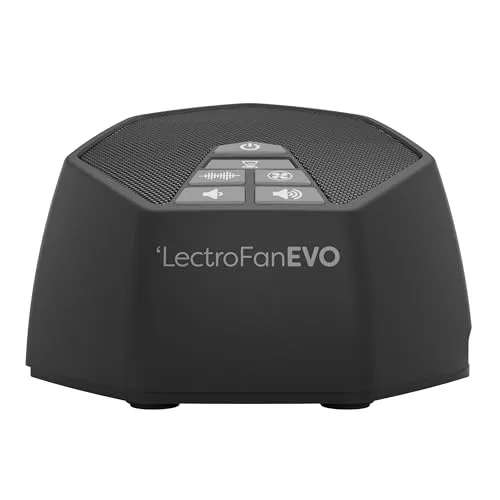
EVO White Noise Machine
- •The $50 fix for the noise you endured all freshman year: 22 non-looping sounds, loud enough to bury a late-night roommate, ,
Branch
Ergonomic Chair
- •TechGearLab's Editors' Choice for most people — the mid-range ergonomic chair that retires the dorm-issue seat, ,
Coway
AP-1512HH Mighty Air Purifier
- •Wirecutter's long-running top pick clears a dorm several times an hour and runs near-silent beside a sleeping roommate, ,
Saatva
Graphite Memory Foam Topper Twin XL
- •The premium graphite topper that fixes what budget foam could not: heat.
- •A known Twin XL fit for a bed you already know, ,
BenQ
ScreenBar Halo 2 LED Monitor Light Bar (Wireless Controller, Backlight)
- •Clamps to the monitor, adds no desk footprint, and throws 1,000 lux onto notes with no screen glare, ,
FLEXISPOT
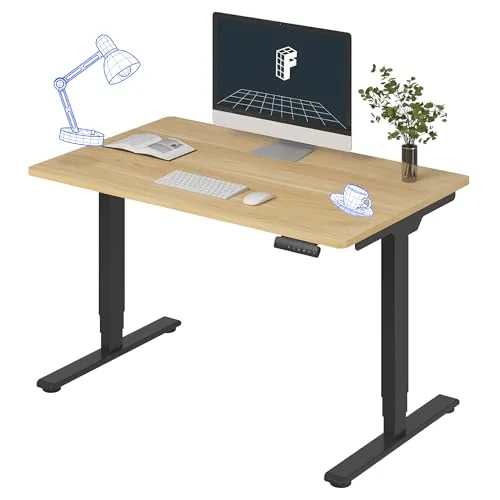
E6 Dual-Motor Electric Standing Desk 48x30
- •The biggest swing: a dual-motor desk that replaces the fixed dorm desk entirely, if your wall allows it, ,
The Short Answer
Fix the pain you actually logged freshman year, cheapest first: the $50 LectroFan EVO wins the composite because roommate noise is so common and the fix is nearly free. The Branch chair is the best big-ticket buy, the Coway and Saatva upgrade air and sleep, and the standing desk demands a measured wall.
A sophomore shops differently than a freshman: the base kit is bought, the room is familiar, and a year of living in it produced a specific list of complaints. This guide ranks six upgrades, priced nearly 7x apart, by the DGH Sophomore Upgrade Score, a weighted composite scoring pain-point payoff, post-dorm longevity, dorm-footprint fit, and upgrade value — the gain over the freshman baseline replaced. Compared to the first-year full build in the budget-tiers guide, this is targeted spending against a 3-year runway of school still ahead, so gear that survives into a first apartment scores above gear that retires with the dorm. The honest surprise: the $50 white-noise machine wins the composite while the priciest piece finishes last, because a second-year buy is judged on pain removed per dollar, not the sticker. Start from what bothered you by March and let the tiers sort it.
Six Upgrades Compared Side by Side
Move In Planning
Chart
 DormGearHQ.com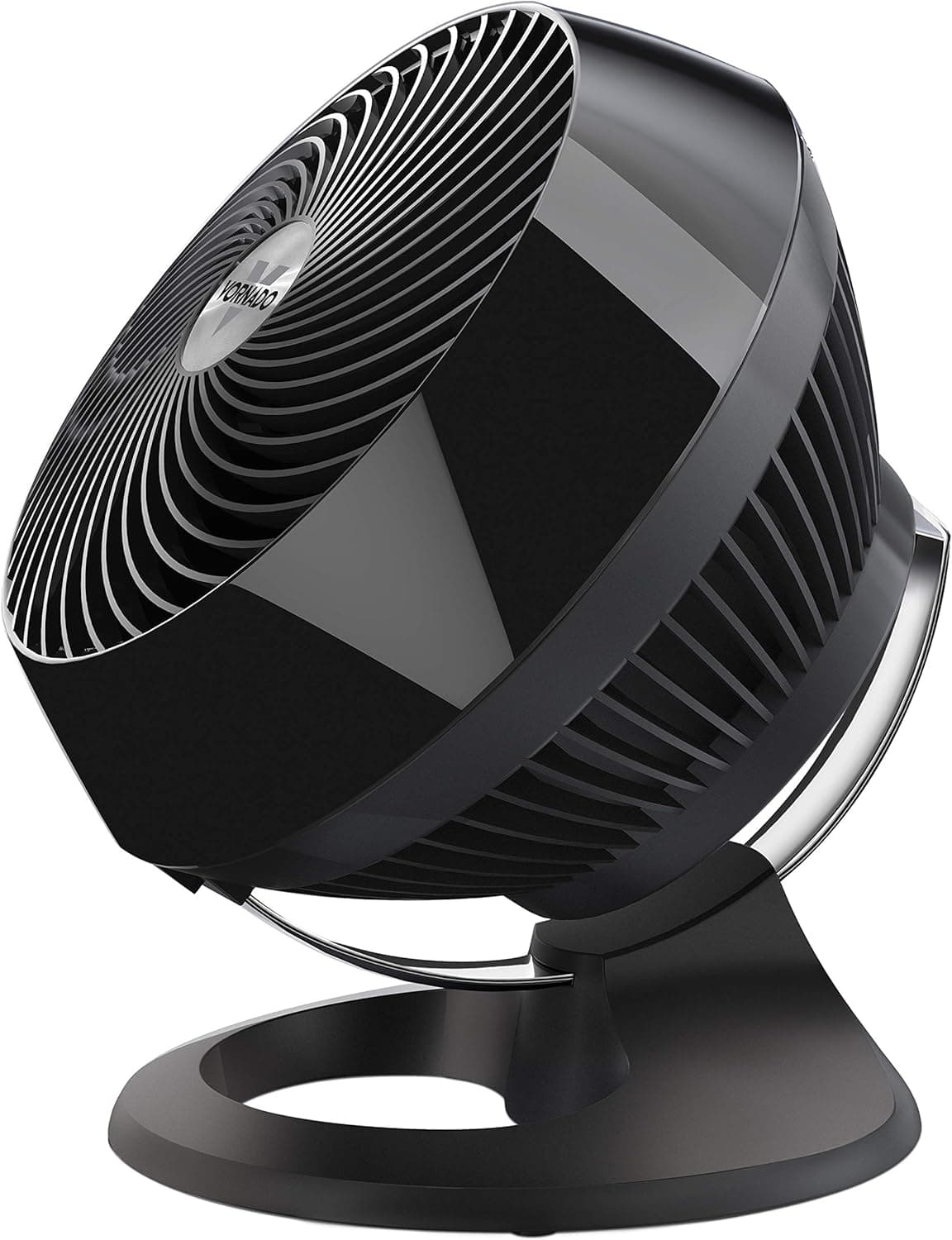
Vornado 660 Large Air Circulator Fan
$119.99Must BuyCheck price
Tempur-Pedic TEMPUR-Topper Supreme Twin XL
$269Must BuyCheck price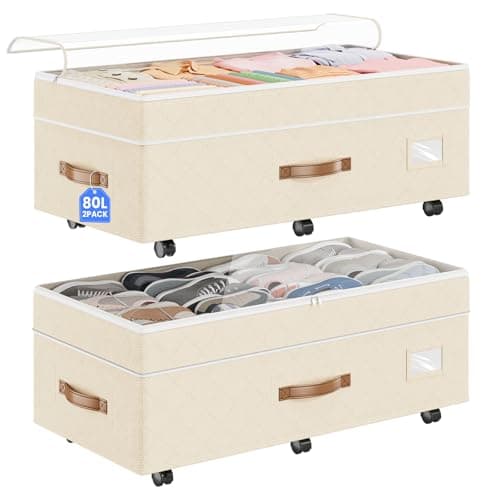
Budding Joy Under Bed Storage with Wheels 2-Pack, 80L Height-Adjustable Underbed Containers with Clear Lids
$41.99RecommendedCheck price
EUDELE Mesh Shower Caddy Portable for College Dorm, 8-Pocket Large Capacity
$8.54Must BuyCheck price
Dalykate Backpack Laundry Bag with Shoulder Straps and Mesh Pocket
$17.97Must BuyCheck price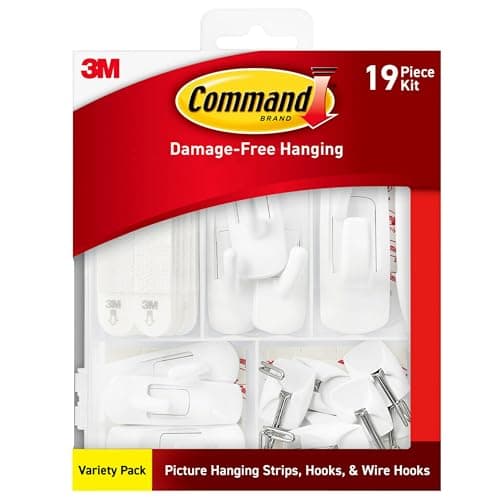
Command Variety Pack (10 Pairs Picture Hanging Strips, 6 Wire Hooks, 8 Utility Hooks)
$14.84Must BuyCheck price
Best upgrade per dollar — the composite winner: LectroFan EVO White Noise Machine
LectroFan EVO White Noise Machine
(Current price, subject to change)
- 22 non-looping sounds
- 10 fan + 10 noise + 2 ocean tracks
- Headphone jack
- USB power option
- Screen-free dial control
- Compact hockey-puck footprint
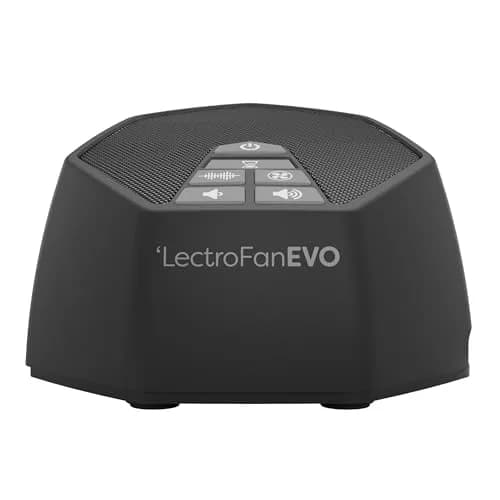
The LectroFan EVO tops the DGH Sophomore Upgrade Score, and the reason is the composite's whole philosophy: it removes one of the most commonly logged freshman complaints, noise, for $50. No Sleepless Nights calls it one of the most capable white-noise machines it has tested, noting max volume is so loud there is little external noise the ear can still pick out, which is exactly what a thin-walled hall demands. Tom's Guide highlights the screen-free, low-tech design with 22 non-looping sounds across fan, noise, and ocean categories as a strong nightstand pick, and non-looping matters because a repeat you can hear is a repeat that wakes a light sleeper. Compared to the earplugs you tried in October, it delivers masking that lasts the whole night with nothing to wear, and the headphone jack enables private masking in a shared room. It moves to any apartment after the dorm, so its longevity holds despite the low price. The honest limits: no battery, only two true nature tracks, and it costs more than the sub-$25 budget tier. Judged as pain removed per dollar, nothing here comes close — see Best White Noise Machines for Dorm Roommate Situations 2026 for the field it leads.
What We Love
- 22 guaranteed non-looping sounds mean no audible repeat to snap a light sleeper awake
- Max volume is loud enough to bury a late-night roommate, with little external noise the ear can still pick out
- Screen-free and app-free: plug in, turn the dial, done, with nothing glowing on the nightstand
- A headphone jack masks noise privately without filling a shared room with sound
- The compact footprint and USB power option fit a crowded dorm nightstand
What Could Be Better
- No rechargeable battery, so it stays tethered to an outlet
- Only two true nature sounds; it is a masking tool, not a meditation library
- Costs more than the sub-$25 budget tier
The Verdict
If one year-one complaint gets fixed this fall, make it noise: the LectroFan EVO White Noise Machine tops the DGH Sophomore Upgrade Score because the payoff is huge and the price is not. No Sleepless Nights calls it one of the most capable machines tested, and Tom's Guide highlights the screen-free, 22-sound design.
Best big-ticket upgrade: Branch Ergonomic Chair
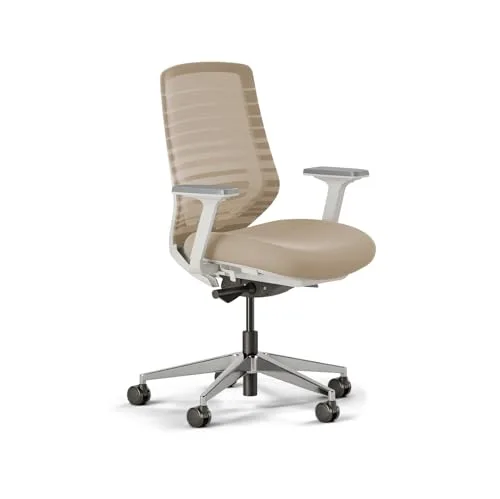
Branch Ergonomic Chair
(Current price, subject to change)
- Breathable mesh backrest
- Adjustable lumbar support
- Adjustable arms and seat depth
- Smooth-rolling casters
- Compact clean-lined frame
- Ships via Branch's Amazon storefront
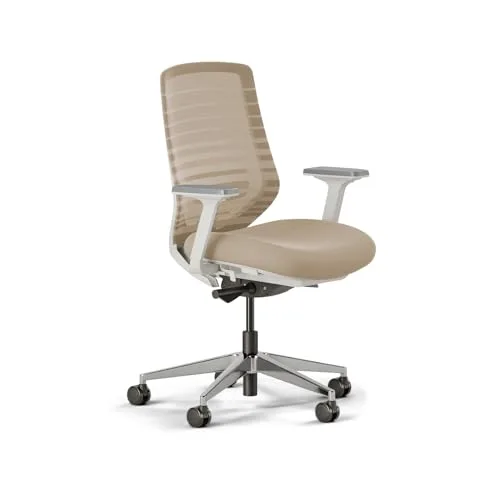
The Branch is the best place for a sophomore's serious money because it attacks the most physical complaint on the list. A dorm-issue chair is a stacking chair with delusions, and a year of it is why TechGearLab's Editors' Choice matters: the award is for being very adjustable with high-end features at an affordable price, scoring it the best chair for most people rather than for executives. TechRadar reviews the Branch line favorably on adjustment range and value, positioning it as a strong mid-range option, and that mid-range framing is honest in both directions — compared to a Steelcase it carries a shorter warranty and lifespan, which raises its long-run cost per year, and its resale value is modest. But compared to the seat it replaces, the mesh back and adjustable lumbar produce a posture the dorm chair never allowed, and the payoff repeats every study block for the 3-year runway you have left. The compact frame fits a shared room without reading as office furniture, and an easy adjustment set is forgiving for a first ergonomic chair. See Best Ergonomic Chairs for College Students 2026 for the full field.
What We Love
- TechGearLab's Editors' Choice for most people: very adjustable with high-end features at an affordable price
- The mesh back and adjustable lumbar hold posture through long study blocks, the fix for dorm-seat slouch
- A compact, clean-lined frame suits a dorm desk and looks at home in a shared room
- An easy adjustment set makes it forgiving for a first-time ergonomic-chair buyer
- It ships and returns like any Amazon item through Branch's storefront
What Could Be Better
- Mid-tier warranty and lifespan sit below Steelcase and Herman Miller
- The standard model's armrests adjust less than the pricier Branch Pro
- Resale value is modest next to name-brand contract chairs
The Verdict
If your back logged the complaint last year, the Branch Ergonomic Chair is where the big money goes. TechGearLab awards it Editors' Choice as the best chair for most people — very adjustable with high-end features at an affordable price — and TechRadar rates the Branch line a strong mid-range option. The best pain-point payoff of any big-ticket pick here.
Set-and-forget air upgrade: Coway AP-1512HH Mighty Air Purifier
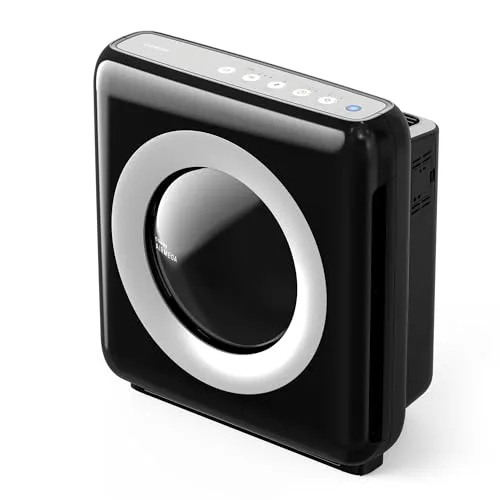
Coway AP-1512HH Mighty Air Purifier
(Current price, subject to change)
- True HEPA filtration
- AHAM-verified 361 sq ft coverage
- Eco mode auto-shutoff
- Washable pre-filter
- Air-quality indicator light
- Compact 9.6 in depth
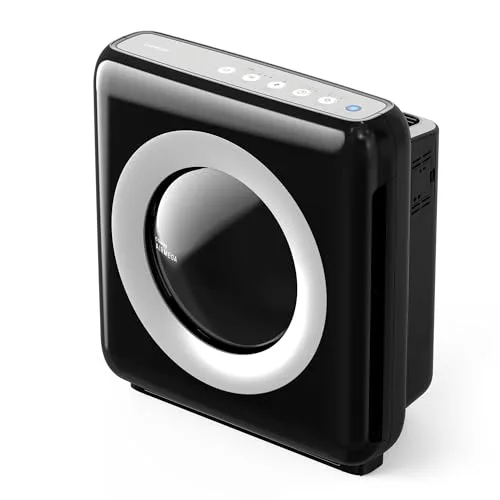
The Coway is the upgrade you stop noticing, which is the point. Wirecutter has named the Mighty its top all-around air purifier across years of testing, crediting strong cleaning, low running cost, and quiet operation, and Rtings measures it at roughly 24dB on its low setting — quiet enough that a sleeping roommate never registers it. The AHAM-verified coverage rating clears a dorm at least 5x an hour, which is what actually changes the stale-air story a freshman notices by November, and eco mode shuts the fan off when the air is clean so it runs unattended without guilt about the meter. Compared to the candle-and-open-window routine it replaces, it produces cleaner air instead of masking the smell of a lived-in room. The running costs stay honest: a washable pre-filter keeps the filter budget under $60 a year, though the carbon stage needs a swap every 6 months, not annually. It has no app and no WiFi, a real omission at this price for some buyers and a feature for anyone who wants one less connected gadget. It moves straight into a first apartment afterward. See Best Premium Air Purifiers for Dorm Under $400 for the tier above it.
What We Love
- AHAM-verified coverage clears a dorm several times an hour, the fix for the stale-room smell you noticed all year
- Eco mode shuts the fan when the air is clean, so it sips electricity unattended
- At roughly 24dB on low it runs beside a sleeping roommate unnoticed
- A washable pre-filter keeps the annual filter budget under $60
- The slim depth tucks beside a desk without crowding a shared room
What Could Be Better
- No WiFi or app control, manual settings only
- The carbon filter needs a swap every 6 months, not just annually
The Verdict
If your room smelled like a dorm by November, the Coway AP-1512HH Mighty Air Purifier is the quiet fix. Wirecutter has named the Mighty its top all-around purifier across years of testing for strong cleaning, low running cost, and quiet operation, and Rtings measures it near-silent on low. It simply runs, and the room stops smelling like last semester.
Best sleep upgrade: Saatva Graphite Memory Foam Topper Twin XL
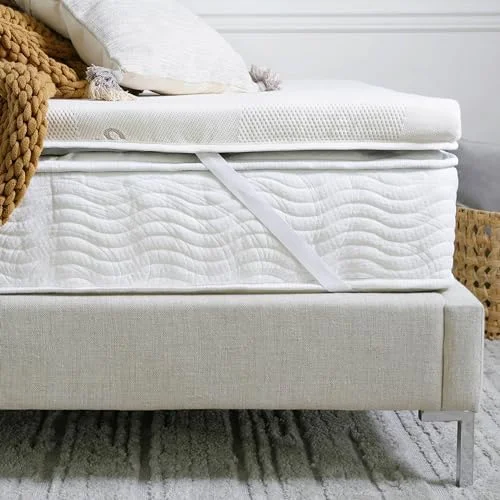
Saatva Graphite Memory Foam Topper Twin XL
(Current price, subject to change)
- 3 in graphite-infused memory foam
- Verified 38 x 80 in Twin XL
- CertiPUR-US certified foam
- Compressed-box shipping
- Clears 14 in deep-pocket sheets
- Direct-to-door delivery
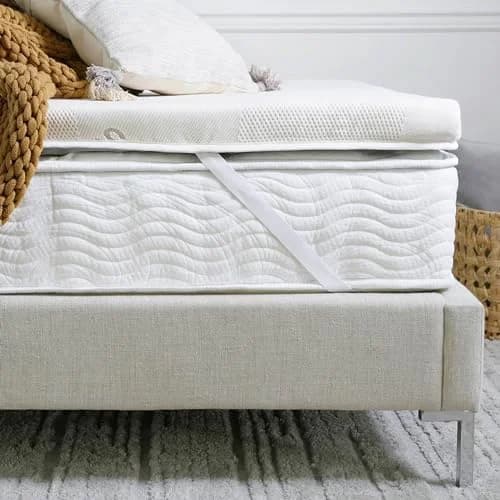
The Saatva is the rare upgrade you buy with a full year of evidence, because a sophomore knows exactly how the dorm bed sleeps. If the answer was hot, this is the correction: the graphite infusion attacks memory foam's heat-trapping directly. TechGearLab names the Saatva Graphite its Best Overall Mattress Topper for balancing softness and support, and Reviewed picks it Best for Side Sleepers and an excellent choice for cushioning a tired mattress. The practical details fit the dorm: a verified Twin XL cut, CertiPUR-US foam that clears housing chemical rules, compressed shipping that passes a doorway, and give it the standard 24 to 48 hours vacuum-packed foam takes to expand. The honest math is the con: at $325 it runs roughly 3x a budget topper, it has no corner straps, and graphite cooling is milder than latex. Weigh it against the sleep you lost — versus a hot night before an exam, the premium reads differently. See Best Premium Mattress Toppers for Twin XL Dorm Beds 2026 and The Complete Twin XL Sleep-Recovery Setup for 2026 for the full stack.
What We Love
- Graphite infusion attacks memory foam's heat problem, the exact reason your freshman budget topper slept hot
- A verified Twin XL cut fits the dorm bed you already know from a year of sleeping on it
- CertiPUR-US certification clears housing chemical-sensitivity rules
- It ships compressed in a box that fits through a dorm doorway without hallway staging
- The 3 in profile clears standard deep-pocket sheets without folding corners
What Could Be Better
- $325 sits well above the value tier, roughly 3x a budget foam topper
- No corner straps, so placement relies on weight and friction
- Graphite cooling is real but milder than latex or hybrid builds
The Verdict
If your budget topper slept hot all year, the Saatva Graphite Memory Foam Topper Twin XL is the second-year correction. TechGearLab names it a Best Overall Mattress Topper for balancing softness and support, and Reviewed picks it Best for Side Sleepers. You know the bed; now fix it.
Zero-footprint desk upgrade: BenQ ScreenBar Halo 2 LED Monitor Light Bar (Wireless Controller, Backlight)
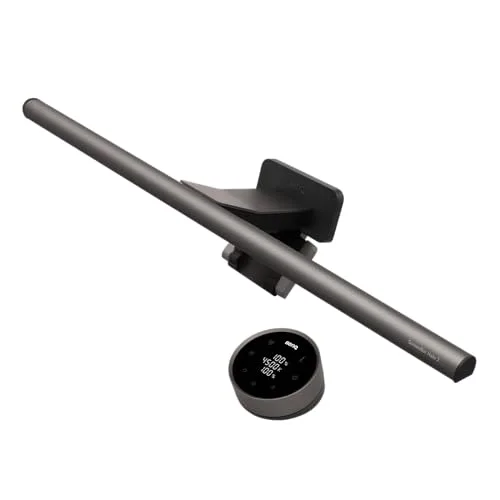
BenQ ScreenBar Halo 2 LED Monitor Light Bar (Wireless Controller, Backlight)
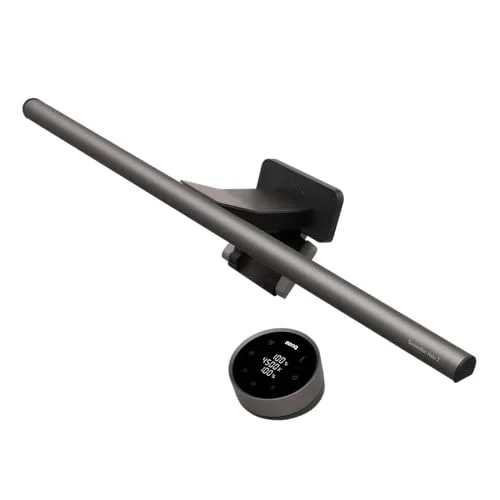
(Current price, subject to change)
- Monitor-clamp light bar
- 1,000 lux front light
- CRI Ra98 color accuracy
- Tri-zone rear backlight
- Wireless dial controller
- Motion-sensor auto-dim
The ScreenBar Halo 2 is the upgrade for the desk that has no room left, because it solves lighting by clamping to the monitor and claiming zero desk footprint. Tom's Guide tested it and easily recommends it over the original Halo, noting the front light rises from 800 to 1,000 lux and the rear light runs wider and brighter, with a motion sensor that lights the desk automatically when you sit down. The optics are the real trick: asymmetric lensing throws light down onto keyboard and notes while keeping it off the screen, so nothing bounces back at your eyes, and BenQ specifies CRI Ra98 color accuracy, which keeps printed text crisp through a long session. The tri-zone backlight lowers the screen-to-wall contrast that lighting studies tie to late-night eye fatigue, a detail a freshman desk lamp never addressed. Compared to the clip lamp it replaces, it delivers more light with less glare and no footprint. The honest limits: roughly $180 is premium money for a light, it needs a monitor or stand edge to exist, and the webcam mount is ambiance a note-taker may skip. It outlives a 4-year degree on any future desk.
What We Love
- Clamps to the monitor with a counterweight hook, adding zero desk footprint where every inch is contested
- Asymmetric optics throw 1,000 lux onto keyboard and notes without hitting the screen, so no glare bounces back
- CRI Ra98 renders true color, so text and notes read clean through long sessions
- The rear backlight lowers the screen-to-wall contrast that lighting studies blame for late-night eye fatigue
- A wireless dial and motion sensor track room brightness without you reaching up
What Could Be Better
- At roughly $180 it is a premium price for a light
- It needs a monitor or laptop-stand edge to clamp to
- The backlight and webcam mount are ambiance features a pure note-taker may never use
The Verdict
If late-night screen sessions left your eyes wrecked, the BenQ ScreenBar Halo 2 LED Monitor Light Bar (Wireless Controller, Backlight) fixes it without spending an inch of desk. Tom's Guide tested the Halo 2 and easily recommends it over the original, noting the front light rises to 1,000 lux and the rear light grows wider and brighter. The zero-footprint pick of the wave.
The full workstation rebuild: FLEXISPOT E6 Dual-Motor Electric Standing Desk 48x30
FLEXISPOT E6 Dual-Motor Electric Standing Desk 48x30
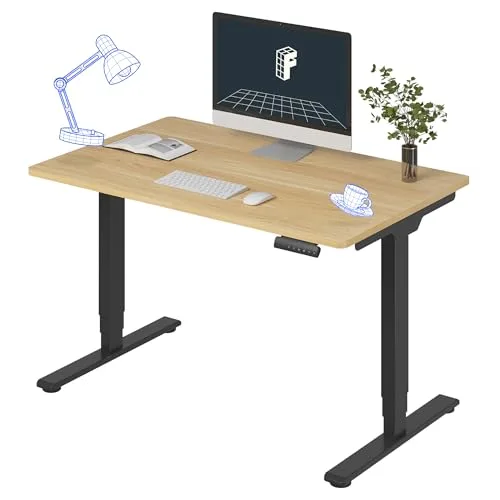
(Current price, subject to change)
- Dual-motor 3-stage frame
- 48 in wide desktop
- 4 memory height presets
- 220 lb capacity
- Anti-collision sensor
- Ships in two boxes
The E6 finishes last on the composite, and the ranking reads correctly: it is the most capable and most demanding piece here, and a second-year scoring system that rewards pain removed per dollar and per square foot will dock the biggest, priciest item even when it is good. It is good. Windows Central reviewed the E6 directly and praised the sturdier three-stage legs and the anti-collision system, rating it a solid value standing desk, and PCMag recommends FlexiSpot's E-series as a strong value pick for budget buyers, citing dual-motor smoothness for the price. The lowest measured wobble in its tier means it stays solid at full standing height while you lean in and type, the 220lb capacity carries a full setup across a 4-year run, and 4 memory presets make the sit-stand switch a single press. The costs are just as concrete: the 48 in top claims most of one dorm wall, dual motors run louder than a single-motor desk mid-travel, assembly is a two-person job from two boxes, and budget roughly 2 hours for it. Versus every other pick here, it changes the most and asks the most — see Best Standing Desks for Dorm Under $700 in 2026 and The Complete Dorm Workstation Setup for 2026 before committing the wall.
What We Love
- The dual-motor 3-stage frame lifts well past standing height for a tall student, which the fixed dorm desk never reaches
- The lowest measured wobble in its price tier: the legs stay solid at full height when you lean in to type
- 4 memory presets switch sit and stand heights with one press
- 220 lb capacity carries a full setup and survives a 4-year run of school
- An anti-collision sensor stops the top before it crushes a fridge or chair shoved underneath
What Could Be Better
- Dual motors run louder during travel than a single-motor desk, noticeable on a roommate's call
- The 48 in top plus frame claims most of one dorm wall; measure first
- It ships heavy in two boxes: a two-person lift, not a one-trip carry
The Verdict
If you are rebuilding the workstation outright, the FLEXISPOT E6 Dual-Motor Electric Standing Desk 48x30 is the desk to do it with. Windows Central reviewed the E6 directly and praised its sturdier three-stage legs and anti-collision system, and PCMag recommends the E-series as a strong value line. It ranks last here only because it demands the most room and money.
How We Score: DGH Sophomore Upgrade Score
DGH Sophomore Upgrade Score
Score Formula
weighted composite (0-10): pain_point_payoff 35% + post_dorm_longevity 25% + dorm_footprint_fit 20% + upgrade_value 20%, each factor scored 0-10 from listing specs, category reviews, and dorm-housing constraints, normalized to a single composite. pain_point_payoff credits fixing the complaints freshmen actually log (noise, back pain, stale air, hot sleep, eye strain); post_dorm_longevity credits gear that moves into an apartment; dorm_footprint_fit credits zero-footprint and tuck-away builds in a shared room; upgrade_value credits improvement per dollar over the freshman baseline item replaced.Score Factors
- Pain-Point Payoff (35%)The heaviest factor: how much of a genuine year-one complaint the upgrade removes. Roommate noise, dorm-chair back pain, stale air, hot sleep, and late-night eye strain are the recurring five. A fix for a complaint you logged nightly outscores a nice-to-have, which is how a $50 machine beats a $340 desk.
- Post-Dorm Longevity (25%)Whether the piece moves into a first apartment or retires with the dorm. A chair, a purifier, a light bar, and a standing desk all outlive student housing; a Twin XL topper is cut for a bed you will not keep, so it scores lower here despite its nightly payoff.
- Dorm-Footprint Fit (20%)The floor, wall, or desk space the upgrade claims in a shared room where every inch is contested. A monitor-clamped light and a mattress-top layer claim nothing; a 48 in standing desk claims most of a wall, and this factor is why it finishes last despite its capability.
- Upgrade Value (20%)Improvement per dollar over the freshman baseline it replaces, judged against the tier below: a $50 masking machine versus drugstore earplugs, a $359 chair versus the dorm-issue seat, a $325 graphite topper versus the budget foam slab that slept hot.
DGH Sophomore Upgrade Score — Ranked
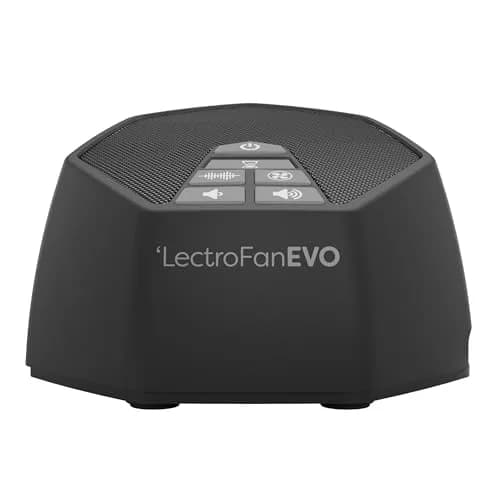
LectroFan EVO White Noise Machine
8.9/10One of the most common freshman complaints fixed for $50, with nothing to wear and nothing glowing on the nightstand
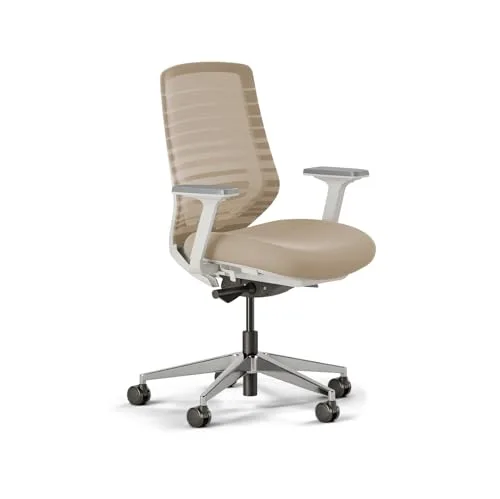
Branch Ergonomic Chair
8.4/10TechGearLab's Editors' Choice retires the dorm-issue seat: the best pain payoff of any big-ticket pick
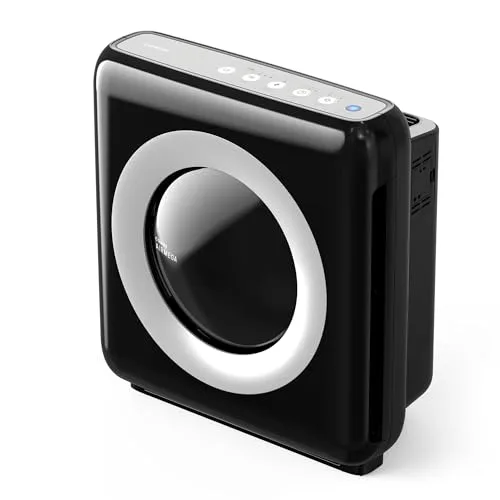
Coway AP-1512HH Mighty Air Purifier
8.3/10Wirecutter's perennial top pick clears a dorm several times an hour and moves into any apartment after
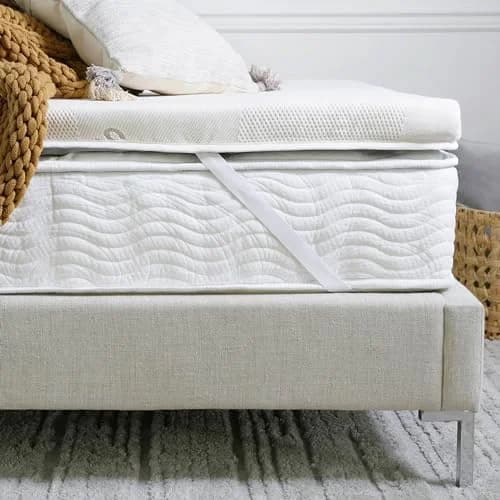
Saatva Graphite Memory Foam Topper Twin XL
8.2/10The premium heat fix for the budget topper you outgrew, on a bed size you already know fits
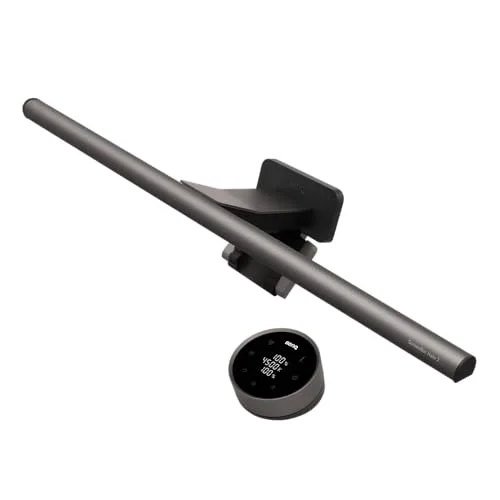
BenQ ScreenBar Halo 2 LED Monitor Light Bar (Wireless Controller, Backlight)
8.1/10Zero desk footprint and 1,000 lux of glare-free light: the eye-strain fix that claims no space
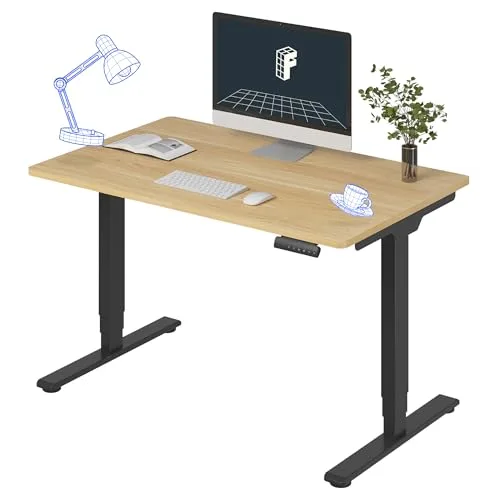
FLEXISPOT E6 Dual-Motor Electric Standing Desk 48x30
7.8/10The most capable and most demanding piece: it changes the most and claims the most wall, money, and setup
DGH Sophomore Upgrade Score
How six second-year upgrades balance pain-point payoff, post-dorm longevity, dorm footprint, and value per dollar
DormGearHQ analysis of listing specs and category reviews, verified July 2026
Which Upgrade Fits Your Second Year
The right second-year buy is the one that matches the complaint you actually logged, and the composite sorts by that rather than by category prestige. If noise cost you sleep, the LectroFan is first money — the payoff repeats nightly and the spend is trivial next to the big-ticket tier. If your back logged the complaint, the Branch chair is where serious money goes, because TechGearLab's Editors' Choice framing is precisely about high-end adjustability at a price a student can reach. Stale air and hot sleep are the quiet-fix tier: the Coway runs unattended at roughly 24dB, and the Saatva only makes sense for a confirmed hot sleeper, since its premium is 3x a budget topper. The standing desk is a different kind of decision — a rebuild, not an upgrade — so treat it as a room-planning question first and a purchase second. Compared to freshman-year shopping, every one of these is bought with evidence, and that evidence is the whole advantage of buying in year two.
| Product | Under $200 | Moves to an apartment after | Zero floor or wall claim | Works in any dorm layout |
|---|---|---|---|---|
| lectrofan-evo-white-noise-machine | ✓ | ✓ | ✓ | ✓ |
| branch-ergonomic-chair | – | ✓ | – | ✓ |
| coway-ap1512hh-mighty-air-purifier | ✓ | ✓ | – | ✓ |
| saatva-graphite-memory-foam-topper-twin-xl | – | – | ✓ | ✓ |
| benq-screenbar-halo-2 | ✓ | ✓ | ✓ | – |
| flexispot-e6-standing-desk | – | ✓ | – | – |
Every recommendation runs through the DGH Sophomore Upgrade Score rather than a most-expensive-first list, because the four factors pull in different directions: pain-point payoff at 35%, post-dorm longevity at 25%, dorm-footprint fit at 20%, and upgrade value at 20% almost never peak in the same product. The Saatva proves the tension — the strongest nightly payoff on the roster, docked on longevity because a Twin XL topper retires with the dorm bed, while the desk inverts it, scoring highest on longevity and lowest on footprint. The normalized, weighted formula is what lets a $50 masking machine and a $340 workstation share one honest ranking. Two cautions hold across every tier: buy against a logged complaint, not a wishlist, and sequence the spending — the composite order is also a sensible purchase order, cheapest pain-fix first. For the first-year baseline this guide upgrades from, see How Much Does It Cost to Furnish a Dorm Room in 2026?, and for the master list, The Complete Dorm Room Checklist for 2026.
When NOT to Buy
Not every sophomore needs an upgrade round at all. If freshman year produced no persistent complaint — you slept fine, your back never noticed the chair, the room aired out — then the honest move is to buy nothing and bank the money, because an upgrade without a logged pain point is just spending. Skip the standing desk if your housing contract fixes the furniture or your wall is already committed; a 48 in top with no wall is a return, not a rebuild. Skip the Saatva if you sleep cool, since its entire premium pays for heat relief you will not feel. And skip the ScreenBar if your setup has no monitor edge to clamp to, because it cannot exist on a bare desk. The one upgrade that survives almost every filter is the cheapest: noise is near-universal in a hall, the fix costs $50, and it moves to every room across your remaining 3-year run. Buy against evidence, in composite order, and stop when the complaints run out.
Who Should Buy What
Who Should Buy What
| If you are… | Recommended pick |
|---|---|
Slept badly all year (noise) A roommate's schedule or a loud hall cost you sleep, and you want the cheapest fix with the biggest nightly payoff | LectroFan EVO White Noise Machine |
Back pain from the dorm chair Long study blocks left you sore and you are ready to put real money against a daily physical complaint | Branch Ergonomic Chair |
Stale, musty shared room The room never smelled fresh and you want a set-and-forget fix that runs silently beside a sleeping roommate | Coway AP-1512HH Mighty Air Purifier |
Confirmed hot sleeper Your budget foam topper slept hot all year and you want the premium graphite fix for a bed you know fits | Saatva Graphite Memory Foam Topper Twin XL |
Eyes wrecked by late screens Late-night sessions strained your eyes and your desk has no room for another lamp, but your monitor has an edge | BenQ ScreenBar Halo 2 LED Monitor Light Bar (Wireless Controller, Backlight) |
Rebuilding the workstation You are committing to a real sit-stand setup, your wall can take a 48 in top, and you have help for the lift | FLEXISPOT E6 Dual-Motor Electric Standing Desk 48x30 |
Frequently Asked Questions
What should a sophomore buy for their dorm?
Buy against the complaints you actually logged freshman year, not a new checklist. The base kit — bedding, storage, power, lighting — is already owned, so second-year money goes to targeted upgrades: a white-noise machine if a roommate cost you sleep, an ergonomic chair if the dorm seat hurt your back, an air purifier for a stale room, a premium topper if you slept hot, a monitor light bar for eye strain, or a standing desk if you are rebuilding the workstation outright. Cheapest logged complaint first.
Are dorm upgrades worth it for just one more year?
Most of these outlive the dorm, which changes the math. A chair, an air purifier, a light bar, and a standing desk all move straight into a first apartment, so you are buying years of use, not one. The exception is the Twin XL topper, which is cut for a bed you will not keep after student housing — it has to justify itself on dorm sleep alone. That post-dorm longevity is weighted at 25% of the DGH Sophomore Upgrade Score for exactly this reason.
What is the best cheap dorm upgrade?
A white-noise machine, and it is not close. Roommate and hall noise is among the most common freshman complaints, the fix costs about $50, and the LectroFan EVO's 22 non-looping sounds mask it without anything to wear or charge. It tops the DGH Sophomore Upgrade Score ahead of every big-ticket pick because the composite rewards pain removed per dollar. If you only fix one thing before fall, fix the noise.
Can you replace dorm furniture like the desk and chair?
Usually you can add furniture but not remove the university's, so check your housing contract before buying a standing desk. Many schools require issued furniture to stay in the room, which means a 48 in desk must fit alongside the fixed desk, not instead of it — that is a real wall-space problem in a shared double. A chair is easier: the dorm chair tucks away or stacks, and nothing in a typical contract stops you from sitting in your own. When in doubt, ask your housing office first.
What order should I buy upgrades on a budget?
Follow the composite order, which is also the cheapest-pain-first order: the $50 white-noise machine, then the chair if your back logged the complaint, then air and sleep — the Coway purifier and the Saatva topper — then the light bar, and the standing desk last. The sequence front-loads the fixes with daily payoff and defers the pieces that demand wall space, roommate coordination, or serious money. Stop whenever the complaints run out; an upgrade without a logged pain point is just spending.
Bottom Line
Get the LectroFan EVO White Noise Machine if noise cost you sleep last year — the $50 composite winner fixes one of the commonest complaints for the least money.
Get the Branch Ergonomic Chair if your back logged the complaint and you want the one big-ticket upgrade with a daily physical payoff.
Get the Coway AP-1512HH Mighty Air Purifier if the room never smelled fresh and you want a set-and-forget fix that runs silently and moves out with you.
Get the Saatva Graphite Memory Foam Topper Twin XL if you are a confirmed hot sleeper correcting the budget topper mistake on a bed you know fits.
Get the BenQ ScreenBar Halo 2 LED Monitor Light Bar (Wireless Controller, Backlight) if late screens strained your eyes and your desk has no space left — it clamps to the monitor and claims none.
Get the FLEXISPOT E6 Dual-Motor Electric Standing Desk 48x30 if you are rebuilding the workstation outright, your wall takes a 48 in top, and you have a second pair of hands.
Buy against evidence, in composite order: the LectroFan EVO White Noise Machine first because noise is near-universal and the fix is $50, the Branch Ergonomic Chair where real money meets a real back complaint, and the FLEXISPOT E6 Dual-Motor Electric Standing Desk 48x30 only after the room-planning question is settled. If freshman year produced no persistent complaint, skip the round entirely and bank the money — an upgrade without a logged pain point is just spending.
Sources & Methodology
Methodology: DGH Sophomore Upgrade Score — Formula: weighted composite (0-10): pain_point_payoff 35% + post_dorm_longevity 25% + dorm_footprint_fit 20% + upgrade_value 20%, each factor scored 0-10 from listing specs, category reviews, and dorm-housing constraints, normalized to a single composite. pain_point_payoff credits fixing the complaints freshmen actually log (noise, back pain, stale air, hot sleep, eye strain); post_dorm_longevity credits gear that moves into an apartment; dorm_footprint_fit credits zero-footprint and tuck-away builds in a shared room; upgrade_value credits improvement per dollar over the freshman baseline item replaced.. Factors: Pain-Point Payoff (35%) · Post-Dorm Longevity (25%) · Dorm-Footprint Fit (20%) · Upgrade Value (20%). Full factor definitions appear in the How We Score section above.
Expert review sources used in this analysis:
- DormGearHQ aggregates listing specifications and category expert reviews to produce consensus-based recommendations, and does not perform first-party product testing
- The upgrade-tier reasoning draws on TechGearLab's Editors' Choice review of the Branch Ergonomic Chair and TechRadar's coverage of the Branch line, Wirecutter's long-running top-pick coverage of the Coway Mighty and Rtings' noise measurements of it, Tom's Guide's tested reviews of the BenQ ScreenBar Halo 2 and the LectroFan EVO alongside No Sleepless Nights' testing of the EVO, TechGearLab and Reviewed on the Saatva Graphite topper, and Windows Central's direct review of the FlexiSpot E6 plus PCMag's E-series value coverage — each cited for the specific product it reviewed
- Specs including the 220 lb desk capacity, 22 non-looping sounds, CRI Ra98 and 1,000 lux figures, AHAM-verified coverage, roughly 24dB low-setting output, and the 38 by 80 in Twin XL cut come from manufacturer listings
- The DGH Sophomore Upgrade Score is a weighted, normalized composite across four factors — pain-point payoff at 35%, post-dorm longevity at 25%, dorm-footprint fit at 20%, and upgrade value at 20% — with its formula and factor tiers documented at the methodology page linked above
- Two honest caveats carry through: several live prices sat above or below their listed figures when checked in July 2026 and the guide frames at list prices, and the standing desk's fit depends on a housing contract that may require issued furniture to stay
- Amazon prices, ratings, and availability verified July 2026.
Nicholas Miles is the founder of DormGearHQ and a longtime smart home enthusiast focused on helping everyday homeowners make better technology decisions. He researches, compares, and writes about products across security, climate, lighting, leak prevention, sensors, home energy, and automation, with an emphasis on real-world usefulness, ecosystem compatibility, reliability, privacy, and long-term value.
Affiliate disclosure: DormGearHQ earns affiliate commissions on qualifying Amazon purchases. Our scoring methodology is independent of affiliate relationships.